Yawp - Yet Another Weight Painter
 MozzarellaARC


YAWP — User Guide
Ungas Bungas your way out of skinning pipeline
Prep Panel Main Use Hierarchy View
Quick start
- Prep:
Select any mesh with armature setup and bunch of vertex groups, if you don't have any you can download the .blend file I have provided, Johhny Boy from a competition I did a long time ago. - Panel:
3D Viewport → Sidebar (N) → YAWP. - Main use:
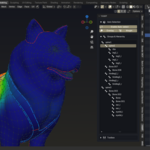
- Enable Auto-select: Toggle to enable the vertex group agnostic selection, and select some random vertex or vertices, but doing it this way not going to show the changes just yet you have to turn on the "Vertex group weight" from the View 3D overlay settings or, you can go to the next point.
- Weight: This toggle will save you a few clicks to see the auto selection in action visually, this toggle is basically just turn on the "Vertex group weight" you can find on View 3D overlay
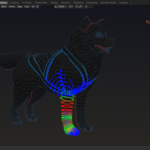
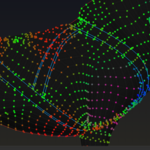
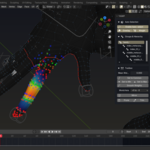
- Overlay: Enable this toggle and select some random vertex or vertices, it will show you the neighboring vertex influence.
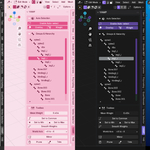
- Hierarchy view:
Select some vertices or a bone, to show you the immediate parent/child bone on a hierarchical list. And that's it, that was all the core functionality of this addon. Easy right? ;D
YAWP — Extras
Some common tools here and there
Toolbox Tips Contacts
Toolbox:
This subpanel contains mini tools that is exists just to cover some common tools that usually being used on skinning pipeline
- Mean weight slider: This slider will shows the mean weight of the selected vertices, when you manipulate the vertex weight through this slider it will keep the per-vertex offset scaling.
- Set to Common: This slider will set the value of the selected vertex weight to the most common value among the selected vertices.
- Set to Min: This slider will set the value of the selected vertex weight to the least value among the selected vertices.
- Set to Max: This slider will set the value of the selected vertex weight to the highest value among the selected vertices.
- World Axis dropdown list: This list will show all the world axis available that you can use to mirror you vertices.
- Mirror: This tool will mirror the selected vertices based on the selected World Axis.
- Prune: This tool can remove stray vertex weight value based on the cluster size, and set them to 0 value
- Trim: This tool can set the vertex value outside of the selection boundaries to weight 0
Tips: You can also navigate with the hierarchical list, select the list element to change the active vertex groups.
Troubleshoot: The addon uses a lot of delayed cache update, so some value might be lagged a bit behind, just nudge the interface a bit to "awake" them.
Stress test references
Based on models made by several artists under Sketchfab CC Attribution. Credit to the original creators — I'm not affiliated with or endorsed by them.
- Fish by shinanaa — Sketchfab
- Lucky cat with animation cute maneki neko by Noth+ Studio — Sketchfab
- Angus Bull by jackiebatteau — Sketchfab
- phoenix bird by NORBERTO-3D — Sketchfab
- On a Quest by Duhan — Sketchfab
- Animated Tyrannosaurus Rex Dinosaur Running Loop by LasquetiSpice — Sketchfab
- Indominus Rex [4k textures] FREE by BlueMesh — Sketchfab
- Quirky Series - FREE Animals Pack by Omabuarts Studio — Sketchfab
- Bull Knight by Vlad Chok — Sketchfab
- Ultimate Monsters Pack by quaternius — Sketchfab
License: CC Attribution (see individual Sketchfab pages for details).
Have questions about this product?
Login to message
| Blender Extension Compatible | Yes |
| Published | about 1 year ago |
| Blender Version | 4.2 - 4.5 |
| Extension Type | Add-on |
| Render Engine Used | Cycles, Eevee |
| License | GPL |
Discover more products like this
vertex Blender weight painting weight paint rigging realtime interface