Youtube To Video Texture
 Blender Easy
in VSE
Blender Easy
in VSE


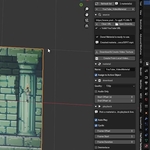
Installation
Option A — Install the Pre-Built ZIP
The easiest way to install the add-on is using the provided .zip file.
1. Locate the ZIP
Find the file:
youtube_video_texture.zip
Important: The ZIP must contain the youtube_video_texture folder, which includes the add-on's __init__.py file.
2. Open Blender Preferences
In Blender, go to:
Edit → Preferences → Add-ons
Then click:
Install…
3. Select the ZIP
Select:
youtube_video_texture.zip
Then click Install Add-on.
4. Enable the Add-on
Search for:
YouTube to Video Texture
Enable the checkbox to activate the add-on.
The add-on can be found under the Material category.
How to Use
Using the add-on is very simple.
Step 1 — Open the Add-on
Open the YouTube to Video Texture panel in Blender.
Step 2 — Paste the YouTube URL
Copy the URL of the YouTube video you want to use.
Paste it into the add-on's YouTube URL field.
Step 3 — Start the Download
Click the download/create button.
The add-on will download the video and prepare it for use inside Blender.
Step 4 — Automatic Material Creation
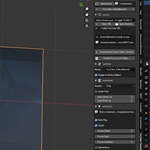
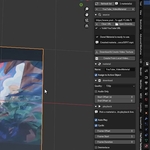
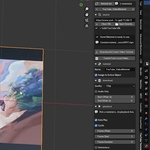
Once the download is complete, the add-on automatically creates a material using the downloaded video as a Video Texture.
You can then apply the material to your object and use the YouTube video directly in your Blender scene.
Basic Workflow
The entire process can be summarized as:
No need to manually download the video, create an Image Texture node, load the video, or configure the material yourself.
Troubleshooting
The add-on doesn't appear after installation
Make sure that:
- You installed the correct .zip file.
- The ZIP contains the youtube_video_texture folder.
- The folder contains __init__.py.
- YouTube to Video Texture is enabled in Blender's Add-ons preferences.
The video isn't appearing on the object
Make sure the generated material is assigned to your object and that you are viewing the material in Material Preview or Rendered mode.
Quick Start
- Install the add-on
- Open YouTube to Video Texture
- Paste a YouTube URL
- Click Download
- Wait for the download to finish
- The video texture material is created automatically
That's it — your YouTube video is now ready to use inside Blender.
 Included
Includes 12 months of
- Support from Blender Easy
- Product updates
Extend this product’s Support Period +12 months: 100% of product price
Have questions before purchasing?
Login to message
| Blender Extension Compatible | Yes |
| Published | about 2 months ago |
| Blender Version | 4.5 - 5.2 |
| Extension Type | Add-on |
| Render Engine Used | Blender-Internal, Cycles, Eevee |
| License | Mit |
Discover more products like this
VFX 3d Video Material blender addon blender procedural material youtube animation texture YouTube Downloader Material Video Texture