 Farax Creative


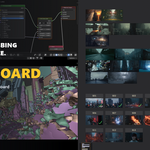
You leave Blender to look at a photo. Then again. Then again.

Zap Board turns an Image Editor into a free-form reference board. Drag your images in, arrange them however you think, and it all saves inside the .blend — open the file tomorrow and everything is where you left it.

It is a working surface, not a viewer

Put a work-in-progress render next to the reference it came from and drop its opacity to compare. Write shot numbers on note cards. Draw a check over the ones that are done.
What you get
Get images in — drag and drop straight from your file browser, paste from the clipboard, or load an entire folder at once.

Arrange without fighting it — free move, resize, multi-select and box-select. Or let Best Fit pack the whole board with no overlap. Sort by name, added order or file path.
Line things up — align and distribute; normalize sizes by height, width, longest side or area.
Edit non-destructively — crop, flip, 90-degree rotation and per-card opacity. Your source files are never modified.
Mark it up — text notes anywhere on the board, with adjustable size, colour and alignment. Freehand drawing over the top.
Keep it organised — lock cards, group them, solo a selection, and snap to an optional grid.
Stay current — any image that changes on disk reloads automatically.
Export — save the whole board out as a single image.
It does not touch your 3D scene
Nothing is added to your outliner. Nothing appears in your render. Remove the add-on and your file opens exactly as before.
Board mode is per editor, so one Image Editor can be a board while another stays an ordinary image viewer.
Sharing a board
The layout travels inside the .blend. Images are stored the way Blender stores any image — as a path — so press Pack Images for Sharing in the sidebar before sending a file to someone else, and the images travel too.
The person opening it does not need this add-on. The file opens normally, and editing and sending it back keeps the board intact.
Requirements
Blender 4.5 LTS or newer. Tested on 4.5, 5.0, 5.1 and 5.2 — 356 automated tests pass on every one of them.
Windows, macOS and Linux. Two convenience commands — Paste Image and Reveal File — are Windows only, because they hand off to a Windows tool. Everything else works the same everywhere.
Made by Farax Creative.