ZenRake – Procedural Zen Garden Patterns
 Sorai


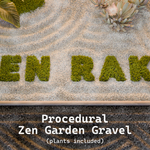
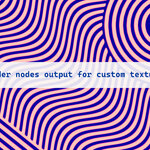
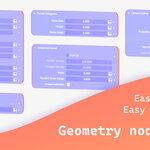
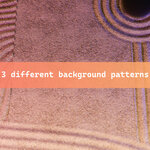
ZenRake – Blender Geometry‑Nodes Ripple Tool
Current Version: 1.0 | Release Date: May 25th 2025
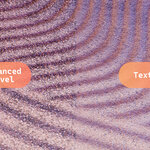
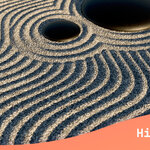
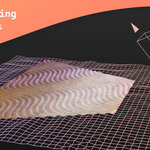
ZenRake is a lightweight Geometry‑Nodes system that procedurally carves tranquil rake patterns—ideal for sand, snow, or soil—directly onto any surface. Import, tweak, and render ripples in seconds with non‑destructive control.
Table of Contents
Quick Start
Append Collection ▸ ZenRake from the supplied .blend file.
Blender menu: File ▸ Append ▸ ▸ Collection ▸ ZenRake
Select your ground mesh ➜ add a Geometry Nodes modifier ➜ pick ZenRake.
Subdivide via the Subdivision slider (cap = 6 for safety).
Optional: Place objects that should emit ripples into a collection and assign it inside the modifier.
(Mesh export) Tick Realize Instances when you need editable geometry.
Append Collection ▸ ZenRake from the supplied .blend file.
Blender menu: File ▸ Append ▸ ▸ Collection ▸ ZenRake
Select your ground mesh ➜ add a Geometry Nodes modifier ➜ pick ZenRake.
Subdivide via the Subdivision slider (cap = 6 for safety).
Optional: Place objects that should emit ripples into a collection and assign it inside the modifier.
(Mesh export) Tick Realize Instances when you need editable geometry.
Detailed Guide
1. Import ZenRake
Append the pre‑built collection into your working file:
File ▸ Append
└─
└─ Collection
└─ ZenRake
2. Prepare Ground Geometry
Select the surface mesh (a plane with uniform quads works best).
Add a Geometry Nodes modifier and choose ZenRake.
Subdivision
Increase to refine ripple detail.
Default max = 6 (to avoid crashing low‑end systems) – override if your hardware allows.
Select the surface mesh (a plane with uniform quads works best).
Add a Geometry Nodes modifier and choose ZenRake.
Subdivision
Increase to refine ripple detail.
Default max = 6 (to avoid crashing low‑end systems) – override if your hardware allows.
Tip: Higher subdivision = sharper ripples but heavier viewport.
3. Create Ripple Patterns
Group objects that should be surrounded by ripples into a collection.
In the modifier, assign that collection.
Pattern behaviour
Blended – all objects in one collection.
Overlapping – put each object in its own collection and assign separately (up to two collections supported in v1.0).
Group objects that should be surrounded by ripples into a collection.
In the modifier, assign that collection.
Pattern behaviour
Blended – all objects in one collection.
Overlapping – put each object in its own collection and assign separately (up to two collections supported in v1.0).
4. Export Final Mesh
Tick Realize Instances inside the modifier.
The procedural output is baked to real geometry, ready for sculpting, UV unwrapping, or export (FBX/OBJ/GLB...).
Tick Realize Instances inside the modifier.
The procedural output is baked to real geometry, ready for sculpting, UV unwrapping, or export (FBX/OBJ/GLB...).
Current Limitations
Displacement is Z‑axis only.
(Future: support for arbitrary normals if users request.)
Camera culling size may need manual adjustment after changing FOV – tweak Projection Size inside the node group.
No built‑in texture baking; shader textures remain accessible.
Ripple sharpness scales with mesh density.
Displacement is Z‑axis only.
(Future: support for arbitrary normals if users request.)
Camera culling size may need manual adjustment after changing FOV – tweak Projection Size inside the node group.
No built‑in texture baking; shader textures remain accessible.
Ripple sharpness scales with mesh density.
License
ZenRake is distributed under the Superhive Standard Royalty‑Free License unless your Superhive order states otherwise.
Need a different licence or an exception? → [email protected]
Support
Questions, feature requests, or bug reports? Feel free to email [email protected] or leave a BlenderMarket message.
Happy raking!
Have questions about this product?
Login to message
| Sales | 10+ |
| Rating | 3 ratings |
| Dev Fund Contributor | |
| Published | over 1 year ago |
| Blender Version | 4.2 - 5.1 |
| Render Engine Used | Cycles |
| License | Royalty Free |
Discover more products like this
lines animation environment Zen Garden waves architectural gravel procedural geometry nodes ripples meditation Rake Patterns