Advanced Masks Bundle
- Products: 6
- Sales: 0



THE TACHYON STUDIO COLLECTION
Go beyond
the Advanced Masks Bundle.
The masks are made, in vertex color and in a texture. Take the asset to Painter, then into the engine.
WHEN YOU WANT PAINTER
Substance Painter Bridge
Send the mesh to Substance Painter and get the maps back as ready-wired Blender materials.
SEND IT TO UNREAL
Unreal Engine Bridge
Send meshes into a running Unreal Editor with collision, sockets and LODs applied.
Build out your workflow.
A few more tools, chosen for the work you do here.
PACK THE MAPS · FREE
Tachyon Texture Tools
Free. Pack and unpack ORM maps; rename, resize and convert whole texture folders.
BAKE IN TOOLBAG
Marmoset Toolbag Bridge
Bake in Toolbag and bring the finished maps into Blender.
TAKE IT INTO UNITY
Unity Bridge
Send Blender assets and updates into Unity.
There is more in the studio.
See the full collection ↗Optional products, sold separately. Check requirements; external applications are not included.
Setup, compatibility and more: tachyonstudio.net/tools/advanced-masks-bundle
Individual

Team
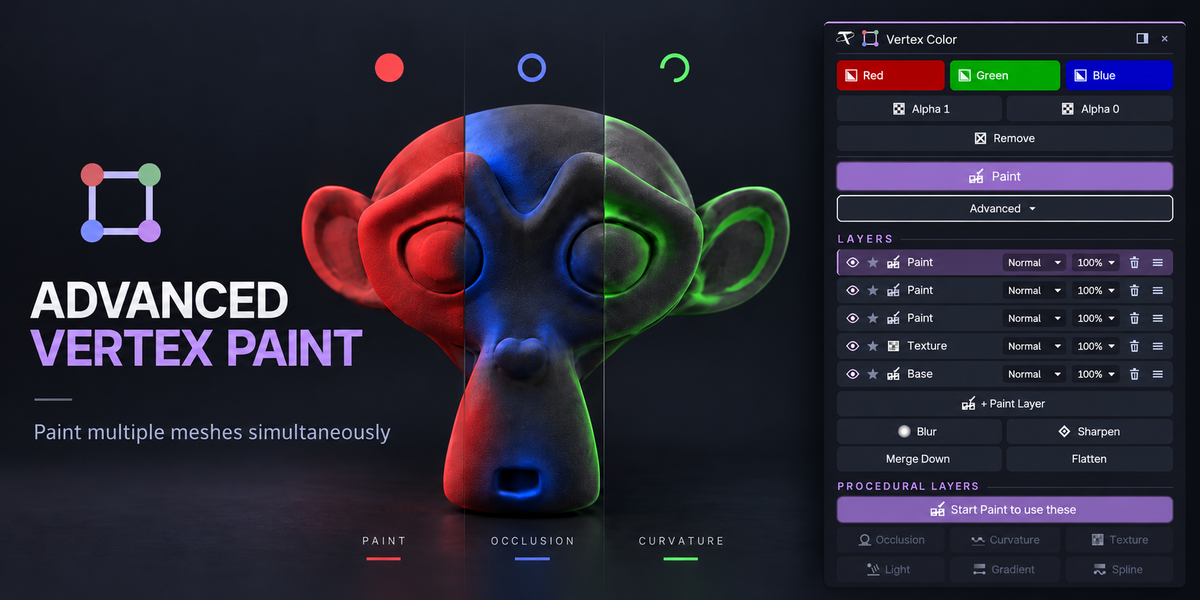
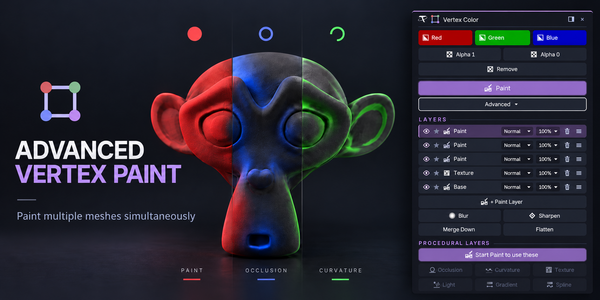
Two add-ons: Advanced Vertex Paint Pro (Advanced Vertex Color Pro), for masks in vertex color, and RGB Mask Master, for Painter-style RGB masks baked into a texture. You get both zips.
Pro: everything in Basic — fill, alpha, multi-mesh painting, Gradient and Spline — plus Photoshop-style layers and the procedural layers (Occlusion, Curvature, Texture and Light).
Yes, for every seat count: Individual, Team and Studio each cost less as the bundle than the two add-ons bought separately.
Two, each standalone. Install one or both, in any order; each has its own card (Ctrl + Shift + C and Ctrl + Shift + M) and its own sidebar tab.
Vertex color when the mask should cost no UVs and no texture memory — mid-poly and modular kits, tiling or trim-sheet materials, engine shaders that read vertex color. A texture when the mask needs fine detail — unique hero assets, sharp edge wear and grunge. Many assets use both.
Yes. Advanced Vertex Paint writes color attributes and RGB Mask Master writes images and its own material nodes, so neither touches what the other made.
They are seat counts. Individual is 1 person, Team is up to 6 people and Studio is up to 20 people. Commercial use is included in all three.
Both work on Blender 3.3 to 5.2, each from one zip: an extension on 4.2 and newer, a classic add-on on 3.3 to 4.1.
Yes, everything in Blender. RGB Mask Master's Painter bridge looks for Painter on macOS and Linux too, but it has only been tested on Windows.
No. Neither opens a socket, sends telemetry or checks a licence.
No. Only RGB Mask Master's Send to Painter / Get from Painter uses it; everything else happens in Blender.
No, and there is no need: Pro contains everything in Basic. If both are enabled, the second one declines to load and tells you why. Disable one, restart Blender, and enable the other.
Press Ctrl + Shift + C in the 3D Viewport. The card appears with every control on it. The same controls are also in the sidebar (N) under the Vertex Color tab, and the shortcut can be changed in the add-on preferences.
Only where you fill or paint. A Paint session, a Gradient or a procedural layer can be cancelled, and cancelling puts every mesh back exactly as it was. Every fill is a single undo step.
Press Flatten first. Layers are stored as extra color attributes; Flatten bakes the result into your usual color attribute and removes the layer attributes, so the exporter and the engine see one clean attribute.
Set Viewport Shading ▸ Color to Attribute, or look at the mesh in Vertex Paint mode.
One texture holding three black-and-white masks, one per channel. Here red is dirt in the crevices (from the AO bake), green is worn edges (from the curvature bake) and blue is patches of a second colour (3D grunge). Game engines and trim-sheet materials read it to place wear and colour variation without any extra textures.
No. AO and curvature are baked from the mesh itself, the way Painter bakes "from mesh". Mid-poly models with one-segment bevels are handled by Single Bevel, which wears the whole bevel as one edge.
No. Turn on + Children, select the empty and press New Mask Set: every mesh under it gets one RGB mask — one texture, one Painter texture set — with their mask UVs laid out together. Clicking the empty afterwards shows and edits that mask for all of them.
Yes. Turn on One Mask for All, select the assets and press New Mask Set (or Send to Painter): they all get one mask — one texture, one Painter texture set. If their UVs overlap (each asset laid out 0–1 on its own), the add-on packs them together into a new RGBMask Packed UV map; your own UV maps are not changed.
Ignore their collections. Tick them under Ignore on the card for this file, or add names (wildcards like LOD* work) to Ignored Collections in the preferences for every file. Ignored meshes are left out of mask sets, bakes — also as occluders — and Send to Painter.
Its own: the second UV map by default, so your first map stays the texturing UVs. If a mesh has only one, a map called RGBMask is made with Smart UV Project. You can pick any UV map on the card.
No. The mask shows on the add-on's own copies of your materials, and your originals are never edited. Bakes run on temporary copies in a temporary scene. The only thing added to a mesh is the mask UV map when it has none.
It depends on the size of the asset and the resolution. It runs on the GPU when one is set in Preferences ▸ System. To tune the settings without waiting, use Preview Bake…: the curvature redraws as you drag the sliders, and Bake Maps then does the exact bake once.
Yes, with Other Objects Occlude. It is off by default, like Painter, so a prop is not darkened by the floor it happens to stand on in your scene.
It finds Painter by itself — Steam or Adobe installs, the older Allegorithmic ones, or a copy that is already running — and its plugin looks up every newer API before using it. It has been tested with Substance 3D Painter 10.1 (2024) on Windows.
The same Painter project is updated in place: the mesh is reloaded, new texture sets are set up, everything is re-baked, and what you painted in Painter stays. If Painter has unsaved work, it asks first.
If Painter was already open before the first send, it has not loaded the bridge's plugin yet. Restart Painter once — the job is waiting and starts by itself. This is only needed the first time.
Yes. Make Mask in Blender adds the RGB layers and bakes the maps, and what came from Painter stays available under Show Painter Result.
Confirm RGB Mask bakes the mask into one PNG in your RGB mask folder and plugs it into the materials, so the asset no longer needs the add-on. Export RGB Mask writes the PNG without changing anything.
Yes. Their tiling RGB mask is swapped for this one, using either the card's channel settings or the material's own.