Assembly Documentation Kit
- Products: 4
- Sales: 0
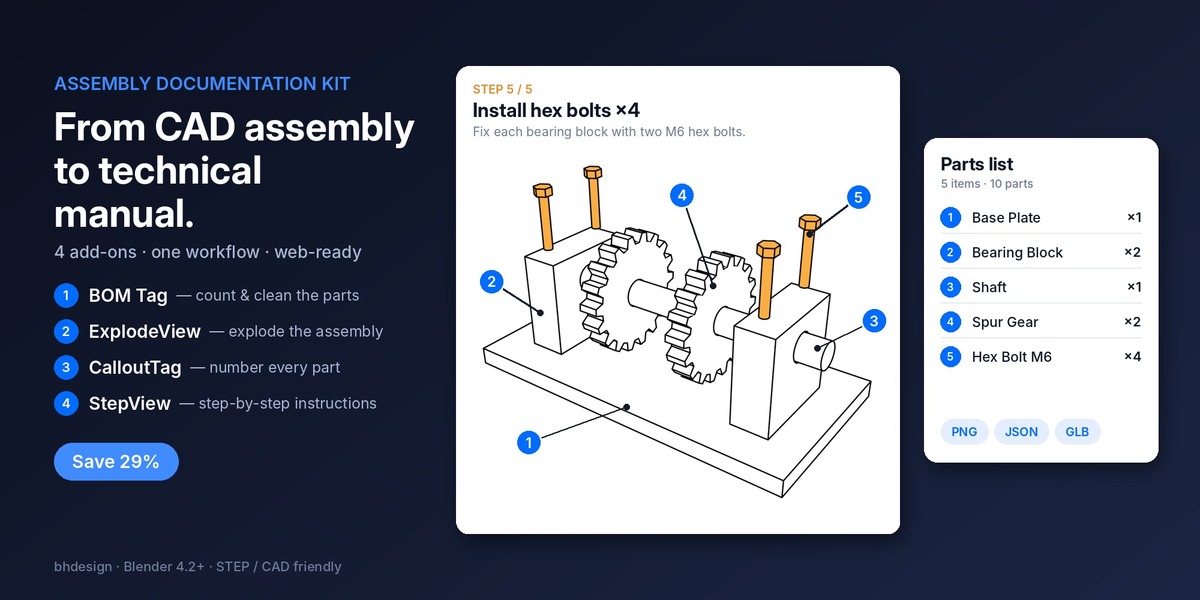
From a CAD assembly to a complete technical manual, in Blender.
Explode your assembly, number every part, build the parts list and turn it all into step-by-step instructions: four add-ons that work together, for 29% less than buying them separately.
What's inside
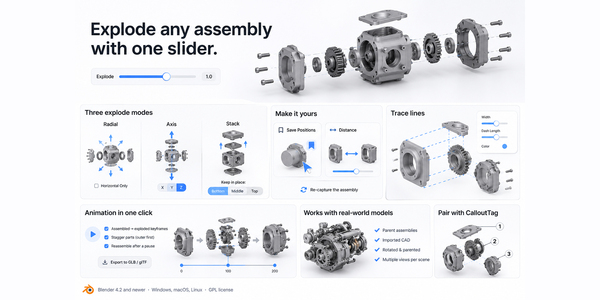
- ExplodeView (Exploded views, $29): explode any assembly with one slider. Stack mode with no parts passing through each other, technical trace lines, animation and GLB export.
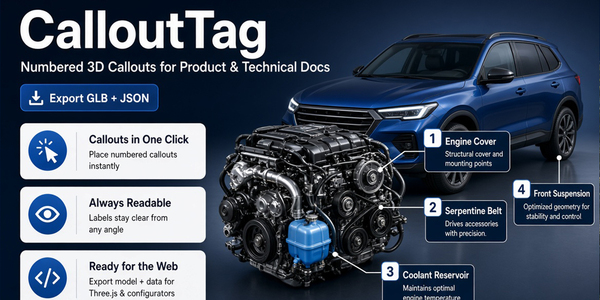
- CalloutTag (Numbered callouts, $19): numbered 3D callouts with leader lines that follow the model, exported to GLB + JSON.
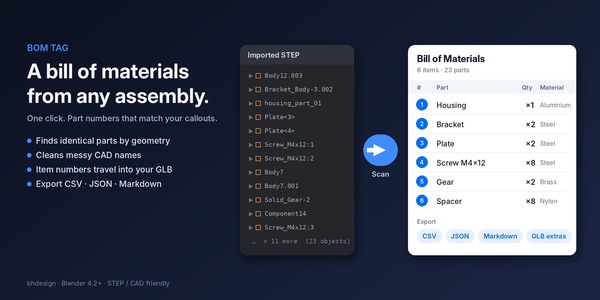
- BOM Tag (Bill of materials, $15): count identical parts, clean CAD names and export a bill of materials.
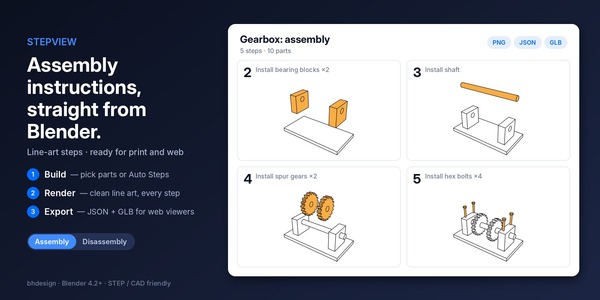
- StepView (Step-by-step instructions, $39): assembly or disassembly steps, clean line-art renders, and a JSON + GLB export you can view in 3D in the free StepView web viewer.
How they work together
- BOM Tag cleans the names and counts the parts.
- ExplodeView spreads the assembly apart and gives each part its direction.
- CalloutTag numbers the parts to match the bill of materials.
- StepView turns everything into steps: parts arrive from their exploded direction, and the parts list and callouts go into the export.
Made for
Assembly manuals · maintenance and repair procedures · work instructions · technical documentation · product presentations
Good to know
- Each add-on also works on its own.
- Works with imported STEP / CAD models.
- Blender 4.2 and newer · Windows, macOS, Linux · GPL.
- All future updates of the four add-ons included.
What's included in the kit?
Four add-ons: ExplodeView (exploded views), CalloutTag (numbered 3D callouts), BOM Tag (bill of materials) and StepView (step-by-step instructions). You get the full version of each, for 29% less than buying them separately.
Do I need all four add-ons?
No. Each add-on works on its own. Together, they cover the whole workflow: clean and count the parts, explode the assembly, number the parts, then turn everything into step-by-step instructions.
I already own one of these add-ons. Is the kit still worth it?
If you already own two or more, buying the missing ones separately is usually cheaper. If you own only one, the kit is often still the better deal. Compare the prices of the add-ons you're missing with the kit price.
Does it work with CAD or STEP models?
Yes. The add-ons work with imported STEP and CAD assemblies, including models where every part's origin sits at world zero. They compute directions and positions from each part's geometry.
Will my model be changed?
No. ExplodeView remembers every part's original position, StepView's preview and exports are non-destructive, and callouts and lines are added as separate objects. You can always go back to your original assembly.
Can I use the results on the web?
Yes. ExplodeView exports the explode animation to GLB / glTF. CalloutTag exports GLB + JSON with every callout. StepView exports a JSON procedure, a GLB model and the step images, which you can view in 3D in the free StepView web viewer (callout3d.com/stepview/project.html). Nothing is uploaded.
Can I make maintenance or repair procedures, not only assembly instructions?
Yes. StepView has a Disassembly mode: the first step shows the full product and each step removes parts.
Can I use it for commercial work?
Yes. You can use the add-ons and everything you create with them in commercial projects for yourself or your clients.
Are updates included?
Yes. You get all future updates of the four add-ons.
Which Blender versions are supported?
Blender 4.2 and newer, on Windows, macOS and Linux. Each add-on installs as a separate zip with Edit → Preferences → Get Extensions → Install from Disk.
I found a bug or need help. How do I reach you?
Email [email protected] or use the Superhive product page. Please include your Blender version and, if possible, a screenshot or a small .blend file.