Sovereign AI Assistant for Blender — Generate Scripts, Automate Tasks & Build Tools Faster
 DEV-NET Microsystems




Sovereign AI v2.0 - Official Documentation
Welcome to Sovereign AI v2.0.
This guide explains installation, configuration, and the recommended workflow for using the AI-powered assistant inside Blender 4.x and 5.x.
1. Installation
Download the
sovereign_ai_v2.zipfile.Open Blender.
Navigate to:
Edit > Preferences > Add-ons
Click:
Install...
Select the ZIP file.
Enable:
3D View: Sovereign AI Assistant
The Sovereign AI panel will now be available inside the Blender viewport.
2. AI Provider Configuration
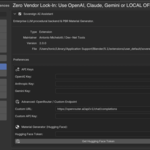
Sovereign AI connects to external AI providers for advanced generation features.
Open:
Edit > Preferences > Add-ons > Sovereign AI
Add at least one AI provider key:
OpenAI
Anthropic Claude
Google Gemini
A configured provider is required for AI-powered generation features.
3. PBR Material Generator Setup
The AI Material Generator uses Hugging Face resources for texture generation.
Create a free access token:
huggingface.co/settings/tokens
Required permission:
Read
Add the token inside Sovereign AI Preferences.
4. Installing Dependencies
Some features require additional Python libraries.
Inside Sovereign AI Preferences:
Click:
Install Dependencies
The add-on will automatically install the required packages using Blender's internal Python environment.
After installation:
Restart Blender.
5. Using Sovereign AI
Open the Blender viewport.
Press:
N
to display the Sovereign AI sidebar.
AI Assistant
Select your AI provider.
Describe the operation you want to perform.
Example:
"Create a 5x5 meter floor and add a warm area light"
Sovereign AI will generate the required Blender operations and execute them inside your scene.
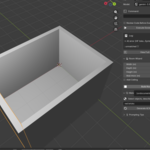
Room Wizard
Generate architectural room structures without consuming AI tokens.
Create:
Walls
Floors
Openings
Basic room layouts
Room Wizard uses procedural generation for fast architectural blocking.
AI Material Generator
Select a mesh object.
Enter a material description:
Example:
"Clean polished dark oak wood"
Sovereign AI will create:
Material setup
PBR node configuration
Generated texture workflow
and apply it directly to the selected object.
6. Recommended Prompt Workflow
For best results, build your scene progressively.
Instead of:
"Create a complete house with furniture, lighting and materials"
Use smaller steps:
Create the room structure
Add openings
Generate materials
Add lighting
Refine details
This produces more reliable results and gives you better control over the final scene.
7. Safety System
Sovereign AI includes an AST-based validation layer.
Generated scripts are analyzed before execution to reduce unsafe operations and protect your Blender files.
Always save your project before running large automated operations.
Have questions about this product?
Login to message
| Blender Extension Compatible | Yes |
| Published | 4 months ago |
| Blender Version | 4.2 - 5.1 |
| Extension Type | Add-on |
| Render Engine Used | Blender-Internal, Cycles, Eevee |
| License | GPL |

Discover more products like this
automation workflow tool material-generator pbr-materials procedural architecture Text-to-3D openai ArchViz ai python scripting chatgpt