Sovereign AI Assistant for Blender — Generate Scripts, Automate Tasks & Build Tools Faster
 DEV-NET Microsystems




I am getting an error when I try to generate a PBR Material. How do I fix it?
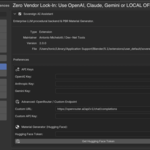
The Material Generator requires specific Python libraries. Go to Edit > Preferences > Add-ons, expand Sovereign AI, and click the "Install Dependencies" button. Check the Blender system console to ensure it finishes successfully, then restart Blender. Also, ensure you have pasted a valid Hugging Face "Read" Token in the preferences.
The AI generated a response, but execution was blocked with an "AI Hallucination" error. Why?
This is our Enterprise Security feature in action! Sometimes, LLMs hallucinate nonexistent Blender API commands (bpy.ops). Instead of letting bad code crash your software, our custom AST Validator Sandbox intercepts and blocks it. Simply rephrase your prompt (e.g., specify "Use bmesh instead of bpy.ops") and try again.
Can Sovereign AI generate highly complex 3D models like characters or cars?
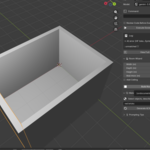
No. Large Language Models generate Python code, not voxel/polygon data from scratch. Sovereign AI is specifically engineered for procedural ArchViz generation (rooms, layouts, primitives, booleans), lighting automation, node-tree setups, and material generation.
Do I need to pay monthly fees for the AI APIs?
No. Sovereign AI uses a BYOK (Bring Your Own Key) architecture. You pay the AI providers (OpenAI/Anthropic) directly per API call, which typically costs micro-pennies per prompt. The Hugging Face API (used for the PBR Material Generator) is 100% FREE.
$59$29.50
Have questions about this product?
Login to message
| Blender Extension Compatible | Yes |
| Published | 4 months ago |
| Blender Version | 4.2 - 5.1 |
| Extension Type | Add-on |
| Render Engine Used | Blender-Internal, Cycles, Eevee |
| License | GPL |

Discover more products like this
architecture material-generator openai procedural pbr-materials ai automation python scripting ArchViz workflow tool chatgpt Text-to-3D