 Tamara


2DFactory
Creating game-ready 2D sprites from 3D models can be time-consuming and repetitive. 2DFactory, a Blender add-on, streamlines the process by turning Blender 3D models and animations into organized sprite sheets while preserving important animation and spatial information for use in game engines. With just a few clicks, you can create sprite sheets and structured JSON metadata, reducing the manual work normally required for sprite slicing, animation setup, pivot alignment, and other post-processing tasks.
2DFactory includes many features: PBR texture baking (normal, roughness, AO, and emission maps), modular sprite sheets, multidirectional rendering, pivot placement control, direct pixel measurement (2D ruler), automatic cropping, JSON-based sprite information, progressive sheet creation, socket support, and more.
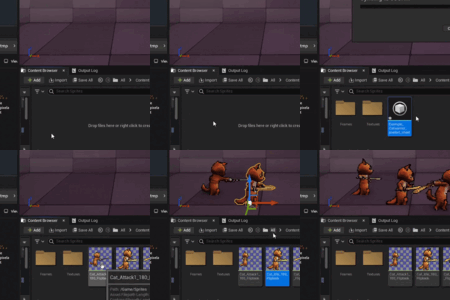
2DFactory also includes free dedicated plugins for Unity, Unreal Engine, and Godot, allowing you to instantly create game-engine assets from 2DFactory sprite sheets and JSON metadata with just one click.
Update to v.1.2.4: (Sept, 22, 2026)
Bug Fixes:
- Fixed an issue when updating an existing JSON action with a new render.
Update to v.1.2.3: (Sept, 21, 2026)
Bug Fixes:
- Fixed an issue causing animation names to not match correctly in JSON (particularly, due to wrong rounding of the angle value).
- Fixed an issue causing certain actions to have incorrect frame numbers.
- Fixed diffuse baking causing error if "use diffuse as main sheet" is checked while either "include bake" or "diffuse" is unchecked.
Addition:
- Added 2DFactory Unity Plugin v1.0.0.
- Allows users to create Unity assets with one click from 2DFactory sprite sheets and JSON data.
- The created Unity assets include: Sprite assets (with assigned grid dimension, custom pivot, and secondary texture), Animation Clips,
Animator Controller, and Prefab asset.
- Allows users to create Unity assets with one click from 2DFactory sprite sheets and JSON data.
- The created Unity assets include: Sprite assets (with assigned grid dimension, custom pivot, and secondary texture), Animation Clips,
Animator Controller, and Prefab asset.
Update to v.1.2.2: (Sept, 16, 2026)
Bug Fixes:
- Fixed error after unchecking the "Create _reserved folder" in Export Settings panel, and that the action_sheet is not removed from the target folder.
- Fixed bug regarding the sign of the cropShift y-value. This correction cause several impactful change:
- Flip pivot x and Flip pivot y option are removed from Export Settings panel.
- Both 2DFactory UE Plugin and 2DFactory Godot Plugin are updated to the v.1.2.2 and v.1.0.1, respectively, to make this change compatible
for correct pivot and socket calculation. Therefore, if you use 2DFactory Blender Add-on v1.2.2 and rely a lot on pivot and socket, please
use these new version of the plugins.
- Refer to the Documentation v.1.2.2, subsection 1.2.5 for detailed explanation regarding the values of cropShift and Pivot exported in JSON.
- Flip pivot x and Flip pivot y option are removed from Export Settings panel.
- Both 2DFactory UE Plugin and 2DFactory Godot Plugin are updated to the v.1.2.2 and v.1.0.1, respectively, to make this change compatible
for correct pivot and socket calculation. Therefore, if you use 2DFactory Blender Add-on v1.2.2 and rely a lot on pivot and socket, please
use these new version of the plugins.
- Refer to the Documentation v.1.2.2, subsection 1.2.5 for detailed explanation regarding the values of cropShift and Pivot exported in JSON.
Update to v.1.2.1: (Sept, 14, 2026)
Bug Fixes:
- Fixed modular actions/tags that don't follow the value of "loop" and "direction" field under 'Meta' in JSON file.
- Fixed socket field in modulars panel that can accept invalid input.
Changes:
- Compatibility is extended to Blender 5.2
- Added Free Godot Sprite Sheet Importer: 2DFactory Godot Plugin. The plugin allow one click Godot 2D/3D sprites asset creation from the exported sheet images + JSON from 2DFactory Blender Addon.
- Added 3D calculation mode for socket z translation, along with the newly added blender properties in the socket panel: z mode, z=0 object, z=0 target. This allow socket transform z (sprite depth) follow the Target (bone/vertex group) movement in camera view plane.
- Added "Front facing angle" property in socket panel. This allow user define the starting "front facing" angle in multidirection mode for socket calculation.
- Added Create _reserved folder option in Export Settings.
The one who already bought the 2DFactory before the update, will get the updated version for free. Refer to this page and feel free to download it.
Future Plans:
Adding feature sprite animation preview from the exported sheet and JSON directly in blender.
Adding more texture baking option.
Highlight: Modular Sprite Creation
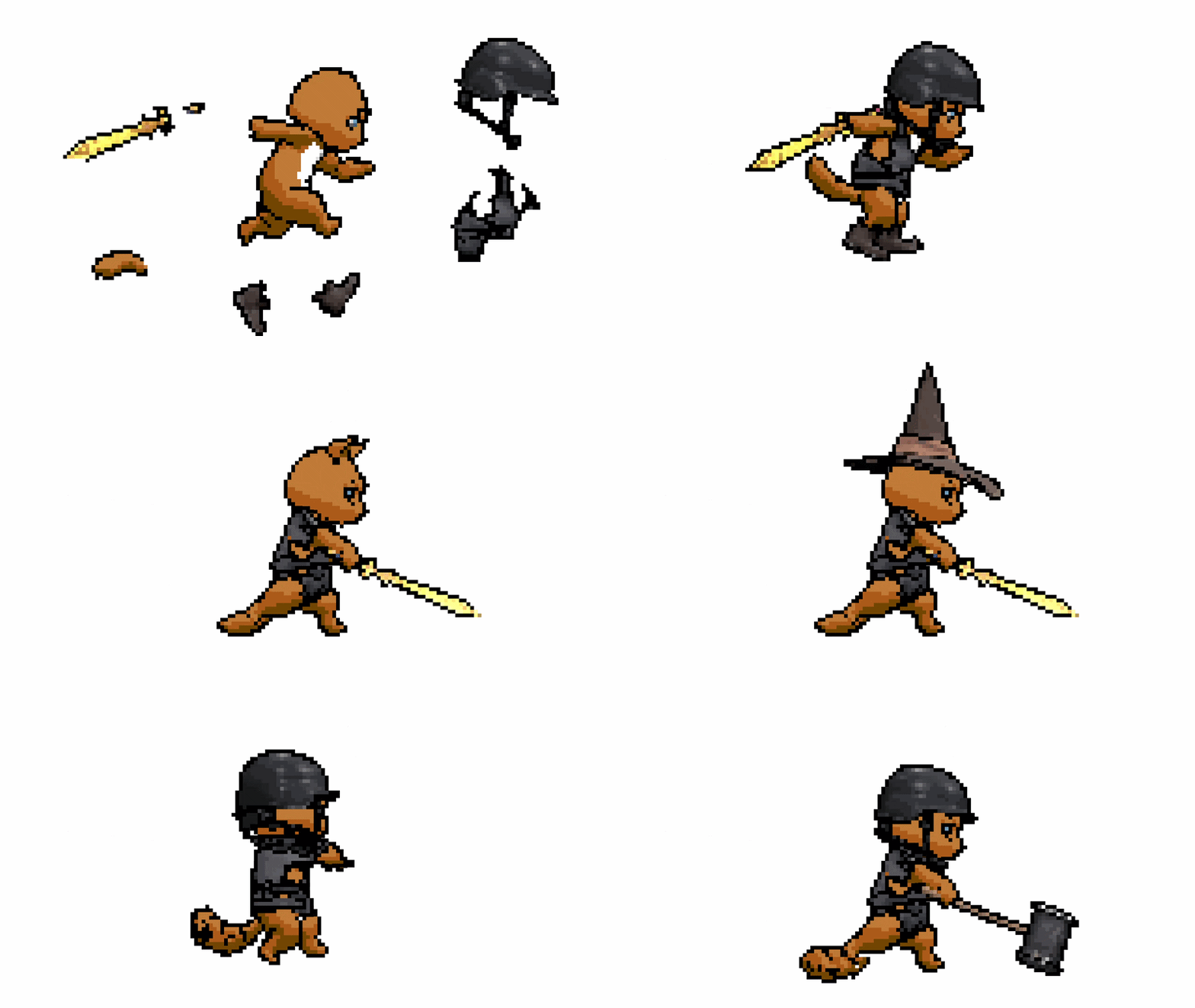
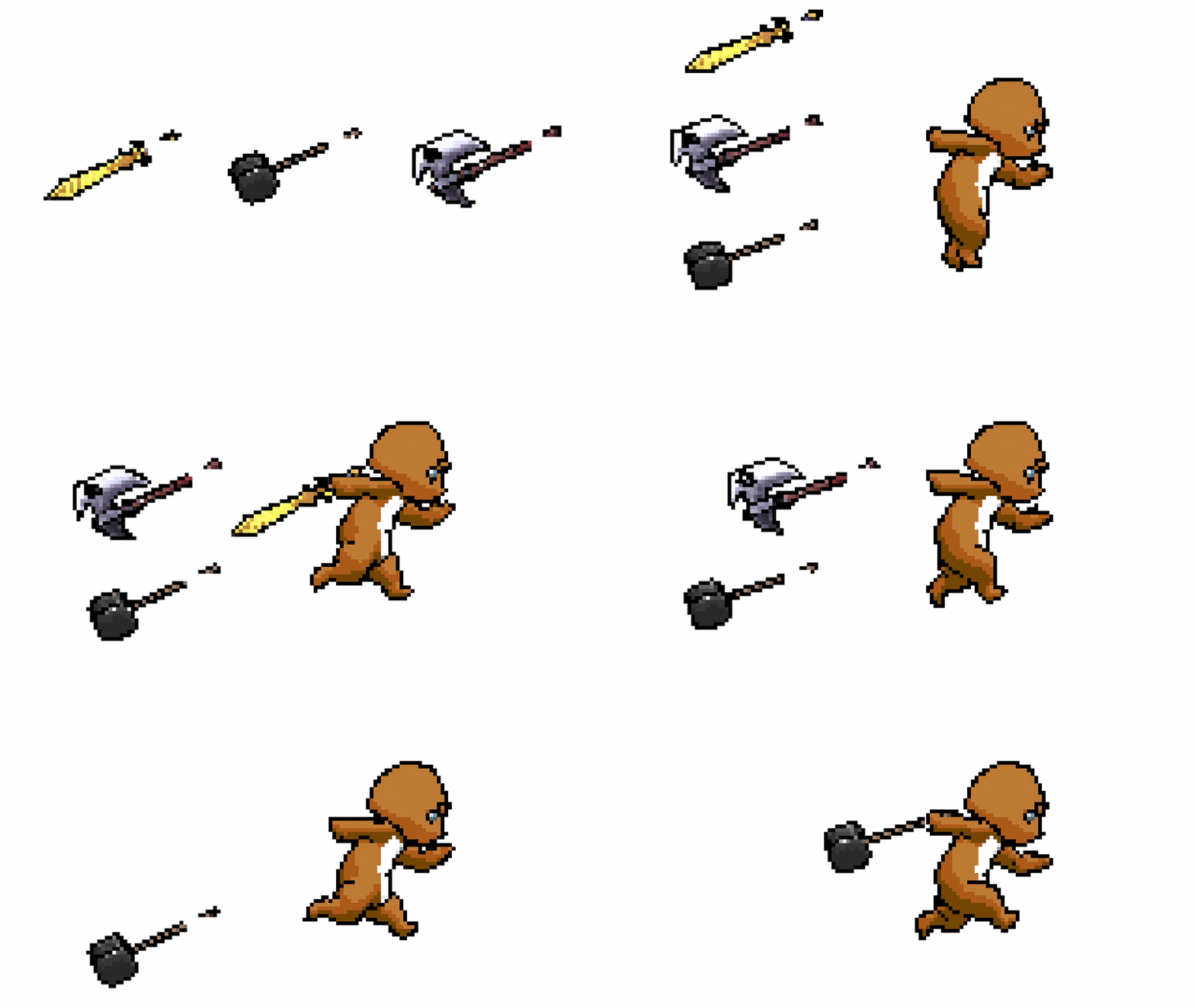
To the best of current publicly available tools, this is the only Blender add-on so far that has one feature that allows for modular sprite sheet creation within a full 2D character + equipment workflow, where characters and their gear are generated as independent yet fully compatible render components.
Check out the documentation for how to do it with 2DFactory.
Precise Camera Angles, Every Time
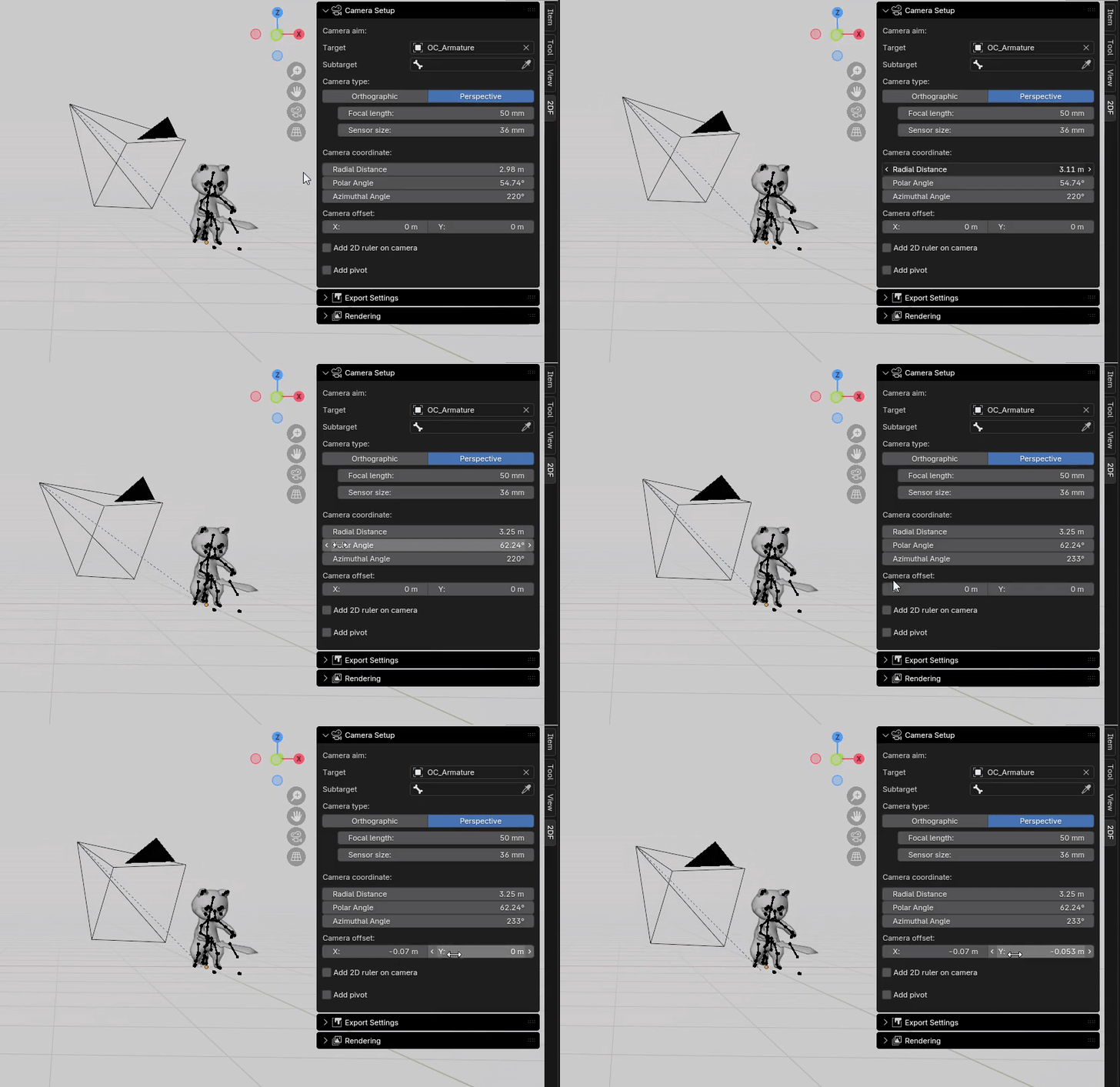
Fig. 1 The position of the camera, generated by the add-on, is fully controlled by five variables under Camera Coordinate and Camera Offset.
Forget endlessly rotating and zooming your camera by hand, trying to “eyeball” the perfect angle. With this add-on, you no longer rely on guesswork, the camera is positioned by five precise variables. Radial Distance, Polar Angle, and Azimuthal Angle set the main view, while Camera Offset fine-tunes the frame (see Fig. 1).
This guarantees consistency across every render. If you need the exact same side view, isometric angle, or top-down shot for multiple actions or characters, you can simply re-use the same values. For example, Polar Angle near 90° locks in a perfect side-scroller perspective, while 54.74° gives you true isometric projection.
Measure Sprite Pixel Size in Blender
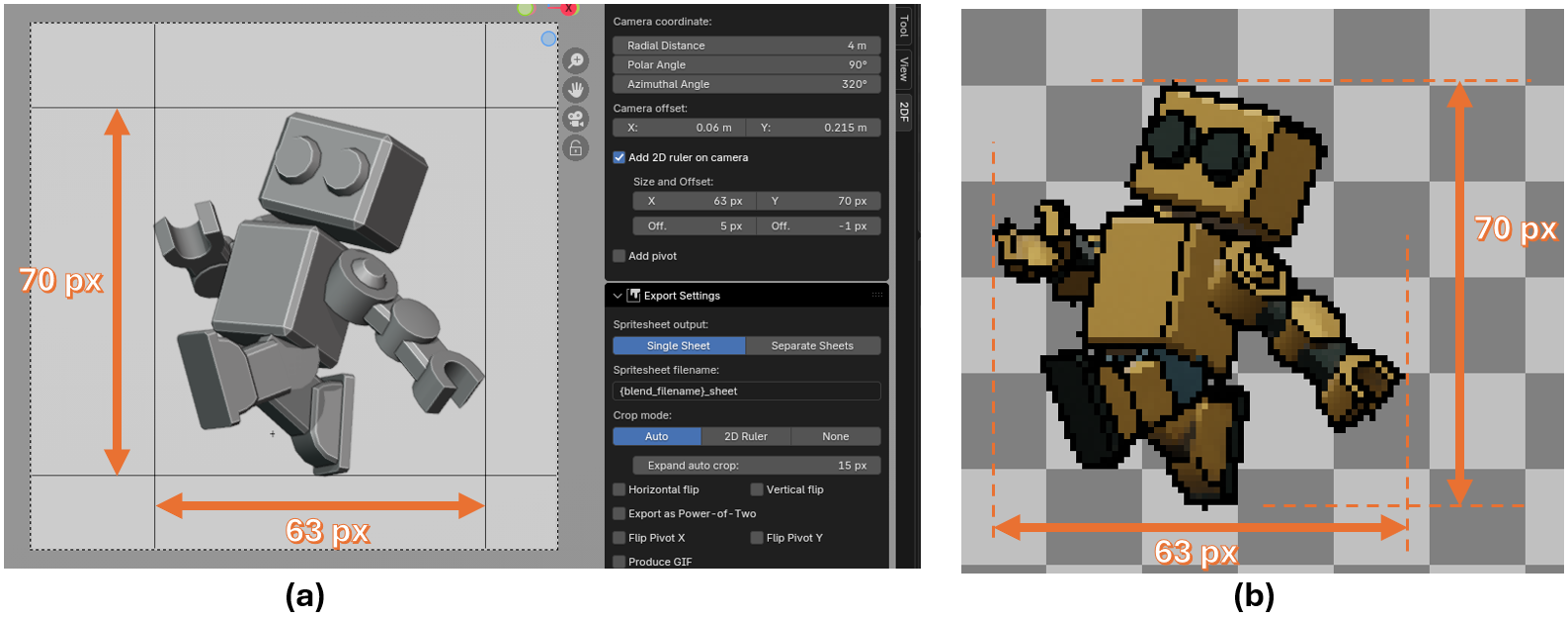
Fig. 2 Using 2D Ruler under the 2DFactory Camera Panel, you can measure the pixel size of your sprites directly in Blender.
This add on provide a helper tool to measure your sprite pixel size directly in Blender (see Fig. 2), ensuring all your asset stay consistent in size. By enabling it via "Add 2D Ruler" checkbox in the Camera Setup panel, the ruler will be added to the camera frame represented by four black lines. You can then move these lines in X and Y direction via the panel to start the measurement.
Set Custom Pivots with Ease
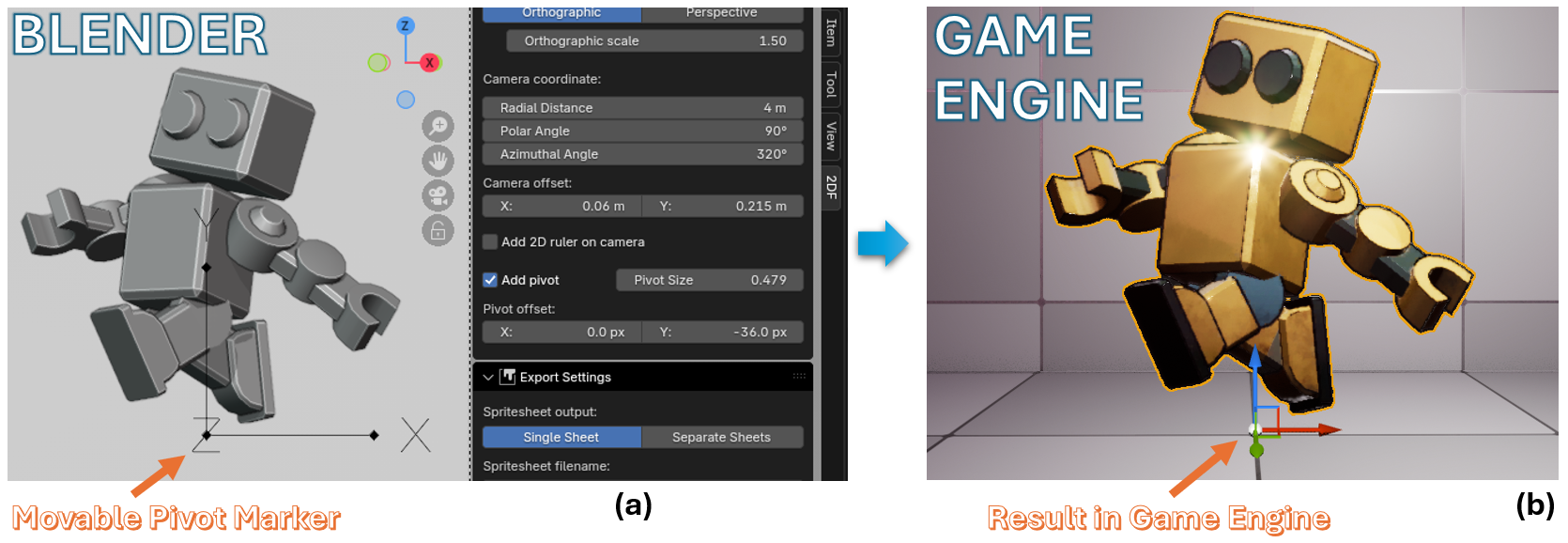
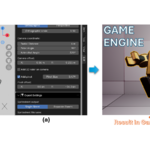
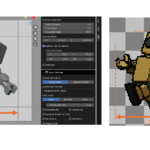
Fig. 3 You can set the pivot of your sprite sheet directly in Blender by moving the Pivot Marker from the 2DFactory camera panel (a). The pivot values are stored in the sprite sheet metadata (e.g. JSON). You can then apply the values as custom pivot in your game engine (b).
Set the pivot of your sprites visually in Blender, no guesswork. Just move the Pivot Marker, and the values are automatically written into the exported metadata for perfect alignment in your game engine.
Batch Render From Action Queue
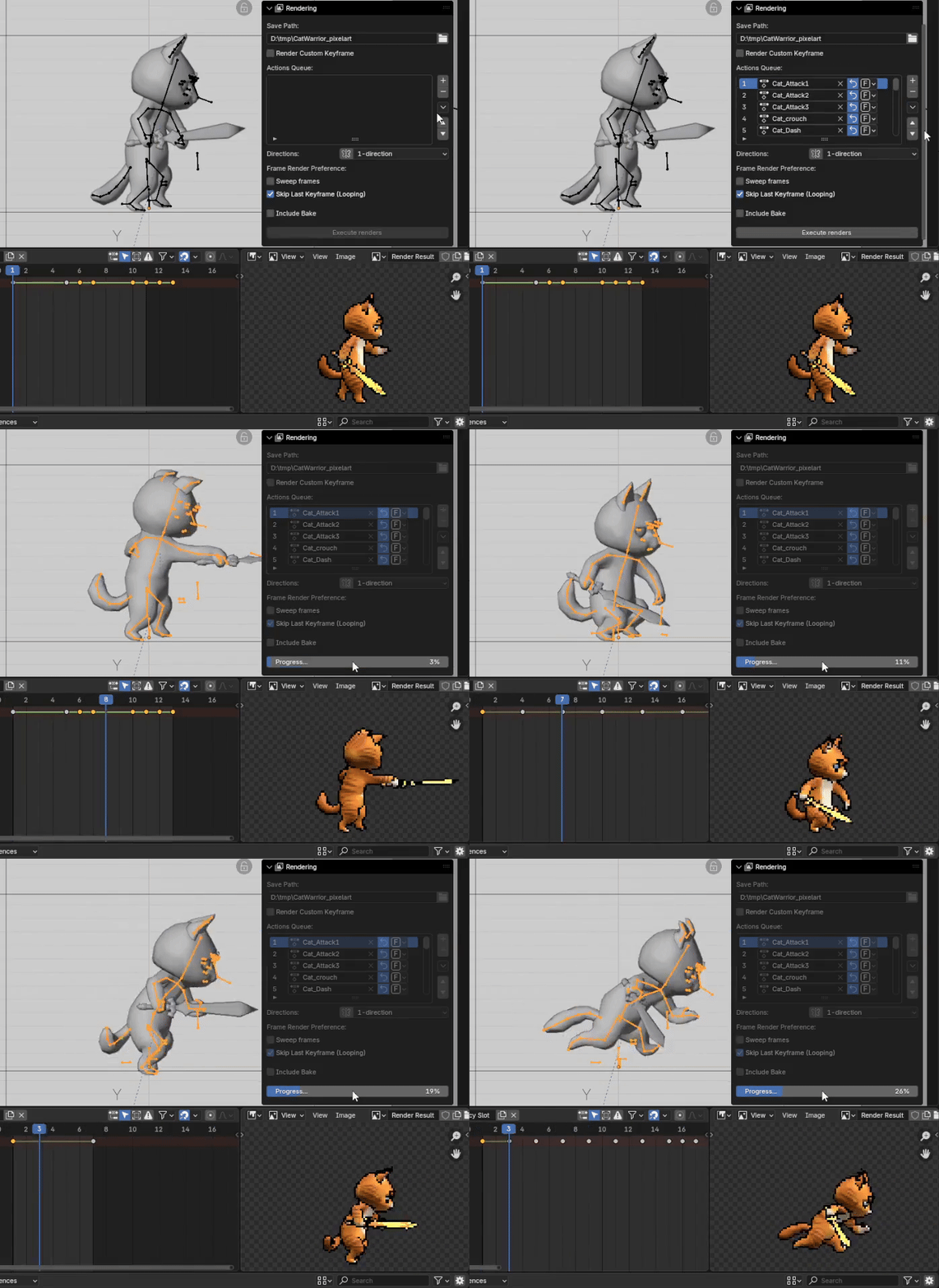
Fig. 4 The Action Queue lets you add multiple animation actions to a list. Once queued, the add-on will batch render everything automatically, saving time and effort.
Put all your model's actions in the Action Queue, then hit "Execute Render" button, and let the add-on process everything in one go. No need to render animations one by one, the add-on handles it for you.
Smart Auto-Cropping
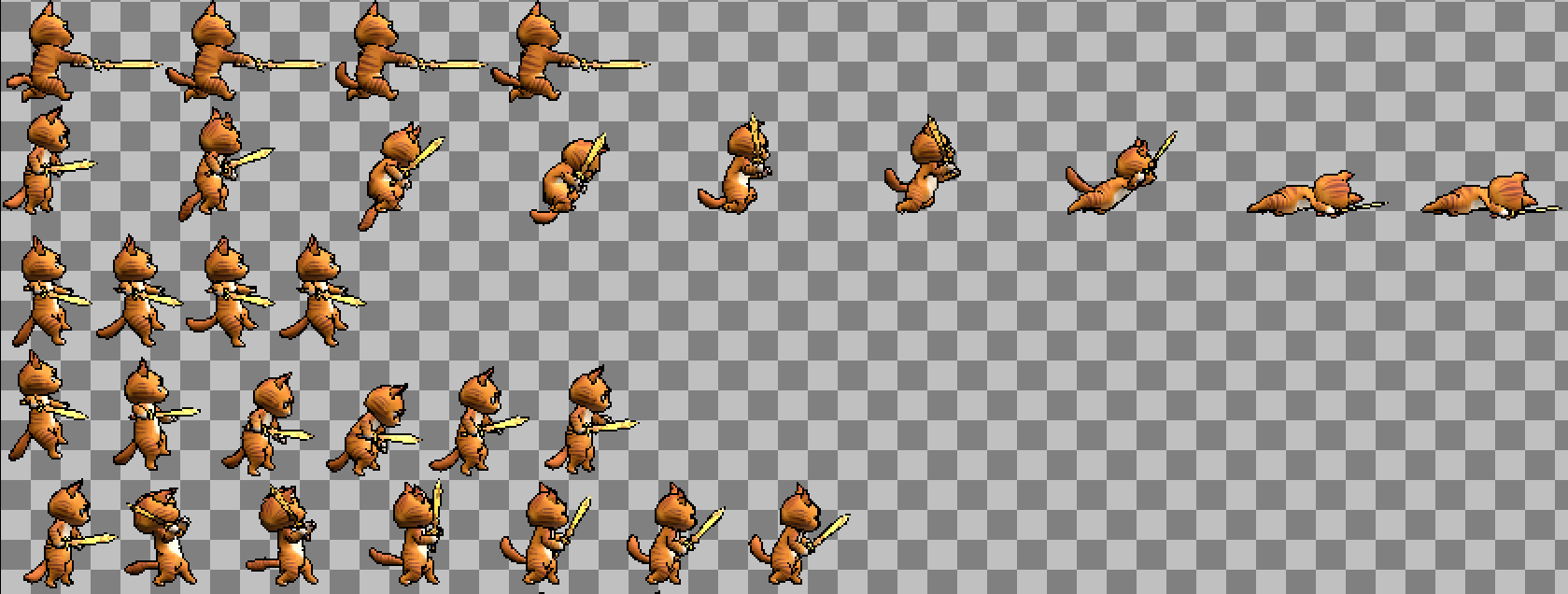
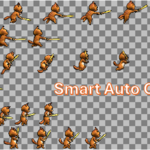
Fig. 5 The add-on’s smart auto-cropping adjusts each action to its optimal size, so every frame fits tightly around the model. This eliminates wasted space, keeps the sprite sheet compact, and ensures efficient, game-ready assets..
With Auto Crop, you don’t have to constantly resize or zoom your camera to fit the model. Simply set your camera frame large enough to capture the entire animation, and the add-on will trim away any empty space automatically. This keeps your sprite sheets compact and optimized without leaving large transparent areas.
Even better, you don’t need to worry about losing the sprite’s center, your custom Pivot Marker ensures consistent alignment across cropped frames.
Bake Game-Ready Textures
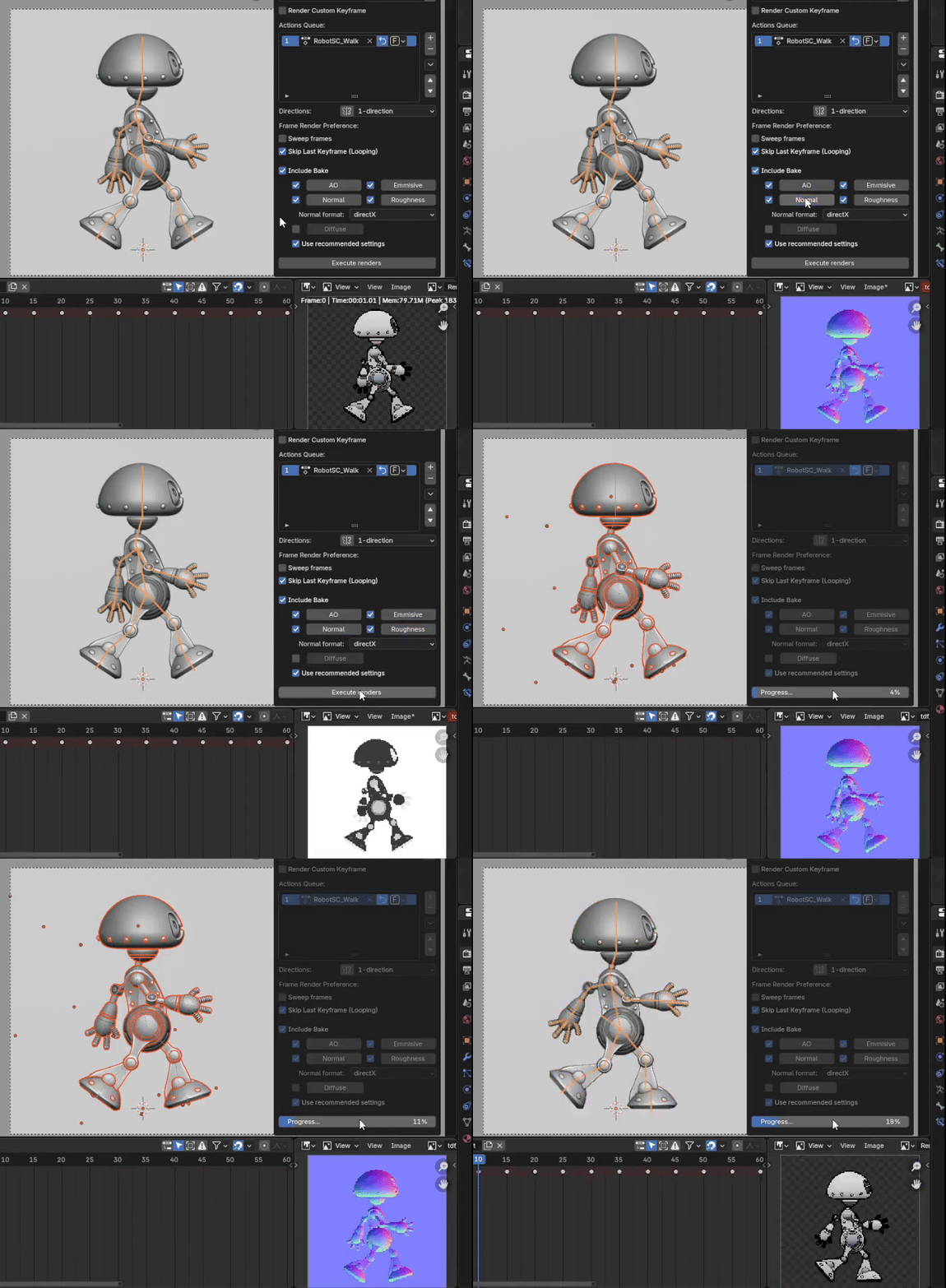
Fig. 6 The add-on can generate baked texture maps such as Normal, Ambient Occlusion, Roughness, Emissive, and Diffuse directly from Blender Cycles. A preview button lets you check results in the Blender Image Editor before export..
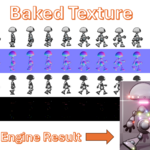
Bring your sprites to life with professional-grade maps baked directly in Blender. With just a few clicks, generate normal, ambient occlusion, roughness, emissive, and diffuse maps, no extra setup needed. These baked textures give your sprites the depth, realism, and polish that make them stand out in-game. Plus, the instant preview button lets you verify results on the spot, saving you time from trial and error.
Multidirectional Rendering Made Easy
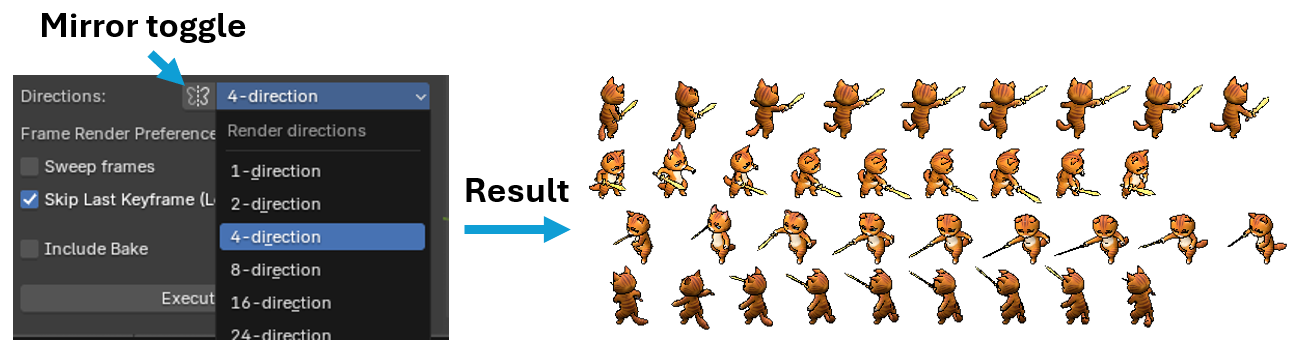
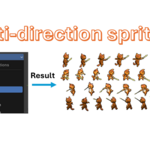
Fig. 7 From the add-on settings, you can choose how many directions to render, from a single view up to 24 evenly spaced angles. The add-on automatically rotates and renders your model, producing seamless multi-directional sprites perfect for games that need smooth directional transitions.
Create multi-directional sprite sheets with a single click. Whether you need 8-direction characters for an RPG, 16-direction vehicles for an RTS, or full 24-direction objects for an isometric or top-down game, the add-on automates the entire process. Simply choose the number of directions and click “Execute Renders”, the add-on will automatically rotate the camera, render each view, and compile the results into clean, ready-to-use sprite sheets.
Flexible Sheet Outputs
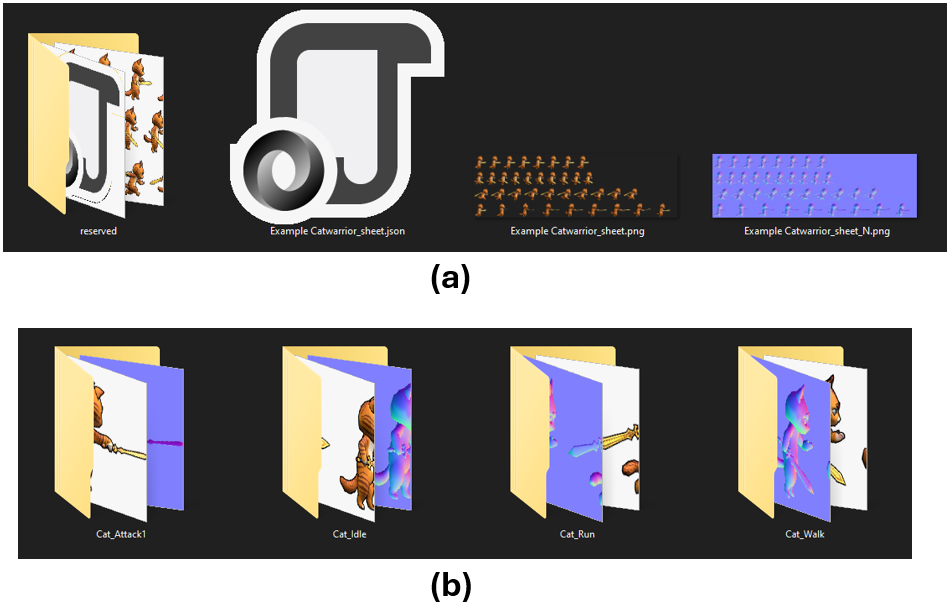
Fig. 8 Output options: (a) Single Sheet mode generates one sprite sheet with a JSON file and baked textures. (b) Separate Sheets mode creates individual folders per action, each containing its own sheet, textures, and JSON file.
Stop worrying about being locked into one workflow. This add-on lets you export your sprites in two different ways, tailored to your project:
Single Sheet: Ideal for pixel art or low-resolution projects. You can render actions one by one, and the add-on will automatically build your sprite sheet progressively, updating the JSON file each time. No need to re-render everything at once.
Separate Sheets: Perfect for high-resolution sprites where huge atlases may cause performance issues or engine limits. Each action gets its own sheet, keeping files manageable and game-engine friendly. Included JSON file in each action's folder.
With both options available, you stay flexible, whether you need compact sheets for retro-style games or safe separation for modern HD projects. (See documentation for advanced details and setup.)
Other Features That Save You Time
- Export as Power-of-Two: Ensure your sprite sheets always conform to standard texture sizes. No more manual resizing, get engine-ready sheets every time.
- Generate GIFs Instantly: Preview your animations or share them with your team in a lightweight, looping GIF, perfect for quick reviews or pitching ideas.
- Custom Render Keyframes: Render exactly the frames you want, independent of actions. Just type in your chosen frame numbers, and the add-on will capture the scene accordingly. Perfect for static poses, one-off shots, or any non-action-based animation workflow, no need to rely on predefined actions.
- Free 2DFactory Unreal Engine, Godot, and Unity Plugins: With just one click, it extracts your sheets and auto-creates game engine assets, with pivots and baked textures automatically applied.
Documentation
A complete guide is available online with step-by-step instructions, tips, and examples to help you get started quickly.
https://drive.google.com/file/d/19TgMfQLxBtxRZ8nAS0gEnZV491SWhs1_/view?usp=sharing
Compatibility
Compatible with Blender 3.3 LTS through Blender 5.2.
Compatible with Windows, MacOS, and Linux (For MacOS and Linux, please install the add-on with 2DFactory Online Install .zip file)
-
2DFactory Unreal Engine Plugin: Ready for Unreal Engine Version: 4.27 through 5.7.
Check it out in Fab: www.fab.com/listings/0eaac510-c35b-4bbc-96f7-3fb9d1d43684 - 2DFactory Godot Plugin: Ready for Godot Engine Version: 4.4 through 4.7
- 2DFactory Unity Plugin: Ready for Unity 6.0 through Unity 6.6.
