2Dfactory
What does it mean that 2DFactory supports Godot and Unreal Engine?
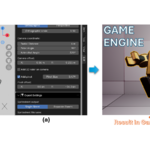
The Blender add-on provides export and importer workflows designed to streamline the process of bringing generated sprite sheets into Godot and Unreal Engine.
Instead of manually slicing sprite sheets and configuring animation frames in the target engine, 2DFactory exports the required sprite sheet and animation metadata, which can then be processed by the corresponding importer. This allows the generated animations to be transferred into the game engine with significantly less manual setup.
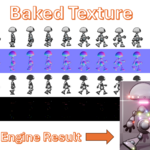
For Godot, the 2DFactory Godot Plugin can generate AnimatedSprite2D or AnimatedSprite3D assets, including SpriteFrames, sockets, and supported texture maps.
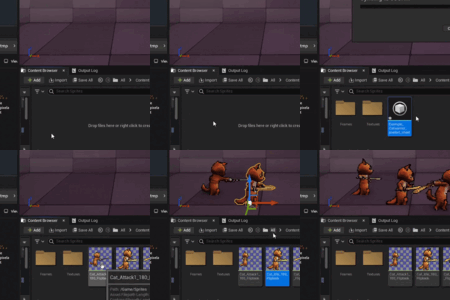
For Unreal Engine, the importer can use the exported JSON data to create the corresponding Paper2D sprite and animation assets.
Does the 2DFactory Blender Add-on work on Windows, macOS, and Linux?
Regarding the Blender add-on, there are currently two different ZIP packages:
2D_Factory_v1_2_1_(windows_only).zip
2D_Factory_v1_2_0_(online_install).zip
The 2D_Factory_v1_2_1_(windows_only).zip package is bundled for Windows only.
The 2D_Factory_v1_2_0_(online_install).zip package works differently. It includes a dependency checker and provides a button to download and install the required dependencies. Therefore, this package is intended to support multiple platforms, including Windows, macOS, and Linux.
Does the 2DFactory Blender Add-on work with VDB or volume renders?
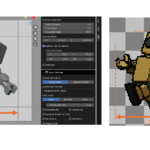
Yes. VDB/volume animations can be rendered using the Custom Render Keyframe option. Since VDB sequences are animated according to Blender's timeline, you can manually specify the timeline frames to render, such as 1, 2, 4, 6. The add-on will render those frames and use them to generate the sprite sheet.
For this workflow, simply add an Empty as the target. The Empty acts as a reference for the camera/render setup and can be positioned according to the effect you want to capture, while the VDB can remain animated normally in the scene.
A free documentation guide covering the Custom Render Keyframe workflow and target-object setup is available through the link provided in the description.