 3DCEPTION


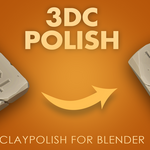
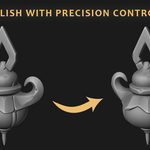
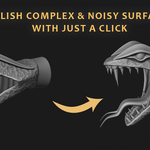
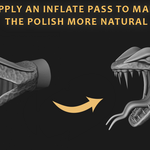
✨ 3DC Polish – One‑Click Mesh Refinement & Creative Deformation
Author: 3DCEPTION
Version: 1.3
Blender: 4.3+
License: GPL v3
🚀 What is 3DC Polish?
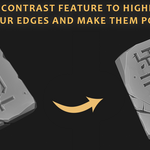
3DC Polish is a powerful mesh‑sculpting assistant that brings out the best in your models. A close substitute for ZBrush Clay Polish, but in Blender! With a single click, it enhances edge definition, tightens creases, and smooths surfaces – giving your meshes a crisp, polished look. But that’s just the beginning. The add‑on also includes a complete deformation toolkit with inflation, procedural noise, and custom texture displacement, all while respecting MultiRes subdivisions.
Whether you’re hard‑surface modeling, sculpting organic forms, or preparing assets for rendering, 3DC Polish saves hours of manual cleanup.
🔥 Key Features
🧼 Edge Polish – The Core Engine
Iterative refinement (1–10 passes) – sharpens edges without destroying volume.
Preserve Details slider – keeps fine surface detail while strengthening forms.
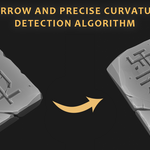
Curvature detection – works on both convex and concave regions independently.
Edge tightening – pulls geometry toward curvature peaks for crisp, bevel‑like results.
Smart smoothing – post‑blur and pre‑smoothing controlled by detail preservation.
-
Adaptive movement limits – prevents self‑intersection and distortion.
🌀 Deformation & Displacement
Inflation – positive/negative uniform expansion (local normal direction).
-
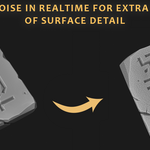
Noise displacement – four pattern types:
Perlin – smooth, organic undulations.
Fractal – terrain‑like, multi‑octave detail.
Voronoi – cellular, crackle, or scale‑like patterns.
Custom Texture – use any image texture for displacement.
Texture coordinates – UV or Box (Generated) mapping with adjustable blend for seamless box projection.
Built‑in image browser – load textures directly from the panel.
-
Smoothing after displacement – clean up noisy deformations.
🧩 MultiRes‑Aware Workflow (No Loss of Detail!)
Detects active MultiRes modifiers automatically.
Duplicates, applies deformation to the high‑resolution mesh, then reshapes back.
-
Preserves all subdivision levels – your low‑poly cage stays intact.
💾 Preset System
Save up to 10 global presets (permanent, stored in Blender’s config folder).
Load, overwrite, or delete presets directly from the UI.
-
Presets apply to all Edge Polish parameters – ideal for material libraries or shared team setups.
🖥️ Clean, Compact UI
Sidebar panel in the 3D Viewport (“3DC Polish” tab).
Organised into two expandable sections: Edge Polish and Deformation.
Clear warnings for missing UV maps or inactive MultiRes.
⚙️ How It Works (Technical Highlights)
Bmesh‑based operations – fast, in‑memory vertex manipulation.
Curvature field computation – signed deviation from local neighborhood average, normalized by edge length.
Region tightening – influence propagates outward from high‑curvature vertices using radial falloff.
Deformation base mesh – stores a copy of the original mesh before any deformation, allowing repeated applications without accumulating errors.
Box mapping – object‑space bounding box normalization + tri‑planar blending based on absolute normals.
📦 Installation & Requirements
Download
3DC_Polish.zip.In Blender → Edit → Preferences → Add‑ons → Install → select the zip.
Enable “3DC Polish”.
-
Find the panel in the 3D Viewport Sidebar (
Nkey) under the “3DC Polish” tab.Requirements: Blender 4.3 or newer.
💕 Thank you for considering!
I am dedicated to providing updates and improvements to the best of my ability!
Updates will be released as needed to improve stability and usability.
Feel free to to get in touch in case of any feedback, bugs or suggestions!
Buying this add on also contributes to the Blender Development Fund!
Please consider leaving a review or a rating if you like the add-on. It really helps bring more products to you! 🧡
🔑 License
Released under GPL v3
🎨Happy Polishing!
🔄 Change log v1.1
✅ Compatible with Blender 5.0
✅ Preset System
Save and load up to 10 custom presets
Simple management: save, load, and delete directly from the UI
✅ New Voronoi Noise Pattern
Organic, cellular displacement for natural surface detailing
🔄 Change log v1.2
✅ Custom noise textures
- Browse for custom texture from your system to apply on your mesh
- Choose from Local, Global and Object based coordinates to project the texture.
🔄 Change log v1.3
✅ MultiRes modifier support:
Both Edge Polish and Deformation tools now work seamlessly with objects that have an active MultiRes modifier. The modifier’s subdivision levels are preserved during the operation.
✅ Proper triplanar (box) mapping:
A new Box (Generated) coordinate mode provides seamless, projection‑based noise using the object’s local bounding box. Blending between axes can be controlled with the new Blend parameter.
✅ Features removed:
- Remesh - The remesh tool has been removed from the addon, due to its low quality remeshing. You can easily replicate the same using remesh modifier
- Live Deformation - Live deformation is removed for better performance. Now the deformation is visible only after applying it, an undo-able operation.