4D Polytope Engine
 Pardesco LLC


Can I get the geometry out of Blender?
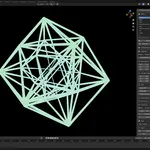
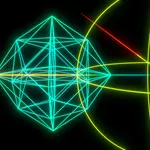
Yes, several ways. Snapshot to Mesh freezes the current frame into a standalone mesh you can sculpt or export. STL and GLB are one click. Animations bake to USD BasisCurves with per-point widths, so tube thickness survives into Houdini or back into Blender.
The projected edge skeleton also exports as centerline SVG or DXF R12—one clean stroke per edge.
How is this different from your free web viewer?
The viewer at 4d.pardesco.com is for looking: spin a polytope in your browser and see what 4D rotation actually does. It’s free and needs no account.
This add-on is for making. The same geometry lives in your Blender scene, lit and rendered with Cycles or EEVEE, with animated cross-sections, seamless loops, several polytopes at once, and mesh, USD, and vector export—none of which the viewer does.
Is this genuinely 4D, or a 3D animation that imitates it?
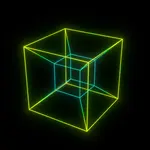
Genuinely 4D. Every vertex is stored as a four-dimensional coordinate and rotated by a real 4D rotation matrix, then projected down to 3D for display — recomputed on every frame. Nothing is baked, morphed, or driven by shape keys.
That's why the eversion looks the way it does: you're watching a true 4D object's shadow, not an approximation of one.
Do I need to understand 4D geometry to use it?
No. Pick a shape from the library, press Spawn Polytope, and set a speed on the XW plane—that’s the whole workflow for a first result, and a one-click style makes it render-ready.
The deeper controls—six rotation planes, projection type, and hyperplane sweep—are there when you want them. A quick-start guide and four ready-to-render demo scenes ship in the download.
$29
Have questions about this product?
Login to message
| Blender Extension Compatible | Yes |
| Published | about 2 months ago |
| Blender Version | 4.5 - 5.1 |
| Extension Type | Add-on |
| Render Engine Used | Cycles, Eevee |
| License | GPL |
Discover more products like this
4d rotation seamless loop hypercube wireframe procedural 3DMotionGraphics polytope mathematical art algorithmic art cross section 4D tesseract