Blender Easy


Adaptive Subdivision 2.0
A smart subdivision system that maximizes the value of every polygon, while saving memory and render time.
Designed for Efficiency
Adaptive Subdivision 2.0 dynamically allocates geometry where it actually contributes to the final image, adding detail only where the camera can see it. This results in higher visual quality while keeping memory usage and render times under control.
Why True Displacement Beats Normal Maps
Normal and bump maps only fake surface detail during shading. The underlying geometry remains flat, leading to incorrect shadows, missing contact detail, and unrealistic silhouettes in ray-traced lighting.
Adaptive Subdivision 2.0 uses real geometry displacement, allowing light, shadows, reflections, and occlusion to behave physically correct — even in close-ups and cinematic lighting.
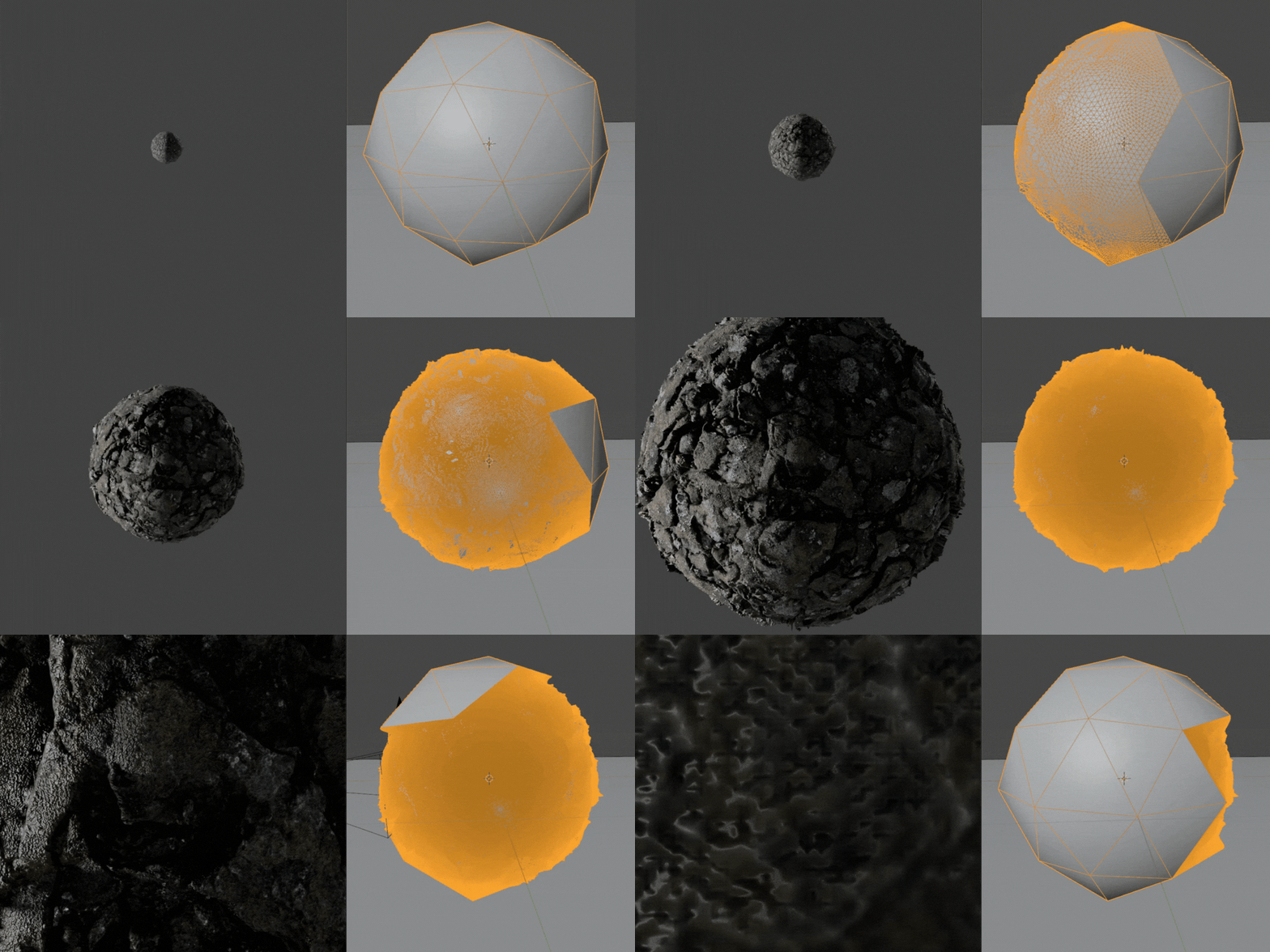
Intelligent Camera-Driven Subdivision
The modifier evaluates the active camera every frame and subdivides geometry based on distance, screen coverage, surface orientation, and visibility. Geometry outside the render frame or facing away from the camera remains lightweight.

Advanced Displacement Controls
Adaptive Subdivision 2.0 includes its own displacement controls, allowing you to scale UVs, control intensity, and link displacement directly to existing material textures — without rebuilding shaders.

Simple Drag-and-Drop Setup
Add Adaptive Subdivision 2.0 to your Assets Library folder. It will appear automatically in the Asset Browser.
Drag and drop it onto any mesh to instantly enable adaptive subdivision and true displacement — ready to render.
More from Blender Easy