 Salman Naseem


The Problem
You open a .blend file from a client, marketplace, or teammate's machine, and something is wrong. A node is pink. A rig control does nothing. A Geometry Nodes modifier has no effect.
Nine times out of ten, the file depends on an addon you do not have installed, and Blender gives you no clean way to find out which one. There is no built-in "this file needs addon X" list.
You usually find out through trial and error, often at the worst possible time: right before a deadline, after a render farm job returns the wrong result, or when a client asks why the rig they paid for is broken.
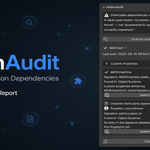
AddonAudit Closes That Gap
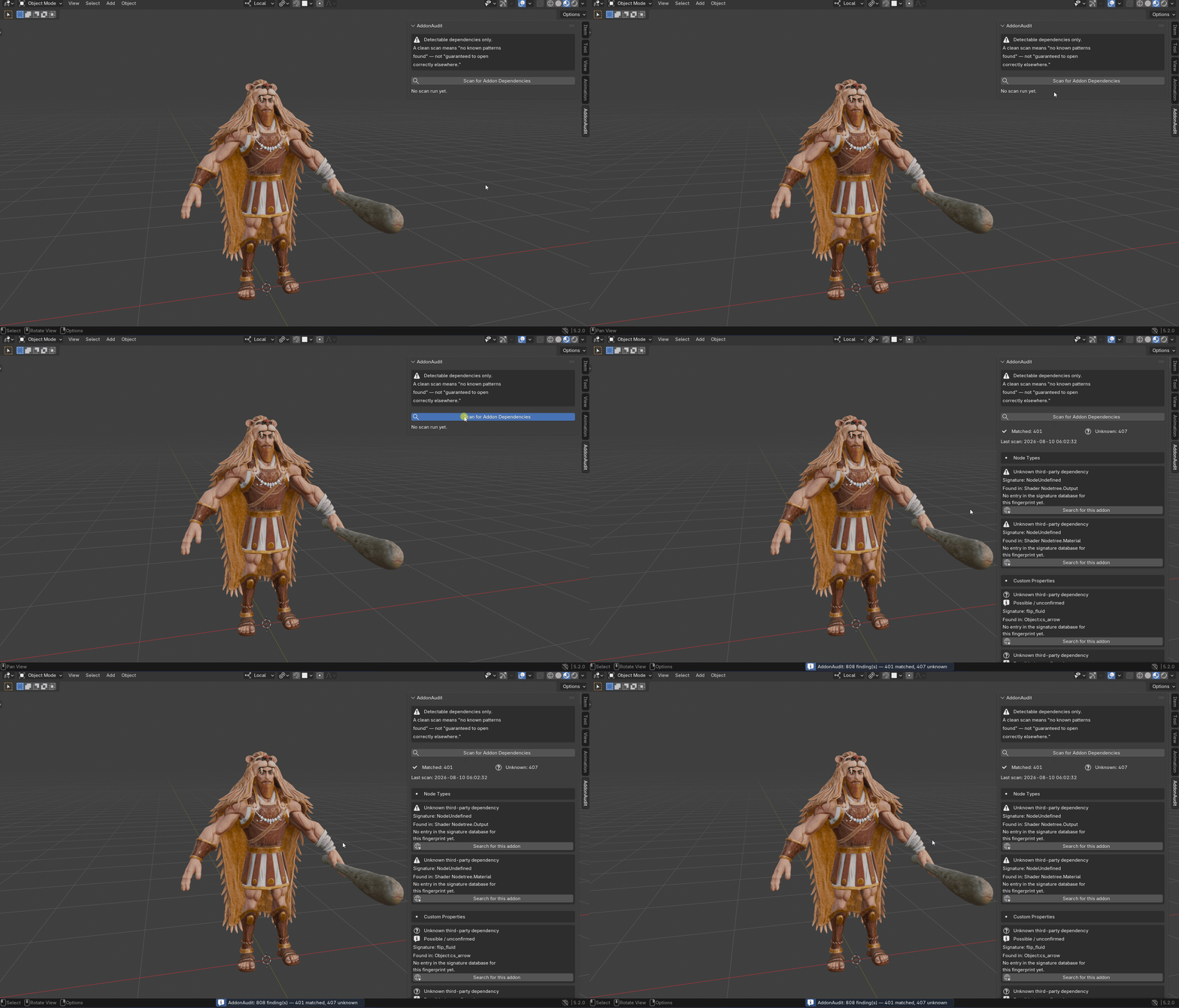
AddonAudit scans the actual data inside the open .blend file, not your project folder and not your installed addon list. It reports every detectable sign that a third-party addon may be required for the file to work correctly.
How It Works
AddonAudit runs four independent detectors against the currently open file:
Non-core node types
Every node in every node tree, including materials, worlds, Geometry Nodes, compositor nodes, and node groups, is checked against Blender's built-in node classes using the API of the currently running Blender version. Anything that is not a core Blender node class is flagged.Driver expressions calling non-core functions
Every driver expression is scanned for function calls that are not Python built-ins, themathmodule, or Blender's documented driver namespace. Addons can register additional functions that drivers can call directly, making these calls a strong dependency signal.Addon-namespaced custom properties
Custom properties on objects, object data, scenes, node groups, materials, armatures, and bones are checked against common addon naming conventions. This detector is deliberately conservative. Generic, single-word property names are skipped, while patterns that appear to have been created by an addon are flagged.-
Broken Geometry Nodes modifier references
Objects are checked for Geometry Nodes modifiers whose node group reference resolves toNone. This can happen when a linked library or an addon-generated node group is unavailable on the current machine.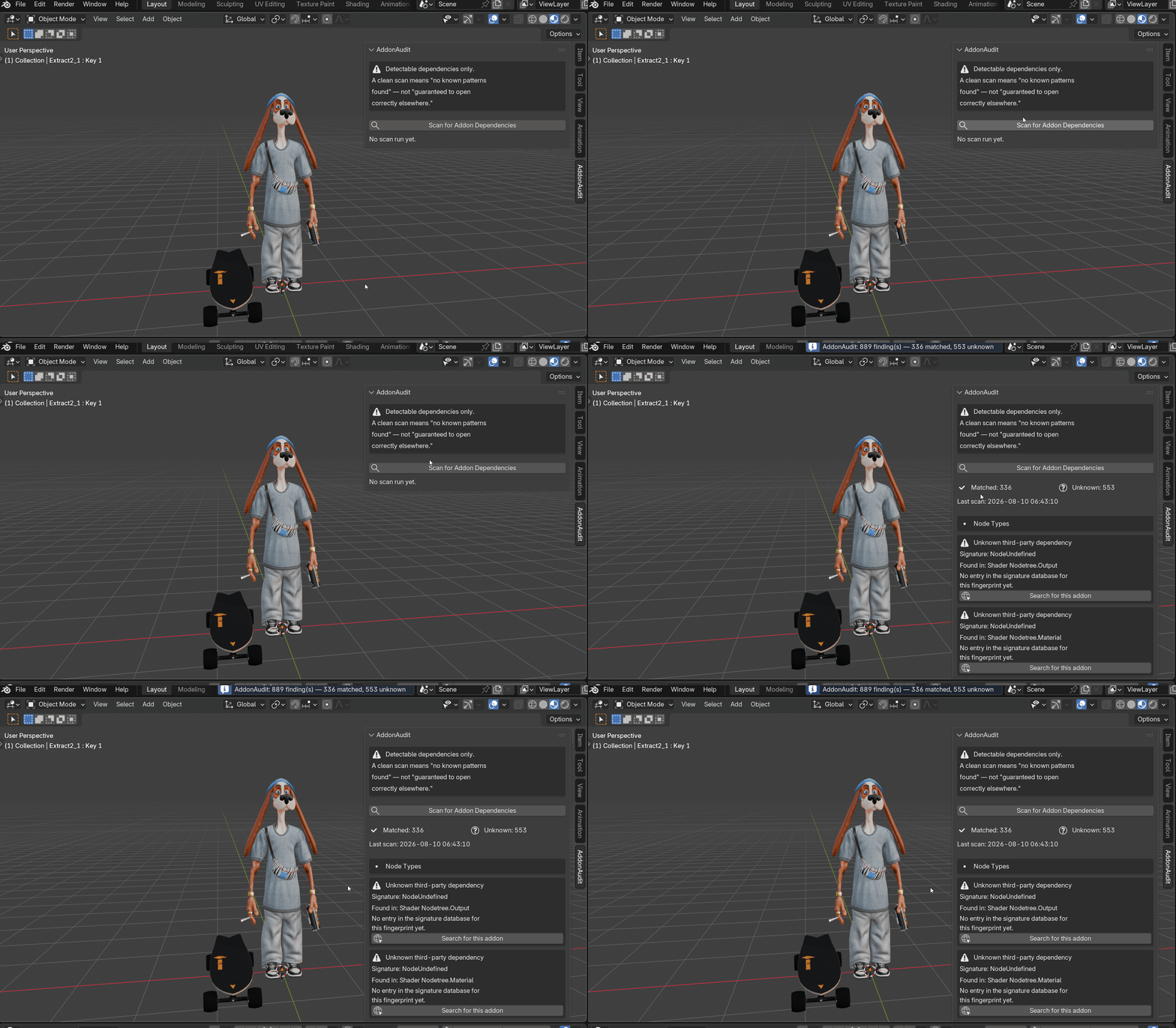
Every raw finding is then checked against a bundled, offline signature database covering known naming conventions from popular Blender addons, including Auto-Rig Pro, BoxCutter, Hard Ops, MESHmachine, DECALmachine, Geo-Scatter, Human Generator 3, KIT OPS, Sverchok, Animation Nodes, TexTools, Botaniq, Cablerator, Traffiq, and more.
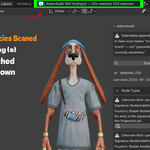
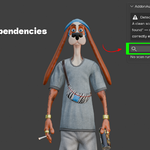
When a match is found, AddonAudit displays the addon name, a short description, and a Search for this addon button that opens a web search. It does not use hardcoded product links, which can become outdated.
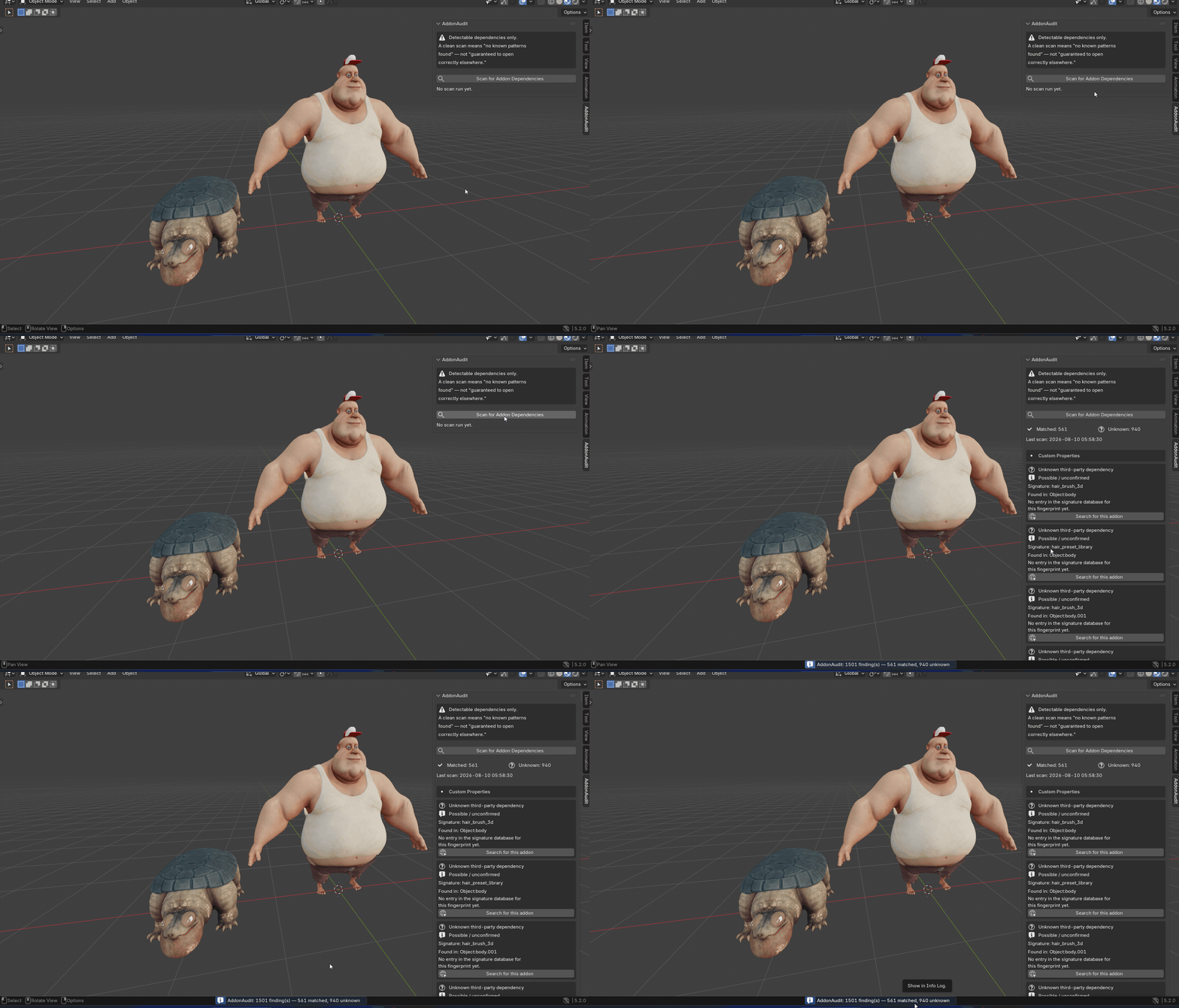
If a finding does not match anything in the database, it is honestly reported as "Unknown third-party dependency", along with the raw signature. AddonAudit never guesses the addon name.
Addons bundled with every Blender installation, such as Rigify, are detected internally but filtered out of the results because they are not missing dependencies.
Built on Honesty, Not False Confidence
Dependency detection is inherently heuristic. Blender does not provide a reliable manifest that says exactly which addons a .blend file requires. Some addons can also inject behavior through handlers without leaving any detectable trace in the saved file.
Those dependencies are genuinely undetectable by AddonAudit and by other scanners.
Instead of hiding this limitation, AddonAudit displays it directly in the panel. A permanent, non-collapsible disclaimer appears above every scan.
A clean result means "no known pattern found", not "guaranteed to open correctly elsewhere."
Low-confidence findings, particularly custom-property findings, are labeled "possible / unconfirmed" instead of being presented as facts.
That is the core design philosophy of AddonAudit: an honest first-pass safety net, not a certification that you can blindly trust.
One Click to a Plain-Text Report
After a scan, Export Report creates a plain .txt file next to your saved .blend file.
The report lists every finding by category, including its status, raw signature, location, and search link.
You can attach the report to a delivery email, store it in a project archive, or provide it to a new team member who is setting up their addon environment.
Built for Studio Pipelines Too
Preferences includes a Custom Signature Database field.
You can point it to your own JSON file using the same format as the bundled database. AddonAudit automatically merges your custom database during the scan.
This allows studios to identify internal or proprietary tools that use their own custom-property namespaces. For example, a namespace such as mystudio_shot_id can be mapped to a recognizable tool name on every machine without requiring an AddonAudit update.
What It Deliberately Does Not Do
No live internet lookups. The signature database is bundled and works offline.
No auto-installer. AddonAudit never installs anything on your behalf. Installing third-party code based on a heuristic scan creates a real trust and security risk.
No multi-file or studio-wide dependency comparison. Each scan covers one open .blend file.
No live internet lookups. The signature database is bundled and works offline.
No auto-installer. AddonAudit never installs anything on your behalf. Installing third-party code based on a heuristic scan creates a real trust and security risk.
No multi-file or studio-wide dependency comparison. Each scan covers one open .blend file.
Key Features With Benefits
Four independent detectors: Checks node types, drivers, custom properties, and broken Geometry Nodes references to detect dependencies through the main ways addons leave traces inside a .blend file.
Live API comparison, not a hardcoded node list: Checks node types against the actual Blender version's built-in classes, helping it remain accurate across Blender 4.2 through 5.x without waiting for addon updates.
Bundled offline signature database: Covers 20+ known addons and provides recognizable addon names and descriptions without setup or an internet connection.
Honest "Unknown third-party dependency" reporting: Unmatched findings are never guessed, so you are not misled by an incorrect addon name.
"Possible / unconfirmed" labeling: Low-confidence findings are clearly identified so you know which results are technical findings and which are educated guesses.
Bundled-addon filtering: Addons such as Rigify are filtered out, so results focus on dependencies you actually need to install.
One-click web search per finding: Quickly search for an addon without manually typing its name or signature.
Plain .txt report export: Create a shareable and archivable record of a file's detected dependencies.
Studio custom signature database: Extend detection to internal or proprietary tools using a single JSON file.
Linked library labeling: Findings from linked data are tagged with the source library name, helping you understand where the dependency originates.
Always-visible disclaimer: Accurate expectations are maintained on every scan, so a clean result is never mistaken for a guarantee.
No installed-addon dependency: AddonAudit is fully standalone and does not require another addon to run.
Four independent detectors: Checks node types, drivers, custom properties, and broken Geometry Nodes references to detect dependencies through the main ways addons leave traces inside a .blend file.
Live API comparison, not a hardcoded node list: Checks node types against the actual Blender version's built-in classes, helping it remain accurate across Blender 4.2 through 5.x without waiting for addon updates.
Bundled offline signature database: Covers 20+ known addons and provides recognizable addon names and descriptions without setup or an internet connection.
Honest "Unknown third-party dependency" reporting: Unmatched findings are never guessed, so you are not misled by an incorrect addon name.
"Possible / unconfirmed" labeling: Low-confidence findings are clearly identified so you know which results are technical findings and which are educated guesses.
Bundled-addon filtering: Addons such as Rigify are filtered out, so results focus on dependencies you actually need to install.
One-click web search per finding: Quickly search for an addon without manually typing its name or signature.
Plain .txt report export: Create a shareable and archivable record of a file's detected dependencies.
Studio custom signature database: Extend detection to internal or proprietary tools using a single JSON file.
Linked library labeling: Findings from linked data are tagged with the source library name, helping you understand where the dependency originates.
Always-visible disclaimer: Accurate expectations are maintained on every scan, so a clean result is never mistaken for a guarantee.
No installed-addon dependency: AddonAudit is fully standalone and does not require another addon to run.
Workflow Benefits
Catch missing dependencies early: Run one scan instead of searching through nodes manually when something appears broken.
Avoid wasted render farm credits: Detect dependencies from scatter or shader addons before submitting a render job.
Resolve vague "something's broken" issues faster: A broken Geometry Nodes reference points directly to the responsible object and modifier.
Make delivery emails more useful: Attach the exported report so clients and collaborators know which addons they may need to install.
Protect marketplace listings: Scan product files before publishing to catch personal or development addons that may have touched the data.
Create self-service onboarding checklists: Give new team members a clear starting point instead of maintaining addon lists manually.
Keep accurate project archives: Record detected dependencies so reopening an old project years later does not begin with guesswork.
Extend coverage to internal tools: Add studio-specific signatures without waiting for an AddonAudit update.
Catch missing dependencies early: Run one scan instead of searching through nodes manually when something appears broken.
Avoid wasted render farm credits: Detect dependencies from scatter or shader addons before submitting a render job.
Resolve vague "something's broken" issues faster: A broken Geometry Nodes reference points directly to the responsible object and modifier.
Make delivery emails more useful: Attach the exported report so clients and collaborators know which addons they may need to install.
Protect marketplace listings: Scan product files before publishing to catch personal or development addons that may have touched the data.
Create self-service onboarding checklists: Give new team members a clear starting point instead of maintaining addon lists manually.
Keep accurate project archives: Record detected dependencies so reopening an old project years later does not begin with guesswork.
Extend coverage to internal tools: Add studio-specific signatures without waiting for an AddonAudit update.
Use Cases
Freelance 3D Artist Delivering a Shot
Built the project with Auto-Rig Pro and Geo-Scatter? Run a scan before delivery, identify the matched findings, and tell the client exactly which addons they may need instead of letting them discover the problem through a broken rig.
Studio Pipeline TD Onboarding a New File
A vendor delivers a .blend file with no documentation. Run a scan and get results such as 2 matched dependencies, 1 unknown custom property, and 0 broken references. You now have enough information to decide what to install and what to ask the vendor about.
Render Farm Pre-Submission Check
A render farm supports only a fixed list of addons. Scan the scene before submission and catch a Geo-Scatter node group dependency before the job consumes render credits and returns an incorrect result.
Marketplace Buyer Sanity Check
A rig is advertised as requiring no addons, but AddonAudit finds an Auto-Rig Pro signature under Custom Properties. You now have concrete information to discuss with the seller instead of relying on a vague suspicion.
Project Archival
Scan every shot before archiving and save the exported report alongside the project. When the shot is reopened years later, you have a record of its detected dependencies.
New-Hire or New-Machine Onboarding
Scan representative pipeline files to build a personal addon installation checklist without manually creating the list.
Catch Your Own Forgotten Addon Before Publishing
A personal workflow addon may have quietly modified object data throughout months of work on a product file. Run a scan before export to identify it before the file is published as a "no addons required" product.
Studio In-House Tooling Coverage
Add a proprietary custom-property namespace to the studio's JSON signature database and have it resolved by name on every machine instead of appearing as an unconfirmed guess.
Diagnosing an Already-Broken File
A pink node or a Geometry Nodes modifier that does nothing can be investigated by checking the finding's name and location, avoiding a time-consuming node-by-node search.
Final Delivery Gate
Run AddonAudit across every shot before a milestone delivery as a fast and inexpensive additional check alongside the studio's existing addon checklist.
