Addonaudit - Scan .Blend Files For Missing Addon Dependencies
 Salman Naseem


AddonAudit — Quick Guide
What it does
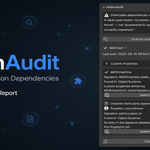
AddonAudit scans the .blend file you have open and tells you which third-party addons it likely depends on, before you send it to someone else, open it on a new machine, or submit it to a render farm.
It checks four things inside the file:
- Node types that aren't built into Blender (materials, worlds, geometry nodes, compositor, node groups)
- Driver expressions that call functions addons register, not Blender's own math/driver functions
-
Custom properties whose naming pattern looks like it came from an addon (for example
arp_layer,MESHmachine_stash_id) - Broken Geometry Nodes modifiers, where the node group reference can't be resolved (usually a missing linked library or addon)
Every finding is checked against a bundled, offline signature database and shown as a matched addon name, or an honest "Unknown third-party dependency" if there's no match. Nothing is ever guessed.
Important: a clean scan means no known pattern was found. It does not mean the file is guaranteed to open correctly elsewhere. Some addons leave no trace in the file at all and can't be detected by any scanner, ever.
How to use it
- Open your .blend file in Blender.
- Press N in the 3D Viewport to open the side panel, and click the AddonAudit tab.
- Click Scan for Addon Dependencies.
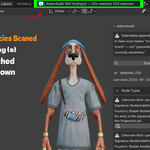
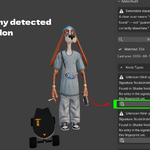
- Review the results, grouped by category:
- A checkmark means a matched, confirmed finding.
- A question mark with "Possible / unconfirmed" means a low confidence guess, mainly from the custom properties detector.
- Each finding shows where it was found and, if matched, a short description.
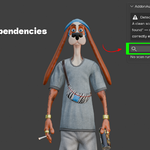
- Click Search for this addon to open a web search for it.
- Click Export Report to save a plain
.txt report next to your saved .blend file. Useful for attaching to a delivery email or filing with a project archive.
- A checkmark means a matched, confirmed finding.
- A question mark with "Possible / unconfirmed" means a low confidence guess, mainly from the custom properties detector.
- Each finding shows where it was found and, if matched, a short description.
- Click Search for this addon to open a web search for it.
.txt report next to your saved .blend file. Useful for attaching to a delivery email or filing with a project archive.That's the whole workflow. No setup required.
Studio / team setup (optional)
If your studio has in-house tools that write their own custom property namespace, go to Edit > Preferences > Add-ons > AddonAudit and set Custom Signature Database to your own JSON file, in the same format as . It's merged with the bundled database automatically on every scan, on every machine that points to it.
What AddonAudit will never do
- It never installs anything for you.
- It never makes a network call. Everything runs offline.
- It never guesses an addon's name. An unmatched finding is always labeled "Unknown," never a confident wrong answer.
Requirements
Blender 4.2 LTS through 5.x. No dependency on any other addon.
Have questions about this product?
Login to message
| Blender Extension Compatible | Yes |
| Published | about 2 months ago |
| Blender Version | 3.3 - 5.2 |
| Extension Type | Add-on |
| Render Engine Used | Cycles, Eevee |
| License | GPL |

Discover more products like this
studio pipeline Render Farm Compatibility Check Scene pipeline Addon Dependency Blender Extensions diagnostics File Audit qa tool