Advanced Vertex Paint
 Tachyon Studio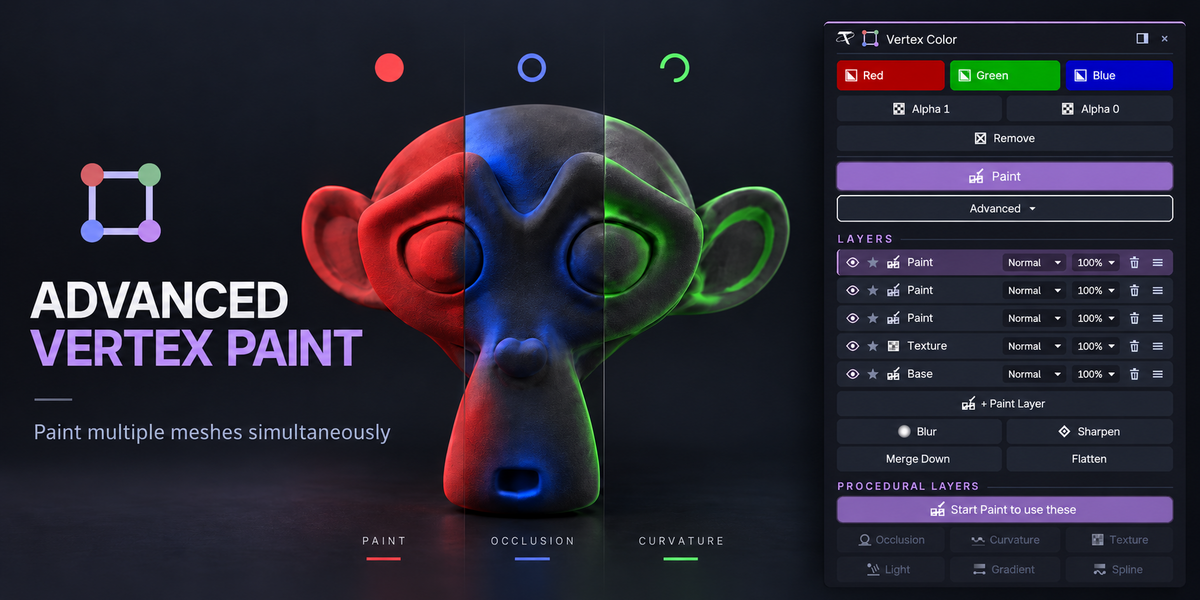









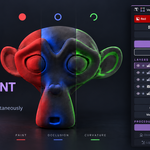
Basic fills, sets alpha and removes vertex color across many meshes at once, paints every selected mesh together with Blender's Vertex Paint brushes, and has the Gradient and Spline tools. Pro is everything in Basic plus Photoshop-style layers (blend modes, opacity, solo, Blur, Sharpen, Merge Down, Flatten) and procedural layers: Occlusion, Curvature, Texture and Light.
No, and there is no need: Pro contains everything in Basic. If both are enabled, the second one declines to load and tells you why. Disable one, restart Blender, and enable the other.
They are seat counts. Individual is 1 person, Team is up to 6 people and Studio is up to 20 people. Commercial use is included in all three.
Blender 3.3 to 5.2, from one package. On 4.2 and later it installs as a modern extension; on 3.3 to 4.1 as a classic add-on.
Yes. It is pure Python with no native code, so Windows, macOS and Linux all work.
No. It opens no sockets, sends no telemetry and checks no licence.

Press Ctrl + Shift + C in the 3D Viewport. The card appears with every control on it. The same controls are also in the sidebar (N) under the Vertex Color tab, and the shortcut can be changed in the add-on preferences.
Only where you fill or paint. A Paint session, a Gradient or a procedural layer can be cancelled, and cancelling puts every mesh back exactly as it was. Every fill is a single undo step.

Press Flatten first. Layers are stored as extra color attributes; Flatten bakes the result into your usual color attribute and removes the layer attributes, so the exporter and the engine see one clean attribute.
Set Viewport Shading ▸ Color to Attribute, or look at the mesh in Vertex Paint mode.
-
$6.99
Basic edition: fill, alpha, multi-object Paint, Gradient and Spline. For 1 person (1 seat). Commercial use included.
-
$13.99
Basic edition: fill, alpha, multi-object Paint, Gradient and Spline. For a team of up to 6 people (6 seats). Commercial use included.
-
$41.99
Basic edition: fill, alpha, multi-object Paint, Gradient and Spline. For a studio of up to 20 people (20 seats). Commercial use included. Need more than 20 seats? Contact us directly.
-
$16.99
Pro edition: everything in Basic, plus layers and procedural layers (occlusion, curvature, texture, light). For 1 person (1 seat). Commercial use included.
-
$33.99
Pro edition: everything in Basic, plus layers and procedural layers (occlusion, curvature, texture, light). For a team of up to 6 people (6 seats). Commercial use included.
-
$101.94
Pro edition: everything in Basic, plus layers and procedural layers (occlusion, curvature, texture, light). For a studio of up to 20 people (20 seats). Commercial use included. Need more than 20 seats? Contact us directly.
 Included
Includes 12 months of
- Support from Tachyon Studio
- Product updates
Extend this product’s Support Period +12 months: 50% of product price
Have questions before purchasing?
Login to message
| Blender Extension Compatible | Yes |
| Published | 1 day ago |
| Blender Version | 3.3 - 5.2 |
| Extension Type | Add-on |
| License | GPL |
Discover more products like this
vertex paint color-attributes blend modes curvature Texture projection gradient gamedev vertex color game assets ambient occlusion layers Multi-Object