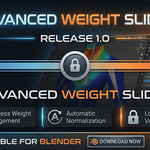
Advanced Weight Slider
Streamline Your Rigging Workflow with Maya-Inspired Weight Management
To maximize your workflow, please refer to documentation for expert usage tips.
The Problem Every Rigger Knows
Weight painting in Blender can be tedious. Constantly switching between tools, manually ensuring weights sum to 1.0, and losing track of which vertex groups you've already adjusted—these frustrations add up, eating into your creative time.
What if you could manage vertex weights with the precision and efficiency of Maya's Component Editor, right inside Blender?
Introducing Advanced Weight Slider
A purpose-built addon that brings intuitive, spreadsheet-style weight management to Blender. See all your vertex weights at a glance, edit them with precision, and let automatic normalization handle the math.
✨ Key Features
📊 Visual Weight Table
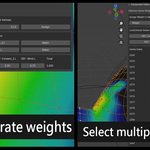
See exactly how weights are distributed across your selected vertices. No more guesswork—every bone influence is displayed in a clean, organized table with real-time totals.
🎯 Precision Weight Assignment
Assign exact weight values to selected vertices with a single click. Perfect for those situations where weight painting just isn't precise enough.
🔒 Lock & Protect Vertex Groups
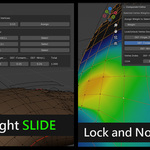
Working on a complex rig? Lock critical vertex groups to prevent accidental changes. Locked groups stay exactly as you set them during normalization.
🔄 Automatic Normalization
Every weight adjustment automatically normalizes your vertex groups, ensuring weights always sum to 1.0. Smooth deformations, every time—without the manual calculations.
⚡ Real-Time Updates
Changes appear instantly as you edit. Select vertices, adjust weights, and see the results immediately in both the panel and your viewport.
Who Is This For?
-
Character Riggers who need precise control over skin weights
-
Game Developers optimizing character deformations for real-time engines
-
3D Animators fine-tuning rigs for believable motion
-
Maya Users transitioning to Blender who miss the Component Editor workflow
💡 Why Choose Advanced Weight Slider?
 Fried Chickencat Store