 Melisa


Why are there two Gemini model settings?
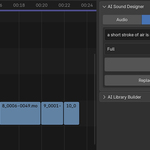
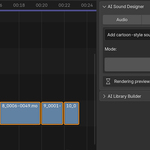
One model handles the heavier video Auto-Score, the other handles fast text search and tagging. You can pick a cheaper or faster model for each to balance speed, cost, and quality.
Can I change what the AI does?
Yes. You can replace any placed sound with one click, edit AI tags by hand before saving, and open a decision log that shows every match it made.
My library is huge. Will it be slow?
No. The add-on indexes your library once, with a progress bar, then reuses that index. Re-indexing only scans new or changed files.
Will the AI place sounds on top of my video or other clips?
No. It checks every strip on the timeline and only drops sounds on free channels, so nothing overlaps.
What gets sent to Google?
For Auto-Score, a low-resolution preview of your selected video is sent to Gemini. For search and tagging, your text prompt or one audio clip is sent. Nothing else leaves your computer.
Do I need an internet connection?
Only for the AI features, which call Google Gemini. The library browser (search, preview, add to timeline) works offline.
What audio formats can I use?
It reads ogg, oga, opus, wav, mp3, flac, m4a, aac, aiff, and wma. The Library Builder can export in OGG, WAV, FLAC, MP3, MP2, AAC, AC3, and MKA.
Does it work on Windows, macOS, and Linux?
Yes. It is pure Python, so it runs anywhere Blender runs.
Which Blender versions are supported?
Blender 4.2, 4.5, and 5.x. It installs through the Extensions system.
Do I need to install anything else, like ffmpeg or Python packages?
No. It runs on Blender's built-in Python with no extra installs. It uses Blender's own render and mixdown, so no separate ffmpeg is needed.
Does the AI generate new sounds?
No. It does not create audio. It picks the best matching sounds from your own library and places them on the timeline for you.
Where do I get an API key, and does it cost money?
You get it from Google AI Studio in a couple of minutes. Google has a free tier that is enough for normal use. If you go over it, you pay Google directly. The add-on never charges you and takes no cut.
Can I use the add-on without an API key?
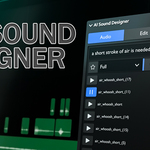
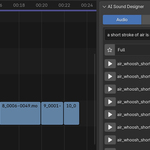
Partly, yes. The Audio tab works fully offline as a library browser: search your sounds by tag or name, preview them, favorite them, and drop them on the timeline. The AI features (Auto-Score, AI search, the Edit prompt, and Fill with AI) need a free Google Gemini API key.
Does the add-on come with sounds?
No. It works with your own folder of audio files. You point it at your sound library and it finds, tags, and places sounds from there.
Have questions about this product?
Login to message
| Blender Extension Compatible | Yes |
| Published | 4 months ago |
| Blender Version | 4.2 - 5.2 |
| Extension Type | Add-on |
| Render Engine Used | Cycles |
| License | GPL |
Discover more products like this
gemini foley sound library vse ai audio sequencer sound design sfx video editing sound effects soundtrack