Alembic Loop Controller (Alc)
 Shift4cube





🦅 Alembic Loop Controller (ALC)
Version: 1.0
Author: Shift4cube
Compatibility: Blender 3.0, 4.0, 5.0+
📄 Overview
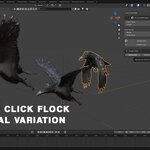
ALC is a professional animation tool designed to supercharge your Alembic (.abc) workflow in Blender. It automates the complex process of creating seamless loops, managing playback speeds, and creating realistic crowd variation ("flocking") without needing complex node setups or manual driver scripting.
💾 Installation
Download the
Alembic_Loop_Controller.zipfile.Open Blender.
Go to Edit > Preferences > Add-ons.
Click Install... (top right) and select the zip file.
Search for "ALC" or "Alembic" and enable the checkbox for Animation: Alembic Loop Controller (ALC).
📍 Where to Find It
View3D Sidebar (N-Panel): Click the "Alembic" tab on the right side of the 3D viewport.
Panel Name: ALC Controller
🎛️ Core Features
1. The Loop Engine
The core function of ALC is to take a short Alembic clip (e.g., a 14-frame bird fly cycle) and make it loop infinitely.
Start Frame: The frame in your Alembic file where the animation loop begins.
Length: The total duration (in frames) of the loop cycle.
Update Loop (Button): Applies the logic. It automatically detects the MeshSequenceCache modifier, ensures the cache file is unique (so birds don't copy each other), and injects a smart driver to handle the looping.
2. Fine Tuning
Customize the animation playback without re-exporting your files.
-
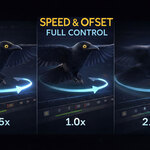
Speed: Controls how fast the animation plays.
1.00= Normal Speed2.00= Double Speed0.50= Half Speed / Slow Motion
-
Time Offset: Shifts the animation in time.
Example: An offset of
5.0means the animation starts 5 frames later. This is crucial for breaking up uniformity in crowds.
3. Crowd Tools (The "Flock" System)
Designed for users working with hundreds of objects (like birds, debris, or crowds).
-
Randomize (Button):
Select multiple Alembic objects.
Click Randomize.
What it does: Instantly gives every selected object a random Time Offset (within the loop length) and a slightly random Speed (±5% variation). This creates a natural, organic "flock" look instantly.
4. Utility Tools
Disable Loop: Removes all ALC drivers and restores the Alembic file to its default "Hold" or "Play once" behavior. Useful if you want to reset an object.
-
Bake Keys:
The "Nuclear Option": If you need to send your file to a render farm or another computer that doesn't have ALC installed.
Clicking this converts the dynamic loop drivers into standard Keyframes.
Note: Once baked, you cannot adjust Speed/Offset settings anymore (unless you Undo).
🚀 Quick Start Workflow
Import your Alembic file (e.g.,
BIRD.abc).Select the object.
Open the Alembic tab in the sidebar.
Set your Length (e.g.,
14frames).Click Update Loop.
(Optional for Crowds) Duplicate the bird 50 times, select them all, and click Randomize.
⚠️ Important Notes
Auto-Unique Cache: ALC automatically ensures that every object has its own unique copy of the cache pointer. This allows you to have 100 birds driven by the same
.abcfile on your hard drive, but playing at 100 different times in Blender.
Have questions about this product?
Login to message
| Sales | 10+ |
| Published | 8 months ago |
| Blender Version | 4.0 - 5.0 |
| Extension Type | N/A |
| Render Engine Used | Cycles, Eevee |
| License | Mit |