Alembic Loop Controller (Alc)
 Shift4cube






I clicked "Update Loop" but nothing happened.
Make sure you have the object selected and that it has a MeshSequenceCache modifier (which is standard for Alembic imports). If the modifier is missing, the addon cannot find the animation to loop.
Can I animate the Speed property?
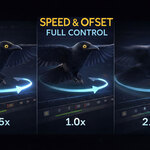
Yes! You can hover over the "Speed" slider and press I to insert a keyframe. This lets you make a bird fly fast and then slow down to a glide.
My birds are all flapping at the exact same time. How do I fix it?
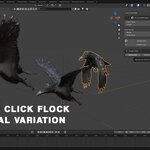
A: Select all your bird objects and click the "Randomize" button in the ALC panel. This automatically gives every bird a unique random time offset so they look like a natural flock.
Does this only work for birds?
No! While the icon is a crow, ALC works with any Alembic (.abc) file. You can use it for looping flags, walking characters, crushing cans, or any other cache simulation.
How do I install it?
Download the .zip file. In Blender, go to Edit > Preferences > Add-ons, click Install, select the zip file, and check the box to enable it. Do not unzip the file before installing.
which versions of Blender does this support?
ALC is compatible with Blender 3.0, 3.6 LTS, 4.0, 4.2, and is future-proofed for Blender 5.0+.
$2
Have questions about this product?
Login to message
| Sales | 10+ |
| Published | 8 months ago |
| Blender Version | 4.0 - 5.0 |
| Extension Type | N/A |
| Render Engine Used | Cycles, Eevee |
| License | Mit |