 Animates



Which versions of Blender does it support?
Blender 4.2 - 5 upwards
Does it replace Blender’s Graph Editor?
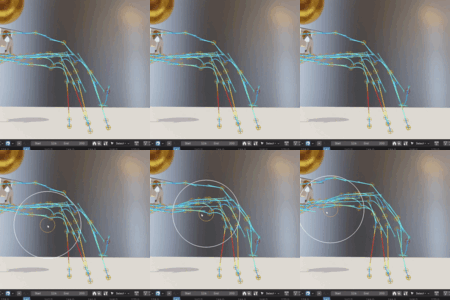
No. It is designed to sit alongside Blender’s existing animation tools. The Graph Editor is still essential for detailed curve editing, but this addon gives you a more direct visual way to understand and adjust the movement path in the viewport. It is best thought of as an extra animation layer for seeing and shaping motion more clearly. And, it is soo pretty!
Can I edit the motion path directly?
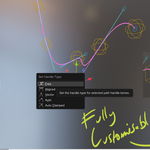
Yes. The addon is designed around editable motion paths. You can work with keys and handles in the viewport, use sculpt-style tools to nudge and smooth the path, and use lattice controls for broader reshaping. The aim is to make path editing feel more visual and animator-friendly, rather than constantly jumping back and forth between the viewport and the Graph Editor. You can also add and remove keys.
Is this only for character animation?
No. It is useful for character animation, object animation, cameras, props, vehicles, motion graphics, creature work, and any shot where the movement path matters. If something is animated through space, the motion path tools can help you understand and polish that movement.
What does this addon do?
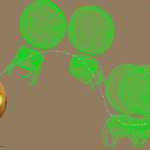
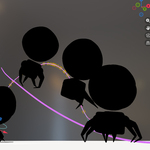
Animates Motion Path and Onion Skins gives animators clearer ways to see, judge, and adjust movement inside Blender. Onion Skinning lets you view poses before and after the current frame, while Motion Paths give you a visible trail of the animated movement so you can refine spacing, arcs, timing, and flow more easily.
$15
Have questions about this product?
Login to message
| Blender Extension Compatible | Yes |
| Sales | 50+ |
| Published | 4 months ago |
| Blender Version | 4.2 - 5.2 |
| Extension Type | Add-on |
| Render Engine Used | Cycles, Eevee |
| License | GPL |
Discover more products like this
3D Character Animation animate motion 3DMotionGraphics AnimatedMotionTrails 3d-animated Onion Skin