 Animates



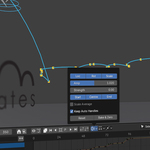
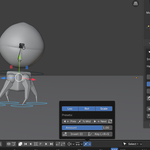
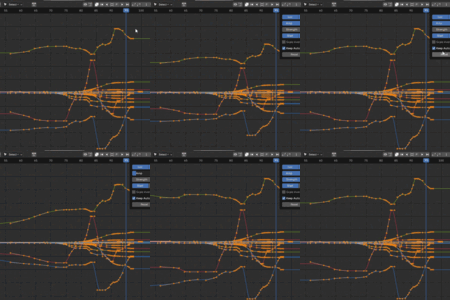
Fixed Live Link crash issues.
# Animates Suite Changelog
## 1.02.00 — IK and Object Arc parity with FK
*Version note: this release moves to 1.02.00. The work here — bringing the IK and Object Arcs to full parity with the FK Arc, and routing the Arc display through a single owner — is a minor-version's worth of change rather than a patch.*
Dragging a helper on an **IK or Object Arc** now feels the same as on an FK Arc. Two things were wrong, and both are fixed.
- The Arc was redrawn about 26 times a second but only *changed* about 7 times a second, so the same shape appeared three or four times and then jumped. It now refreshes on every mouse sample, as the FK Arc always did.
- The character rig was being previewed by three competing lanes at once, each forcing Blender to re-solve the IK chain, which starved the viewport mid-drag. There is now a single paced preview owner, sized to your rig, matching the FK behaviour. Measured on a production rig, helper input during an IK drag went from 6.7 to 29 samples per second.
Supporting changes:
- Everything that can make the Arc redraw now goes through one shared module rather than ~30 separate places, several of which threw away the Arc currently on screen while asking for a new one. The Arc now always holds its last complete state until a fresh one is ready.
- The IK preview no longer forces a full rig evaluation on every timer tick to measure a result it already knew.
- The Graph Editor mirror is paced to the size of your rig while dragging.
Mouse-up commit, Apply, Generate, scrubbing, playback and Undo are unchanged and remain exact. The FK Arc is unchanged.
Also fixed in 1.02.00:
- Fixed a **crash on Undo** during an IK or Object Arc session. Undo rebuilds Blender's whole internal database, and the Arc's cached references to your location curves were being re-read afterwards, when they no longer pointed at anything. The Arc now discards those cached references at the start of every Undo and rebuilds them from scratch, and it also notices when an operation such as *Paste Pose Flipped* adds new channels to your action.
- Fixed **severe slowdown after moving a helper key with the handles left behind**. Moving a key with `G` while its handles stayed put left the Arc permanently believing those handles were still unsaved, so it re-committed the same tangents about once a second, forever, even with the mouse untouched. The Arc now accepts a committed handle bake as the new baseline, so the work happens once and stops.
- **IK and Object Arcs now update their curve at the same rate as FK Arcs while you drag.** A small IK path was rebuilding its curve geometry at 24 times a second while an FK path of exactly the same size ran at 60, which put a fixed delay behind every mouse sample and made the Arc feel a beat behind a rig that was itself responding instantly. Large paths keep their existing protective cap.
- **Dragging an Arc helper on a heavy character is now close to the cost of dragging the rig itself.** Three things were making it slower. Solving an IK control's position asked Blender to re-evaluate the whole scene up to six times per mouse sample, and then threw away the measurement it had just taken, so the next sample started over; that measurement is now taken once at the start of a drag and reused for the rest of it. The character was being previewed by two separate lanes at once, each re-deforming every mesh bound to the rig; there is now a single preview owner. Live Graph Link no longer mirrors to a Graph Editor that isn't open.
- **New: Preview Rig While Dragging** (*Extras*, on by default). The rig is now posed in the same evaluation pass as the arc helper, so watching the character move while you drag costs one viewport update per mouse sample rather than two. Turn it off only if you want the absolute minimum cost on an extremely heavy scene; the rig then lands on mouse release instead.
- **Moving a helper with `G` (or `R`/`S`) is now as smooth as dragging it.** The fast drag path keyed off a physically held mouse button, so a keyboard transform — which holds no button — fell through to the old, slower route. Keyboard moves now take exactly the same path as a click-drag.
- **Removed a periodic hitch during arc editing.** A session safety audit re-locked every object in your file, and every bone of your rig, once a second — rewriting values that were already correct. Blender treats each of those as a change, so the whole scene was re-evaluated on a timer whether you were dragging or sitting still. The audit now only writes what has actually changed.
- The Graph Editor no longer gets a forced redraw twice a second for the whole length of an Arc session. The Arc still owns Normalize/Auto Normalize while you edit; it now only touches the editor when a value actually needs changing.
## 1.01.131 — FK Live Graph retiming
- Moving **FK keys in time** in the Graph Editor no longer tears down and rebuilds the Arc helpers on mouse-up. The same helpers are retimed in place, so the Arc, your selection and the rest of the scene stay where they were.
- Fixed a **crash** that could follow an FK retime, where Blender's Graph Editor header could be left referring to helper objects that had just been replaced.
## 1.01.130 — Aligned handle responsiveness
- The opposite **Aligned handle** now moves in the same frame as the handle under your mouse. It previously landed correctly but a fraction behind, which read as a slight drag on the derived handle.
## 1.01.129 — Object and IK Aligned handles
- Fixed **Aligned handles on Object and IK Arcs**. The opposite handle now follows the one you are dragging and stays where you leave it, instead of sitting still during the drag and then pulling the Arc back to its old tangent on mouse-up.
- FK Aligned handles are unchanged; they already behaved correctly and were the reference for this fix.
## 1.01.128 — Shipping UI and Live Graph refinement
- **Keep Timing** now stays hidden while Live Graph Link is off, then appears as a full-width button directly underneath when Live Graph Link is enabled.
- Keep Timing remains **ON by default**, making value-only vertical Graph key dragging explicit; switch it off for normal horizontal retiming.
- Fixed Object Live Graph handle edits so the 3D helper Arc and handles refresh from the newly evaluated helper positions while the source object follows the edit.
- Fixed **IK Aligned handle live dragging** so the opposite real 3D handle stays attached to the aligned tangent during the analytical IK preview and no longer becomes a stale snap-back target on release.
I try to keep this changelog about the things that actually make a difference while animating, rather than filling it with every internal repair made along the way.
## Version 1.01.128
There is quite a lot in this release, particularly in Arc Buster. The main aim has been to make the 3D Arc, the Graph Editor and the original animation feel much more like parts of the same workflow.
### Arc Buster
- **Live Graph Link** is back and is now part of the normal Arc Buster workflow. Changes made in the Graph Editor can feed through to the 3D Arc, while selecting Arc helpers can keep the useful source curves and keys in view.
- **IK Live Graph preview** now drives PoseBone LOCATION controllers from the exact current helper Arc through the native affine preview path, instead of the older Jacobian approximation that could leave the rig only part-way toward the visible edited Arc.
- **Curve Sculpt + Live Graph Link** now follows the source F-curves actually under the brush, so a remembered FK/IK Arc focus cannot silently take ownership of a stroke on another controller. Ambiguous multi-controller strokes are left untouched rather than guessed.
- Curve Sculpt's Preserve brush is now named **Preserved Arc**. Selecting it automatically arms Preserve Arc, and its default strength is now **0.25** for finer control.
- The extra **Sculpt Live Link** shortcut has been hidden from Arc Buster's N-panel for the shipping build; Curve Sculpt itself remains available through the normal Graph Editor tools.
- **Preserve Arc** has been brought back and substantially strengthened. Freeze an Arc you like, then slide keys along it to change spacing and timing without casually destroying the trajectory.
- Preserve Arc has had a lot of work across **Object, IK and FK** use, including the hand-off between live editing, Apply and Regenerate.
- **Target Bone** has been improved for rigs where the visible movement you want to judge is being produced by another control, rotation or hierarchy rather than the source controller simply moving through space.
- Added **Rotate Bone / Object at Key**. Select a single Arc key and press **R** to rotate the original animated bone or object at that frame without leaving the Arc session.
- Added **Rotate Handles**. Select a key with one or both of its handles and press **R** to turn the tangent around the key while leaving the key itself in place.
- Added **Scale Handles**. Press **S** on the relevant Arc key/handle selection to lengthen or shorten the tangent without making the helper itself enormous in the viewport.
- **Aligned handles** now carry their relationship through the Arc session much more reliably, so moving one side behaves much more like editing an Aligned handle pair in Blender's Graph Editor.
- Added **Handle Type Display** so Free, Aligned, Vector and other handle types are easier to spot while working on an Arc.
- Added **Hide Handles** in Extras for times when the path is easier to read without all the tangent controls on screen.
- Arc key locking remains available for protecting important poses while the surrounding movement is reshaped.
- Improved helper selection so Arc controls can be worked on without unnecessarily blocking selection of the things you actually need in the scene.
- Improved Jump to Playhead and general playhead behaviour during live editing and multi-selection.
### Apply, Undo and stability
A very large part of this version has been spent on the less glamorous things that matter once a tool is used on a real shot.
- Arc generation is noticeably quicker, particularly on denser animation.
- Improved the **Apply / Regenerate hand-off**, with much closer agreement between the Arc you edited and the animation you get back.
- Strengthened **Ctrl+Z / Redo** recovery so Arc Buster has one more coordinated route back from an edit rather than several parts of the tool trying to repair themselves separately.
- Improved recovery of Arc keys, handles, helper visibility and selection after Undo.
- Reduced snapping, flickering and helpers briefly jumping out of place during live editing.
- Improved stability around FK, IK, Object and Target Bone Arc sessions.
- Improved behaviour when editing dense paths and larger numbers of keys.
- Tightened handle tracking between Generate, live editing and Apply.
- Improved autosave interaction so Arc Buster is less likely to get in Blender's way during normal work.
- Debugging remains available in Preferences when it is needed, but is **off by default** in the release build.
### Constraint Pickup / Release
- Continued improvements to the **Constraint Pickup** workflow introduced in 1.01.09.
- Improved Pick Up, Release and **Switch Parent — Same Frame** behaviour while keeping props visually in place.
- Improved reliability when handing a prop from one parent or controller to another.
- Improved editing of existing pickups and releases so the live constraint and the visible animation stay together more reliably.
- General stability and workflow improvements for picking things up, putting them down and changing what a prop follows during a shot.
### Master Arc and wider workflow
- Master Arc continues to support broader pose and rig adjustments, including its temporary rotation-pivot workflow and frame falloff.
- Improved the way Arc Buster, Sculpt, Polish, Lattice and live Graph editing hand control between one another.
- Continued compatibility and reliability work across current Blender 4.x and 5.x animation data.
---
## Version 1.01.09
### Arc Buster
- Expanded Arc Buster for editing animation directly in the 3D View.
- Added **FK Arc** support so rotational controls can be shaped visually while respecting the way the joint actually moves.
- Added the first **Target Bone** workflow for controls whose useful visible path comes from another point in the rig.
- Added improved orbit-based FK editing and clearer connector displays for FK and Target Bone work.
- Added Arc key **Lock / Unlock** controls for protecting important poses.
- Added the Playhead jump to the selected Arc key or point.
- Improved dense Arc generation, editing and Apply behaviour.
- Reduced visible flicker and rig noise while scrubbing.
- Improved selection of dense and overlapping Arc helpers.
- Improved Arc key, handle and helper placement.
- Fixed solid key/control colour display.
- **Preserve Arc** and **Live Graph Link** existed experimentally during this period but were held back from the 1.01.09 release while they were still being worked on. They return properly in 1.01.128.
### Constraint Pickup
- Added the non-destructive **Constraint Pickup** workflow to the Pick Up / Release tool.
- Pick Up creates a real keyed Child Of hold rather than baking the held section.
- Release keeps the current frame held, switches the constraint off on the following frame and preserves the prop's visible pose.
- Added **Switch Parent — Same Frame** for clean hand-offs between parents.
- Historical holds remain linked to the rig, so later rig changes can continue to affect the prop while it is held.
- Removed the older baked-keyframe pickup interface so there is one clear pickup workflow in the Suite.
### Master Arc
- Added **Rotate** directly to Master Arc.
- Master Arc can act as a temporary pivot for rotating a wider rig or pose.
- Pivot points can be chosen from the controllers selected when the Master Arc was created.
- Improved Master Arc point placement and Playhead jumping.
### Per-axis filtering
- Added per-axis filtering where supported, allowing tools to work more selectively on X, Y and Z location, rotation or scale channels.
### Interface and workflow
- Moved **Tile Settings** below **Tools** in the Graph Editor, Dope Sheet and 3D View N-panels.
- Restored missing Preferences visibility controls.
- Improved interaction between Arc Buster, Sculpt, Polish, Lattice and playback.
- General stability, selection and cleanup work across the Suite.
---
## Version 1.01.08
### New animation tools and larger upgrades
- Added **Curve Sculpt** for brush-based Graph Editor editing.
- Added the redesigned **Smoother** for quickly calming or cleaning selected curves.
- Added **Ease** controls for reshaping acceleration and deceleration.
- Added the dedicated **Handles** tool for easier Bezier handle adjustment.
- Added **Overshoot & Settle** for quick follow-through, overshoot and settling motion.
- Expanded the editable viewport Arc workflow that later became Arc Buster, including Sculpt, Polish and Lattice tools.
- Expanded N-panel and Graph Editor access to the Suite.
- Improved Onion Skinning, Lock to World and general Blender compatibility.
---
## Version 1.01.06
- Added the first public **Curve Sculpt** workflow.
- Expanded Graph Editor animation tools and header popovers.
- Improved key selection, curve editing and live tool feedback.
- Added a broad stability and usability pass across the Suite.
---
## Version 1.01.04
- Expanded the core animation toolkit with improved timing, posing and curve-editing tools.
- Improved the launcher, N-panel access and general workflow consistency.
- Added usability and stability improvements across the existing tools.
---
## Version 1.0.1
- Early maintenance and usability update following the first release.
## Version 1.0.0
- Initial release of Animates Suite.
This new release has a variety of new additions to the motion paths (arc buster) tool - fk bones are now supported with a target bone additional rotate point, making easy to track hand arcs etc. A new rotate function has been added allowing the animator to press r with an arc helper key selected to enter an identical rotated process as on the main rig.
A new constraint tool has been, it allows easy connections from and to objects, and is especially good at handing off control from one object to another on the same frame, two simple clicks.
# Changelog
All notable public changes to Animates Suite are documented here.
This changelog is written around the actual release line used for buyers: the previous release zips were **1.01.04** and **1.01.06**. There is no separate public **1.01.05** package in this release history, so the 1.01.05 section has been removed to avoid confusion. The new buyer-facing tool set below should be treated as part of **Version 1.01.08**.
---
## Version 1.01.08
### Big picture
Version **1.01.08** is a much larger update than the version number suggests. It gathers the recent polishing work into one clear public release and should feel like a major step forward for animators using the suite.
The headline additions and upgrades in this build are **Curve Sculpt**, the redesigned **Smoother**, **Ease**, **Handles**, **Overshoot & Settle**, the expanded editable **Motion Paths** workflow, broader **N-panel** access, and a large stability pass for Blender 4.2 through Blender 5.0+.
In practical terms, this release gives animators far more direct control over motion: brush-edit curves, smooth selected areas, reshape easing, adjust Bezier handles, build overshoots and undershoots, polish viewport motion paths, and keep working from either the Graph Editor header popovers or the N-panel.
### Curve Sculpt
- Added **Curve Sculpt**, a brush-based FCurve editing tool for the Graph Editor.
- Added sculpt modes including **Grab**, **Smooth**, **Push**, **Scale**, **Peak**, **Flatten** and **Relax**.
- Added live brush controls for **Radius**, **Strength** and **Falloff**.
- Added tablet pressure support, with the cursor showing the applied pressure strength.
- Added an internal sculpt undo stack for stepping back through brush strokes while the tool is active.
- Improved key detection so sculpting targets keys under the brush more accurately, rather than catching unwanted vertical columns of keys.
- Added N-panel access for starting Curve Sculpt, while keeping the Graph Editor header workflow available.
### Smoother
- Included the redesigned **Smoother** workflow as part of the 1.01.08 tool set.
- Reworked Smoother around a clearer single-slider approach.
- Added or refined **Pin First & Last**, **Preserve Extremes**, **Strength**, emphasis zones and **Keep Auto Handles**.
- Improved smoothing behaviour on selected key ranges so it is better suited to calming curves without destroying the intended poses or timing.
- Improved smoother cache performance on larger selections.
- Improved stability around repeated Reset and live slider use.
- Added stronger support for **Show Original**, **Reset**, **Bake & Zero** and Undo-style workflows where supported.
### Ease
- Added the **Ease** tool to the 1.01.08 public tool set.
- Added independent controls for **Ease In**, **Ease Out**, **Blend to Neighbour**, **Blend to Default** and **Tilt**.
- Added emphasis controls so easing can be weighted toward the **Start**, **Centre**, **End** or **Playhead**.
- Added channel filters for working on location, rotation and scale channels more safely.
- Added **Show Original**, **Reset**, **Bake & Zero** and Undo support to the Ease workflow.
- Reworked live Ease slider updates so they avoid Blender's native `graph.ease` operator while dragging, reducing instability and giving a more controllable session.
### Handles
- Added the **Handles** tool to the 1.01.08 public tool set.
- Added controls for **Height**, **Flatten Incoming**, **Flatten Outgoing** and **Align**.
- Added one-click handle type buttons for **Free**, **Aligned**, **Auto Clamped** and **Vector**.
- Added safer handle-carry behaviour so non-auto handles travel more predictably with keys during live curve adjustments.
- Added **Show Original**, **Reset**, **Bake & Zero**, channel filters, emphasis controls and Undo support.
### Overshoot & Settle
- Added the **Overshoot & Settle** tool for quickly creating follow-through after selected destination keys.
- Added **Overshoot Frames** and **Settle Frames** controls so the timing of the overshoot peak and return can be adjusted directly.
- Added an **Amount** control with a gentler response, giving much better control over small overshoots.
- Added **Undershoot** support for a smaller bounce-back past the settle before the animation returns to rest.
- Added **Preserve Curve** behaviour to help protect the original incoming curve while testing different overshoot amounts.
- Added **Apply**, **Reset**, **Scrub**, **Play** and **Undo** support to the overshoot workflow.
- Added Overshoot & Settle to both the **Graph Editor header popovers** and the **N-panel launcher**.
### Motion Paths
- Expanded the Motion Paths workflow around editable viewport path sessions.
- Added direct editing of path keys and handles in the 3D View.
- Added **Motion Path Sculpt** for brush-based path shaping.
- Added **Motion Path Polish** for selected path keys, including Smooth Shape, Smooth Handles, Smooth Spacing, Pin First / Last, Bake & Zero, Zero, Select All and Keys Only.
- Added **Motion Path Lattice** for broad reshaping of selected path sections.
- Added display controls for path visibility, key shape, key size, handle size, connector display, frame numbers, playhead marker, path colour, selected colour and past/future path colouring.
- Improved Nudge behaviour so moved keys preserve their local handle shape, while handle-only brush hits can still move the handle directly.
- Added **Bake & Zero** support to commit Motion Path polish changes as the new clean baseline.
- Added **Hide All** playback behaviour so paths, keys, handles, connectors and labels can be hidden while previewing animation.
- Improved selected lattice corner colouring so selected solid controls recolour their filled faces, not just their outline.
- Added a direct-drag fallback for lattice corners when Blender's visible move gizmo is present but does not grab the selected corner cleanly.
- Hardened Motion Path Apply and Cancel so lattice helpers are cleared properly at the end of a session.
- Restored normal selection and tool state after lattice use, including cleanup of orphaned lattice controls from older sessions.
- Fixed the Motion Path handle **H** shortcut so it only opens the handle menu when a Motion Path handle is selected. Blender's normal H for Hide is left alone elsewhere.
### Graph Editor popovers and sessions
- Expanded the header popover workflow across Key Amp, Retimer, Breakdown, Smoother, Ease, Handles and Overshoot & Settle.
- Added selection buttons at the top of the newer popovers so you can refine the key selection and keep working in the same session.
- Added Undo buttons to popover tools where supported.
- Improved shared session behaviour so sliders work from a stable captured selection instead of constantly re-scanning keys while dragging.
- Improved Reset behaviour so tools restore to the captured entry state more reliably.
- Improved Bake & Zero behaviour so committed slider results become the new baseline before further edits.
- Added safer live slider handling for Blender 5.0.x, reducing the chance of stale keyframe data causing hard crashes.
### N-panel, launcher and interface
- Renamed and reorganised the add-on as **Animates Suite**.
- Added broader N-panel access to the suite tools, while keeping the Graph Editor header popovers available.
- Added Curve Sculpt, Smoother, Ease, Handles and Overshoot & Settle into the expanded 1.01.08 tool set.
- Added Overshoot & Settle to the N-panel launcher and matching control panel.
- Improved launcher tool mapping and icon support for the expanded tool set.
- Added broader header button visibility controls, including Utilities where available.
- Brought launcher and N-panel headings into a more consistent icon style.
- Updated wording and labels so the tools read more clearly for animators and creatives.
### Onion Skinning and Lock to World
- Improved the visual workflow for checking poses before and after the current frame.
- Added or refined controls for keyframe-focused viewing, range, step, opacity, colour and display style.
- Improved selected/active bone style workflows where supported, keeping complex rigs more readable.
- Continued cache hardening so range and display changes are less likely to cause stutter or blocking.
- Reworked Lock to World into a clearer **Lock**, **Key Frame**, **Key All Frames** and **Unlock** workflow.
- Added support for separate locked sections in the same shot.
- Improved re-locking behaviour so a new section starts from the current visible position.
### Compatibility, stability and cleanup
- Improved Blender 4.2 to 5.0+ compatibility handling.
- Hardened cache and keyframe access in live popover tools to reduce crashes from stale Blender RNA data.
- Added keyframe count guards around cached FCurve data where needed.
- Removed dead proxy-read checks that could not safely protect against Blender-side stale RNA crashes.
- Improved Retimer collision checks by relying on captured keyframe timing snapshots rather than live proxy reads.
- Cleaned generated Python cache files out of the packaged release.
---
## Version 1.01.06
### New features
- Added **Curve Sculpt** in the Graph Editor header, with brush-based FCurve editing for selected keys.
- Added Curve Sculpt modes: **Grab**, **Smooth**, **Push**, **Scale**, **Peak**, **Flatten** and **Relax**.
- Added live Curve Sculpt brush controls for radius, strength and falloff.
- Added tablet pressure support for Curve Sculpt.
- Added Curve Sculpt internal undo, with up to 64 stroke steps.
- Added Undo buttons to the popover tools, allowing a quick step back through Blender's native undo history without closing the popover.
- Improved the header popover workflow with stronger caching and selection buttons at the top of the panels.
- Added **Shift + Select All** behaviour so Select All can target keys currently visible in the Graph Editor window.
### Fixes and stability
- Hardened the popover tools against stale keyframe proxy crashes seen in newer Blender versions.
- Added keyframe count guards to cached FCurve data before live slider tools touch keyframe proxies.
- Removed unsafe proxy probe reads that could still crash Blender before Python could catch them.
- Improved Smoother cache building from a slower repeated scan to a dictionary-based lookup.
- Improved Retimer collision checks by using captured timing snapshots rather than unsafe live keyframe reads.
- Removed redundant RNA `hasattr` checks that did not provide real crash protection.
---
## Version 1.01.04
### New features
- Added the combined **Isolate / Soft Isolate** popover button in the Graph Editor header.
- Added dynamic active states and icon changes for the isolate button.
- Added **Show Original** to the popover tools available at the time, giving a ghosted reference of the curves captured when the tool opened.
- Added live-update behaviour to the **Breakdown** tool.
- Redesigned the **Smoother** workflow around a cleaner single-slider system.
- Added Smoother options including **Pin First & Last**, **Preserve Extremes**, **Strength**, emphasis zones and **Keep Auto Handles**.
- Added selected/active bone style onion-skinning behaviour.
- Added Alt behaviour to Select All Left / Right, allowing selected key blocks to snap to the playhead while preserving spacing.
### Fixes
- Fixed Soft Isolate so Select All no longer moves the playhead while pinned to a curve.
- Restored Ctrl+Click shrink behaviour in the Select tool.
- Improved Breakdown Prev, Mid and Next buttons so they rebuild cache before applying.
- Improved Retimer Reset so it restores directly from captured keyframe positions.
- Improved Reset consistency across tools so Reset matches the captured Show Original state.
- Kept Show Original visible after Reset so the reference remains useful.
---
## Version 1.0.1
- Added a Strength slider to Key Amp in the header popover and N-panel.
- Restored grow and shrink selection behaviour for playhead selection.
- Improved keyframe column detection.
- Added support, feature request and feedback links.
- Removed a broken aggressive redraw function.
---
## Version 1.0.0
Initial public release of Animates.
Included Key Amp, Retimer, Breakdown, Select Keys, Onion Skinning, Motion Paths, Temp Pivot Bone, Lock to World, Key Colours, workflow controls, launcher layout, header integration and Blender 4.2+ compatibility support.
### New Features
- **Isolate / Soft Isolate — combined popover button.** The two previously separate header buttons (Isolate Curves and Soft Isolate) are now a single button in the View Controls group. Clicking it opens a popover with both options as clearly labelled, full-width buttons. Each shows its own active/depress state so you can tell at a glance which mode is on. The header button icon changes dynamically: default `HIDE_UNSELECTED` when neither mode is active, switching to `FILTER` whenever either mode is engaged. The Soft Isolate entry also shows the pinned curve path at the bottom while active.
- **Show Original — now in every tool.** All four popover tools (Key Amp, Retimer, Smoother, Breakdown) now have a Show Original button. Toggle it on and a ghost of the curves at the moment you opened the tool stays in the Graph Editor for the whole session — so you always have a visual reference for what you started with. Opacity is adjustable.
- **Show Original respects Isolated curves.** If you have a single curve isolated in the Graph Editor, Show Original only draws the ghost for that curve. Un-isolate and the rest come back. No need to toggle anything — it just follows what's visible.
- **Breakdown tool — live update.** The Breakdown slider now updates your pose in real time as you drag, exactly like the Retimer and Amp tools. The Prev, Mid, and Next buttons immediately insert a key at the current frame and show the result — no extra step needed.
- **Smooth tool — completely redesigned.** The previous two-slider setup (Smooth + Gaussian) has been replaced with a single Smooth slider and a set of meaningful options underneath:
- **Pin First & Last** — locks the first and last selected keys in place so smoothing only affects the keys in between.
- **Preserve Extremes** — protects the peaks and valleys of your curves so arcs and poses survive smoothing rather than being flattened.
- When Preserve Extremes is on, two sub-sliders appear: **Extremes** (how firmly the peaks are protected) and **Tangents** (how firmly the keys either side of a peak are protected — keeps the arc shape leading into and out of a pose).
- **Smooth tool — Strength slider.** Controls how tightly the smoothing clusters around nearby keys versus blending broadly across the whole selection. Low strength = broad, gentle smoothing. High strength = tight, localised smoothing.
- **Smooth tool — emphasis zones.** Playhead, Start, Centre, and End emphasis buttons let you weight the smoothing so it applies more heavily in a specific region of your selection.
- **Smooth tool — Keep Auto Handles.** A toggle to control whether the smoother converts AUTO/ALIGNED handles to FREE when adjusting values, preventing Blender from snapping them back on the next evaluation.
- **Onion skin active bone. A toggle to limit the skins to fall on only the active bones selected, rather than all keys.
- **Alt + All Left / All Right — snap to playhead.** Holding Alt while clicking All Left snaps all currently selected keys so the leftmost one lands exactly on the playhead, with all other selected keys shifting by the same amount to preserve spacing. Alt + All Right does the same anchoring to the rightmost key. Useful for nudging a block of keys into a precise position after selecting them.
Fixed Live Link crashing
# Animates Suite Changelog
## 1.02.00 — IK and Object Arc parity with FK
*Version note: this release moves to 1.02.00. The work here — bringing the IK and Object Arcs to full parity with the FK Arc, and routing the Arc display through a single owner — is a minor-version's worth of change rather than a patch.*
Dragging a helper on an **IK or Object Arc** now feels the same as on an FK Arc. Two things were wrong, and both are fixed.
- The Arc was redrawn about 26 times a second but only *changed* about 7 times a second, so the same shape appeared three or four times and then jumped. It now refreshes on every mouse sample, as the FK Arc always did.
- The character rig was being previewed by three competing lanes at once, each forcing Blender to re-solve the IK chain, which starved the viewport mid-drag. There is now a single paced preview owner, sized to your rig, matching the FK behaviour. Measured on a production rig, helper input during an IK drag went from 6.7 to 29 samples per second.
Supporting changes:
- Everything that can make the Arc redraw now goes through one shared module rather than ~30 separate places, several of which threw away the Arc currently on screen while asking for a new one. The Arc now always holds its last complete state until a fresh one is ready.
- The IK preview no longer forces a full rig evaluation on every timer tick to measure a result it already knew.
- The Graph Editor mirror is paced to the size of your rig while dragging.
Mouse-up commit, Apply, Generate, scrubbing, playback and Undo are unchanged and remain exact. The FK Arc is unchanged.
Also fixed in 1.02.00:
- Fixed a **crash on Undo** during an IK or Object Arc session. Undo rebuilds Blender's whole internal database, and the Arc's cached references to your location curves were being re-read afterwards, when they no longer pointed at anything. The Arc now discards those cached references at the start of every Undo and rebuilds them from scratch, and it also notices when an operation such as *Paste Pose Flipped* adds new channels to your action.
- Fixed **severe slowdown after moving a helper key with the handles left behind**. Moving a key with `G` while its handles stayed put left the Arc permanently believing those handles were still unsaved, so it re-committed the same tangents about once a second, forever, even with the mouse untouched. The Arc now accepts a committed handle bake as the new baseline, so the work happens once and stops.
- **IK and Object Arcs now update their curve at the same rate as FK Arcs while you drag.** A small IK path was rebuilding its curve geometry at 24 times a second while an FK path of exactly the same size ran at 60, which put a fixed delay behind every mouse sample and made the Arc feel a beat behind a rig that was itself responding instantly. Large paths keep their existing protective cap.
- **Dragging an Arc helper on a heavy character is now close to the cost of dragging the rig itself.** Three things were making it slower. Solving an IK control's position asked Blender to re-evaluate the whole scene up to six times per mouse sample, and then threw away the measurement it had just taken, so the next sample started over; that measurement is now taken once at the start of a drag and reused for the rest of it. The character was being previewed by two separate lanes at once, each re-deforming every mesh bound to the rig; there is now a single preview owner. Live Graph Link no longer mirrors to a Graph Editor that isn't open.
- **New: Preview Rig While Dragging** (*Extras*, on by default). The rig is now posed in the same evaluation pass as the arc helper, so watching the character move while you drag costs one viewport update per mouse sample rather than two. Turn it off only if you want the absolute minimum cost on an extremely heavy scene; the rig then lands on mouse release instead.
- **Moving a helper with `G` (or `R`/`S`) is now as smooth as dragging it.** The fast drag path keyed off a physically held mouse button, so a keyboard transform — which holds no button — fell through to the old, slower route. Keyboard moves now take exactly the same path as a click-drag.
- **Removed a periodic hitch during arc editing.** A session safety audit re-locked every object in your file, and every bone of your rig, once a second — rewriting values that were already correct. Blender treats each of those as a change, so the whole scene was re-evaluated on a timer whether you were dragging or sitting still. The audit now only writes what has actually changed.
- The Graph Editor no longer gets a forced redraw twice a second for the whole length of an Arc session. The Arc still owns Normalize/Auto Normalize while you edit; it now only touches the editor when a value actually needs changing.
## 1.01.131 — FK Live Graph retiming
- Moving **FK keys in time** in the Graph Editor no longer tears down and rebuilds the Arc helpers on mouse-up. The same helpers are retimed in place, so the Arc, your selection and the rest of the scene stay where they were.
- Fixed a **crash** that could follow an FK retime, where Blender's Graph Editor header could be left referring to helper objects that had just been replaced.
## 1.01.130 — Aligned handle responsiveness
- The opposite **Aligned handle** now moves in the same frame as the handle under your mouse. It previously landed correctly but a fraction behind, which read as a slight drag on the derived handle.
## 1.01.129 — Object and IK Aligned handles
- Fixed **Aligned handles on Object and IK Arcs**. The opposite handle now follows the one you are dragging and stays where you leave it, instead of sitting still during the drag and then pulling the Arc back to its old tangent on mouse-up.
- FK Aligned handles are unchanged; they already behaved correctly and were the reference for this fix.
## 1.01.128 — Shipping UI and Live Graph refinement
- **Keep Timing** now stays hidden while Live Graph Link is off, then appears as a full-width button directly underneath when Live Graph Link is enabled.
- Keep Timing remains **ON by default**, making value-only vertical Graph key dragging explicit; switch it off for normal horizontal retiming.
- Fixed Object Live Graph handle edits so the 3D helper Arc and handles refresh from the newly evaluated helper positions while the source object follows the edit.
- Fixed **IK Aligned handle live dragging** so the opposite real 3D handle stays attached to the aligned tangent during the analytical IK preview and no longer becomes a stale snap-back target on release.
I try to keep this changelog about the things that actually make a difference while animating, rather than filling it with every internal repair made along the way.
## Version 1.01.128
There is quite a lot in this release, particularly in Arc Buster. The main aim has been to make the 3D Arc, the Graph Editor and the original animation feel much more like parts of the same workflow.
### Arc Buster
- **Live Graph Link** is back and is now part of the normal Arc Buster workflow. Changes made in the Graph Editor can feed through to the 3D Arc, while selecting Arc helpers can keep the useful source curves and keys in view.
- **IK Live Graph preview** now drives PoseBone LOCATION controllers from the exact current helper Arc through the native affine preview path, instead of the older Jacobian approximation that could leave the rig only part-way toward the visible edited Arc.
- **Curve Sculpt + Live Graph Link** now follows the source F-curves actually under the brush, so a remembered FK/IK Arc focus cannot silently take ownership of a stroke on another controller. Ambiguous multi-controller strokes are left untouched rather than guessed.
- Curve Sculpt's Preserve brush is now named **Preserved Arc**. Selecting it automatically arms Preserve Arc, and its default strength is now **0.25** for finer control.
- The extra **Sculpt Live Link** shortcut has been hidden from Arc Buster's N-panel for the shipping build; Curve Sculpt itself remains available through the normal Graph Editor tools.
- **Preserve Arc** has been brought back and substantially strengthened. Freeze an Arc you like, then slide keys along it to change spacing and timing without casually destroying the trajectory.
- Preserve Arc has had a lot of work across **Object, IK and FK** use, including the hand-off between live editing, Apply and Regenerate.
- **Target Bone** has been improved for rigs where the visible movement you want to judge is being produced by another control, rotation or hierarchy rather than the source controller simply moving through space.
- Added **Rotate Bone / Object at Key**. Select a single Arc key and press **R** to rotate the original animated bone or object at that frame without leaving the Arc session.
- Added **Rotate Handles**. Select a key with one or both of its handles and press **R** to turn the tangent around the key while leaving the key itself in place.
- Added **Scale Handles**. Press **S** on the relevant Arc key/handle selection to lengthen or shorten the tangent without making the helper itself enormous in the viewport.
- **Aligned handles** now carry their relationship through the Arc session much more reliably, so moving one side behaves much more like editing an Aligned handle pair in Blender's Graph Editor.
- Added **Handle Type Display** so Free, Aligned, Vector and other handle types are easier to spot while working on an Arc.
- Added **Hide Handles** in Extras for times when the path is easier to read without all the tangent controls on screen.
- Arc key locking remains available for protecting important poses while the surrounding movement is reshaped.
- Improved helper selection so Arc controls can be worked on without unnecessarily blocking selection of the things you actually need in the scene.
- Improved Jump to Playhead and general playhead behaviour during live editing and multi-selection.
### Apply, Undo and stability
A very large part of this version has been spent on the less glamorous things that matter once a tool is used on a real shot.
- Arc generation is noticeably quicker, particularly on denser animation.
- Improved the **Apply / Regenerate hand-off**, with much closer agreement between the Arc you edited and the animation you get back.
- Strengthened **Ctrl+Z / Redo** recovery so Arc Buster has one more coordinated route back from an edit rather than several parts of the tool trying to repair themselves separately.
- Improved recovery of Arc keys, handles, helper visibility and selection after Undo.
- Reduced snapping, flickering and helpers briefly jumping out of place during live editing.
- Improved stability around FK, IK, Object and Target Bone Arc sessions.
- Improved behaviour when editing dense paths and larger numbers of keys.
- Tightened handle tracking between Generate, live editing and Apply.
- Improved autosave interaction so Arc Buster is less likely to get in Blender's way during normal work.
- Debugging remains available in Preferences when it is needed, but is **off by default** in the release build.
### Constraint Pickup / Release
- Continued improvements to the **Constraint Pickup** workflow introduced in 1.01.09.
- Improved Pick Up, Release and **Switch Parent — Same Frame** behaviour while keeping props visually in place.
- Improved reliability when handing a prop from one parent or controller to another.
- Improved editing of existing pickups and releases so the live constraint and the visible animation stay together more reliably.
- General stability and workflow improvements for picking things up, putting them down and changing what a prop follows during a shot.
### Master Arc and wider workflow
- Master Arc continues to support broader pose and rig adjustments, including its temporary rotation-pivot workflow and frame falloff.
- Improved the way Arc Buster, Sculpt, Polish, Lattice and live Graph editing hand control between one another.
- Continued compatibility and reliability work across current Blender 4.x and 5.x animation data.
---
## Version 1.01.09
### Arc Buster
- Expanded Arc Buster for editing animation directly in the 3D View.
- Added **FK Arc** support so rotational controls can be shaped visually while respecting the way the joint actually moves.
- Added the first **Target Bone** workflow for controls whose useful visible path comes from another point in the rig.
- Added improved orbit-based FK editing and clearer connector displays for FK and Target Bone work.
- Added Arc key **Lock / Unlock** controls for protecting important poses.
- Added the Playhead jump to the selected Arc key or point.
- Improved dense Arc generation, editing and Apply behaviour.
- Reduced visible flicker and rig noise while scrubbing.
- Improved selection of dense and overlapping Arc helpers.
- Improved Arc key, handle and helper placement.
- Fixed solid key/control colour display.
- **Preserve Arc** and **Live Graph Link** existed experimentally during this period but were held back from the 1.01.09 release while they were still being worked on. They return properly in 1.01.128.
### Constraint Pickup
- Added the non-destructive **Constraint Pickup** workflow to the Pick Up / Release tool.
- Pick Up creates a real keyed Child Of hold rather than baking the held section.
- Release keeps the current frame held, switches the constraint off on the following frame and preserves the prop's visible pose.
- Added **Switch Parent — Same Frame** for clean hand-offs between parents.
- Historical holds remain linked to the rig, so later rig changes can continue to affect the prop while it is held.
- Removed the older baked-keyframe pickup interface so there is one clear pickup workflow in the Suite.
### Master Arc
- Added **Rotate** directly to Master Arc.
- Master Arc can act as a temporary pivot for rotating a wider rig or pose.
- Pivot points can be chosen from the controllers selected when the Master Arc was created.
- Improved Master Arc point placement and Playhead jumping.
### Per-axis filtering
- Added per-axis filtering where supported, allowing tools to work more selectively on X, Y and Z location, rotation or scale channels.
### Interface and workflow
- Moved **Tile Settings** below **Tools** in the Graph Editor, Dope Sheet and 3D View N-panels.
- Restored missing Preferences visibility controls.
- Improved interaction between Arc Buster, Sculpt, Polish, Lattice and playback.
- General stability, selection and cleanup work across the Suite.
---
## Version 1.01.08
### New animation tools and larger upgrades
- Added **Curve Sculpt** for brush-based Graph Editor editing.
- Added the redesigned **Smoother** for quickly calming or cleaning selected curves.
- Added **Ease** controls for reshaping acceleration and deceleration.
- Added the dedicated **Handles** tool for easier Bezier handle adjustment.
- Added **Overshoot & Settle** for quick follow-through, overshoot and settling motion.
- Expanded the editable viewport Arc workflow that later became Arc Buster, including Sculpt, Polish and Lattice tools.
- Expanded N-panel and Graph Editor access to the Suite.
- Improved Onion Skinning, Lock to World and general Blender compatibility.
---
## Version 1.01.06
- Added the first public **Curve Sculpt** workflow.
- Expanded Graph Editor animation tools and header popovers.
- Improved key selection, curve editing and live tool feedback.
- Added a broad stability and usability pass across the Suite.
---
## Version 1.01.04
- Expanded the core animation toolkit with improved timing, posing and curve-editing tools.
- Improved the launcher, N-panel access and general workflow consistency.
- Added usability and stability improvements across the existing tools.
---
## Version 1.0.1
- Early maintenance and usability update following the first release.
## Version 1.0.0
- Initial release of Animates Suite.
This new release has a variety of new additions to the motion paths (arc buster) tool - fk bones are now supported with a target bone additional rotate point, making easy to track hand arcs etc. A new rotate function has been added allowing the animator to press r with an arc helper key selected to enter an identical rotated process as on the main rig.
A new constraint tool has been, it allows easy connections from and to objects, and is especially good at handing off control from one object to another on the same frame, two simple clicks.
# Changelog
All notable public changes to Animates Suite are documented here.
This changelog is written around the actual release line used for buyers: the previous release zips were **1.01.04** and **1.01.06**. There is no separate public **1.01.05** package in this release history, so the 1.01.05 section has been removed to avoid confusion. The new buyer-facing tool set below should be treated as part of **Version 1.01.08**.
---
## Version 1.01.08
### Big picture
Version **1.01.08** is a much larger update than the version number suggests. It gathers the recent polishing work into one clear public release and should feel like a major step forward for animators using the suite.
The headline additions and upgrades in this build are **Curve Sculpt**, the redesigned **Smoother**, **Ease**, **Handles**, **Overshoot & Settle**, the expanded editable **Motion Paths** workflow, broader **N-panel** access, and a large stability pass for Blender 4.2 through Blender 5.0+.
In practical terms, this release gives animators far more direct control over motion: brush-edit curves, smooth selected areas, reshape easing, adjust Bezier handles, build overshoots and undershoots, polish viewport motion paths, and keep working from either the Graph Editor header popovers or the N-panel.
### Curve Sculpt
- Added **Curve Sculpt**, a brush-based FCurve editing tool for the Graph Editor.
- Added sculpt modes including **Grab**, **Smooth**, **Push**, **Scale**, **Peak**, **Flatten** and **Relax**.
- Added live brush controls for **Radius**, **Strength** and **Falloff**.
- Added tablet pressure support, with the cursor showing the applied pressure strength.
- Added an internal sculpt undo stack for stepping back through brush strokes while the tool is active.
- Improved key detection so sculpting targets keys under the brush more accurately, rather than catching unwanted vertical columns of keys.
- Added N-panel access for starting Curve Sculpt, while keeping the Graph Editor header workflow available.
### Smoother
- Included the redesigned **Smoother** workflow as part of the 1.01.08 tool set.
- Reworked Smoother around a clearer single-slider approach.
- Added or refined **Pin First & Last**, **Preserve Extremes**, **Strength**, emphasis zones and **Keep Auto Handles**.
- Improved smoothing behaviour on selected key ranges so it is better suited to calming curves without destroying the intended poses or timing.
- Improved smoother cache performance on larger selections.
- Improved stability around repeated Reset and live slider use.
- Added stronger support for **Show Original**, **Reset**, **Bake & Zero** and Undo-style workflows where supported.
### Ease
- Added the **Ease** tool to the 1.01.08 public tool set.
- Added independent controls for **Ease In**, **Ease Out**, **Blend to Neighbour**, **Blend to Default** and **Tilt**.
- Added emphasis controls so easing can be weighted toward the **Start**, **Centre**, **End** or **Playhead**.
- Added channel filters for working on location, rotation and scale channels more safely.
- Added **Show Original**, **Reset**, **Bake & Zero** and Undo support to the Ease workflow.
- Reworked live Ease slider updates so they avoid Blender's native `graph.ease` operator while dragging, reducing instability and giving a more controllable session.
### Handles
- Added the **Handles** tool to the 1.01.08 public tool set.
- Added controls for **Height**, **Flatten Incoming**, **Flatten Outgoing** and **Align**.
- Added one-click handle type buttons for **Free**, **Aligned**, **Auto Clamped** and **Vector**.
- Added safer handle-carry behaviour so non-auto handles travel more predictably with keys during live curve adjustments.
- Added **Show Original**, **Reset**, **Bake & Zero**, channel filters, emphasis controls and Undo support.
### Overshoot & Settle
- Added the **Overshoot & Settle** tool for quickly creating follow-through after selected destination keys.
- Added **Overshoot Frames** and **Settle Frames** controls so the timing of the overshoot peak and return can be adjusted directly.
- Added an **Amount** control with a gentler response, giving much better control over small overshoots.
- Added **Undershoot** support for a smaller bounce-back past the settle before the animation returns to rest.
- Added **Preserve Curve** behaviour to help protect the original incoming curve while testing different overshoot amounts.
- Added **Apply**, **Reset**, **Scrub**, **Play** and **Undo** support to the overshoot workflow.
- Added Overshoot & Settle to both the **Graph Editor header popovers** and the **N-panel launcher**.
### Motion Paths
- Expanded the Motion Paths workflow around editable viewport path sessions.
- Added direct editing of path keys and handles in the 3D View.
- Added **Motion Path Sculpt** for brush-based path shaping.
- Added **Motion Path Polish** for selected path keys, including Smooth Shape, Smooth Handles, Smooth Spacing, Pin First / Last, Bake & Zero, Zero, Select All and Keys Only.
- Added **Motion Path Lattice** for broad reshaping of selected path sections.
- Added display controls for path visibility, key shape, key size, handle size, connector display, frame numbers, playhead marker, path colour, selected colour and past/future path colouring.
- Improved Nudge behaviour so moved keys preserve their local handle shape, while handle-only brush hits can still move the handle directly.
- Added **Bake & Zero** support to commit Motion Path polish changes as the new clean baseline.
- Added **Hide All** playback behaviour so paths, keys, handles, connectors and labels can be hidden while previewing animation.
- Improved selected lattice corner colouring so selected solid controls recolour their filled faces, not just their outline.
- Added a direct-drag fallback for lattice corners when Blender's visible move gizmo is present but does not grab the selected corner cleanly.
- Hardened Motion Path Apply and Cancel so lattice helpers are cleared properly at the end of a session.
- Restored normal selection and tool state after lattice use, including cleanup of orphaned lattice controls from older sessions.
- Fixed the Motion Path handle **H** shortcut so it only opens the handle menu when a Motion Path handle is selected. Blender's normal H for Hide is left alone elsewhere.
### Graph Editor popovers and sessions
- Expanded the header popover workflow across Key Amp, Retimer, Breakdown, Smoother, Ease, Handles and Overshoot & Settle.
- Added selection buttons at the top of the newer popovers so you can refine the key selection and keep working in the same session.
- Added Undo buttons to popover tools where supported.
- Improved shared session behaviour so sliders work from a stable captured selection instead of constantly re-scanning keys while dragging.
- Improved Reset behaviour so tools restore to the captured entry state more reliably.
- Improved Bake & Zero behaviour so committed slider results become the new baseline before further edits.
- Added safer live slider handling for Blender 5.0.x, reducing the chance of stale keyframe data causing hard crashes.
### N-panel, launcher and interface
- Renamed and reorganised the add-on as **Animates Suite**.
- Added broader N-panel access to the suite tools, while keeping the Graph Editor header popovers available.
- Added Curve Sculpt, Smoother, Ease, Handles and Overshoot & Settle into the expanded 1.01.08 tool set.
- Added Overshoot & Settle to the N-panel launcher and matching control panel.
- Improved launcher tool mapping and icon support for the expanded tool set.
- Added broader header button visibility controls, including Utilities where available.
- Brought launcher and N-panel headings into a more consistent icon style.
- Updated wording and labels so the tools read more clearly for animators and creatives.
### Onion Skinning and Lock to World
- Improved the visual workflow for checking poses before and after the current frame.
- Added or refined controls for keyframe-focused viewing, range, step, opacity, colour and display style.
- Improved selected/active bone style workflows where supported, keeping complex rigs more readable.
- Continued cache hardening so range and display changes are less likely to cause stutter or blocking.
- Reworked Lock to World into a clearer **Lock**, **Key Frame**, **Key All Frames** and **Unlock** workflow.
- Added support for separate locked sections in the same shot.
- Improved re-locking behaviour so a new section starts from the current visible position.
### Compatibility, stability and cleanup
- Improved Blender 4.2 to 5.0+ compatibility handling.
- Hardened cache and keyframe access in live popover tools to reduce crashes from stale Blender RNA data.
- Added keyframe count guards around cached FCurve data where needed.
- Removed dead proxy-read checks that could not safely protect against Blender-side stale RNA crashes.
- Improved Retimer collision checks by relying on captured keyframe timing snapshots rather than live proxy reads.
- Cleaned generated Python cache files out of the packaged release.
---
## Version 1.01.06
### New features
- Added **Curve Sculpt** in the Graph Editor header, with brush-based FCurve editing for selected keys.
- Added Curve Sculpt modes: **Grab**, **Smooth**, **Push**, **Scale**, **Peak**, **Flatten** and **Relax**.
- Added live Curve Sculpt brush controls for radius, strength and falloff.
- Added tablet pressure support for Curve Sculpt.
- Added Curve Sculpt internal undo, with up to 64 stroke steps.
- Added Undo buttons to the popover tools, allowing a quick step back through Blender's native undo history without closing the popover.
- Improved the header popover workflow with stronger caching and selection buttons at the top of the panels.
- Added **Shift + Select All** behaviour so Select All can target keys currently visible in the Graph Editor window.
### Fixes and stability
- Hardened the popover tools against stale keyframe proxy crashes seen in newer Blender versions.
- Added keyframe count guards to cached FCurve data before live slider tools touch keyframe proxies.
- Removed unsafe proxy probe reads that could still crash Blender before Python could catch them.
- Improved Smoother cache building from a slower repeated scan to a dictionary-based lookup.
- Improved Retimer collision checks by using captured timing snapshots rather than unsafe live keyframe reads.
- Removed redundant RNA `hasattr` checks that did not provide real crash protection.
---
## Version 1.01.04
### New features
- Added the combined **Isolate / Soft Isolate** popover button in the Graph Editor header.
- Added dynamic active states and icon changes for the isolate button.
- Added **Show Original** to the popover tools available at the time, giving a ghosted reference of the curves captured when the tool opened.
- Added live-update behaviour to the **Breakdown** tool.
- Redesigned the **Smoother** workflow around a cleaner single-slider system.
- Added Smoother options including **Pin First & Last**, **Preserve Extremes**, **Strength**, emphasis zones and **Keep Auto Handles**.
- Added selected/active bone style onion-skinning behaviour.
- Added Alt behaviour to Select All Left / Right, allowing selected key blocks to snap to the playhead while preserving spacing.
### Fixes
- Fixed Soft Isolate so Select All no longer moves the playhead while pinned to a curve.
- Restored Ctrl+Click shrink behaviour in the Select tool.
- Improved Breakdown Prev, Mid and Next buttons so they rebuild cache before applying.
- Improved Retimer Reset so it restores directly from captured keyframe positions.
- Improved Reset consistency across tools so Reset matches the captured Show Original state.
- Kept Show Original visible after Reset so the reference remains useful.
---
## Version 1.0.1
- Added a Strength slider to Key Amp in the header popover and N-panel.
- Restored grow and shrink selection behaviour for playhead selection.
- Improved keyframe column detection.
- Added support, feature request and feedback links.
- Removed a broken aggressive redraw function.
---
## Version 1.0.0
Initial public release of Animates.
Included Key Amp, Retimer, Breakdown, Select Keys, Onion Skinning, Motion Paths, Temp Pivot Bone, Lock to World, Key Colours, workflow controls, launcher layout, header integration and Blender 4.2+ compatibility support.
### New Features
- **Isolate / Soft Isolate — combined popover button.** The two previously separate header buttons (Isolate Curves and Soft Isolate) are now a single button in the View Controls group. Clicking it opens a popover with both options as clearly labelled, full-width buttons. Each shows its own active/depress state so you can tell at a glance which mode is on. The header button icon changes dynamically: default `HIDE_UNSELECTED` when neither mode is active, switching to `FILTER` whenever either mode is engaged. The Soft Isolate entry also shows the pinned curve path at the bottom while active.
- **Show Original — now in every tool.** All four popover tools (Key Amp, Retimer, Smoother, Breakdown) now have a Show Original button. Toggle it on and a ghost of the curves at the moment you opened the tool stays in the Graph Editor for the whole session — so you always have a visual reference for what you started with. Opacity is adjustable.
- **Show Original respects Isolated curves.** If you have a single curve isolated in the Graph Editor, Show Original only draws the ghost for that curve. Un-isolate and the rest come back. No need to toggle anything — it just follows what's visible.
- **Breakdown tool — live update.** The Breakdown slider now updates your pose in real time as you drag, exactly like the Retimer and Amp tools. The Prev, Mid, and Next buttons immediately insert a key at the current frame and show the result — no extra step needed.
- **Smooth tool — completely redesigned.** The previous two-slider setup (Smooth + Gaussian) has been replaced with a single Smooth slider and a set of meaningful options underneath:
- **Pin First & Last** — locks the first and last selected keys in place so smoothing only affects the keys in between.
- **Preserve Extremes** — protects the peaks and valleys of your curves so arcs and poses survive smoothing rather than being flattened.
- When Preserve Extremes is on, two sub-sliders appear: **Extremes** (how firmly the peaks are protected) and **Tangents** (how firmly the keys either side of a peak are protected — keeps the arc shape leading into and out of a pose).
- **Smooth tool — Strength slider.** Controls how tightly the smoothing clusters around nearby keys versus blending broadly across the whole selection. Low strength = broad, gentle smoothing. High strength = tight, localised smoothing.
- **Smooth tool — emphasis zones.** Playhead, Start, Centre, and End emphasis buttons let you weight the smoothing so it applies more heavily in a specific region of your selection.
- **Smooth tool — Keep Auto Handles.** A toggle to control whether the smoother converts AUTO/ALIGNED handles to FREE when adjusting values, preventing Blender from snapping them back on the next evaluation.
- **Onion skin active bone. A toggle to limit the skins to fall on only the active bones selected, rather than all keys.
- **Alt + All Left / All Right — snap to playhead.** Holding Alt while clicking All Left snaps all currently selected keys so the leftmost one lands exactly on the playhead, with all other selected keys shifting by the same amount to preserve spacing. Alt + All Right does the same anchoring to the rightmost key. Useful for nudging a block of keys into a precise position after selecting them.
Fixed Live Link crashing
# Animates Suite Changelog
## 1.02.00 — IK and Object Arc parity with FK
*Version note: this release moves to 1.02.00. The work here — bringing the IK and Object Arcs to full parity with the FK Arc, and routing the Arc display through a single owner — is a minor-version's worth of change rather than a patch.*
Dragging a helper on an **IK or Object Arc** now feels the same as on an FK Arc. Two things were wrong, and both are fixed.
- The Arc was redrawn about 26 times a second but only *changed* about 7 times a second, so the same shape appeared three or four times and then jumped. It now refreshes on every mouse sample, as the FK Arc always did.
- The character rig was being previewed by three competing lanes at once, each forcing Blender to re-solve the IK chain, which starved the viewport mid-drag. There is now a single paced preview owner, sized to your rig, matching the FK behaviour. Measured on a production rig, helper input during an IK drag went from 6.7 to 29 samples per second.
Supporting changes:
- Everything that can make the Arc redraw now goes through one shared module rather than ~30 separate places, several of which threw away the Arc currently on screen while asking for a new one. The Arc now always holds its last complete state until a fresh one is ready.
- The IK preview no longer forces a full rig evaluation on every timer tick to measure a result it already knew.
- The Graph Editor mirror is paced to the size of your rig while dragging.
Mouse-up commit, Apply, Generate, scrubbing, playback and Undo are unchanged and remain exact. The FK Arc is unchanged.
Also fixed in 1.02.00:
- Fixed a **crash on Undo** during an IK or Object Arc session. Undo rebuilds Blender's whole internal database, and the Arc's cached references to your location curves were being re-read afterwards, when they no longer pointed at anything. The Arc now discards those cached references at the start of every Undo and rebuilds them from scratch, and it also notices when an operation such as *Paste Pose Flipped* adds new channels to your action.
- Fixed **severe slowdown after moving a helper key with the handles left behind**. Moving a key with `G` while its handles stayed put left the Arc permanently believing those handles were still unsaved, so it re-committed the same tangents about once a second, forever, even with the mouse untouched. The Arc now accepts a committed handle bake as the new baseline, so the work happens once and stops.
- **IK and Object Arcs now update their curve at the same rate as FK Arcs while you drag.** A small IK path was rebuilding its curve geometry at 24 times a second while an FK path of exactly the same size ran at 60, which put a fixed delay behind every mouse sample and made the Arc feel a beat behind a rig that was itself responding instantly. Large paths keep their existing protective cap.
- **Dragging an Arc helper on a heavy character is now close to the cost of dragging the rig itself.** Three things were making it slower. Solving an IK control's position asked Blender to re-evaluate the whole scene up to six times per mouse sample, and then threw away the measurement it had just taken, so the next sample started over; that measurement is now taken once at the start of a drag and reused for the rest of it. The character was being previewed by two separate lanes at once, each re-deforming every mesh bound to the rig; there is now a single preview owner. Live Graph Link no longer mirrors to a Graph Editor that isn't open.
- **New: Preview Rig While Dragging** (*Extras*, on by default). The rig is now posed in the same evaluation pass as the arc helper, so watching the character move while you drag costs one viewport update per mouse sample rather than two. Turn it off only if you want the absolute minimum cost on an extremely heavy scene; the rig then lands on mouse release instead.
- **Moving a helper with `G` (or `R`/`S`) is now as smooth as dragging it.** The fast drag path keyed off a physically held mouse button, so a keyboard transform — which holds no button — fell through to the old, slower route. Keyboard moves now take exactly the same path as a click-drag.
- **Removed a periodic hitch during arc editing.** A session safety audit re-locked every object in your file, and every bone of your rig, once a second — rewriting values that were already correct. Blender treats each of those as a change, so the whole scene was re-evaluated on a timer whether you were dragging or sitting still. The audit now only writes what has actually changed.
- The Graph Editor no longer gets a forced redraw twice a second for the whole length of an Arc session. The Arc still owns Normalize/Auto Normalize while you edit; it now only touches the editor when a value actually needs changing.
## 1.01.131 — FK Live Graph retiming
- Moving **FK keys in time** in the Graph Editor no longer tears down and rebuilds the Arc helpers on mouse-up. The same helpers are retimed in place, so the Arc, your selection and the rest of the scene stay where they were.
- Fixed a **crash** that could follow an FK retime, where Blender's Graph Editor header could be left referring to helper objects that had just been replaced.
## 1.01.130 — Aligned handle responsiveness
- The opposite **Aligned handle** now moves in the same frame as the handle under your mouse. It previously landed correctly but a fraction behind, which read as a slight drag on the derived handle.
## 1.01.129 — Object and IK Aligned handles
- Fixed **Aligned handles on Object and IK Arcs**. The opposite handle now follows the one you are dragging and stays where you leave it, instead of sitting still during the drag and then pulling the Arc back to its old tangent on mouse-up.
- FK Aligned handles are unchanged; they already behaved correctly and were the reference for this fix.
## 1.01.128 — Shipping UI and Live Graph refinement
- **Keep Timing** now stays hidden while Live Graph Link is off, then appears as a full-width button directly underneath when Live Graph Link is enabled.
- Keep Timing remains **ON by default**, making value-only vertical Graph key dragging explicit; switch it off for normal horizontal retiming.
- Fixed Object Live Graph handle edits so the 3D helper Arc and handles refresh from the newly evaluated helper positions while the source object follows the edit.
- Fixed **IK Aligned handle live dragging** so the opposite real 3D handle stays attached to the aligned tangent during the analytical IK preview and no longer becomes a stale snap-back target on release.
I try to keep this changelog about the things that actually make a difference while animating, rather than filling it with every internal repair made along the way.
## Version 1.01.128
There is quite a lot in this release, particularly in Arc Buster. The main aim has been to make the 3D Arc, the Graph Editor and the original animation feel much more like parts of the same workflow.
### Arc Buster
- **Live Graph Link** is back and is now part of the normal Arc Buster workflow. Changes made in the Graph Editor can feed through to the 3D Arc, while selecting Arc helpers can keep the useful source curves and keys in view.
- **IK Live Graph preview** now drives PoseBone LOCATION controllers from the exact current helper Arc through the native affine preview path, instead of the older Jacobian approximation that could leave the rig only part-way toward the visible edited Arc.
- **Curve Sculpt + Live Graph Link** now follows the source F-curves actually under the brush, so a remembered FK/IK Arc focus cannot silently take ownership of a stroke on another controller. Ambiguous multi-controller strokes are left untouched rather than guessed.
- Curve Sculpt's Preserve brush is now named **Preserved Arc**. Selecting it automatically arms Preserve Arc, and its default strength is now **0.25** for finer control.
- The extra **Sculpt Live Link** shortcut has been hidden from Arc Buster's N-panel for the shipping build; Curve Sculpt itself remains available through the normal Graph Editor tools.
- **Preserve Arc** has been brought back and substantially strengthened. Freeze an Arc you like, then slide keys along it to change spacing and timing without casually destroying the trajectory.
- Preserve Arc has had a lot of work across **Object, IK and FK** use, including the hand-off between live editing, Apply and Regenerate.
- **Target Bone** has been improved for rigs where the visible movement you want to judge is being produced by another control, rotation or hierarchy rather than the source controller simply moving through space.
- Added **Rotate Bone / Object at Key**. Select a single Arc key and press **R** to rotate the original animated bone or object at that frame without leaving the Arc session.
- Added **Rotate Handles**. Select a key with one or both of its handles and press **R** to turn the tangent around the key while leaving the key itself in place.
- Added **Scale Handles**. Press **S** on the relevant Arc key/handle selection to lengthen or shorten the tangent without making the helper itself enormous in the viewport.
- **Aligned handles** now carry their relationship through the Arc session much more reliably, so moving one side behaves much more like editing an Aligned handle pair in Blender's Graph Editor.
- Added **Handle Type Display** so Free, Aligned, Vector and other handle types are easier to spot while working on an Arc.
- Added **Hide Handles** in Extras for times when the path is easier to read without all the tangent controls on screen.
- Arc key locking remains available for protecting important poses while the surrounding movement is reshaped.
- Improved helper selection so Arc controls can be worked on without unnecessarily blocking selection of the things you actually need in the scene.
- Improved Jump to Playhead and general playhead behaviour during live editing and multi-selection.
### Apply, Undo and stability
A very large part of this version has been spent on the less glamorous things that matter once a tool is used on a real shot.
- Arc generation is noticeably quicker, particularly on denser animation.
- Improved the **Apply / Regenerate hand-off**, with much closer agreement between the Arc you edited and the animation you get back.
- Strengthened **Ctrl+Z / Redo** recovery so Arc Buster has one more coordinated route back from an edit rather than several parts of the tool trying to repair themselves separately.
- Improved recovery of Arc keys, handles, helper visibility and selection after Undo.
- Reduced snapping, flickering and helpers briefly jumping out of place during live editing.
- Improved stability around FK, IK, Object and Target Bone Arc sessions.
- Improved behaviour when editing dense paths and larger numbers of keys.
- Tightened handle tracking between Generate, live editing and Apply.
- Improved autosave interaction so Arc Buster is less likely to get in Blender's way during normal work.
- Debugging remains available in Preferences when it is needed, but is **off by default** in the release build.
### Constraint Pickup / Release
- Continued improvements to the **Constraint Pickup** workflow introduced in 1.01.09.
- Improved Pick Up, Release and **Switch Parent — Same Frame** behaviour while keeping props visually in place.
- Improved reliability when handing a prop from one parent or controller to another.
- Improved editing of existing pickups and releases so the live constraint and the visible animation stay together more reliably.
- General stability and workflow improvements for picking things up, putting them down and changing what a prop follows during a shot.
### Master Arc and wider workflow
- Master Arc continues to support broader pose and rig adjustments, including its temporary rotation-pivot workflow and frame falloff.
- Improved the way Arc Buster, Sculpt, Polish, Lattice and live Graph editing hand control between one another.
- Continued compatibility and reliability work across current Blender 4.x and 5.x animation data.
---
## Version 1.01.09
### Arc Buster
- Expanded Arc Buster for editing animation directly in the 3D View.
- Added **FK Arc** support so rotational controls can be shaped visually while respecting the way the joint actually moves.
- Added the first **Target Bone** workflow for controls whose useful visible path comes from another point in the rig.
- Added improved orbit-based FK editing and clearer connector displays for FK and Target Bone work.
- Added Arc key **Lock / Unlock** controls for protecting important poses.
- Added the Playhead jump to the selected Arc key or point.
- Improved dense Arc generation, editing and Apply behaviour.
- Reduced visible flicker and rig noise while scrubbing.
- Improved selection of dense and overlapping Arc helpers.
- Improved Arc key, handle and helper placement.
- Fixed solid key/control colour display.
- **Preserve Arc** and **Live Graph Link** existed experimentally during this period but were held back from the 1.01.09 release while they were still being worked on. They return properly in 1.01.128.
### Constraint Pickup
- Added the non-destructive **Constraint Pickup** workflow to the Pick Up / Release tool.
- Pick Up creates a real keyed Child Of hold rather than baking the held section.
- Release keeps the current frame held, switches the constraint off on the following frame and preserves the prop's visible pose.
- Added **Switch Parent — Same Frame** for clean hand-offs between parents.
- Historical holds remain linked to the rig, so later rig changes can continue to affect the prop while it is held.
- Removed the older baked-keyframe pickup interface so there is one clear pickup workflow in the Suite.
### Master Arc
- Added **Rotate** directly to Master Arc.
- Master Arc can act as a temporary pivot for rotating a wider rig or pose.
- Pivot points can be chosen from the controllers selected when the Master Arc was created.
- Improved Master Arc point placement and Playhead jumping.
### Per-axis filtering
- Added per-axis filtering where supported, allowing tools to work more selectively on X, Y and Z location, rotation or scale channels.
### Interface and workflow
- Moved **Tile Settings** below **Tools** in the Graph Editor, Dope Sheet and 3D View N-panels.
- Restored missing Preferences visibility controls.
- Improved interaction between Arc Buster, Sculpt, Polish, Lattice and playback.
- General stability, selection and cleanup work across the Suite.
---
## Version 1.01.08
### New animation tools and larger upgrades
- Added **Curve Sculpt** for brush-based Graph Editor editing.
- Added the redesigned **Smoother** for quickly calming or cleaning selected curves.
- Added **Ease** controls for reshaping acceleration and deceleration.
- Added the dedicated **Handles** tool for easier Bezier handle adjustment.
- Added **Overshoot & Settle** for quick follow-through, overshoot and settling motion.
- Expanded the editable viewport Arc workflow that later became Arc Buster, including Sculpt, Polish and Lattice tools.
- Expanded N-panel and Graph Editor access to the Suite.
- Improved Onion Skinning, Lock to World and general Blender compatibility.
---
## Version 1.01.06
- Added the first public **Curve Sculpt** workflow.
- Expanded Graph Editor animation tools and header popovers.
- Improved key selection, curve editing and live tool feedback.
- Added a broad stability and usability pass across the Suite.
---
## Version 1.01.04
- Expanded the core animation toolkit with improved timing, posing and curve-editing tools.
- Improved the launcher, N-panel access and general workflow consistency.
- Added usability and stability improvements across the existing tools.
---
## Version 1.0.1
- Early maintenance and usability update following the first release.
## Version 1.0.0
- Initial release of Animates Suite.
This new release has a variety of new additions to the motion paths (arc buster) tool - fk bones are now supported with a target bone additional rotate point, making easy to track hand arcs etc. A new rotate function has been added allowing the animator to press r with an arc helper key selected to enter an identical rotated process as on the main rig.
A new constraint tool has been, it allows easy connections from and to objects, and is especially good at handing off control from one object to another on the same frame, two simple clicks.
# Changelog
All notable public changes to Animates Suite are documented here.
This changelog is written around the actual release line used for buyers: the previous release zips were **1.01.04** and **1.01.06**. There is no separate public **1.01.05** package in this release history, so the 1.01.05 section has been removed to avoid confusion. The new buyer-facing tool set below should be treated as part of **Version 1.01.08**.
---
## Version 1.01.08
### Big picture
Version **1.01.08** is a much larger update than the version number suggests. It gathers the recent polishing work into one clear public release and should feel like a major step forward for animators using the suite.
The headline additions and upgrades in this build are **Curve Sculpt**, the redesigned **Smoother**, **Ease**, **Handles**, **Overshoot & Settle**, the expanded editable **Motion Paths** workflow, broader **N-panel** access, and a large stability pass for Blender 4.2 through Blender 5.0+.
In practical terms, this release gives animators far more direct control over motion: brush-edit curves, smooth selected areas, reshape easing, adjust Bezier handles, build overshoots and undershoots, polish viewport motion paths, and keep working from either the Graph Editor header popovers or the N-panel.
### Curve Sculpt
- Added **Curve Sculpt**, a brush-based FCurve editing tool for the Graph Editor.
- Added sculpt modes including **Grab**, **Smooth**, **Push**, **Scale**, **Peak**, **Flatten** and **Relax**.
- Added live brush controls for **Radius**, **Strength** and **Falloff**.
- Added tablet pressure support, with the cursor showing the applied pressure strength.
- Added an internal sculpt undo stack for stepping back through brush strokes while the tool is active.
- Improved key detection so sculpting targets keys under the brush more accurately, rather than catching unwanted vertical columns of keys.
- Added N-panel access for starting Curve Sculpt, while keeping the Graph Editor header workflow available.
### Smoother
- Included the redesigned **Smoother** workflow as part of the 1.01.08 tool set.
- Reworked Smoother around a clearer single-slider approach.
- Added or refined **Pin First & Last**, **Preserve Extremes**, **Strength**, emphasis zones and **Keep Auto Handles**.
- Improved smoothing behaviour on selected key ranges so it is better suited to calming curves without destroying the intended poses or timing.
- Improved smoother cache performance on larger selections.
- Improved stability around repeated Reset and live slider use.
- Added stronger support for **Show Original**, **Reset**, **Bake & Zero** and Undo-style workflows where supported.
### Ease
- Added the **Ease** tool to the 1.01.08 public tool set.
- Added independent controls for **Ease In**, **Ease Out**, **Blend to Neighbour**, **Blend to Default** and **Tilt**.
- Added emphasis controls so easing can be weighted toward the **Start**, **Centre**, **End** or **Playhead**.
- Added channel filters for working on location, rotation and scale channels more safely.
- Added **Show Original**, **Reset**, **Bake & Zero** and Undo support to the Ease workflow.
- Reworked live Ease slider updates so they avoid Blender's native `graph.ease` operator while dragging, reducing instability and giving a more controllable session.
### Handles
- Added the **Handles** tool to the 1.01.08 public tool set.
- Added controls for **Height**, **Flatten Incoming**, **Flatten Outgoing** and **Align**.
- Added one-click handle type buttons for **Free**, **Aligned**, **Auto Clamped** and **Vector**.
- Added safer handle-carry behaviour so non-auto handles travel more predictably with keys during live curve adjustments.
- Added **Show Original**, **Reset**, **Bake & Zero**, channel filters, emphasis controls and Undo support.
### Overshoot & Settle
- Added the **Overshoot & Settle** tool for quickly creating follow-through after selected destination keys.
- Added **Overshoot Frames** and **Settle Frames** controls so the timing of the overshoot peak and return can be adjusted directly.
- Added an **Amount** control with a gentler response, giving much better control over small overshoots.
- Added **Undershoot** support for a smaller bounce-back past the settle before the animation returns to rest.
- Added **Preserve Curve** behaviour to help protect the original incoming curve while testing different overshoot amounts.
- Added **Apply**, **Reset**, **Scrub**, **Play** and **Undo** support to the overshoot workflow.
- Added Overshoot & Settle to both the **Graph Editor header popovers** and the **N-panel launcher**.
### Motion Paths
- Expanded the Motion Paths workflow around editable viewport path sessions.
- Added direct editing of path keys and handles in the 3D View.
- Added **Motion Path Sculpt** for brush-based path shaping.
- Added **Motion Path Polish** for selected path keys, including Smooth Shape, Smooth Handles, Smooth Spacing, Pin First / Last, Bake & Zero, Zero, Select All and Keys Only.
- Added **Motion Path Lattice** for broad reshaping of selected path sections.
- Added display controls for path visibility, key shape, key size, handle size, connector display, frame numbers, playhead marker, path colour, selected colour and past/future path colouring.
- Improved Nudge behaviour so moved keys preserve their local handle shape, while handle-only brush hits can still move the handle directly.
- Added **Bake & Zero** support to commit Motion Path polish changes as the new clean baseline.
- Added **Hide All** playback behaviour so paths, keys, handles, connectors and labels can be hidden while previewing animation.
- Improved selected lattice corner colouring so selected solid controls recolour their filled faces, not just their outline.
- Added a direct-drag fallback for lattice corners when Blender's visible move gizmo is present but does not grab the selected corner cleanly.
- Hardened Motion Path Apply and Cancel so lattice helpers are cleared properly at the end of a session.
- Restored normal selection and tool state after lattice use, including cleanup of orphaned lattice controls from older sessions.
- Fixed the Motion Path handle **H** shortcut so it only opens the handle menu when a Motion Path handle is selected. Blender's normal H for Hide is left alone elsewhere.
### Graph Editor popovers and sessions
- Expanded the header popover workflow across Key Amp, Retimer, Breakdown, Smoother, Ease, Handles and Overshoot & Settle.
- Added selection buttons at the top of the newer popovers so you can refine the key selection and keep working in the same session.
- Added Undo buttons to popover tools where supported.
- Improved shared session behaviour so sliders work from a stable captured selection instead of constantly re-scanning keys while dragging.
- Improved Reset behaviour so tools restore to the captured entry state more reliably.
- Improved Bake & Zero behaviour so committed slider results become the new baseline before further edits.
- Added safer live slider handling for Blender 5.0.x, reducing the chance of stale keyframe data causing hard crashes.
### N-panel, launcher and interface
- Renamed and reorganised the add-on as **Animates Suite**.
- Added broader N-panel access to the suite tools, while keeping the Graph Editor header popovers available.
- Added Curve Sculpt, Smoother, Ease, Handles and Overshoot & Settle into the expanded 1.01.08 tool set.
- Added Overshoot & Settle to the N-panel launcher and matching control panel.
- Improved launcher tool mapping and icon support for the expanded tool set.
- Added broader header button visibility controls, including Utilities where available.
- Brought launcher and N-panel headings into a more consistent icon style.
- Updated wording and labels so the tools read more clearly for animators and creatives.
### Onion Skinning and Lock to World
- Improved the visual workflow for checking poses before and after the current frame.
- Added or refined controls for keyframe-focused viewing, range, step, opacity, colour and display style.
- Improved selected/active bone style workflows where supported, keeping complex rigs more readable.
- Continued cache hardening so range and display changes are less likely to cause stutter or blocking.
- Reworked Lock to World into a clearer **Lock**, **Key Frame**, **Key All Frames** and **Unlock** workflow.
- Added support for separate locked sections in the same shot.
- Improved re-locking behaviour so a new section starts from the current visible position.
### Compatibility, stability and cleanup
- Improved Blender 4.2 to 5.0+ compatibility handling.
- Hardened cache and keyframe access in live popover tools to reduce crashes from stale Blender RNA data.
- Added keyframe count guards around cached FCurve data where needed.
- Removed dead proxy-read checks that could not safely protect against Blender-side stale RNA crashes.
- Improved Retimer collision checks by relying on captured keyframe timing snapshots rather than live proxy reads.
- Cleaned generated Python cache files out of the packaged release.
---
## Version 1.01.06
### New features
- Added **Curve Sculpt** in the Graph Editor header, with brush-based FCurve editing for selected keys.
- Added Curve Sculpt modes: **Grab**, **Smooth**, **Push**, **Scale**, **Peak**, **Flatten** and **Relax**.
- Added live Curve Sculpt brush controls for radius, strength and falloff.
- Added tablet pressure support for Curve Sculpt.
- Added Curve Sculpt internal undo, with up to 64 stroke steps.
- Added Undo buttons to the popover tools, allowing a quick step back through Blender's native undo history without closing the popover.
- Improved the header popover workflow with stronger caching and selection buttons at the top of the panels.
- Added **Shift + Select All** behaviour so Select All can target keys currently visible in the Graph Editor window.
### Fixes and stability
- Hardened the popover tools against stale keyframe proxy crashes seen in newer Blender versions.
- Added keyframe count guards to cached FCurve data before live slider tools touch keyframe proxies.
- Removed unsafe proxy probe reads that could still crash Blender before Python could catch them.
- Improved Smoother cache building from a slower repeated scan to a dictionary-based lookup.
- Improved Retimer collision checks by using captured timing snapshots rather than unsafe live keyframe reads.
- Removed redundant RNA `hasattr` checks that did not provide real crash protection.
---
## Version 1.01.04
### New features
- Added the combined **Isolate / Soft Isolate** popover button in the Graph Editor header.
- Added dynamic active states and icon changes for the isolate button.
- Added **Show Original** to the popover tools available at the time, giving a ghosted reference of the curves captured when the tool opened.
- Added live-update behaviour to the **Breakdown** tool.
- Redesigned the **Smoother** workflow around a cleaner single-slider system.
- Added Smoother options including **Pin First & Last**, **Preserve Extremes**, **Strength**, emphasis zones and **Keep Auto Handles**.
- Added selected/active bone style onion-skinning behaviour.
- Added Alt behaviour to Select All Left / Right, allowing selected key blocks to snap to the playhead while preserving spacing.
### Fixes
- Fixed Soft Isolate so Select All no longer moves the playhead while pinned to a curve.
- Restored Ctrl+Click shrink behaviour in the Select tool.
- Improved Breakdown Prev, Mid and Next buttons so they rebuild cache before applying.
- Improved Retimer Reset so it restores directly from captured keyframe positions.
- Improved Reset consistency across tools so Reset matches the captured Show Original state.
- Kept Show Original visible after Reset so the reference remains useful.
---
## Version 1.0.1
- Added a Strength slider to Key Amp in the header popover and N-panel.
- Restored grow and shrink selection behaviour for playhead selection.
- Improved keyframe column detection.
- Added support, feature request and feedback links.
- Removed a broken aggressive redraw function.
---
## Version 1.0.0
Initial public release of Animates.
Included Key Amp, Retimer, Breakdown, Select Keys, Onion Skinning, Motion Paths, Temp Pivot Bone, Lock to World, Key Colours, workflow controls, launcher layout, header integration and Blender 4.2+ compatibility support.
### New Features
- **Isolate / Soft Isolate — combined popover button.** The two previously separate header buttons (Isolate Curves and Soft Isolate) are now a single button in the View Controls group. Clicking it opens a popover with both options as clearly labelled, full-width buttons. Each shows its own active/depress state so you can tell at a glance which mode is on. The header button icon changes dynamically: default `HIDE_UNSELECTED` when neither mode is active, switching to `FILTER` whenever either mode is engaged. The Soft Isolate entry also shows the pinned curve path at the bottom while active.
- **Show Original — now in every tool.** All four popover tools (Key Amp, Retimer, Smoother, Breakdown) now have a Show Original button. Toggle it on and a ghost of the curves at the moment you opened the tool stays in the Graph Editor for the whole session — so you always have a visual reference for what you started with. Opacity is adjustable.
- **Show Original respects Isolated curves.** If you have a single curve isolated in the Graph Editor, Show Original only draws the ghost for that curve. Un-isolate and the rest come back. No need to toggle anything — it just follows what's visible.
- **Breakdown tool — live update.** The Breakdown slider now updates your pose in real time as you drag, exactly like the Retimer and Amp tools. The Prev, Mid, and Next buttons immediately insert a key at the current frame and show the result — no extra step needed.
- **Smooth tool — completely redesigned.** The previous two-slider setup (Smooth + Gaussian) has been replaced with a single Smooth slider and a set of meaningful options underneath:
- **Pin First & Last** — locks the first and last selected keys in place so smoothing only affects the keys in between.
- **Preserve Extremes** — protects the peaks and valleys of your curves so arcs and poses survive smoothing rather than being flattened.
- When Preserve Extremes is on, two sub-sliders appear: **Extremes** (how firmly the peaks are protected) and **Tangents** (how firmly the keys either side of a peak are protected — keeps the arc shape leading into and out of a pose).
- **Smooth tool — Strength slider.** Controls how tightly the smoothing clusters around nearby keys versus blending broadly across the whole selection. Low strength = broad, gentle smoothing. High strength = tight, localised smoothing.
- **Smooth tool — emphasis zones.** Playhead, Start, Centre, and End emphasis buttons let you weight the smoothing so it applies more heavily in a specific region of your selection.
- **Smooth tool — Keep Auto Handles.** A toggle to control whether the smoother converts AUTO/ALIGNED handles to FREE when adjusting values, preventing Blender from snapping them back on the next evaluation.
- **Onion skin active bone. A toggle to limit the skins to fall on only the active bones selected, rather than all keys.
- **Alt + All Left / All Right — snap to playhead.** Holding Alt while clicking All Left snaps all currently selected keys so the leftmost one lands exactly on the playhead, with all other selected keys shifting by the same amount to preserve spacing. Alt + All Right does the same anchoring to the rightmost key. Useful for nudging a block of keys into a precise position after selecting them.
-
$65
The complete Animates toolkit for one animator. A daily-driver set of tools that speed up blocking, breakdowns and polish through a whole host of intuitive buttons and tools.
-
$199
The full Animates toolkit for up to five animators in the same studio or department. Keep everyone using the same tools and shortcuts, without juggling individual purchases
-
$40
The full Animates suite, discounted with an educational email address.
Have questions about this product?
Login to message
Discover more products like this
Object Pivot selection tools 3d animation amp 3D workflow AnimationRetimingTool Onion Skin editable motion trail 3dlock blender graph editor tools