 JJArtworks


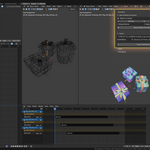
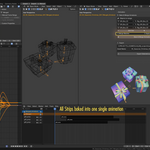
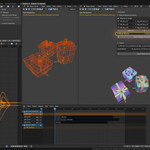
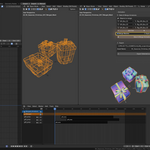
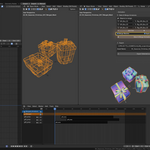
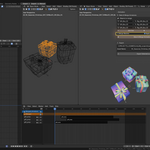
Have you ever dreamed of being able to work non-destructively, take advantage of Blender's NLA, and export a game-ready version with a single armature and a single Action clip for your entire scene with just one click? I've done it!
Introducing "Animation Baker", the first module of "JJ Animation Tools", my first released add-on for Blender 5.0 and above!
Overview
JJ Animation Tools - Animation Baker is a Blender addon designed to simplify and automate the process of merging modular animations. It allows you to combine multiple armatures with their respective NLA animations into a single unified armature, while preserving animation integrity and intelligently managing bone prefixes to avoid naming conflicts.
Main Use Cases
Modular animation: Merge characters composed of multiple parts (body, clothing, accessories) each with their own armature
Optimized export: Create a single asset with one armature for export to game engines (Unity, Unreal Engine, Godot)
Non-destructive workflow: Original objects are preserved, only copies are modified
Batch processing: Process multiple objects simultaneously with configured FBX export
Core Features
1. Bake & Merge System
Intelligent Duplication
Automatically creates copies of all armatures and meshes
Applies transformations (location, rotation, scale) to copies
Preserves original objects intact in their collections
Animation Baking
Automatic baking of all active NLA tracks
Intelligent detection of animation range (frame start/end)
Generates one baked action per armature with complete keyframes
Visual keying support for accurate results
Prefix System
Automatically renames all bones with customizable prefix
Updates FCurves to match new bone names
Renames mesh vertex groups to maintain skinning
Avoids naming conflicts during merge
Armature Merging
Combines all armatures into a single unified armature
Merges all baked actions into a single "Merged" action
Intelligent FCurve copying without duplicates
Preserves interpolation properties and keyframe handles
Mesh Management
Option to merge all meshes into a single object
Option to apply modifiers (except Armature) before merging
Automatic reparenting to merged armature
Armature modifier updates
Automatic Organization
Creates a "MERGED" collection for results
Automatic hiding of original collections
Color coding to quickly identify merged collection
2. Intuitive User Interface
Dynamic Object List
Manual addition of empty slots
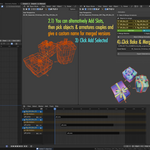
"Add Selected" button to automatically add all selected meshes
Automatic detection of parent armature
Intelligent prefix generation based on object name
Individual or global entry removal
Per-Slot Configuration
Mesh: The mesh object to process
Armature: Associated armature (automatically detected if parent)
Prefix: Customizable prefix for bones (one prefix per armature, e.g., "Body", "Clothes", "Hair")
Processing Options
Merge Meshes: Merges all meshes into one (enabled by default)
Apply Modifiers: Applies non-Armature modifiers before merging
3. Integrated FBX Export
Export Configuration
Define export path
Customizable asset name