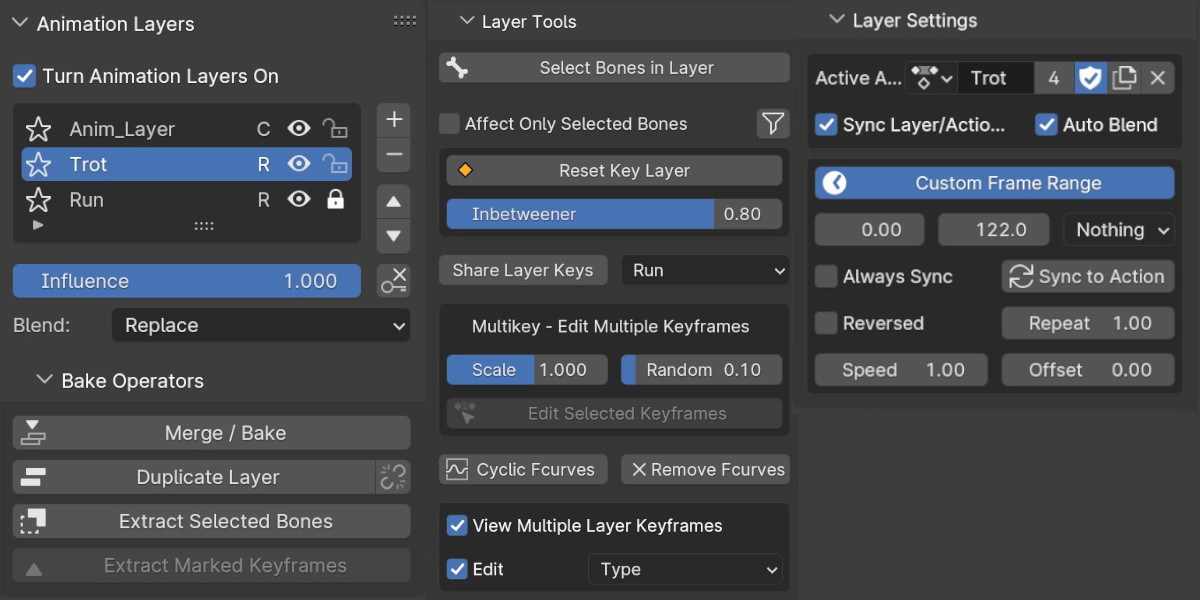
Animation Layers

Tal Hershko in Addons


Item Rating

This item has an average rating of 5 from 94 ratings by the community.

88%
9%
4%
2%
0%

Purchase this item to leave a review!

  • Jesper
    about 1 year ago

    I cant seem to get it to work with Mixamo rig.
    I also want to use the old version to see if that could fix the issue.
    But I can not find anything older then for Blender 3.2.
    I want to try with 2.9

    • Tal Hershko

      about 1 year ago

      Hi, the superhive page is clearly showing Blender 3.2 as the minimal version.
      If you want to get older versions you can contact me in private, however they are not supported, and I don't think it has anything to do with Mixamo's rig. For support you can contact me either via Superhive's contact creator or via the discord channel. Usually issues related to Mixamo are exporter/importer issues and not related to animation layers. If you have issues with exporting it is better to merge all your layers before exporting.

  • slavko
    over 2 years ago

    I've been using this for about a year I guess. Can be great for small tweaks but absolutely useless in a mid-scale projects since this addon's behavieour is really unpredictable. Especially when it comes to work with linked libraries then addon becomes absolutely useless, unfortunately. Saved a lot of hours in a small tasks, and brought a lot of head ache in bigger projects. It seems like many features this addon has don't work in a way they supposed to.

    • Tal Hershko

      over 2 years ago

      Hi, Thanks for the feedback. If you run into issues, then feel free to report to me via Blendermarket's contact creator, or the discord channel. If you are using Blender 4.1 then there were issues coming from Blender that are now fixed in 4.1.1
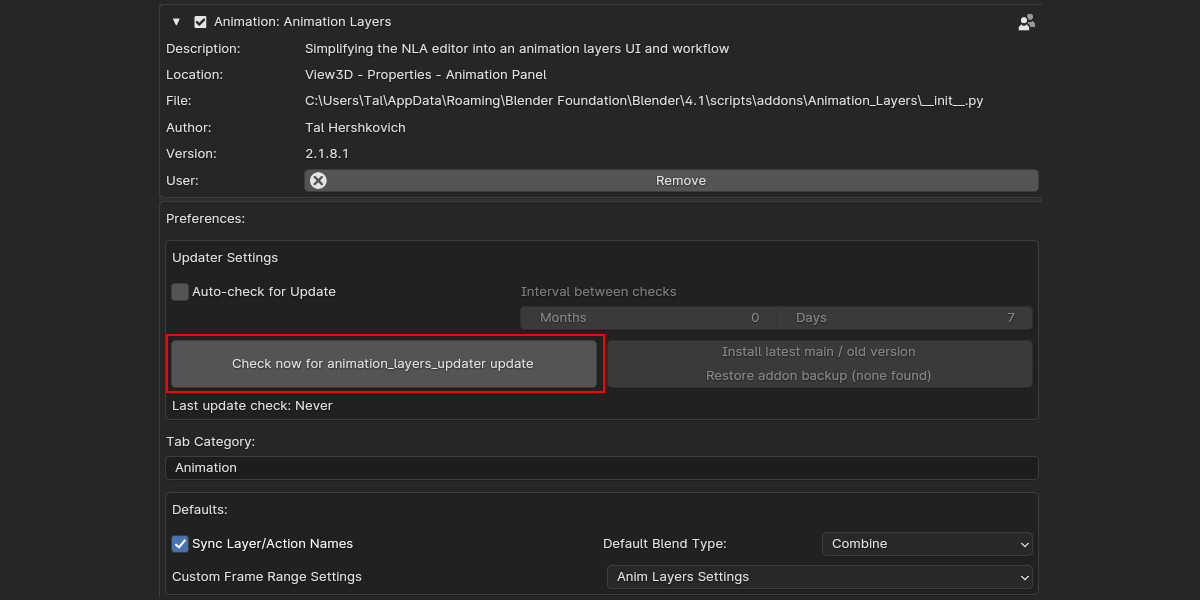
      Make sure you also update the addon via the auto-updater.
      Regarding linked libraries I just know that the rig files should be clean from layers and nla strips, otherwise they will always appear in the animation files. I'm not aware of other issues related to linked libraries.

  • James Moore
    over 5 years ago

    A bit of a buggy mess when used in conjunction with Auto Rig Pro. Body parts stop moving all of a sudden. Even restarting Blender doesn't help restore the animation to original state. Exporting to UE4 results in occasional bad bone rotation. Once Animation Layers is enabled, disabling it causes further problems with animations going weird. There must be certain rules one has to follow to avoid encountering unexpected results, perhaps things like don't use IK with Auto Rig Pro when also using Animation Layers. Or maybe just dont use ARP and AL together. Both authors should collaborate to improve user experience. Without Auto Rig Pro, its probably a good experience but I wouldn't know as I need to use Auto Rig Pro to get animations into UE4 in a desirable form.

    • Tal Hershko

      over 5 years ago

      Hi James, thanks for the review. I'm testing the addon with ARP as well. I haven't run into any issues, and didn't get any bug reports recently. The only thing I know is that you need to merge all the layer before exporting, because ARP doesn't export from the NLA. If you running into specific issues then you are more then welcome to do a bug report. If you have a file to test then it would be even better

  • Hyaline
    about 6 years ago

    This looks awesome addon,
    But I had to give up adapting this addon to my workflow.

    Almost of actions that I made have tons of keyframes of constraints settings.
    In addition, my rig has many custom properties made in addon that I made.
    Maybe these are causing the problem. When I turn on the Animation layers, and add action that I made, my character get something like scale problem. Yes. my character puffs up like a balloon.

    To use Animation Layers, I have to abandon my workflow that I was making, and I have to remake my animations. This makes me painful.

    • Tal Hershko

      about 6 years ago

      Hi, I'm sorry to hear that. If you add actions that were not originally created in an additive layer then you need to change the layer's blendmode to "Replace". The character explodes because the scale is also being added on top of the previous layers. If you still want to use it as an additive layer then you could also try to delete the scale keyframes from the additive layer

  • Single License for a single user of Animation Layers

    $30
  • Animation Layers Studio License for up to 10 seats

    $200
$30

Have questions about this product?
Login to message

Details
Blender Extension Compatible Yes
Sales 9900+
Rating
94 ratings
Dev Fund Contributor
Published over 6 years ago
Blender Version 3.2 - 5.2
Extension Type Add-on
License GPL