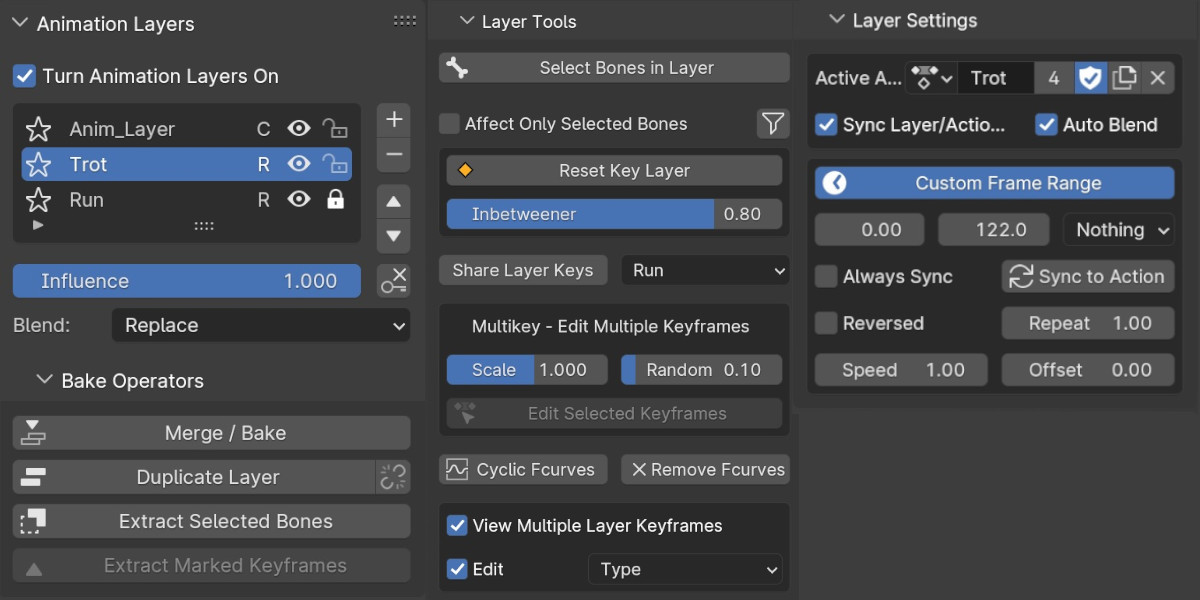
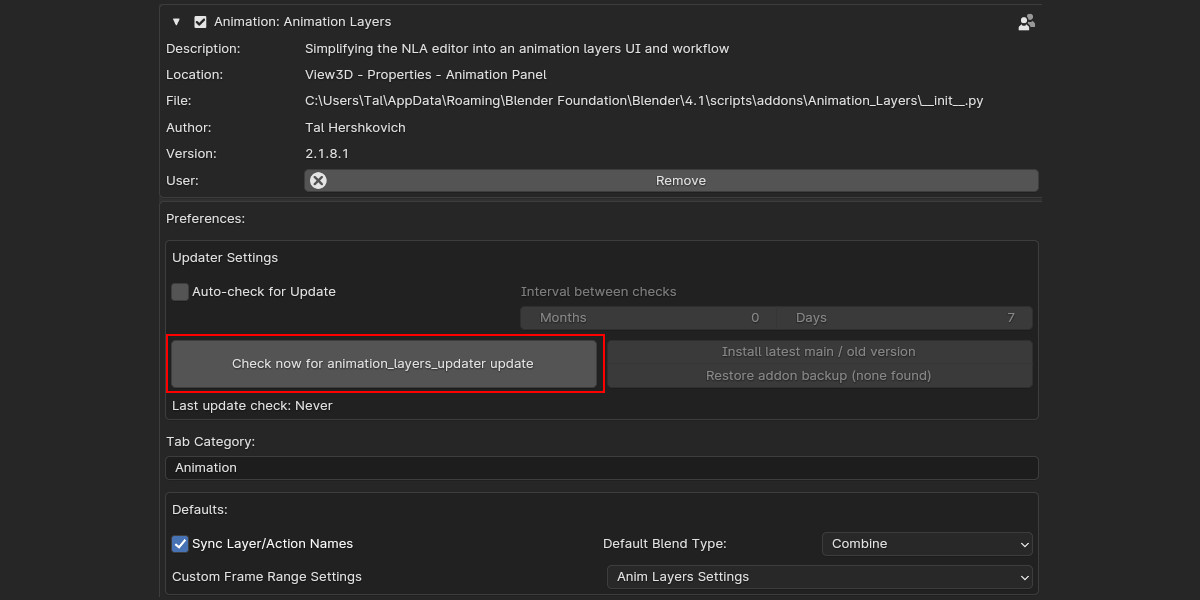
Animation Layers

Tal Hershko in Addons


Item Rating

This item has an average rating of 5 from 93 ratings by the community.

88%
9%
4%
2%
0%

Purchase this item to leave a review!

  • Adrian Lipiec
    over 6 years ago

    It just works.

  • Anthony Madeira
    7 months ago

    Super helpful! Would rate 5 stars if only for one feature that doesn't work right that would be absolutely killer. When you keyframe the "Speed" parameter of a layer, it scales the keyframes on the NLA layer itself, including the Speed parameter itself, which means it becomes recursive and completely breaks. Other parameters, such as influence, can be keyframed without a hitch. If this one problem could be solved this would be my favorite addon of all time. Still SUPER helpful!!

  • Gim Doyun
    over 1 year ago

    Available Animation Layer at final.

    But also feels very separate from blender,
    It really feels like just came from other 3d program.
    I belive blender's fundamental pros for animation feature is It's Action based.
    Currently layers are only available as scene, not each action.
    I can still separate each action as separate save files for saving each layer setting for each action, but It'll feels very MAX/MAYA way.

  • Sofia Pahaoja
    over 3 years ago

    A huge improvement to Blender's animation. Documentation is somewhat sparse and outdated however, and there is no advice on good workflows.

  • Mike
    over 4 years ago

    Excellent addon, any chance to add the option to control the animation speed of the strip? There is an option in the NLA to animate the reproduction speed without messing with the frame rate or the time stretching. With that feature, the addon will be a 10/10.

    • Tal Hershko

      about 4 years ago

      Thanks for the review and feedback. Current version 2.1.2.1 is also included with speed and offset controls, as well as other new updates (only from Blender 3.2). Speed and offset are also included in the smart bake and will apply the new keyframes positions accordingly.

  • Philipp
    over 4 years ago

    A very useful Add-on for animating more complex scenes. Especially for living creatures, it makes natural movements so much easier and speeds up the whole workflow.
    However, there are some features missing and some minor bugs which don't make sense. For example, you can change the influence of the layers like in the NLA editor but you cannot change the speed of the individual layers. That's one feature that I miss quite often.
    Another thing I noticed is that the arrows to change the order of the layers sometimes don't work for certain layers. Saving the project and restarting blender usually fixes this though.
    There are more of those small bugs which mainly appear if you work with a lot of layers. But none of those will ruin your animations or project.
    Generally, the advantages of this Add-on outweigh the flaws by a lot. Definitely worth the price if you want a better version of the NLA editor.

    • Tal Hershko

      about 4 years ago

      Thanks for the review and feedback. Current version 2.1.2.1 is also included with speed and offset controls, as well as other new features. These settings are also included in the smart bake. I've started rewriting the addon for Blender 3.2 and it should eventually be better synched with the NLA, if you are still running into any issue please feel free to contact me via Blendermarket's contact creator option

  • bob
    about 5 years ago

    Good addon but be careful using it in big projects. It will glitch out and permanently ruin your work. Trying to stay away from using it now.

    • Tal Hershko

      about 5 years ago

      Hi, thanks for the feedback. If you ran into any issues, please feel free to let me know so I can fix it. You can contact me directly via blendermarket. Would be good to know which Blender version and which addon version you are using and what kind of glitches? are you using library overrides in your project?

  • Sean Dunn
    over 5 years ago

    In general this is a great plugin. Two things that I didn't like though:
    * Smart baking does not preserve original animation. There are errors in its analysis that can be seen in the final bake.
    * It only works on bones, and not general object animation. Not a big deal, though.

    • Tal Hershko

      over 5 years ago

      Thanks for the feedback and review.
      *Smart bake preserve keyframe values and handle types, however it still doesn't preserve handle values. If you finalize an animation and need precision, then it's better to use normal bake
      *Smart bake should also work with objects.
      If you run into any issues, then please feel free to report me about it.

    • Tal Hershko

      over 5 years ago

      Thanks for the feedback and review.
      *Smart bake preserve keyframe values and handle types, however it still doesn't preserve handle values. If you finalize an animation and need precision, then it's better to use normal bake
      *Smart bake should also work with objects.
      If you run into any issues, then please feel free to report me about it.

  • abedd
    almost 6 years ago

    There is a big room for improvements, and I truly appreciate the honesty of the creator cause he did mention that the body part may get obliterated. But the problem is that this happened to me right off the bat, and using the Replace blend as suggested by the creator did not solve the problem, I had to use Subtract and work my way in reverse to get an animation done. I can't give it less than 4 cause this addon is a true breakthrough, but 4 star is a fair rating IMO.

    • Tal Hershko

      almost 6 years ago

      Hi Abedd, thanks for the honest review. There was indeed a scale issue / bug when changing the action of the base / replace layer in all the last versions. Please check the current update - V1.67 It should be now solved. If you still run into issues, then feel free to let me know.
      I will hopefully also try to implement cgcookie's auto update module as soon as I have a chance, so you can all keep getting updated.

  • Jesper
    about 1 year ago

    I cant seem to get it to work with Mixamo rig.
    I also want to use the old version to see if that could fix the issue.
    But I can not find anything older then for Blender 3.2.
    I want to try with 2.9

    • Tal Hershko

      about 1 year ago

      Hi, the superhive page is clearly showing Blender 3.2 as the minimal version.
      If you want to get older versions you can contact me in private, however they are not supported, and I don't think it has anything to do with Mixamo's rig. For support you can contact me either via Superhive's contact creator or via the discord channel. Usually issues related to Mixamo are exporter/importer issues and not related to animation layers. If you have issues with exporting it is better to merge all your layers before exporting.

  • Single License for a single user of Animation Layers

    $30
  • Animation Layers Studio License for up to 10 seats

    $200
$30

Have questions about this product?
Login to message

Details
Sales 9700+
Rating
93 ratings
Dev Fund Contributor
Published over 6 years ago
Blender Version 3.2 - 5.1
Extension Type N/A
License GPL