Aperturia FX
 Arvo Andre Radik


Once downloaded, locate to Blender>Edit>Preferences>Add-ons or Extensions and install the extension by either clicking on 'Install from Disk...' or by dragging and dropping the extension onto the Blender window.
This is registered as an Extension! If you wish to uninstall the extension, go to Blender>Edit>Preferences>Extensions, find the small DOWN ARROW at the top-right corner of the extension panel. You can then Uninstall from there.
When the node does not show up immediately, go to Compositing tab, hover your mouse over the Compositing window and open the N-Panel (press 'N' or click / pull the small arrow). Locate 'Aperturia FX' tab and click on 'Restore Aperturia FX'. This will rebuild the node. You can also use it to restore any lost elements of the tool.
Shadow Mask requires the use of render passes listed below. These passes hold far better data and for best results, all passes should be enabled and connected to their distinct inputs inside the node. Also included is an output node that allows you to see your shadow mask in real time so you could adjust it exactly to your needs.
Performance: The extension computation-heavy. To speed up the workflow and ensure more pleasant experience, you should access the Aperturia FX panel and press 'Optimize'. This will change your compositing device from CPU to GPU, greatly speeding up workflow.
NODE: |
FUNCTION: |
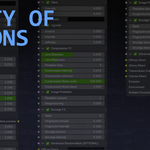
| ENABLED (toggle node on-off) | toggles entire node on/off |
| Color (toggle) | toggles use of color correction |
| Saturation | changes output saturation |
| Contrast | changes output contrast |
| Gamma | changes output gamma |
| Gain | changes output gain |
| Lift | changes output lift |
| Tint | applies a color overlay on the render |
| Shadow Tint | applies a color overlay mainly to darker areas |
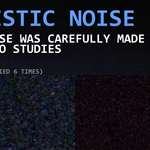
| Noise (main panel toggle) | toggles use of grain |
| General Grain | changes grain intensity |
| Shadow Grain amount | changes grain intensity only in shaded areas |
| Noise (sub-panel toggle) | toggles use of noise patterns |
| Noise Profile | picks between noise patterns |
| Noise Scale | changes noise pattern size |
| General Noise | changes noise intensity |
| Noise Blend | blurs noise |
| Color Noise intensity | changes color speckle intensity |
| Color Noise scale | changes color speckle size |
| Color Noise blend | blurs color speckles |
| True Noise (toggle) | enables noise photo overlays |
| Noise Image | switches between a list of images |
| Noise Visibility | adjusts image overlay strength |
| Shadow Mask lift | changes shadow mask lift |
| Shadow Mask gamma | changes shadow mask gamma |
| Shadow Mask gain | changes shadow mask gain |
| Glare (toggle) | toggles glare effects |
| Bloom | applies general bloom |
| Bloom Clamp | enables clamping (limiting) of bloom brightness |
| Bloom Intensity | adjusts bloom brightness |
| Anamorphic Lens Flare | creates an adjustable line of ghost glare |
| Dispersion Rate | adjusts the amount of light dispersion |
| Jitter (toggle) | makes bloom appear rough |
| Vignette (toggle) | toggles vignette effect |
| Vignette intensity | changes vignette strength |
| Vignette softness | blurs vignette |
| Size X | adjusts vignette mask size horizontally |
| Size Y | adjusts vignette mask size vertically |
| Compression FX (toggle) | image compression effect toggle |
| Lens Distortion | changes lens curvature |
| Lens Dispersion | adds natural color splitting |
| Horizontal Dispersion | adjusts the amount of horizontal light dispersion |
| Pixelation Size | changes the size of compression-like square artefacts |
| Compression intensity | changes the visibility of Pixelation Size |
| Compression softness | blurs the compression effect |
| Compression Noise scale | further adds a minuscule compression effect |
| Compression Noise blend | blurs entire compression effects bundle (apart from Lens effects) |
| Image Pixelation (toggle) | pixelates entire image |
| Pixelation amount | changes pixelation size |
| Image blurring | blurs entire image |
| Smudge FX (toggle) | toggles smudges and lens imperfections |
| Seed | changes effect placement and rotation generation |
| General Smudge | adjusts the total smudge visibility |
| Glare Smudge | adjusts the intensity of smudge only visible at light |
| Fingerprint amount | shifts between less/more fingerprint textures |
| Fingerprint intensity | changes visibility of fingerprint textures |
| Smudge amount | shifts between less/more smudge textures |
| Smudge intensity | changes visibility of smudge textures |
| Advanced Shadow Mask (toggle) | toggles physically accurate shadow mask |
| Diffuse Direct | Render pass |
| Glossy Direct | Render pass |
| Transmission Indirect | Render pass (requires manual enabling and connecting in Eevee) |
| Volume Direct | Render pass (requires manual enabling and connecting in Cycles) |
| Emission | Render pass |
| Environment | Render pass |
| Ambient Occlusion | Render pass |
-
$4.99
Main product, supports only Blender 4.5+ Over 50 configurations, advanced N-Panel features, constant improvements Recommended for artists that love achieving believable photorealism.
-
$1
Legacy supports Blender 4.2-4.4. Older version of Aperturia FX with less configurations and simpler effects.
Have questions about this product?
Login to message
| Blender Extension Compatible | Yes |
| Sales | 20+ |
| Rating | 2 ratings |
| Dev Fund Contributor | |
| Published | about 1 year ago |
| Blender Version | 4.0 - 5.2 |
| Extension Type | Add-on |
| Render Engine Used | Arnold, Blender-Internal, Blender-Game-Engine, Cycles, Eevee, Freestyle, Luxrender, Mental-Ray, Octane, Vray, Yafaray |
| License | GPL |
Discover more products like this
node group camera Blender Compositing dslr-camera camcorder 60s-70s camera compositor advanced Blender nodes 3D nodes Blender_Compositor aperturia Blender_Compositing