Aperturia FX
 Arvo Andre Radik


How do I install the extension?
Go to Edit → Preferences → Add-ons / Extensions and click 'Install from Disk...' or by drag&dropping the .zip file into your viewport.
How do I uninstall the extension?
Like many, we are still relatively new to Extension format, which acts different from the legacy add-on system. Go to Edit → Preferences → Extensions, click the small arrow at the top right of the Aperturia FX entry and select 'Uninstall'.
Does Aperturia FX aim for stylized or photoreal results?
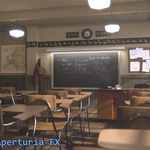
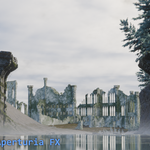
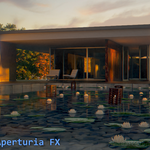
The focus is photorealism — simulating how real digital lenses behave.
Does Aperturia FX replace Blender's compositor?
No — it enhances it. Aperturia FX adds a unified, pre-calibrated node that combines realistic post-processing effects such as lens distortion, film grain, chromatic dispersion, and fingerprint smudges while letting you stack or chain other nodes around it.
My render's colors looks slightly different after compositing. Is that normal?
Yes. Aperturia FX emulates physical imperfections — like chromatic dispersion, vignetting, and slight sensor grain — which subtly alter contrast and sharpness. You can tone these down if needed using the effect intensity sliders or use a Color Correction node after the Aperturia node.
Pro tier comes with a built-in color correction for fast and easy color tweaking.
Why are the sliders limited to very specific values?
The limits are intentional. They help prevent unrealistic results that can break immersion — similar to real camera constraints.
What are "Shadow Masks"?
Shadow Masks analyze image brightness to simulate where light and shadow naturally influence digital noise and contrast. Advanced Shadow Mask goes further by using render passes (Diffuse, Glossy, AO, etc.) to read actual light bounce and shadow depth — perfect for physically accurate noise and tone response.
Which render engine does it work with?
Aperturia FX works with both Cycles and Eevee, though the Advanced Shadow Mask performs best in Cycles due to richer render data.
I cannot find the compositor node, what should I do?
The extension comes with an N-Panel in your Compositor tab, locate Aperturia FX category and you will find 'Restore' button, this will rebuild the node in case it is missing or damaged.
What is the 'Optimize' button for?
It switches your compositing device from CPU to GPU for faster preview and iteration. It’s ideal for complex setups with many effects.
Is it safe to download new updates using the extension's own download feature?
Yes it is, the files are uploaded to a safe repository on GitHub by myself from where the downloader fetches new files from. The downloader strictly searches for specifically named files and asks your permission before downloading. When downloading, you are also asked where to send the new files. Installation is still manual.
-
$4.99
Main product, supports only Blender 4.5+ Over 50 configurations, advanced N-Panel features, constant improvements Recommended for artists that love achieving believable photorealism.
-
$1
Legacy supports Blender 4.2-4.4. Older version of Aperturia FX with less configurations and simpler effects.
Have questions about this product?
Login to message
| Blender Extension Compatible | Yes |
| Sales | 20+ |
| Rating | 2 ratings |
| Dev Fund Contributor | |
| Published | about 1 year ago |
| Blender Version | 4.0 - 5.2 |
| Extension Type | Add-on |
| Render Engine Used | Arnold, Blender-Internal, Blender-Game-Engine, Cycles, Eevee, Freestyle, Luxrender, Mental-Ray, Octane, Vray, Yafaray |
| License | GPL |
Discover more products like this
3D nodes compositor dslr-camera camcorder aperturia node group camera Blender_Compositor advanced Blender nodes 60s-70s camera Blender Compositing Blender_Compositing