 KewlSheet




DOCUMENTATION • VERSION 1.0
Apex Mesh
Install
Drop the zip onto Blender, or Edit › Preferences › Get Extensions › Install from Disk. To update, install the new zip and restart Blender.
Start
Select the meshes to fuse and click Meshing Selected in the sidebar (N › Apex Mesh), or Meshing Collection for a whole collection. You get one live result: move or edit a source and it re-meshes.
Ctrl + Alt + M |
Launch the Apex Mesh Tool in the viewport. |
Apex Mesh Tool
Left drag |
Move the hovered island (or the mode picked with Tab). |
Shift + Left drag |
Scale the island. |
Right drag |
Rotate the island. |
Tab |
Cycle Move / Rotate / Size / Stretch. |
H |
Hold and Reject: take the island out of the meshing, keep it in place. |
Space / Enter |
Finish. |
Esc |
Cancel the current drag and quit. |
Layers
Each source is a layer of the stack, and order matters: reorder with Move Layer.
Operation |
How the layer combines with the stack. Union by default. |
Junction |
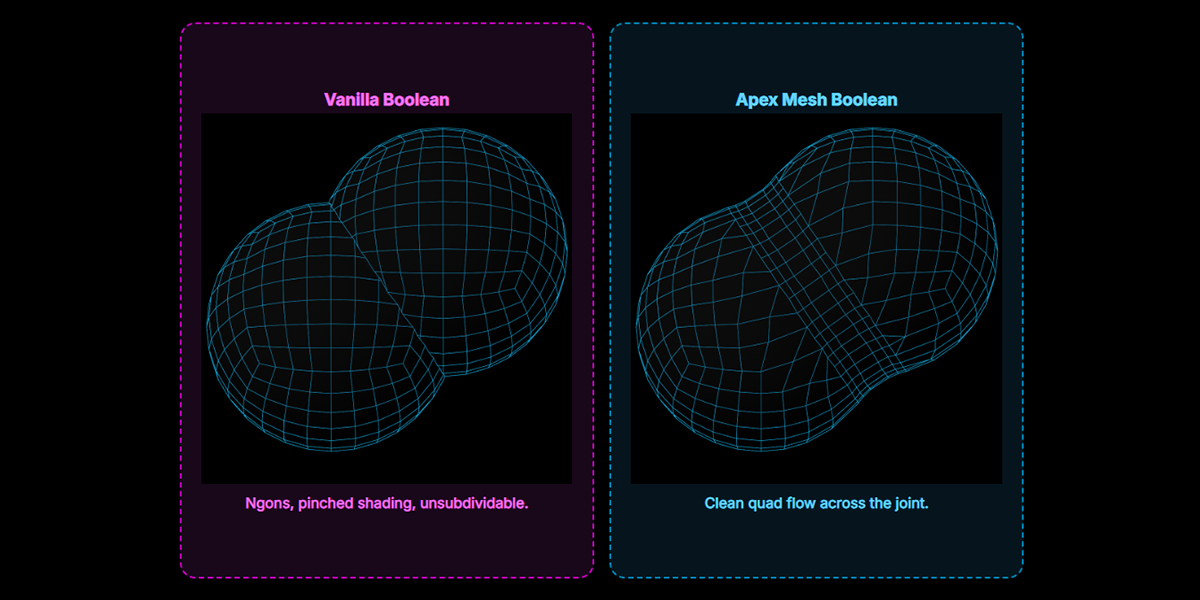
Offset Fillet: cut both sides back and bridge with a quad fillet. Welding Band: belt the join with a band of quads. |
Offset A / B, Lean |
How far the fillet eats into each side, and which side gets more. |
Rows, Density |
Fixed segment count, or Adaptive from a target edge length. |
Strength, Smoothing Level |
How strongly and how wide the join relaxes. |
Subdiv |
Catmull-Clark on this layer only (0 to 4). |
Split / Duplicate / Mirror / Isolate / Delete |
Layer housekeeping, from the layer row. |
Finish
Re-Mesh |
Rebuild now, when Live is off. |
Apply |
Bake at final quality and drop the live setup. |
Unmesh |
Drop the live setup. Keep Result leaves the mesh as a plain object. |
An open source shows a Repair button: the solver only meshes closed volumes. Draft While Dragging (Preferences) keeps drags fluid and rebuilds at full quality on release.
Good to know
Stuck? Ask on discord.gg/jfDPKf5ju2.
Have questions about this product?
Login to message
| Blender Extension Compatible | Yes |
| Published | 6 days ago |
| Blender Version | 4.2 - 5.2 |
| Extension Type | Add-on |
| License | GPL |

Discover more products like this
apex mesh bevel boolean boolean cleanup retopology fillet boolean topology