AprogenT Wood 3.1
 Eduardo Grativol













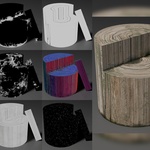
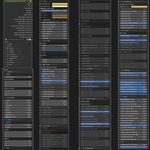
1. Introduction
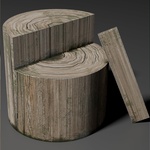
A short paragraph describing what the user will find in the package and what it is for.
2. Requirements
-
Blender 4.5.1 LTS (recommended) or newer.
-
Works in Cycles.
-
No third-party add-ons required.
3. Included Files
-
AprogenT 3.1.blend – main project file with all Node Groups.
-
UserGuide_AprogenT 3.1.pdf – full usage guide and tips.
4. Installation
-
Download the product package.
-
Open the
.blendfile in Blender 4.5.1 LTS or later. -
Save a copy in your working directory.
or use it by appending to your own project -
Open your own Blender project.
-
Go to File → Append.
-
Navigate to the downloaded
AprogenT_3.1.blendfile. -
Double-click the file to open its contents.
-
Open the NodeTree folder.
-
Select
AprogenT_3.1(the Node Group) and click Append. -
The Node Group will now appear in your Shader Editor → Add → Group menu.
5. Getting Started
-
The generator is implemented as a Node Group inside the Shader Editor.
-
Add the Node Group to your material and connect it to the Material Output. Add a Texture Coordinates and a Mapping nodes, connect object output (from texture coordinates) to vector input (mapping), then connect vector output (mapping) to vector input (AprogenT Wood 3.1).
-
Adjust parameters to customize the wood look.
-
Works best for baking seamless textures before heavy rendering.
Have questions about this product?
Login to message
| Published | about 1 year ago |
| Blender Version | 4.5 |
| Render Engine Used | Cycles |
| Misc Data | Low-High-Resolution |
| License | Royalty Free |

Discover more products like this
wood grunge texture medieval stylized PBR modern procedural realistic Generator customizable post-apocalyptic