 XYZ360


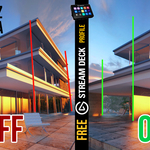
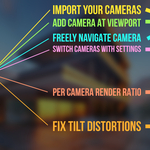
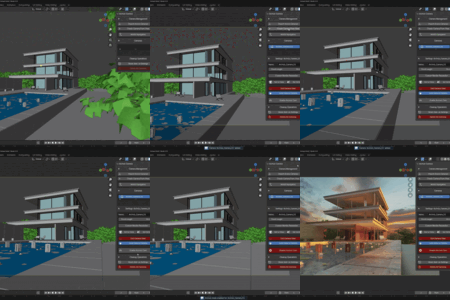
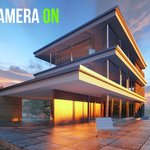
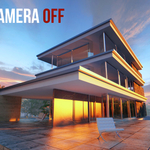
It provides one-click tilt correction, ensuring all vertical lines in your render are perfectly vertical. This is a critical standard in professional architectural photography and visualization, and this tool makes achieving it effortless.
Yes. The "Import Scene Cameras" button is designed for this. It will scan your scene and add any existing cameras to the add-on's management list, so you can immediately start using them with all the features.
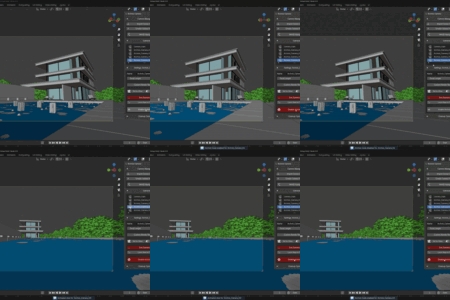
For Blender 4.1 and earlier versions, there's a super handy feature to lock camera to viewport so you can manage it without the need to be constantly jumping to the view tab to set it on/off. This will ensure your movements while in camera view mode will affect directly the camera view and not the viewport. Ideal to fine-tune your camera positioning.
-
$8
A lite tool for easy camera management. Features one-click architectural tilt correction for perfect vertical lines and simple WASD navigation for scene exploration. Ideal for quick archviz setups.
-
$26
Lite Version for Studios (2+ seats)
-
$18
The complete camera toolkit for architects. Manage cameras in a list, set custom resolutions per camera, explore with WASD navigation, one-click camera creation at viewport and achieve perfect vertical lines with one-click tilt correction.
-
$35
The complete camera toolkit. Manage cameras in a list, set custom resolutions per camera, Set Focal Length per Camera, one-click camera creation at viewport, explore with WASD navigation and achieve perfect vertical lines with one-click tilt correction.
Have questions about this product?
Login to message
| Blender Extension Compatible | Yes |
| Sales | 10+ |
| Published | about 1 year ago |
| Blender Version | 3.0 - 5.0 |
| Extension Type | Add-on |
| Render Engine Used | Cycles, Eevee |
| License | GPL |
Discover more products like this
tilt streamdeck architecture architectural render realistic rendering camera viewport tilt-correction ArchViz camera-manager