 Fulford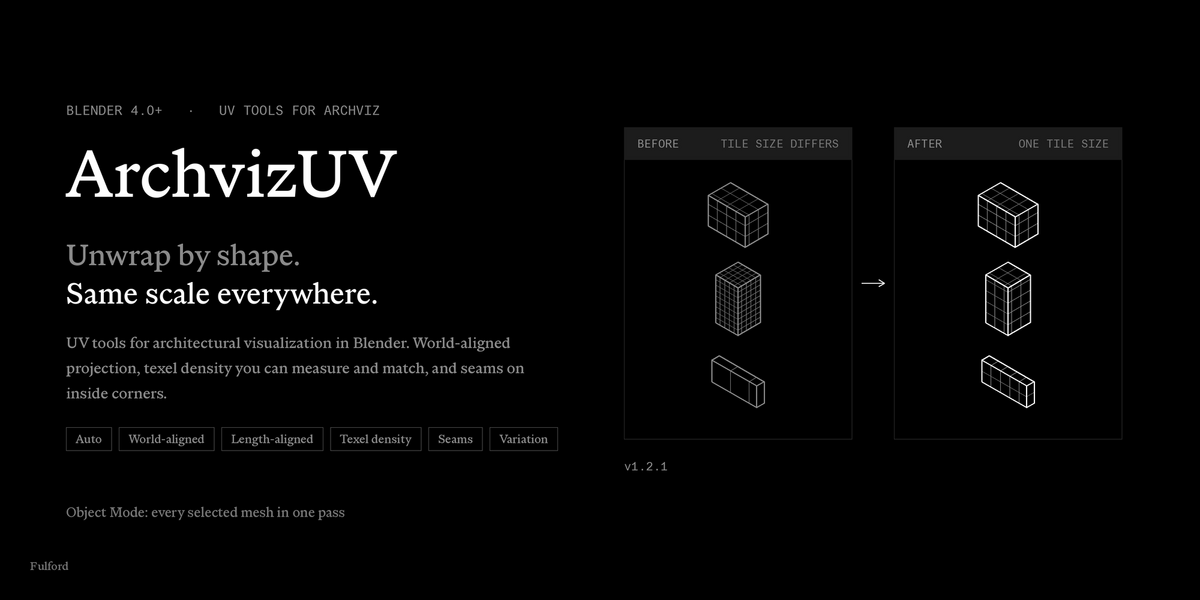
ArchvizUV
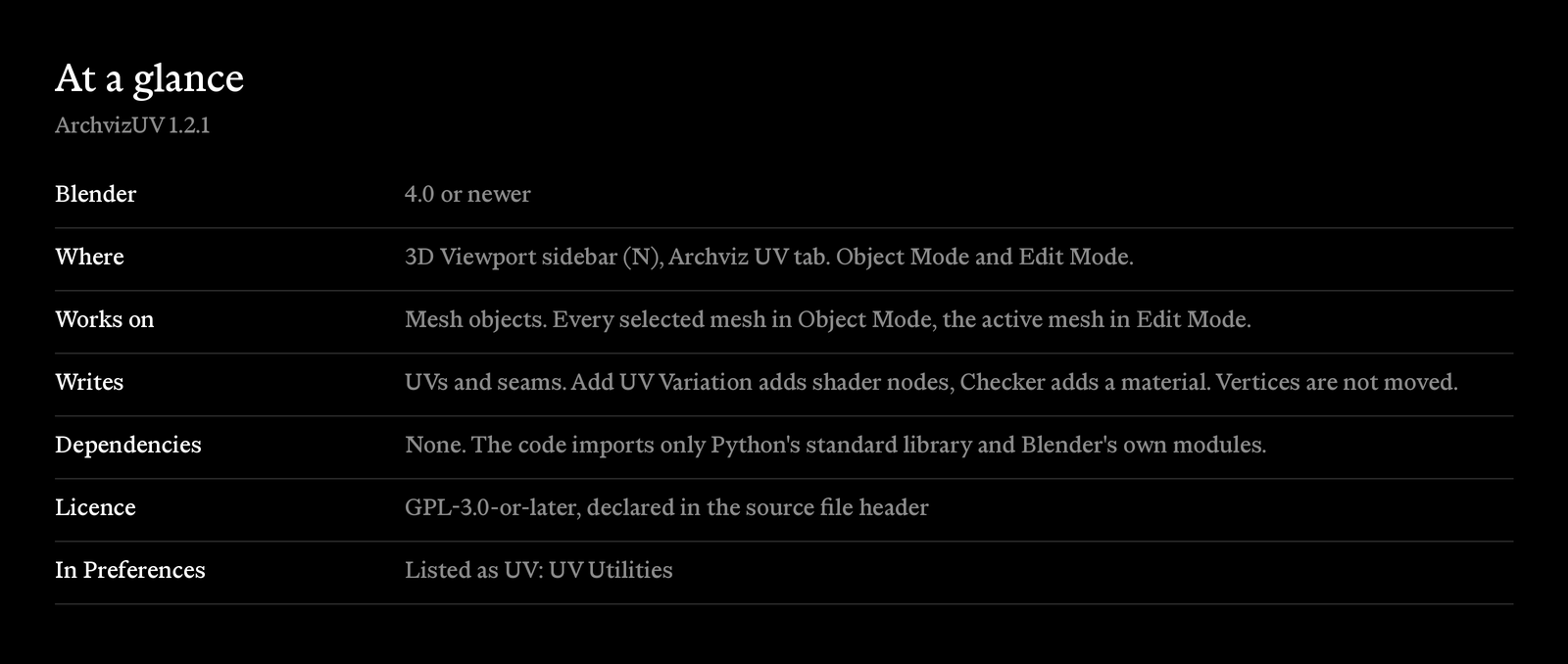
UV unwrapping for architectural visualization in Blender. ArchvizUV projects UVs from world positions so tiling textures keep their scale across walls, floors and ceilings. It routes each selected mesh to the projection that suits its shape, measures and matches texel density, marks seams on inside corners, and breaks up visible texture repetition. For Blender 4.0 and newer.
It is one Python file with no dependencies. In the add-on list it appears as UV: UV Utilities, and its sidebar tab is Archviz UV.
How it works
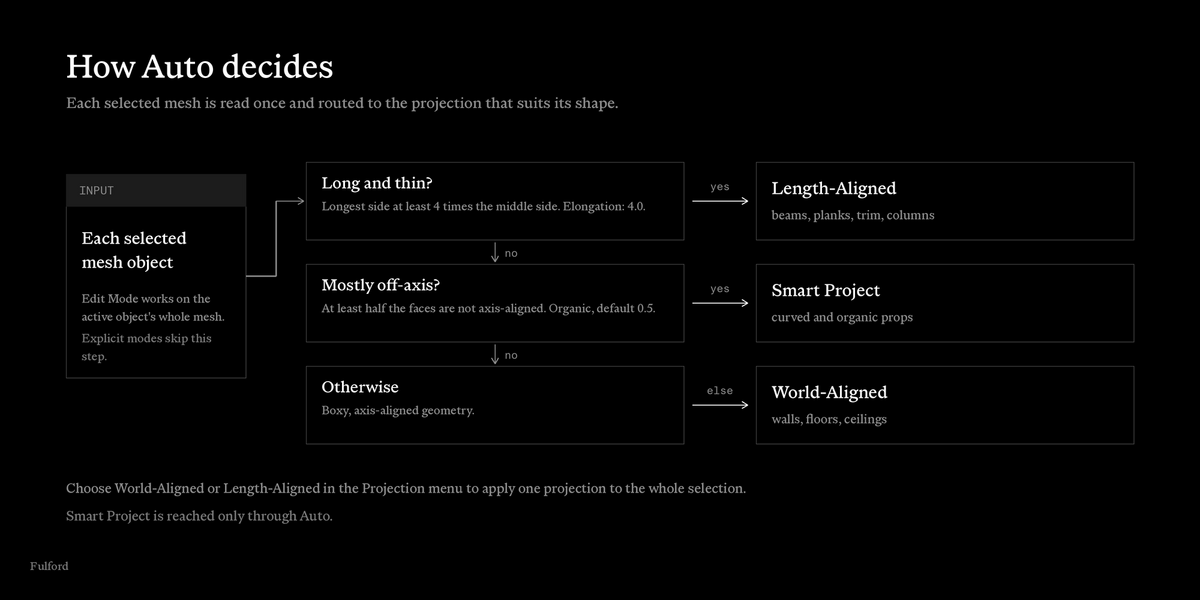
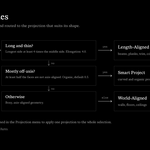
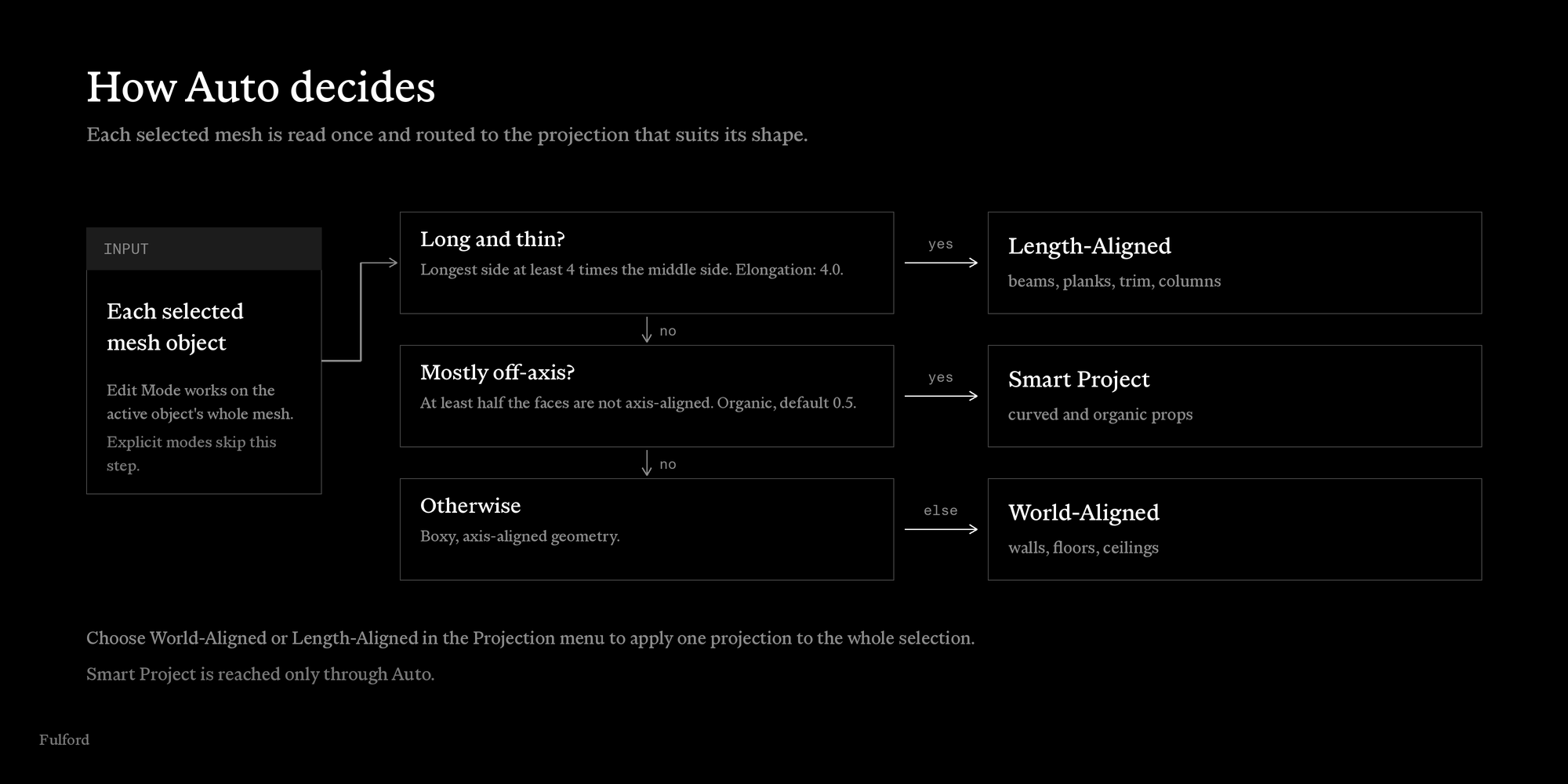
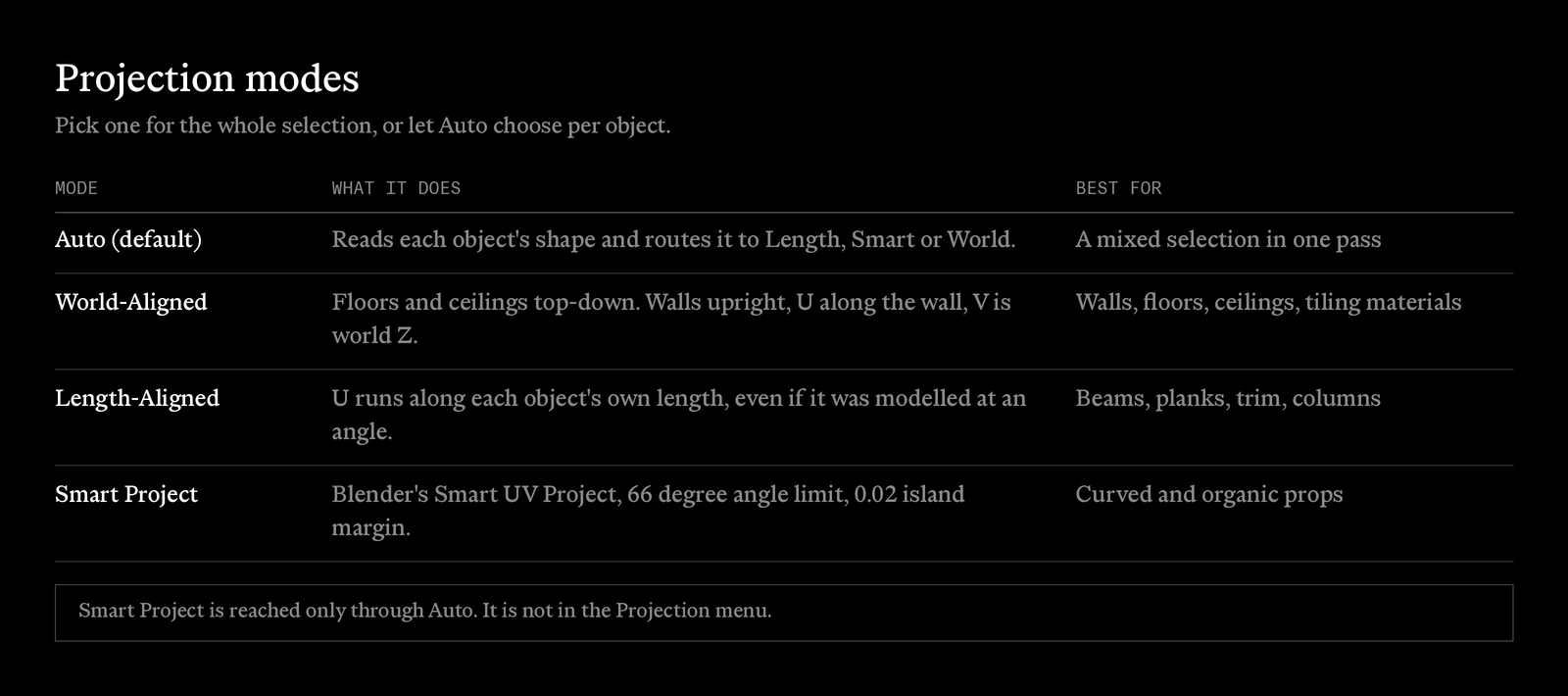
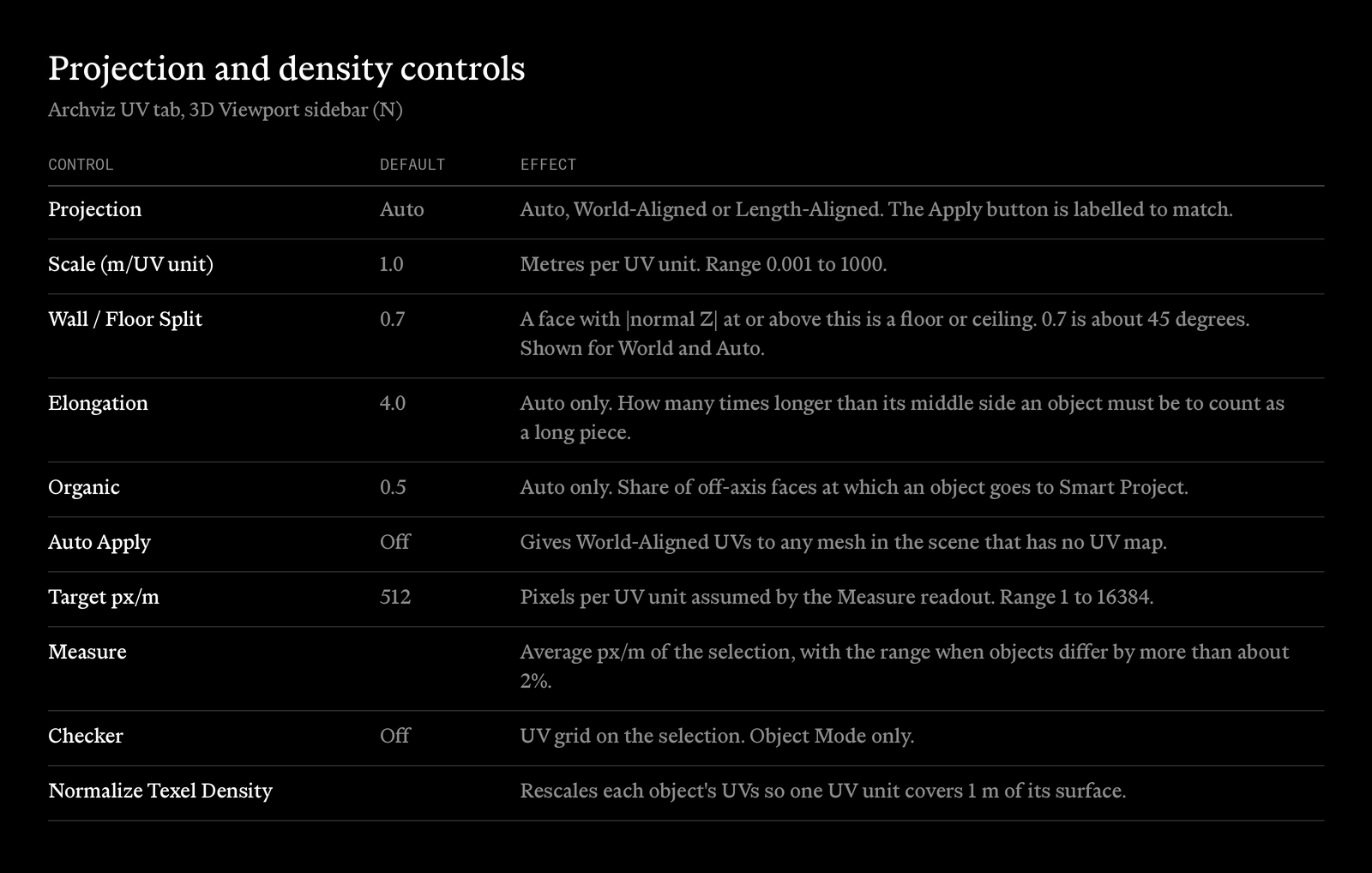
Select meshes, choose a projection, press Apply. In Auto mode each object is read once. A long, thin piece goes to Length-Aligned. An object with mostly off-axis faces goes to Smart Project. Everything else goes to World-Aligned. Or pick World-Aligned or Length-Aligned to apply one projection to the whole selection.
World-aligned UVs for walls, floors and ceilings
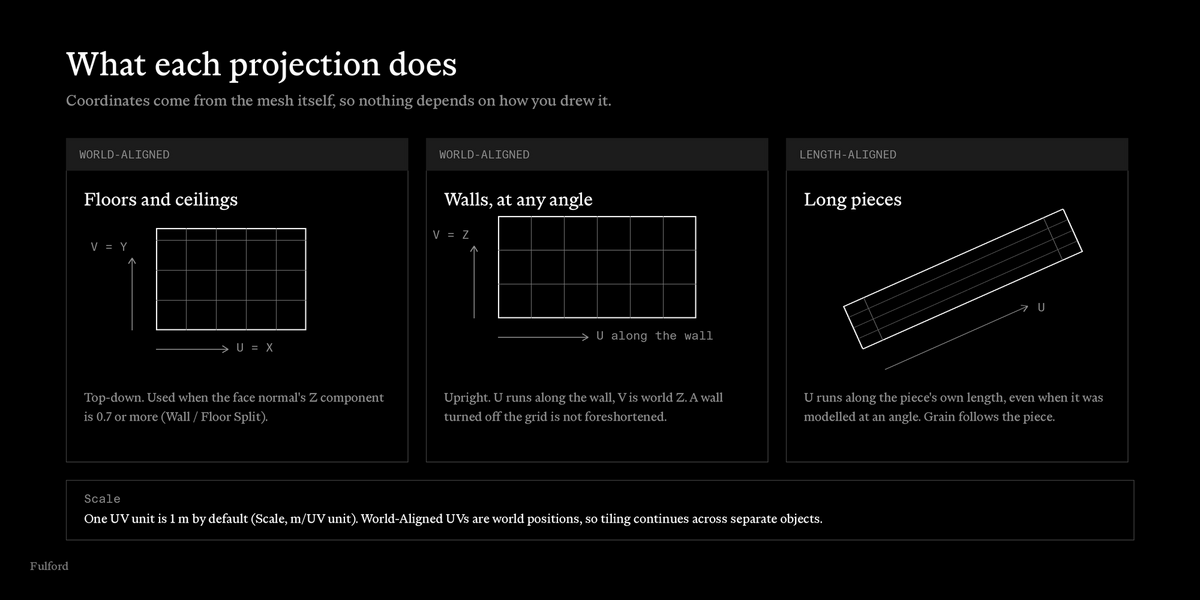
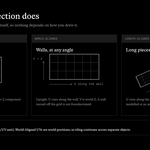
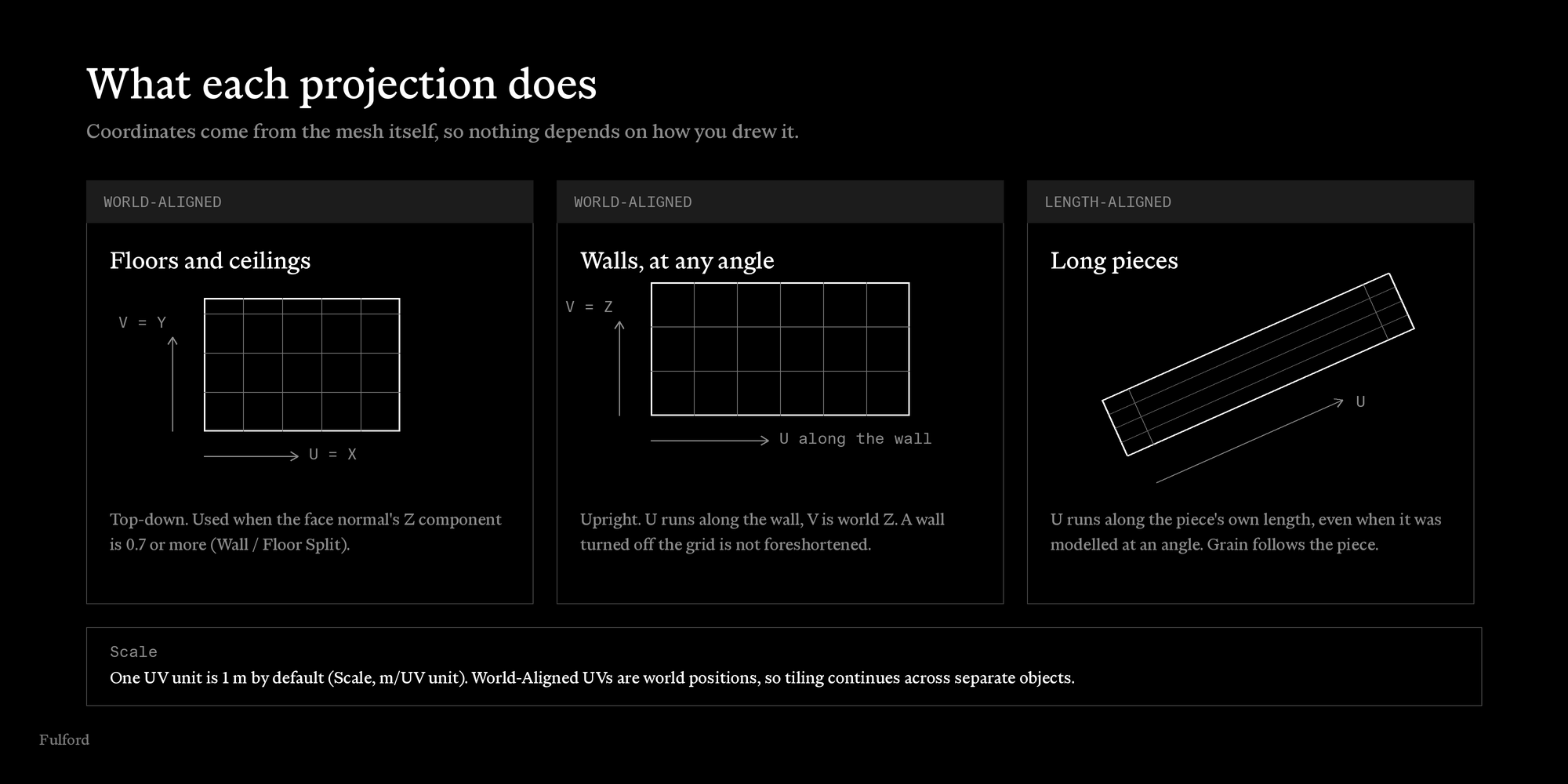
- Floors and ceilings get a top-down projection: U is world X, V is world Y.
- Walls get an upright projection: U runs along the wall, V is world Z. A wall that is not axis-aligned is not foreshortened.
- Same texture, same scale, across objects. The coordinates are world positions, so tiling lines up between separate objects.
- Scale sets the metres per UV unit. The default is 1.0, so 1 m is one UV unit.
Length-Aligned is for beams, planks, trim and columns. U runs along the piece's own length, found from the mesh's shape, so a member modelled at an angle still gets its grain along its length.
Measure and match texel density
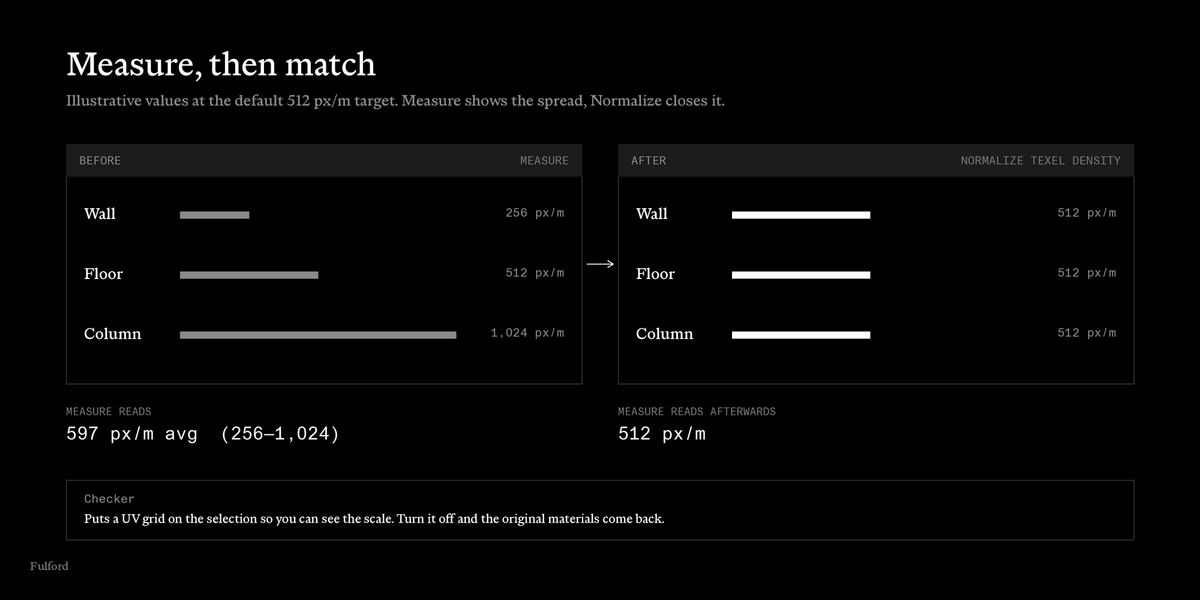
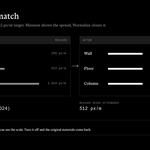
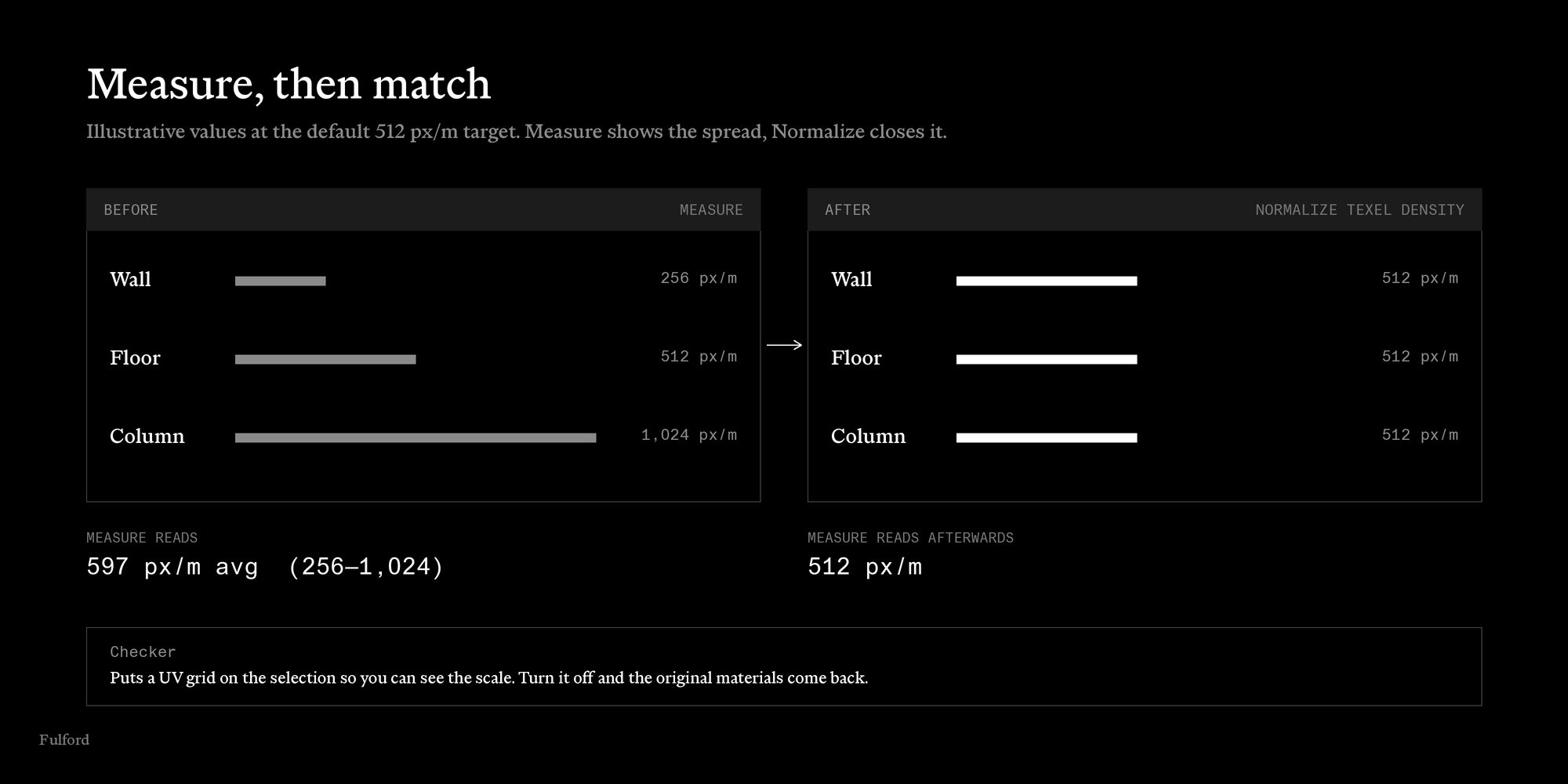
Measure reports the average px/m of the selection, and the range when objects differ. Normalize Texel Density rescales each object's UVs so one UV unit covers 1 m of its surface. Checker puts a UV grid on the selection so you can see scale and stretching, and restores your materials when you turn it off.
Break up repeating textures
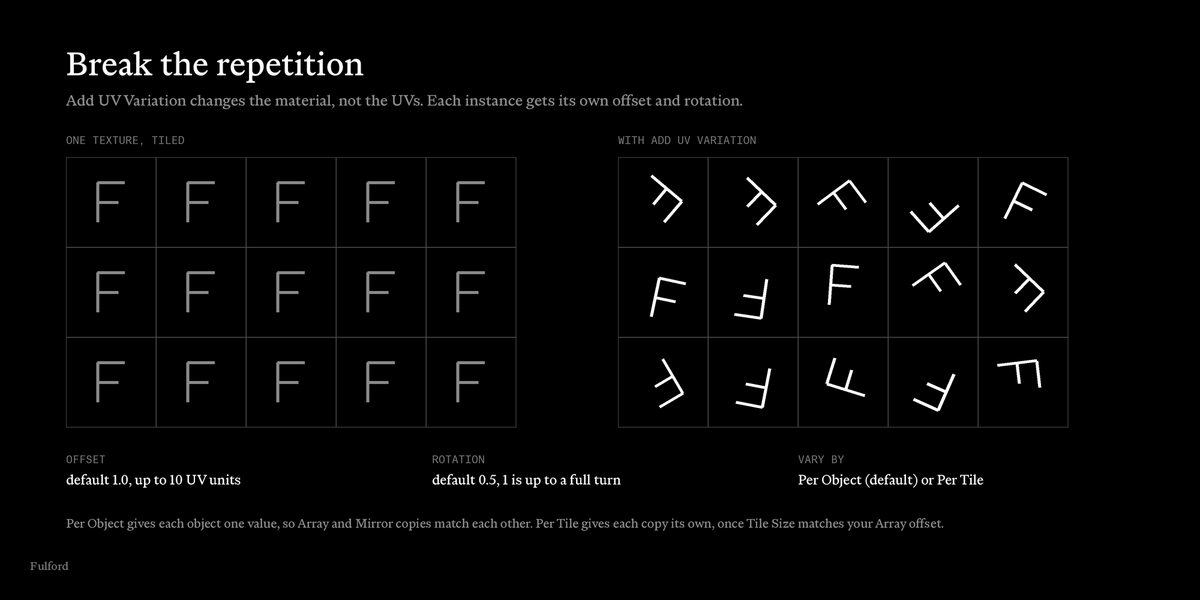
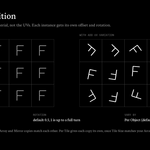
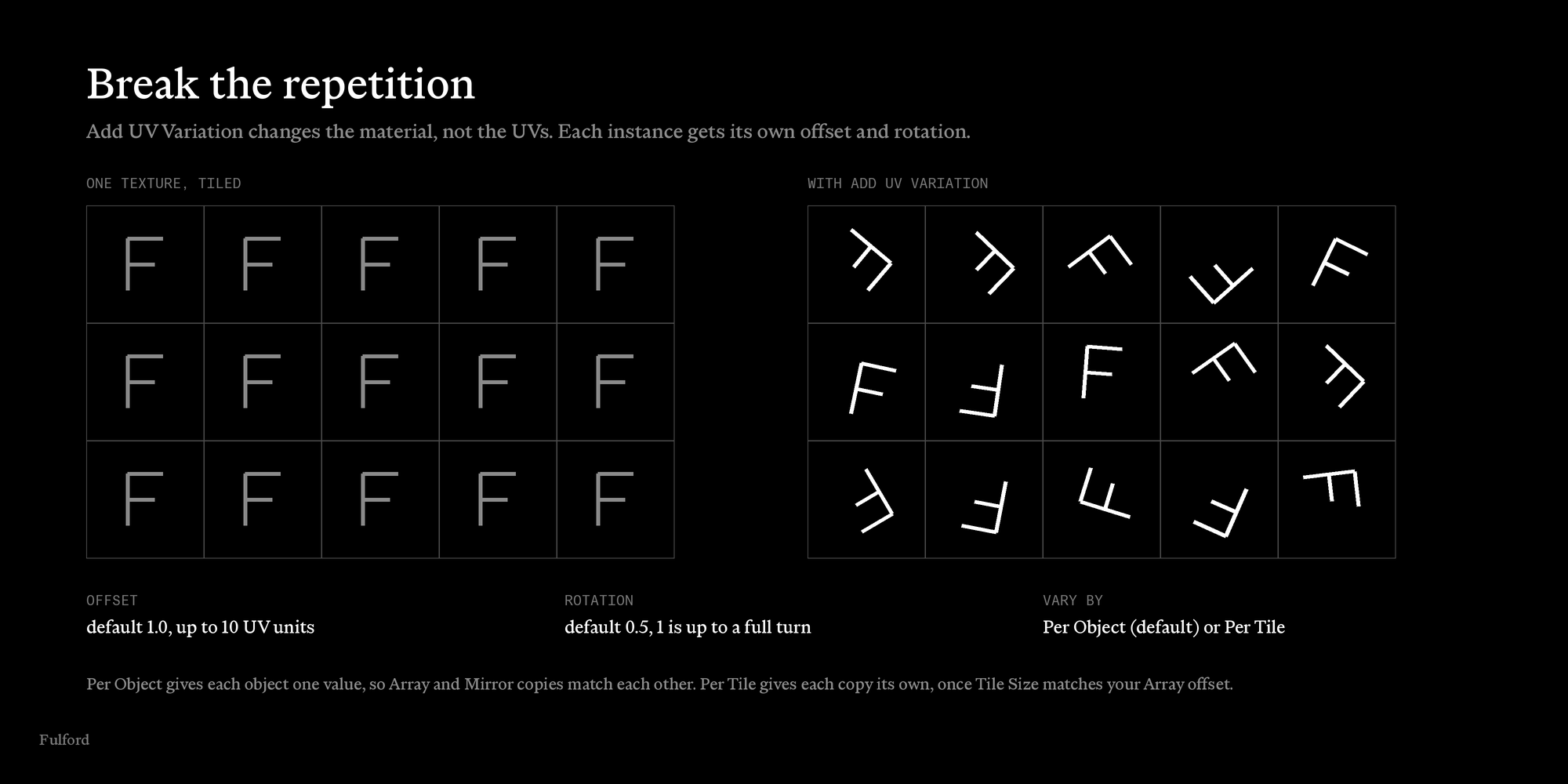
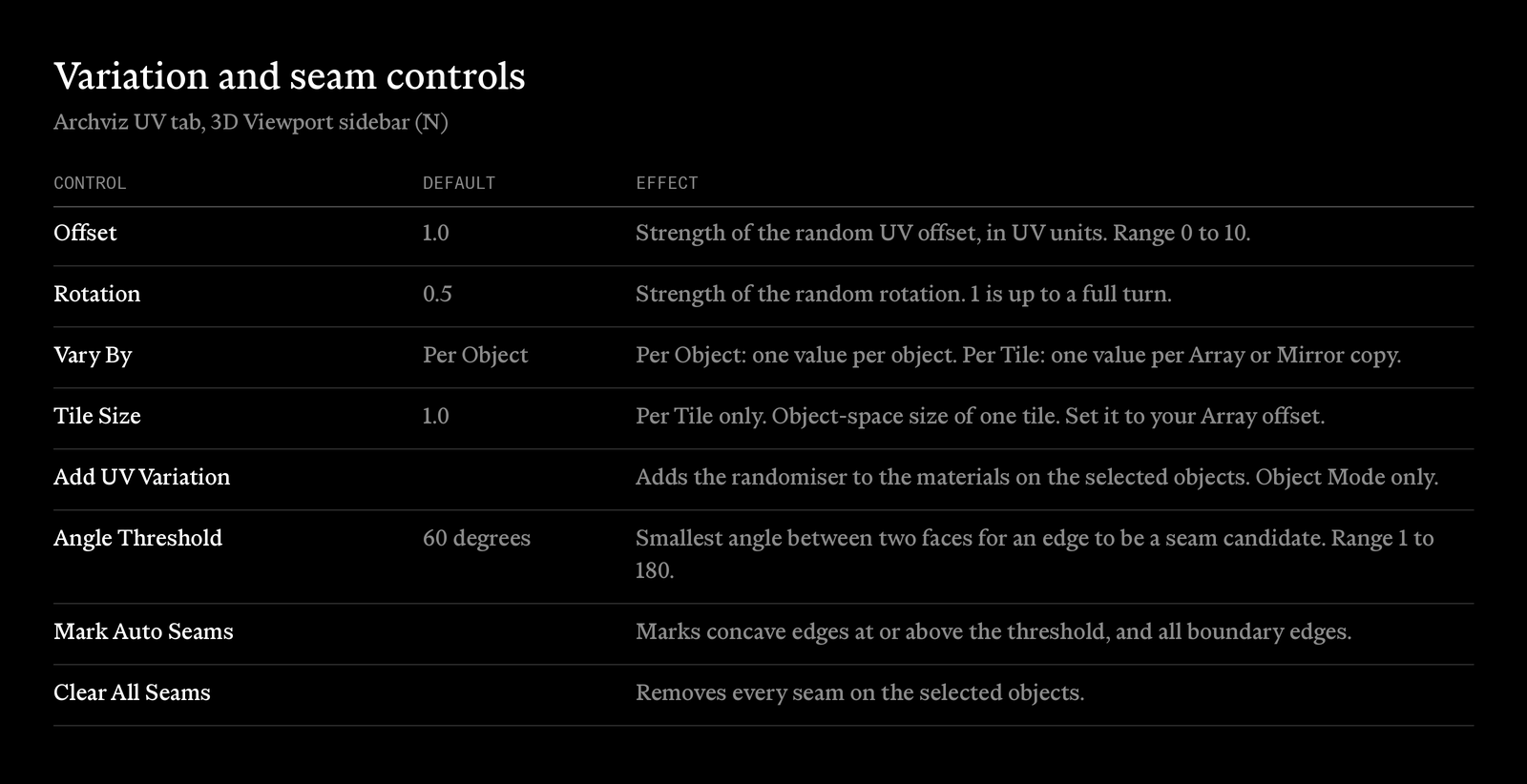
Add UV Variation adds a small shader node group to the materials on the selected objects. Each instance gets its own random UV offset and rotation, so identical tiling textures stop looking cloned. It changes the material, not the UVs. Set it per object, or per Array or Mirror copy. Running it again updates the settings instead of stacking nodes.
Seams on inside corners
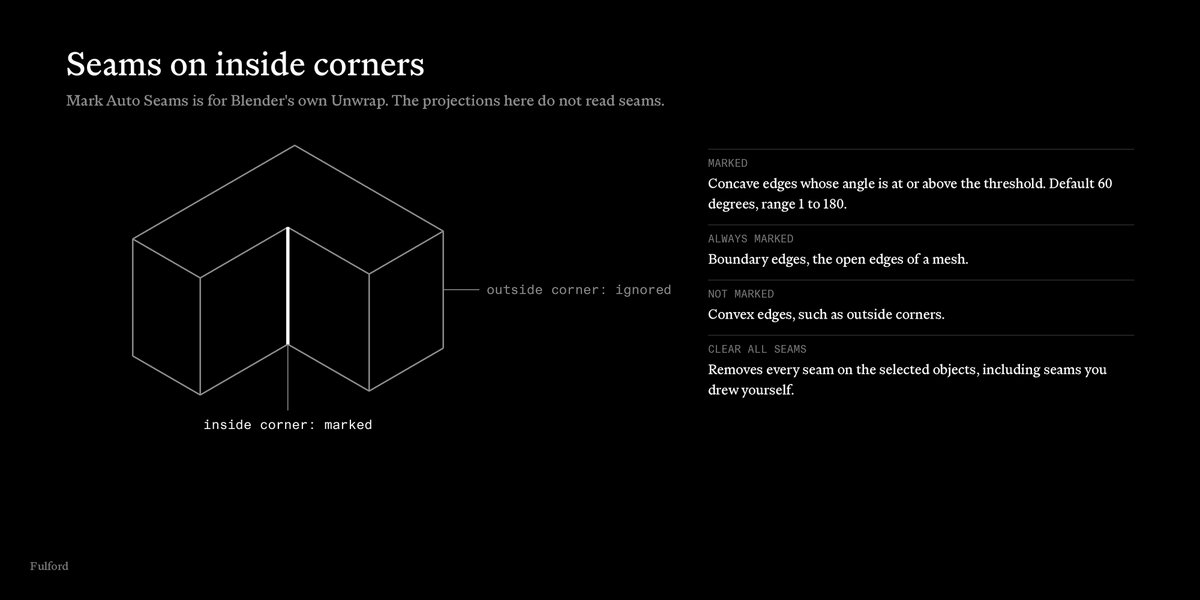
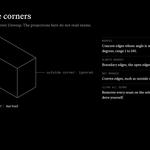
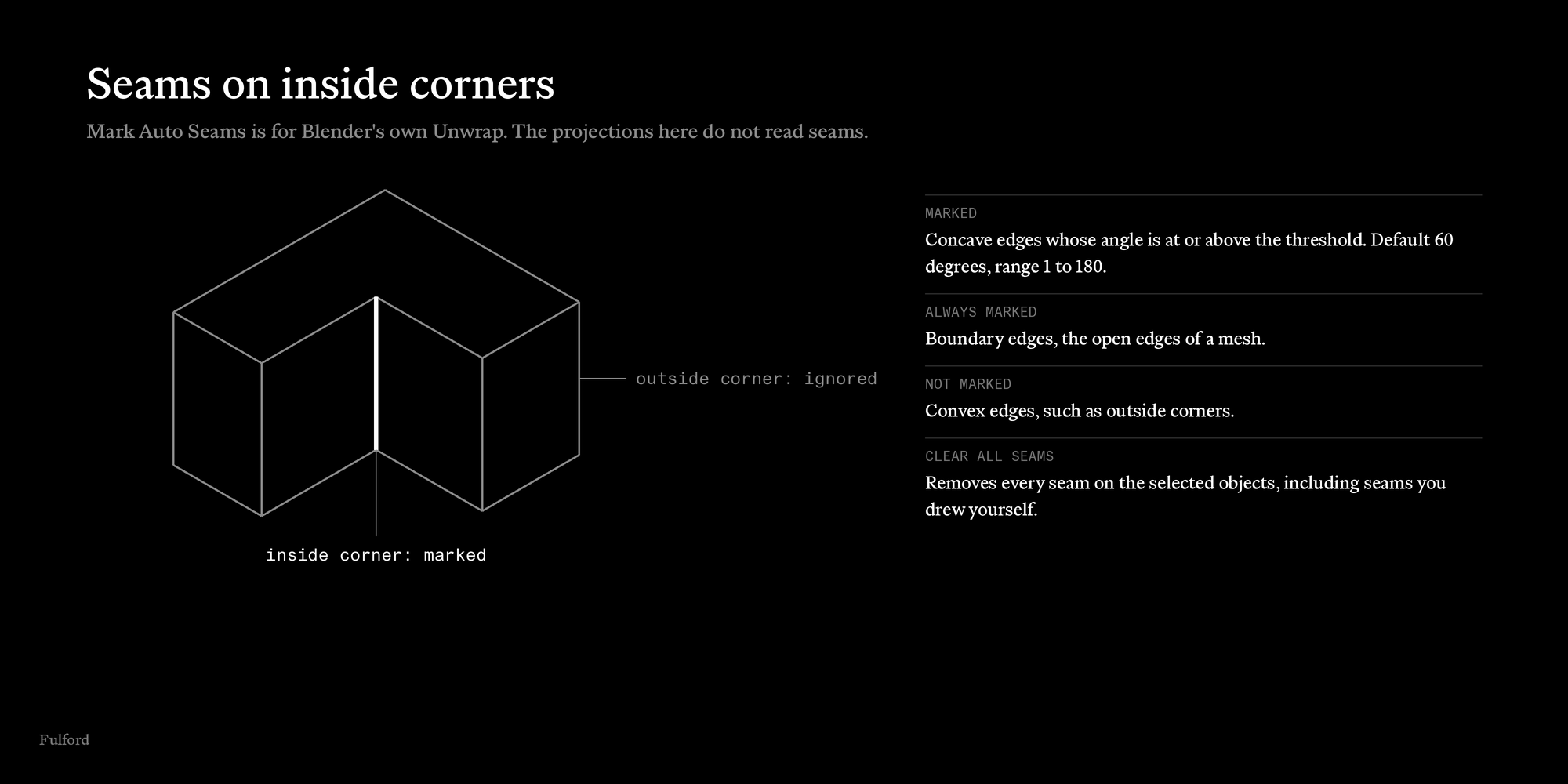
Mark Auto Seams marks concave edges at or above an angle threshold (default 60 degrees), plus boundary edges. Convex edges are ignored, so seams sit on inside corners. Clear All Seams removes every seam on the selection. Seams are for Blender's own Unwrap. The add-on's own projections do not read them.
The controls
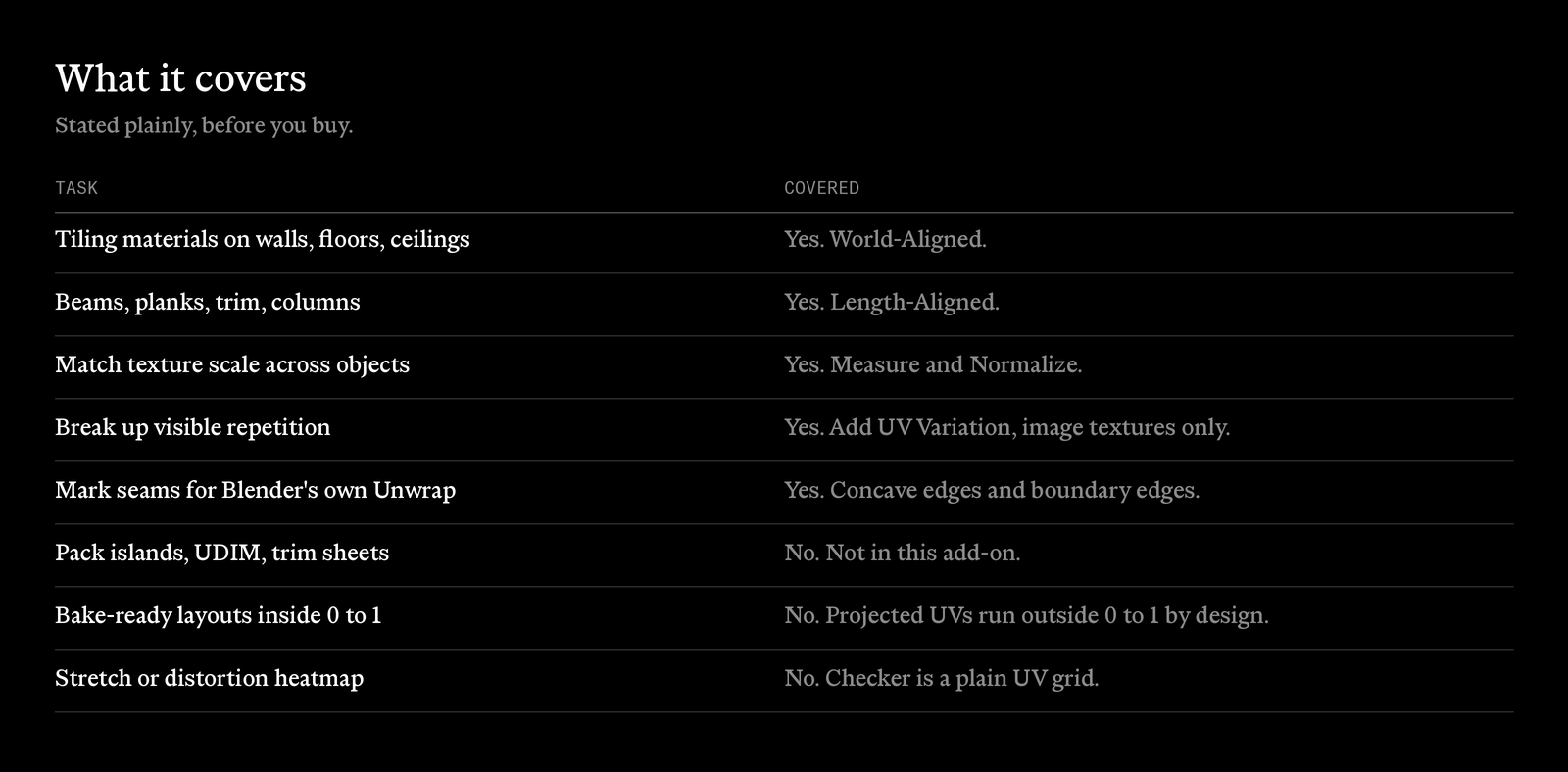
What it covers, and what it does not
It is built for tiling materials on architectural surfaces. It does not pack islands, make UDIMs or fit UVs inside 0 to 1, so it is not a bake or game-asset tool.
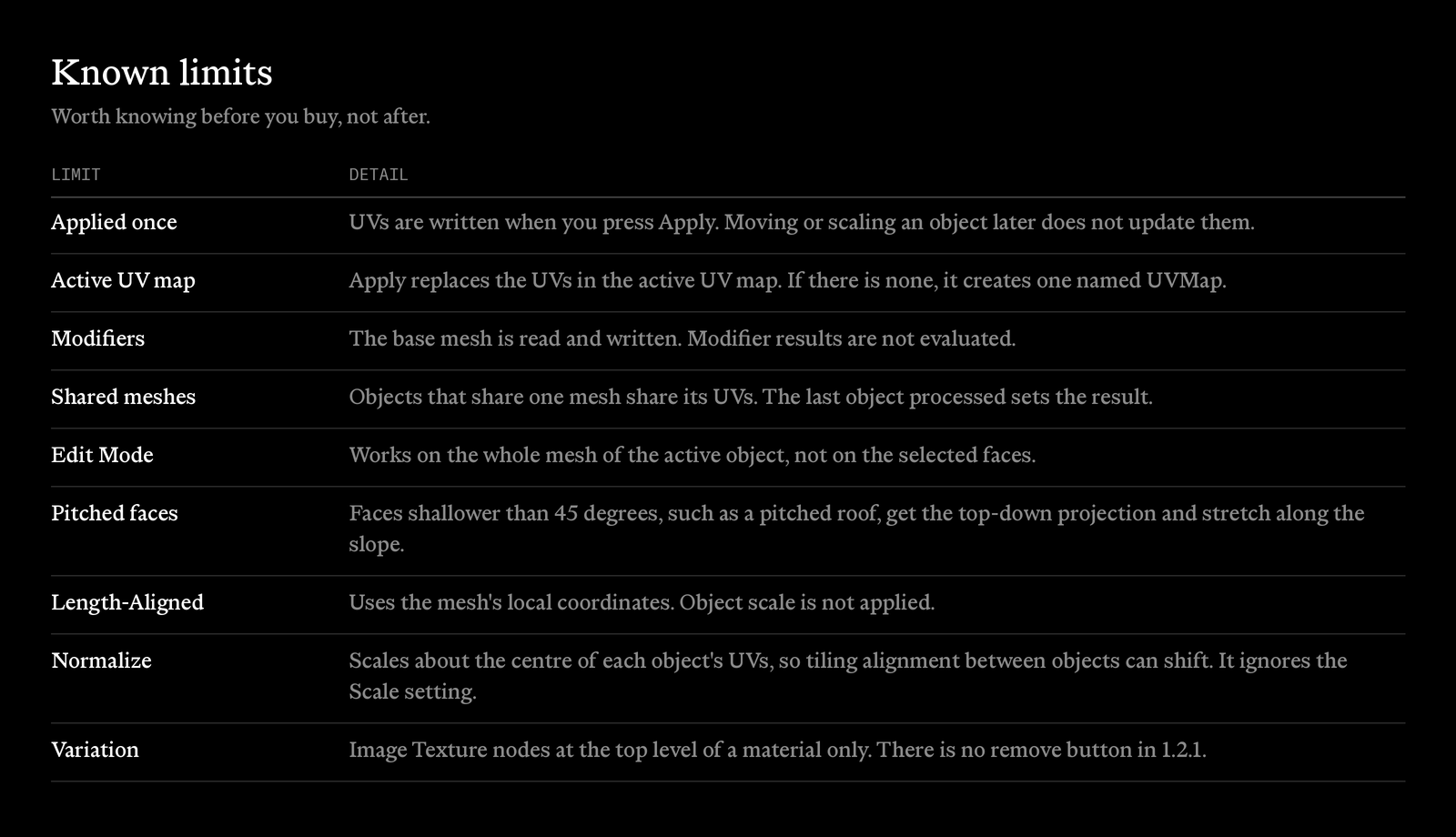
Honest limits
Things worth knowing before you buy, not after.
Installation
- Download UVUtilities-X.XX.X.zip. Do not unzip it.
- In Blender, open Edit > Preferences > Add-ons > Install… (Install from Disk in newer versions), pick the zip, and enable UV: UV Utilities.
- In the 3D Viewport press N and open the Archviz UV tab.
Requires Blender 4.0 or newer. There is no licence key.
ArchvizUV, by Fulford
