 Fulford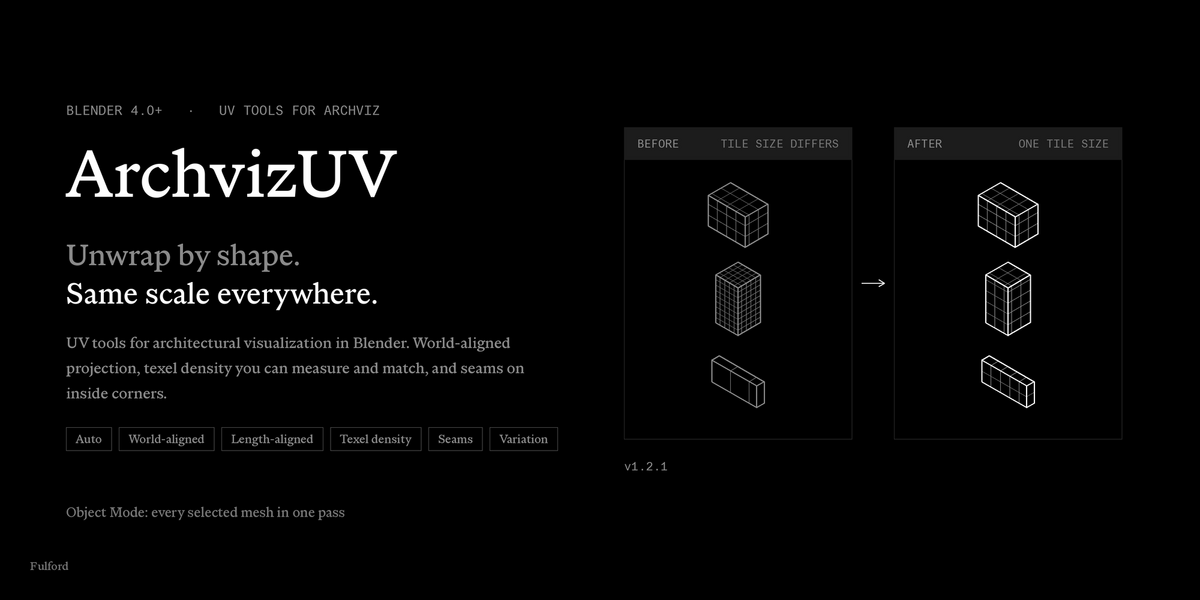
Is it a game-asset UV tool?
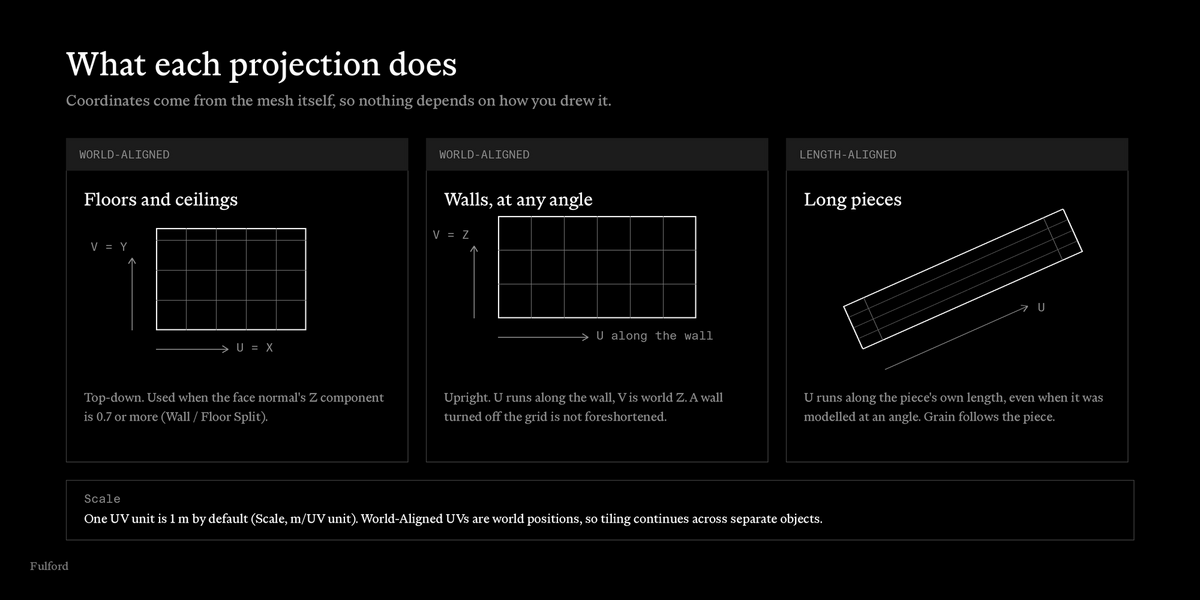
No. It does not pack islands, make UDIMs or fit UVs inside 0 to 1. Projected UVs run outside 0 to 1 on purpose, so tiling textures repeat. Use it for architectural surfaces and tiling materials.
What does it do that Blender's own unwrap does not?
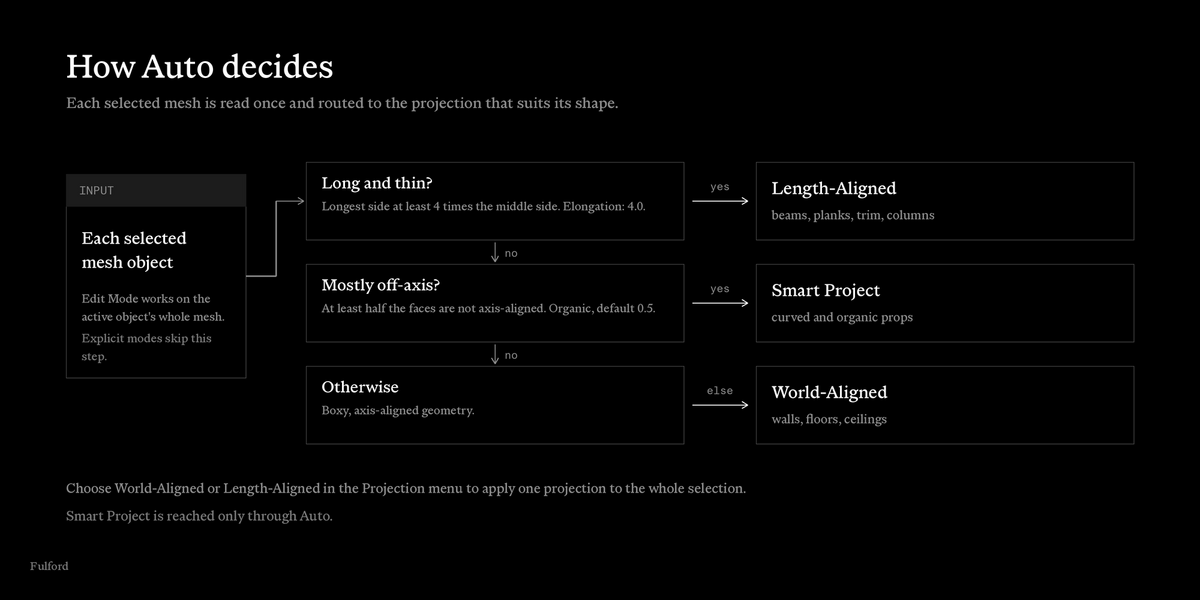
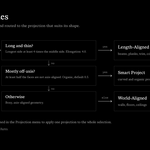
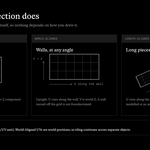
It works on every selected mesh in one pass, projects from world positions so scale and alignment carry across objects, routes each object by shape in Auto mode, and measures and matches texel density. It does not replace Blender's Unwrap. Mark Auto Seams is there to feed it.
Does it change my geometry?
It does not move vertices. It writes UVs and seams. Add UV Variation adds shader nodes to materials, and Checker adds a material slot while it is on.
Does it work with modifiers?
It reads and writes the base mesh. Modifier results, including Array and Mirror, are not evaluated. Copies made by a modifier follow the base mesh's UVs.
What happens to my existing UVs?
Apply replaces the UVs in the active UV map. If the mesh has no UV map, it creates one named UVMap. Auto Apply only touches meshes that have no UV map.
Can I run it on selected faces only?
No. In Edit Mode it works on the whole mesh of the active object.
Does it update when I move an object?
No. UVs are written when you press Apply. Apply again after moving or scaling.
Apply Auto Unwrap sent my beam to the wrong projection.
Auto uses two thresholds. Lower Elongation (default 4.0) to send shorter pieces to Length-Aligned, or raise it to send fewer. Or pick Length-Aligned or World-Aligned in the Projection menu and apply to that selection.
Why is my sloped roof stretched?
Faces shallower than 45 degrees get the top-down projection. Lower Wall / Floor Split to treat more faces as walls, or unwrap the roof with Blender's own tools.
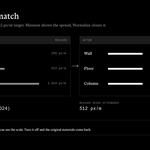
What is Target px/m for?
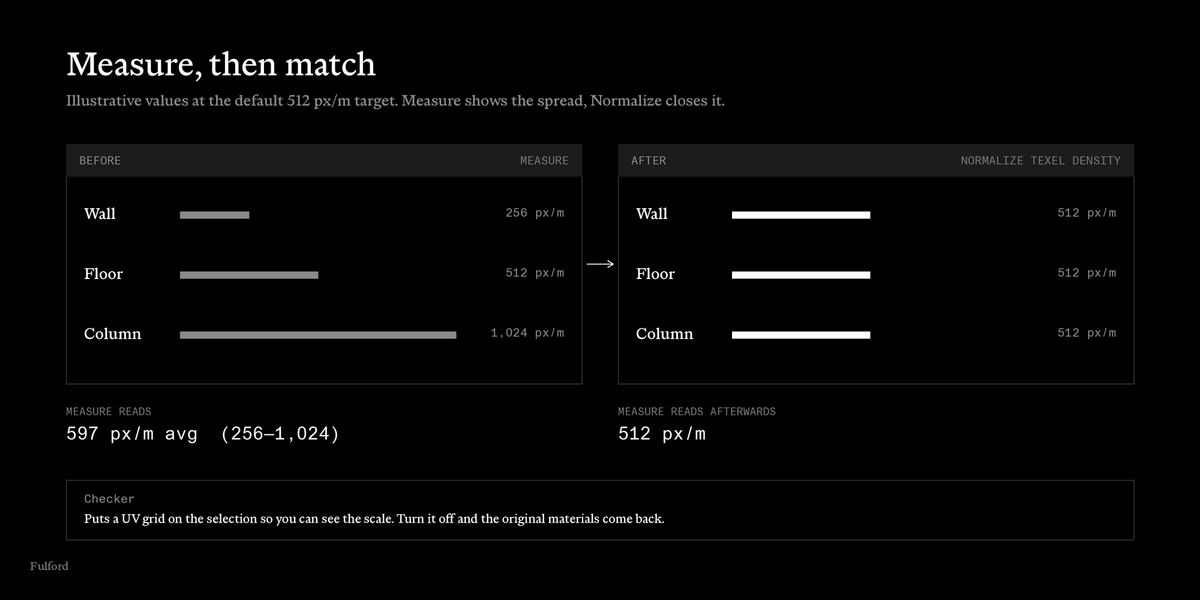
It is the texture size the Measure readout assumes for one UV unit. Normalize Texel Density does not use it. Normalize always makes one UV unit cover 1 m of each object's surface, and ignores the Scale setting.
Does Normalize keep my tiling aligned between objects?
Not always. It scales each object about the centre of its UVs, so where the scale factor is not 1, alignment can shift. Apply World-Aligned afterwards if you need continuity.
What does Add UV Variation touch?
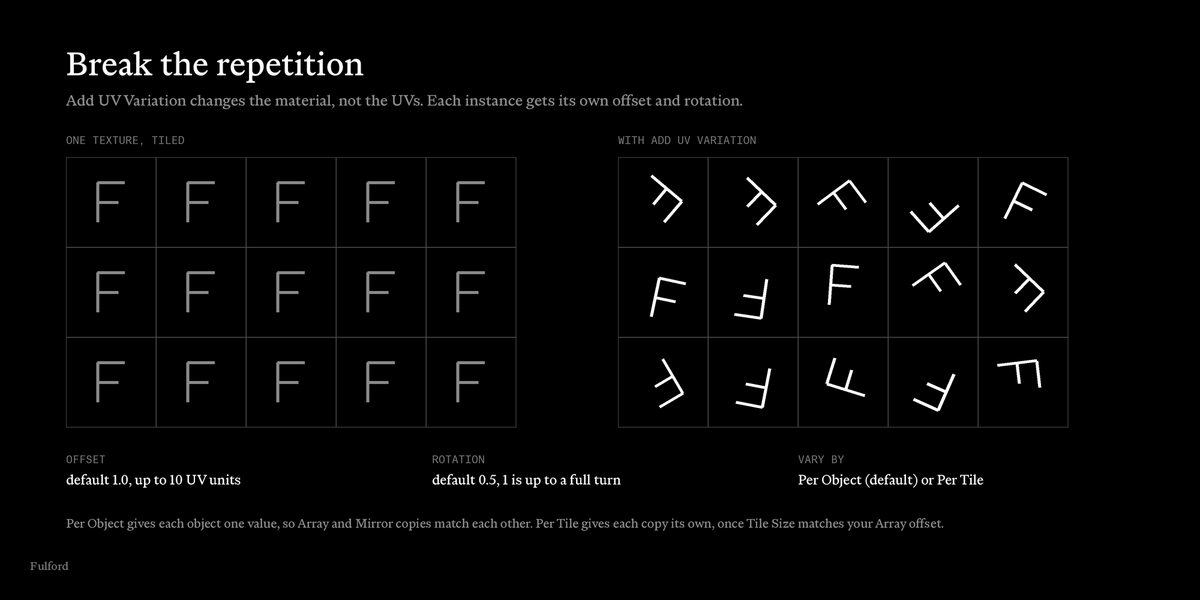
Image Texture nodes at the top level of the materials on the selected objects. Image textures inside node groups, and procedural textures, are left alone. A material shared by several objects is changed for all of them.
Can I remove Add UV Variation?
Not with a button in 1.2.1. Running it again rebuilds the nodes with the current settings. To remove it, delete the UVUtil_RandomOffset group nodes and reconnect the texture inputs by hand.
Per Object or Per Tile?
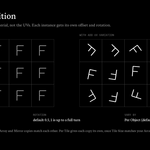
Per Object gives each object one value, so Array and Mirror copies inside one object match each other. Per Tile gives each copy its own value, keyed to its position inside the object. Set Tile Size to your Array offset. Identical objects get identical Per Tile variation.
The Checker button is greyed out.
Checker needs Object Mode and a selected mesh.
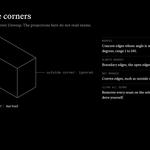
Will Mark Auto Seams change how the add-on unwraps?
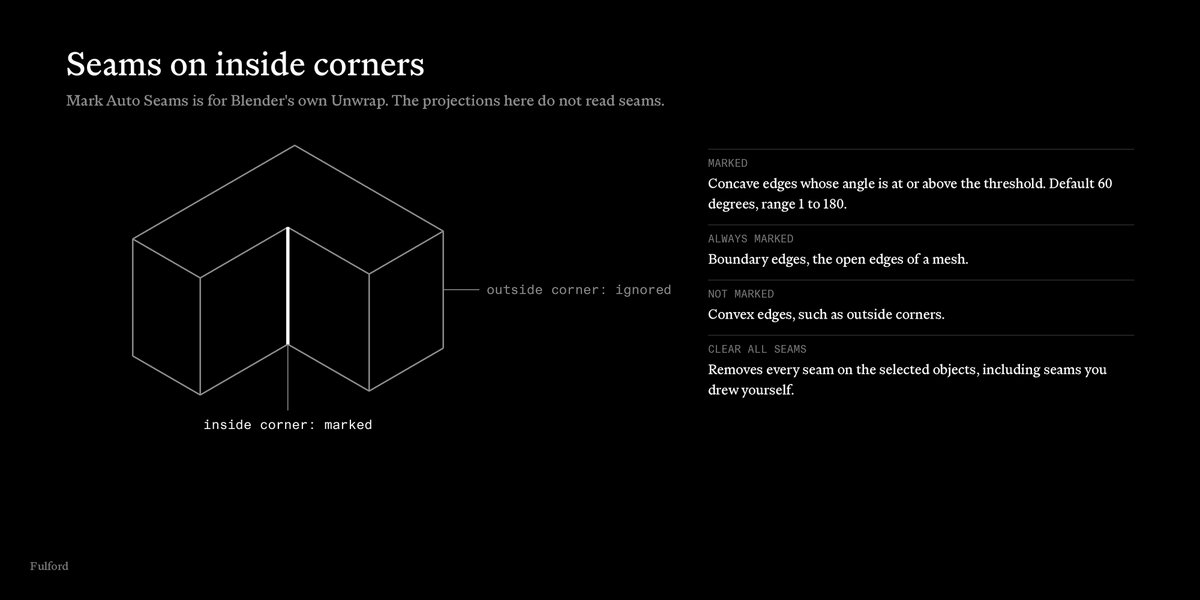
No. World-Aligned and Length-Aligned do not read seams. Seams are for Blender's own Unwrap (U).
The Archviz UV tab is missing.
Press N in the 3D Viewport. The panel only shows in Object Mode and Edit Mode.
The buttons are greyed out.
No mesh is selected. Checker and Add UV Variation also need Object Mode.
"No measurable UVs on the selection."
The selected meshes have no UV map, or zero area. Apply an unwrap first.
"Selection has no materials."
Add UV Variation works on materials. Give the objects one first.
"No image-texture materials to vary (nothing changed)."
The materials have no Image Texture nodes at their top level.
Where do I get help?
https://fulfordstudio.com/tools/uv-utilities/support
Have questions about this product?
Login to message
| Published | about 11 hours ago |
| Blender Version | 5.0 - 5.2 |
| Extension Type | N/A |
| Render Engine Used | Cycles, Eevee |
| License | GPL |
