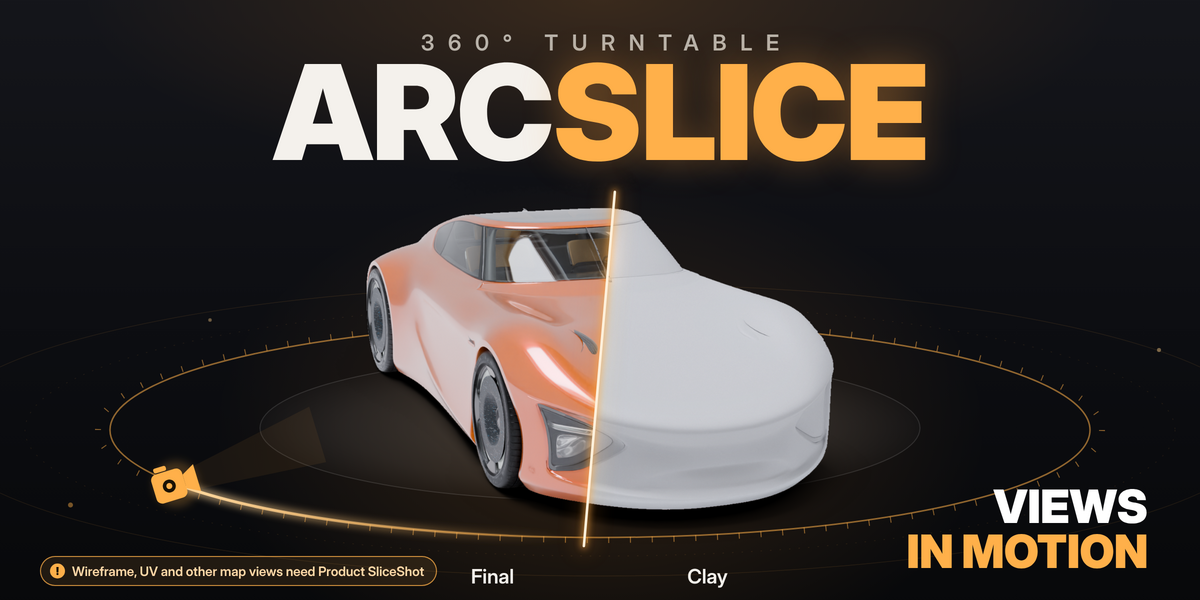
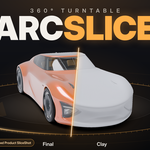
ArcSlice turns your Blender model into a 360° turntable in one click. Clay and Final are built in. Wireframe, UV and the other map views need Product SliceShot 1.1+, sold separately or together in the Product SliceShot + ArcSlice Bundle.
One click: select your product and press Set Up Turntable. ArcSlice builds the camera rig, frames the model and sets up a seamless loop. Sequence: list the views you want, set how long each one stays and how it hands over to the next. Wireframe, UV and the other map views need Product SliceShot 1.1+. Transitions: a soft crossfade, a bright slice line that sweeps across, or a hard cut, with your own length, line width, colour and angle. Spin modes: Camera Orbit circles the camera, Object Spin turns only the product like a real turntable. Your scene: with Background set to Scene, only the product turns clay; the floor, HDRI and props keep their look. Backgrounds: six gradient presets, your own gradient, a solid colour, your own image, a transparent PNG or your own scene. Output presets: Vertical 9:16, Square, Landscape, TurboSquid turntable frames, CGTrader video, gallery stills or custom. Stop and resume: press Esc and every finished frame is kept. Resume carries on, Discard clears the leftovers. With Product SliceShot 1.1+: Wireframe, UV, Normal, AO, Base Color, Roughness, Metallic and Opacity join the sequence. Map views need Product SliceShot. Watch the full ArcSlice tutorial: five minutes, every setting, free on YouTube.

▶ Watch the full tutorial on YouTube: https://youtu.be/9CuRiY3wRAI

ArcSlice

ArcSlice is a Blender add-on that turns your model into a presentation-ready 360° turntable in one click. Build a sequence of views, join them with a crossfade, a slice line or a cut, and render a seamless loop as an MP4 video or an image sequence.

  • One click: select your product, press Set Up Turntable and ArcSlice builds the camera rig and frames the model.
  • Sequences: Clay and Final are built in; switch views while the model turns.
  • Transitions: crossfade, slice line or cut, with your own length, line width, colour and angle.
  • Camera Orbit or Object Spin, any number of turns, clockwise or counter-clockwise.
  • Backgrounds: six gradient presets, your own gradient, a solid colour, your own image, a transparent PNG or your own scene.
  • Output presets for Reels and Shorts, Instagram, YouTube, TurboSquid, CGTrader and gallery stills.
  • Stop any time and resume later; your settings are restored when the render ends.

Wireframe, UV, Normal, AO, Base Color, Roughness, Metallic and Opacity views need Product SliceShot 1.1+ (sold separately or in the bundle with ArcSlice). They are rendered by SliceShot with your own SliceShot settings. ArcSlice on its own renders Clay and Final.

Requires Blender 4.5 or newer. Questions? Send Artmesh Studios a message on Superhive.


  • For one artist. Use ArcSlice on all of your own computers, for personal and commercial work.

    $12.35 $19
  • For teams of 2 to 5 people in one company. Every team member can use ArcSlice on their own computers.

    $38.35 $59
  • For studios of 6 or more people. Unlimited users within one company.

    $64.35 $99
$12.35

Support Period Included

Includes 12 months of

Extend this product’s Support Period +12 months: 50% of product price

Have questions before purchasing?
Login to message

Details
Blender Extension Compatible Yes
Published about 8 hours ago
Blender Version 4.5 - 5.2
Extension Type Add-on
Render Engine Used Cycles, Eevee
License GPL