 Nabat
Nabat


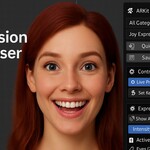
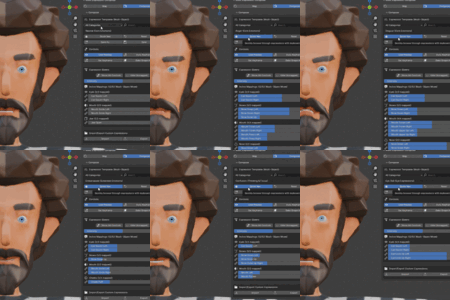
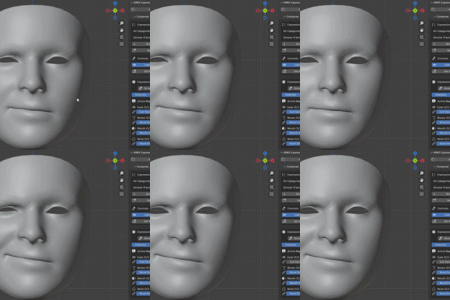
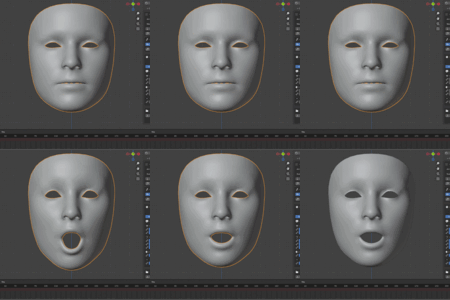
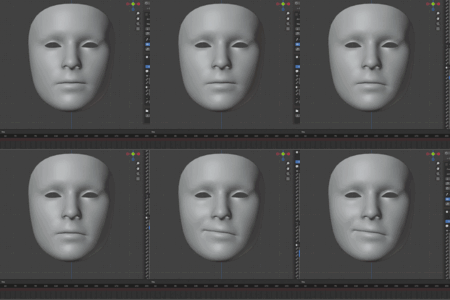
ARKomposeIt - Professional ARKit Expression Composer
Transform your facial animation workflow with the most comprehensive ARKit expression tool for Blender. Perfect for character animators, game developers, and VFX artists working with facial rigs.
🎭 What Makes ARKomposeIt Special?
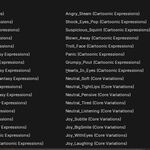
100+ Professional Expression Templates - From subtle micro-expressions to exaggerated cartoon emotions, covering every animation need:
- Core emotions with 35+ natural variations
- Speech visemes for lip-sync animation
- Fantasy expressions for stylized characters
- Physical states and thinking expressions
Multi-Object Facial Rig Support - Industry-first capability to manage complex facial setups:
- Simultaneously control Face, Eyes, Tongue, Teeth, Hair objects
- Smart conflict resolution between overlapping shape keys
- Professional UIList interface for large-scale rigs
Intelligent Auto-Detection - 95%+ accuracy with advanced fuzzy matching:
- Works with Maya, 3ds Max, Cinema 4D, Mixamo assets out-of-the-box
- Recognizes 200+ naming convention patterns
- Handles mixed naming styles in the same rig
Video MoCap:
Everything in the base ARKomposeIt Composer, plus offline video face capture. Drop in any face video (phone recording, webcam clip, screen capture) and get all 52 ARKit blendshapes automatically keyframed on your rig. Powered by Google's MediaPipe Face Landmarker — the same model behind Snapchat and Instagram face filters — running 100% locally. No cloud, no subscription, no phone app required.
🚀 Key Features
Expression Library
- Core Emotions: Joy, Anger, Sadness, Surprise, Fear, Disgust + subtle variations
- Extended Collection: Laugh, Smirk, Contempt, Embarrassed, Shy, Mischievous
- Eye Expressions: Wink, Eye Roll, Side Eye, Squint, Wide Eyes
- Speech Visemes: Complete phoneme set (Ah, Oh, Oo, Ee, Mm, F/V, Th)
- Fantasy Styles: Evil Grin, Troll Face, Hearts in Eyes, Sinister looks
- Physical States: Tired, Sleepy, Yawn, Pain, Shock reactions
Advanced Workflow Tools
- Live Preview: Real-time shape key updates across multiple objects
- Expression Mixing: Combine templates with individual ARKit sliders
- Intensity Control: Scale entire expressions from 0-200%
- Auto Keyframing: Timeline integration for seamless animation
- Expression Baking: Convert complex blends into single shape keys
- Quick Navigation: Keyboard-driven browsing for rapid iteration
Professional UI
- Visual Mapping Status: Instantly see which controls are connected
- Smart Filtering: Category and search-based expression discovery
- Batch Operations: Process multiple facial objects simultaneously
- Error Validation: Robust checking with helpful user feedback
- Import/Export: Share expressions between projects and teamsThis is what makes the Video Mocap variant "load clip → bake → done" on most rigs without any hand-mapping.
💼 Perfect For
Character Animators - Streamline facial animation with pre-built emotion libraries and rapid iteration tools
Game Developers - Create consistent facial expressions across character variants with template-based workflow
VFX Artists - Handle complex multi-object facial rigs from different software packages seamlessly
Motion Capture Studios - Convert ARKit capture data into expressive character performances
Indie Creators - Access professional-quality facial animation tools without expensive software
🛠️ Technical Specifications
Compatibility: Blender 4.1.0+ (Windows, macOS, Linux) File Support: Works with any mesh containing ARKit-compatible shape keys Performance: Optimized for rigs with 100+ shape keys across multiple objects Integration: Full timeline and keyframing support
Supported Asset Sources:
- Autodesk Maya facial rigs
- 3ds Max character setups
- Cinema 4D blend shapes
- Adobe Mixamo characters
- Custom ARKit implementations
📋 Quick Start Workflow
-
Install & Setup (2 minutes)
- Install addon through Blender preferences
- Panel appears in 3D Viewport sidebar
-
Multi-Object Detection (1 minute)
- Click "Quick Add All Objects" for automatic facial mesh detection
- System intelligently categorizes Face, Eyes, Tongue, Teeth objects
-
Mapping Configuration (30 seconds)
- Hit "Auto Detect All Mappings" for instant ARKit connection
- 95% of shape keys map automatically with advanced pattern matching
-
Expression Creation (Immediate)
- Browse 100+ templates by category
- Fine-tune with individual ARKit sliders
- Save custom expressions for project consistency
🎯 Advanced Capabilities
Multi-Object Priority System
- FACE objects handle primary expressions (mouth, cheeks, nose)
- EYES objects control detailed eye movements and blinks
- TONGUE objects manage speech and eating animations
- TEETH/HAIR objects for specialized detailed work
Smart Conflict Resolution
When multiple objects have similar shape keys, ARKomposeIt automatically:
- Assigns based on object type relevance
- Prevents duplicate animations
- Maintains clean, predictable results
Expression Categories
- Core Emotions (20 templates): Essential emotional states
- Core Variations (35 templates): Subtle emotion variants
- Extended Emotions (15 templates): Complex emotional blends
- Thinking & Focus (8 templates): Concentration and confusion states
- Eye Expressions (12 templates): Detailed eye controls
- Physical States (10 templates): Tiredness, pain, shock reactions
- Speech Visemes (15 templates): Complete phoneme library
- Fantasy Expressions (25 templates): Stylized and exaggerated looks
🔧 Workflow Integration
Animation Pipeline
- Pre-Production: Set up expression libraries for character consistency
- Animation: Use Quick Nav for rapid expression testing and iteration
- Polish: Fine-tune with individual sliders and intensity control
- Finalization: Bake complex expressions for performance optimization
Team Collaboration
- Expression Standards: Share custom expression libraries across team members
- Asset Consistency: Ensure uniform facial animation across different artists
- Version Control: JSON-based expression files integrate with standard workflows
📊 Performance Benefits
Time Savings: Reduce facial animation setup from hours to minutes Consistency: Maintain uniform expression quality across projects Flexibility: Adapt to any ARKit-compatible facial rig instantly Scalability: Handle simple to complex multi-object setups with same workflow
🎨 Creative Applications
Film & Animation
- Character performance capture translation
- Stylized expression design for animated features
- Rapid prototyping of emotional beats
Game Development
- Cutscene facial animation
- Interactive character expressions
- Procedural emotion systems
Virtual Production
- Real-time character control
- Live performance capture integration
- Virtual avatar manipulation
Important Notes
🔸 Shape Keys Required: Only mesh objects with shape keys will appear when using "Quick Add All" or "Add Object". Ensure your facial meshes have shape keys before setup.
🔸 Intensity Not Saved: When saving custom expressions, the intensity value is deliberately excluded. Intensity acts as a universal multiplier affecting all controls proportionally - saving it would limit expression flexibility. This design allows the same expression to be applied at different intensities (subtle 0.3x vs dramatic 1.5x) while preserving the relative balance between facial features. Think of expressions as "recipes" and intensity as "serving size."
Tips
- Start with auto-detection then fine-tune manually
- Use intensity slider for quick expression scaling
- Export expressions regularly for backup
- Enable Auto Keyframe for animation workflows
# Before You Buy
Before You Buy (Video MoCap Variation)
| ARKomposeIt version | Blender | Operating Systems |
| 1.4.0 | 4.1 – 4.5 LTS | Windows · Apple Silicon Mac · Intel Mac · Linux |
| 1.4.1 | 5.1 – 5.2 | Windows · Apple Silicon Mac |
Video qualifications:
Video Mocap Variant Only — Clip Requirements
Face reasonably front-facing and well-lit
Any common video format: mp4, mov, avi, mkv, webm, m4v
Any resolution — model handles 480p up to 4K
Variable-framerate clips work (phone recordings, screen captures)
One face per clip — first detected face is used
Not supported: extreme head angles, heavy occlusion (hands over face),
very dark lighting — these produce partial or noisy data
Analysis speed roughly matches source length on a modern CPU (a 30-second clip analyzes in ~30 seconds)
-
$45
Everything in the base ARKomposeIt Composer, plus offline video face capture. Drop in any face video (phone recording, webcam clip, screen capture) and get all 52 ARKit blendshapes automatically keyframed on your rig. Powered by Google's MediaPipe Face Landmarker — the same model behind Snapchat and Instagram face filters — running 100% locally. No cloud, no subscription, no phone app required.
-
$30
Have questions about this product?
Login to message
Discover more products like this
Facial Animation character animation expression-composer facemocap facial-mocap animation tools Facial Rigging facial motion caputre ARKit blend-shapes shape keys