Smart LOD Generator
 AS Formworks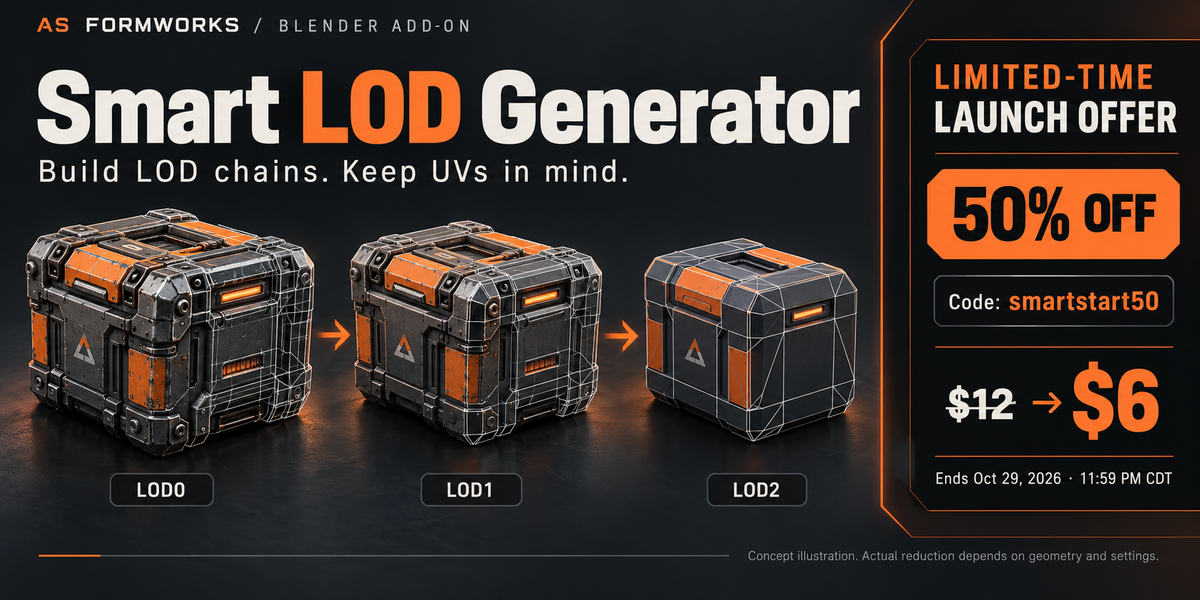

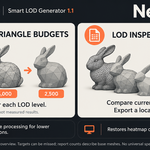
SMART LOD GENERATOR 1.1 — AS FORMWORKS
PURPOSE AND PROJECTS
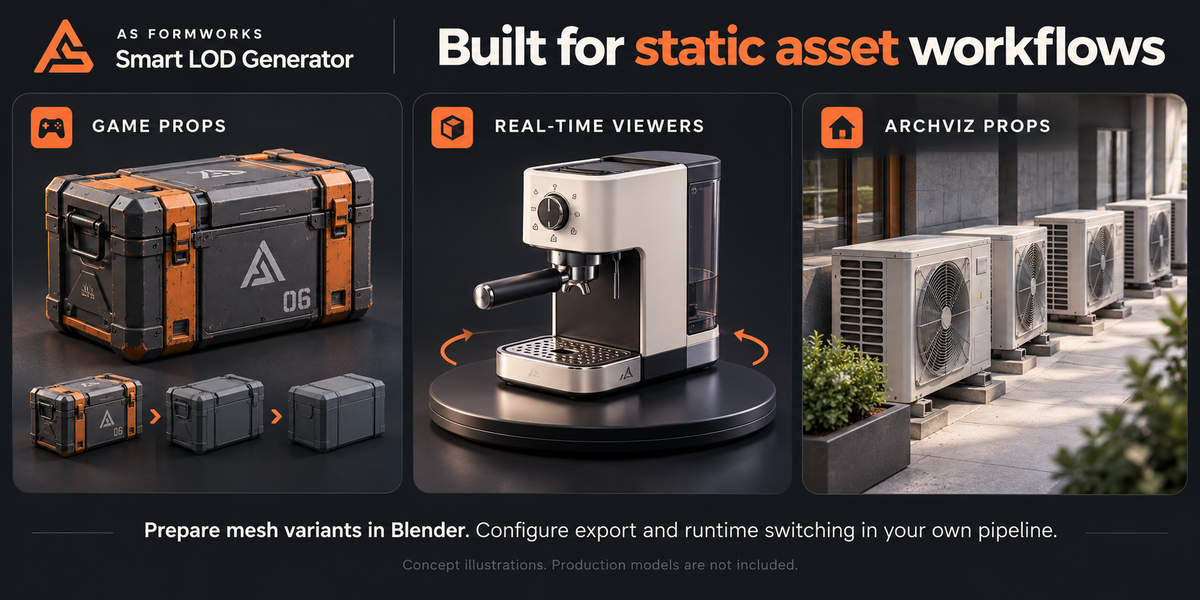
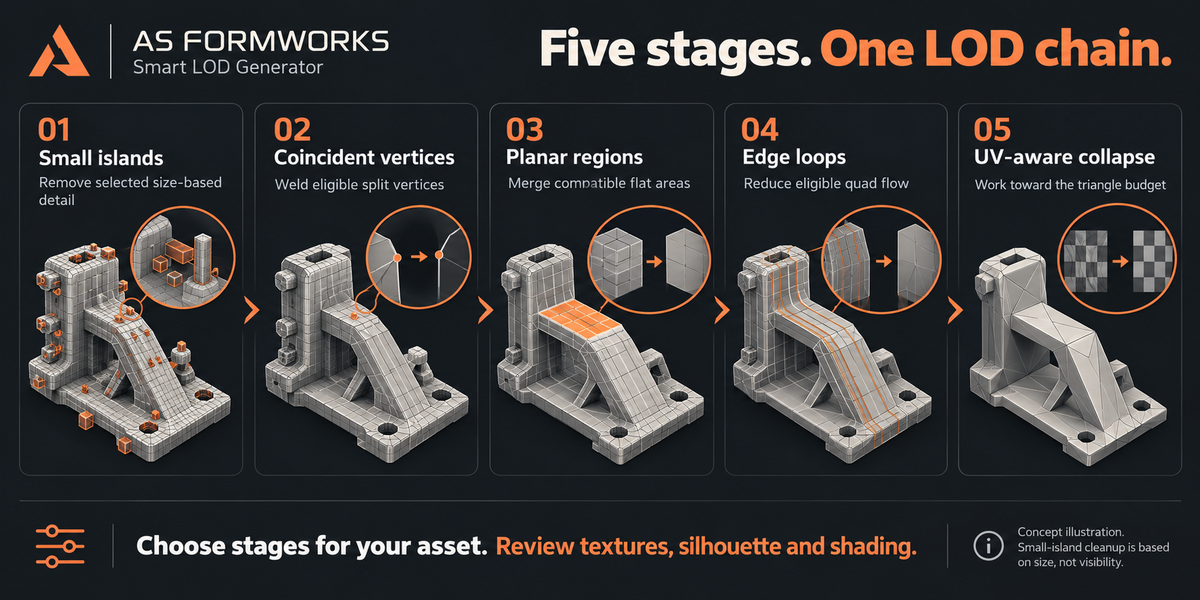
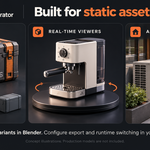
Generate progressively lighter copies of static mesh assets in Blender. Useful for game props, real-time product viewers, architectural scene props and background assets. Smart stages combine small-island removal, coincident-vertex welding, planar merging, coordinated loop/ring reduction and UV-aware QEM collapse. This is a geometry preparation tool: it does not implement runtime distance switching, engine integration, automatic export, retopology or CAD import. It is not a rigged-character LOD tool.
COMPATIBILITY
Minimum declared Blender version: 5.0. Validated on Windows with Blender 5.0.0 and 5.2.1 LTS using the supplied CPU regression fixtures. Version 1.1 includes 26 regression checks per tested Blender version plus separate package/namespace and interactive viewport checks. Windows x64 extension package. Other operating systems, Blender versions and GPU paths have not been independently validated. NumPy and BMesh are supplied with Blender; CPU operation needs no external packages or account. No network calls or telemetry. CPU is the default backend. Optional CuPy/CUDA acceleration is unbundled and unvalidated; it covers eligible vector cost calculations only, not mesh topology work. No universal speedup, FPS gain or supported maximum mesh size is promised.
INSTALL OR UPDATE
1. Save your original project and close any production file.
2. Disable/remove any previous Smart LOD add-on to avoid duplicate registration.
3. Edit > Preferences > Get Extensions > menu > Install from Disk. Select smart_lod_generator-1.1.0.zip without extracting it.
4. Enable Smart LOD Generator. Open a working copy, press N in the 3D Viewport and choose Smart LOD.
5. After an update, restart Blender. Do not enable old and new packages together.
QUICK START: GENERATE A CHAIN
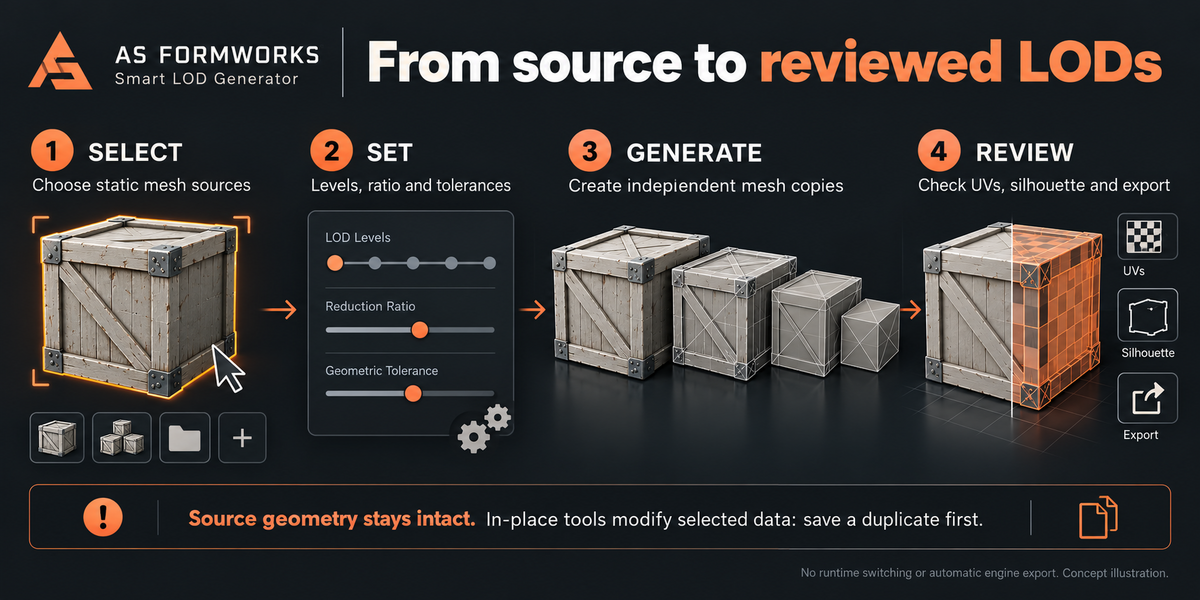
1. Select static mesh source objects in Object Mode. The active mesh must also be selected. Unselected active objects are not added to the target list.
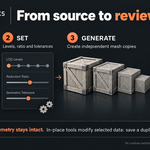
2. Choose Budget Mode. In Level Ratio mode, set LOD Levels (1–8) and Level Ratio. At 0.5, targets are source triangles × 0.5, × 0.25, × 0.125 and so on, with a minimum target of four triangles. These are requested budgets, not guaranteed exact results; a stage can slightly overshoot or stop above its target.
3. Leave Strict UV enabled and Relax for Target disabled for a conservative start. Review Smart Stages and Protection. Small Islands can remove visible disconnected details based on size; it is not an occlusion test.
4. Click Generate LOD Chain. Copies are placed in an owned <source>_LODs collection. Arrange Side by Side offsets them along world X for review. Disable this when preparing aligned engine export geometry.
5. Review the report, silhouettes, checker textures, materials, shading and exported result. Source mesh geometry is preserved; source metadata is added for ownership and optional Rename Source to _LOD0 changes its name.
6. Save the result separately. There is no automatic game-engine distance setup or export step. All source and LOD geometry remains in the scene and file; generating a chain alone does not reduce total project memory or file size.
REGENERATE AND CLEAR
Regeneration replaces only LOD objects tagged as belonging to that source. Objects merely named _LOD1 or _LOD2 are never assumed to be generated. If an unowned object occupies a requested output name, generation stops with a name-conflict message. Rename the conflicting object first.
All levels for one source are built before replacing its old chain. A failure during that source preserves its previous chain and removes its pending outputs. A batch of sources is processed sequentially: earlier successful sources remain changed if a later source fails. Use Undo or reopen your saved original to recover a complete earlier state.
Clear Generated LODs removes tagged LODs for the selected sources; it does not remove the source mesh or arbitrary similarly named objects. These operations support Blender Undo during the session. Generated objects must remain scene-local before regeneration or clearing. Duplicate source custom IDs are refused; remove slod_source_id from a duplicated source object's Custom Properties to give it a separate chain on the next generation. Do not manually copy or forge generated-ownership tags.
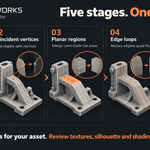
SMART STAGES
Small Islands removes disconnected components whose bounding-box diagonal is below Island Threshold % of the full mesh diagonal. The largest component and components with nonzero protection weights remain. This can remove visible screws, trim or other important small parts; disable it when those matter.
Coincident Vertices welds unprotected coincident vertices. Opposite-facing vertex normals are filtered, UV loop data is retained and rebuilt hard edges can be marked sharp. Inspect two-sided cards and custom shading; no universal preservation guarantee applies.
Planar Regions merges eligible coplanar faces with locally compatible affine UV maps and removes eligible collinear vertices. Planar UV has its own pixel tolerance.
Edge Loop Reduction uses coordinated collapses on eligible quad flow. Individual tools also offer midpoint Edge Ring Collapse.
UV-Aware Collapse evaluates QEM geometry error, local UV deviation, face rotation and topology restrictions. Each stage works toward the remaining target and can stop early when constraints prevent further changes.
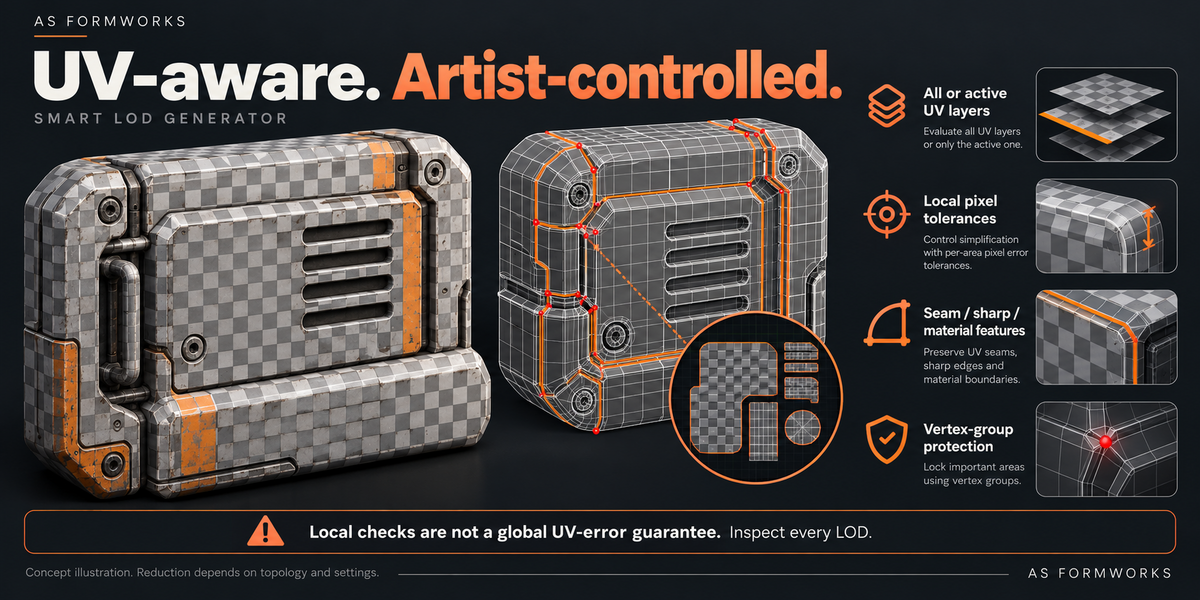
UVS AND TOLERANCES
Strict UV uses local per-operation estimates in reference-texture pixels. It is not a measured global texture-error bound across the full chain and does not guarantee identical UVs, lightmap validity, shading or visual quality. Tolerance Growth raises the geometry and UV tolerances at later levels. Planar merging uses Planar UV independently. Welding and island removal do not use the collapse UV threshold.
All evaluates every UV map; Active evaluates only the active map. Unchecked UV maps still exist but their mapping quality is not constrained. Validate every UV channel you plan to export.
Geometry Tolerance % is relative to the local mesh diagonal. Relax for Target raises the combined soft cost limit when needed; it may permit larger geometry/normal/quality changes. Strict UV remains a hard local collapse check. Targets may still be missed. Values in the analysis report are candidate estimates, not a full before/after visual-error certificate.
PROTECTION
Marked seams, sharp edges, material borders and optional Hard Angle can form feature lines. UV splits, boundaries and non-manifold features also constrain the topology. Feature-line vertices may slide along an eligible line; a seam flag is not a guarantee that every original edge or vertex remains. Corners, intersections and fully weighted protection vertices are locked by the reducer.
Protection Group uses vertex-group weights. Weight 1 locks a vertex for topology reduction, intermediate weights increase collapse cost, and any nonzero weight excludes its island from removal and its vertex from coincident welding. Planar merging applies an additional protection threshold. For a strict protected area, use weight 1. If a named group is missing on any selected target, preflight stops the operation.
NEW IN 1.1: CUSTOM TRIANGLE BUDGETS
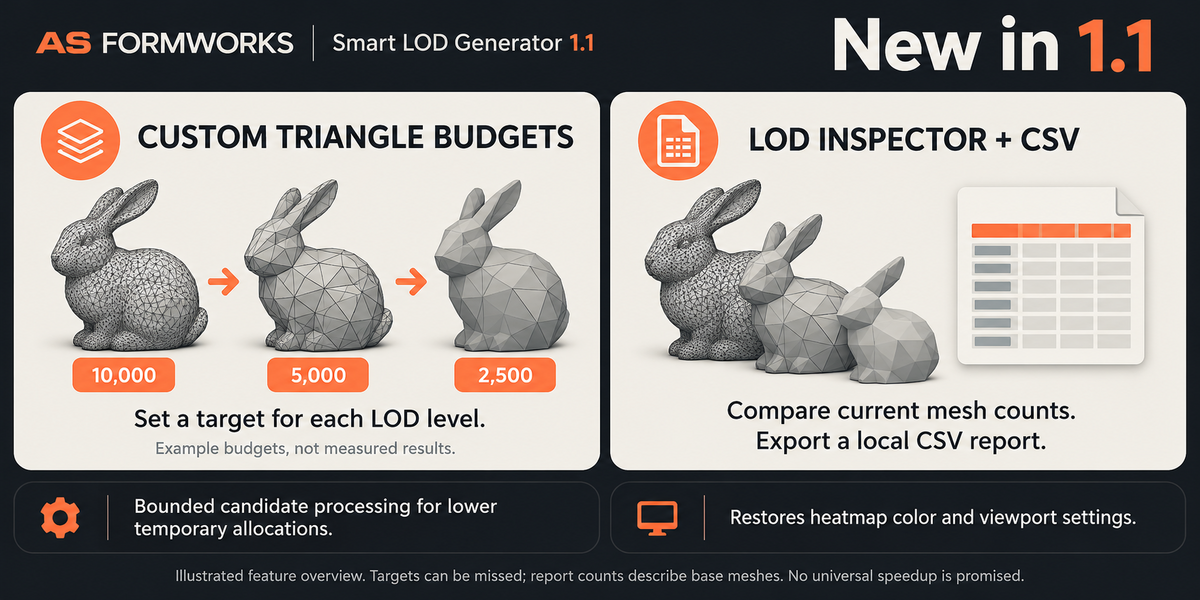
Choose Custom Triangles in Budget Mode. Enter one whole number per LOD level, separated by commas, for example 10000, 5000, 2500 with LOD Levels set to 3. Budgets must be at least four triangles, strictly decreasing and lower than the prepared source triangle count. Spaces around numbers are allowed; empty entries, decimal values, signs, repeated/increasing values and mismatched level counts are rejected before replacing the old chain.
Budgets apply to Generate LOD Chain only. Individual in-place tools still use Level Ratio. With Bake Modifiers enabled, the final source count is checked after baking; the panel's base-mesh preview can differ. Budgets remain requested targets, not exact guarantees: a discrete stage can slightly overshoot, while UV/protection constraints can stop above the target. All later levels still derive from the preceding level.
NEW IN 1.1: LOD INSPECTOR AND LOCAL CSV
Select a source mesh or one of its tagged LOD objects and open LOD Inspector / CSV. The panel shows current base-mesh triangle counts, saved requested targets and reductions relative to the source count recorded during generation. It identifies visible modifiers because those evaluated triangles are excluded. If you edit a LOD afterward, its current count updates but its target and generation timing remain historical metadata. Source duplicates with conflicting ownership IDs are not accepted as an unambiguous chain.
Click Export LOD Report (CSV), choose a local filename and save. CSV includes add-on version, UTC export time, scene/source/object/mesh names, current triangle/vertex/UV-layer counts, saved requested targets and generation-source counts, per-level generation timings, visible-modifier flags and explanatory notes. These are not evaluated-modifier counts, a global visual-error test, an FPS measurement or an end-to-end performance benchmark. Files are never uploaded automatically. Review project names before sharing the report. Spreadsheet-formula-like object and scene labels are exported as text. CSV export requests permission to write to the user-chosen local path.
MEASURED DEMO
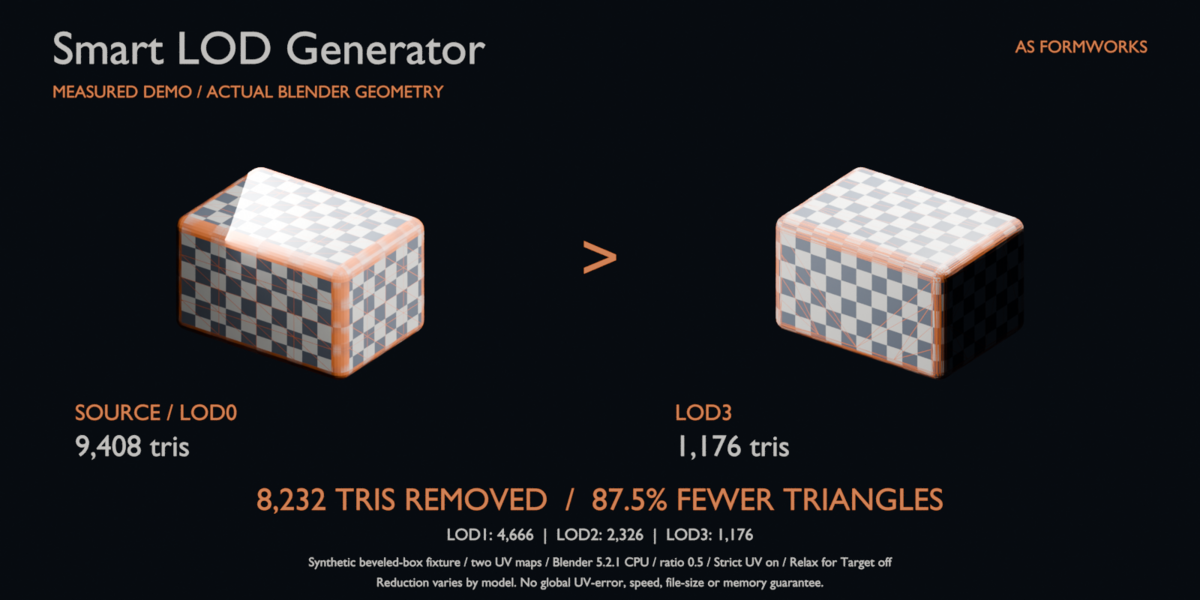
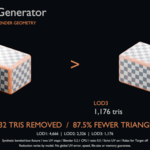
The gallery comparison was generated with release 1.0 in Blender 5.2.1 on CPU using a synthetic subdivided beveled box with two UV maps. Source: 9,408 triangles. Generated LOD1: 4,666; LOD2: 2,326; LOD3: 1,176. LOD3 removes 8,232 triangles (87.5%) relative to the source. Settings: Level Ratio 0.5, three levels, Strict UV on, Relax for Target off, UV Tolerance 1.5 reference pixels at 2048 resolution and Tolerance Growth 2.0. The per-level tolerance increases, so the LOD3 local UV threshold is larger than the LOD1 setting. This is a controlled fixture, not a representative production benchmark or a guaranteed reduction, visual-error bound, render speed, memory or file-size saving. The main crate graphics are conceptual; the separate checker-box comparison is based on actual fixture renders.
1.1 PERFORMANCE CHANGES
Candidate-cost calculations are processed in batches of at most 8192 candidates to bound temporary expansion arrays. Graph common-neighbor counting expands low-degree adjacency pairs in blocks of at most 250000 entries. Face-membership lookup keys are sorted once per mesh snapshot and reused across evaluations. Selected analysis thresholds use partition selection rather than sorting a complete list.
The included performance JSON is an isolated CPU candidate-cost microbenchmark on a synthetic 110x110 affine-UV grid. It measures traced Python/NumPy allocations, not the full Blender process or GPU memory. In that local run, peak traced allocations dropped from about 157.5 MB to 29.2 MB, while median warm function time rose from about 0.157 s to 0.183 s. The change prioritizes bounded working allocations; some workloads can be slower. No universal speedup or end-to-end performance claim is made.
SOURCE RESTRICTIONS AND MODIFIERS
Use local static mesh objects linked only to the active scene. Linked or overridden data, shape keys and armature modifiers are refused. Convert a static duplicate if you need a snapshot of a rigged asset; keep the rigged original.
Bake Modifiers builds each chain from evaluated mesh data and removes baked modifiers from its copies. Without it, the base mesh is reduced and existing modifiers remain on output copies; the displayed/evaluated triangle count may differ. Transfer Normals with visible modifiers requires Bake Modifiers. Normals are transferred while each LOD is aligned with its source, before any display offset.
In-place tools and heatmap analysis require single-user mesh data with visible modifiers baked. This avoids silently changing hidden linked users or analyzing a different displayed shape. Chain generation can read shared base mesh data because it creates independent mesh copies. Nonuniform scaling can make local percentage tolerances different in world space; apply scale on a working duplicate when consistent world-space behavior matters.
INDIVIDUAL TOOLS
Reduce One Level (Smart), Remove Small Islands, Weld Coincident Vertices, Merge Nearby Vertices, Merge Planar Regions, Remove Edge Loops, Edge Ring Collapse and UV-Aware Collapse modify selected mesh data in place. Save a duplicate first. Processing uses a temporary mesh and commits that object's result after successful completion; earlier targets in a batch remain processed if a later one fails. Limit to Ratio stops eligible tools near Level Ratio; disabling it processes within the tool's own tolerance. Merge Nearby uses a conservative scale conversion; prefer applied object scale.
ANALYSIS AND HEATMAP
Analyze Mesh reports the active base mesh's triangle count, UV maps, islands, feature boundaries and estimated candidates. It can write SLOD_Heatmap: red locked, orange feature line, green/yellow candidate, purple over tolerance. Select Reducible Loops enters Edit Mode with eligible edges selected for manual inspection; it does not automatically delete them. Clear Heatmap removes the add-on color attribute. Version 1.1 remembers the previous active/render color attributes and each tracked viewport's color mode. Clear Heatmap restores those settings where the original attributes and viewports still exist. When clearing an old preview loaded from a 1.0 file or another session, prior viewport state may not be available. Clearing the heatmap does not restore reduced geometry.
QUALITY CHECK AND PERFORMANCE
Start on a small representative duplicate with two LOD levels. Compare the full silhouette and use a UV checker or production texture at the intended viewing distance. Inspect UV islands, material boundaries, normals, thin parts and non-manifold regions. Processing is synchronous and may keep Blender busy. More vertices, faces, UV maps and levels require more CPU time and memory. Later levels derive from the preceding level, so approximation errors can accumulate. Use separate export copies and test inside your target engine. The included synthetic fixtures demonstrate functionality; their reductions and runtimes are not representative benchmarks.
TROUBLESHOOTING
No source: select a mesh and make a selected mesh active. Generated LODs are excluded from chain-generation targets.
Name conflict: rename the unowned object that occupies the requested _LOD output name. The tool will not delete it.
Target missed: review locked features, UV tolerances and stage settings. Try a less aggressive budget; enable Relax for Target only after accepting larger geometric change.
Little change on textured curved meshes: strict UV and seams can limit reduction; this is expected. Check the final texture before increasing tolerance.
Shape key/armature/shared/library error: use a local static, single-scene duplicate and make mesh data single-user for in-place work.
Protected small parts vanish: ensure the group exists on every selected source and use weight 1 for strict protection. Report a minimal reproduction if any fully weighted vertex is changed.
Slow or out of memory: lower the number of levels, analyze smaller duplicates and keep CPU selected. GPU availability is not a guarantee of acceleration.
Export includes every level: choose the intended objects and configure your exporter manually; side-by-side display is only for inspection.
LICENSE AND SUPPORT
Python code is GPL-3.0-or-later. Commercial use, modification and redistribution are allowed under those terms. Using the add-on does not change the ownership or license of your own models. Illustrative marketing assets are not included production models. Use Contact Creator on the product page with Blender version, OS, settings, traceback and a small non-confidential reproduction. Keep your original project.
VERSION HISTORY
1.0.0 — 22 October 2026: First AS Formworks release as Smart LOD Generator. English UI, tooltips, reports and guide. Static-mesh LOD chain and individual reduction tools, mesh analysis and heatmap. Pre-release checks added owned output tags, name-conflict guards, per-source transactional generation, static/local/single-scene preflight, selected-only targeting and protection for island removal and coincident welding. Conservative target relaxation default. Normal transfer precedes display offsets. CPU workflow validated on Windows Blender 5.0.0 and 5.2.1 LTS.
1.1.0 — 22 October 2026: Adds Custom Triangle Budgets for per-level requested counts and LOD Inspector with local CSV export. Bounds candidate-cost and common-neighbor temporary allocations, caches face membership keys per snapshot and uses partial selection for applicable thresholds. Restores previous active/render color attributes and each tracked viewport color mode after heatmap clearing. Validates prepared source faces/active UV maps after modifier evaluation. Handles baked-source budget previews and ambiguous source identity in the inspector. All 26 regression checks pass on Windows Blender 5.0.0 and 5.2.1 LTS; separate extension namespace and interactive viewport checks cover packaging and preview state. Local synthetic microbenchmark trades a small time increase for lower traced temporary allocations; no universal speedup is claimed.
Have questions about this product?
Login to message
| Blender Extension Compatible | Yes |
| Published | about 3 hours ago |
| Blender Version | 5.0 - 5.2 |
| Extension Type | Add-on |
| License | GPL |
Discover more products like this
uv modeling real-time LOD mesh optimization game assets ArchViz decimation