Aseprite Bridge
 martinworks


Does it work on big canvases?
Yes. It is tuned for pixel art (small sprites update fastest), but larger textures work too.
My drawing does not show up. What do I check?
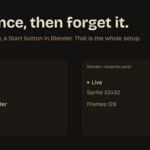
Make sure you pressed Start Bridge in Blender (panel shows "Waiting for Aseprite"), then toggled Stream to Blender in Aseprite and allowed the one-time network prompt. The panel shows "Live" with a frame count once pixels arrive.
Can I paint in Blender and send it back to Aseprite?
Not yet - v1 streams one way (Aseprite to Blender). Two-way sync is on the roadmap.
Which Blender render engines are supported?
Both Cycles and EEVEE. The add-on just drives an image and a material, so it is engine-agnostic.
Does it send my art anywhere?
No. It uses a local connection (127.0.0.1) between the two apps on your own machine. Nothing goes to the internet.
Do I have to run a script every time?
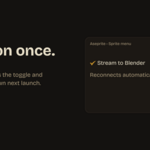
No. The Aseprite side installs as an extension that adds a permanent "Stream to Blender" toggle to the Sprite menu, and it remembers whether it was on.
$15
 Included
Includes 12 months of
- Support from martinworks
- Product updates
Extend this product’s Support Period +12 months: 100% of product price
Have questions before purchasing?
Login to message
| Blender Extension Compatible | Yes |
| Dev Fund Contributor | |
| Published | about 2 months ago |
| Blender Version | 4.2 - 5.2 |
| Extension Type | Add-on |
| Render Engine Used | Cycles, Eevee |
| License | GPL |