Aseprite Bridge
 martinworks


Version 1.0.2
Fixed:
The model could stay Un-textured on a mesh that already had a material. The bridge material was added as a new slot that none of your faces used, so the stream worked but nothing appeared on the model. Blender now tells you when that happens and offers a one-click "Put Faces On Bridge Material", with "Restore Previous Faces" to undo it. Your existing materials and face assignments are never changed unless you ask for it.
On a fresh object you had to paint a stroke before the material was set up. The material is now wired as soon as Aseprite connects.
Improved:
- Send UV Layout works before you have painted anything. Blender asks Aseprite for the canvas size the moment it connects, so the UV reference grid is available straight away.
- When the canvas size is not known yet, the Send UV Layout button is greyed out with the reason underneath instead of looking like it did nothing.
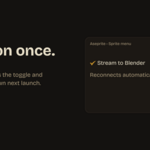
- The panel now points at Sprite > Stream to Blender, which is where the toggle actually lives.
- Builds bought from the store no longer show "Licensed to: Unregistered copy". They show the version instead.
- Both halves are included. Install the updated Aseprite extension along with the Blender add-on, since the new canvas size handshake needs both sides.
 Included
Includes 12 months of
- Support from martinworks
- Product updates
Extend this product’s Support Period +12 months: 100% of product price
Have questions before purchasing?
Login to message
| Blender Extension Compatible | Yes |
| Dev Fund Contributor | |
| Published | about 2 months ago |
| Blender Version | 4.2 - 5.2 |
| Extension Type | Add-on |
| Render Engine Used | Cycles, Eevee |
| License | GPL |