 AL3K
AL3K


User Manual
➤ Setting Aspect Ratio for a Camera:
Select a camera in the scene
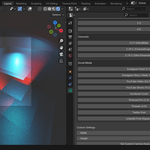
Go to the Camera Data Properties panel
Choose from any built-in preset (e.g. 16:9, 9:16, etc.) put this in pdf
Or input a custom width and height, then click "Set Custom Aspect Ratio"
➤ Saving a Custom Preset:
Input your desired width and height
Name your preset
Click “Save Custom Preset”
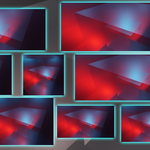
Helps frame your subject for social platforms accurately
➤ Auto Resolution Switching:
Each camera remembers its own aspect ratio
When switching active cameras, the render resolution updates automatically again.
$6
Have questions about this product?
Login to message
| Dev Fund Contributor | |
| Published | over 1 year ago |
| Blender Version | 4.4 |
| Extension Type | N/A |
| Render Engine Used | Arnold, Blender-Internal, Blender-Game-Engine, Cycles, Eevee, Freestyle, Luxrender, Mental-Ray, Octane, Vray, Yafaray |
| License | GPL |
Discover more products like this
camera tool aspect ratio camera rendering social media content add camera 3D camera tools