 Tivan Hajiloo


Into a Clean Grid
Instantly.
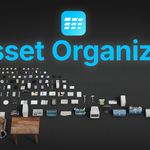
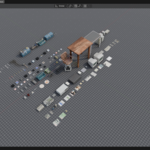
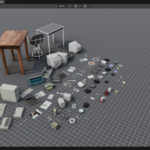
Drop any 3D asset pack into Blender. Asset Organizer arranges every object into a perfect presentation grid — sorted, scaled, and ground-aligned in one click.
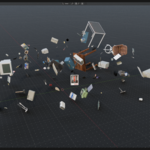
Now it's a disaster.
Every 3D artist knows the moment. You import 50 assets from a KitBash pack and they pile up at the origin — overlapping, wrong scale, random rotations. Asset Organizer fixes that in one click.
Drop any asset pack into Blender. KitBash, Fab, Poly Haven — any collection of mesh objects.
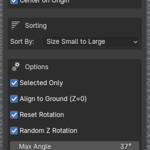
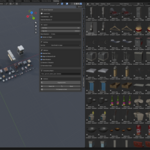
Set columns, gap size, sort order, and toggle normalize scale — all in one clean sidebar panel.
Every object snaps to a perfect grid, ground-aligned, sorted exactly how you specified.
One more click frames the entire grid in your camera. Presentation-ready in seconds.
Nothing you don't.
Drop any asset pack. One click turns complete chaos into a perfect presentation grid. Works on any number of objects, any scene.


By name, size, or vertex count — ascending or descending. Organize exactly how your pipeline needs it.
Mixed sizes? A screw next to a building? Normalize makes every asset the same height so you can actually compare them fairly.


Keep your floor, ground, and base meshes exactly where they are. Type any keywords — only the assets you want get moved.
A subtle random Z rotation breaks the robotic grid. Looks human, not automated. Fully controllable max angle.


One click frames your entire grid perfectly in camera view. Screenshot-ready, presentation-ready, portfolio-ready.
Every setting in one clean sidebar panel. No menus, no searching, no wasted time.

Full version support
Installs like any standard addon
Ctrl+Z works on everything
One-time purchase
Organize all or selected only
Bottom of mesh — not origin
on manual placement.
Every 3D artist needs this. It pays for itself the first time you use it.