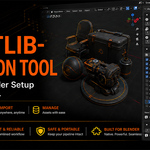
Assetlib-Migration Tool — Move Your Blender Setup Forward
 Gtech-i-Design LLC


Documentation — Install, migrate, verify
Everything the add-on does, in the order you will actually do it — from installing the extension to verifying a migrated setup on the destination machine.
Requirements
|
Installation
|
Recommended migration workflow
Two passes: prepare the source installation, then rebuild on the destination in restart-safe order.
|
Source machine
|
Destination machine
|
Changing an external drive letter
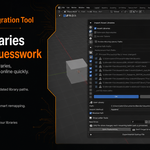
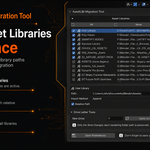
Expand Asset Libraries, check the libraries to change (or use All), enter the new letter, click Apply to Checked, review, then Save Preferences. Only the drive prefix changes; non-Windows paths are skipped by this specific tool.
D:\Asset Library\Models → G:\Asset Library\Models |
Exporting & importing settings
Export SettingsPer library: name, path, import method, relative-path and enabled state. Per user-managed repository: name, module ID, remote URL, custom directory, enabled state, cache, startup sync, remote state and token usage.
|
Import SettingsLibraries match by name — existing entries update, missing ones are created. Repositories match on module ID, normalised remote URL, then name, which avoids duplicates. System-managed repositories are skipped. Old AssetLib-EXP-IMP and unversioned backups are normalised in memory; unknown newer formats are rejected before any change. |
|
Access tokens are plain text Token export is off by default. When enabled, the token is written into the JSON as readable text and may act as a bearer credential — protect that file like a password. Never commit it to a public repository, unsecured cloud folder or public support request. A migrated token may still expire, be revoked, or need renewed marketplace authentication. |
Add-ons, preferences & startup
|
.addonbackup Add-on filesIncludes user legacy add-ons, Extensions and recognised repository directories. Excludes this add-on, caches, hidden metadata and Blender’s bundled system extensions. Restore repositories first, then add-ons, then restart. Files only — not their preferences. |
.prefbackup PreferencesContains |
.startupbackup — experimental Startup fileEnable it in the add-on preferences to reveal the panel section. Save your defaults via File → Defaults → Save Startup File first. The archive is validated, a timestamped copy kept, and the restored file loads on the next launch — never over your open scene. |

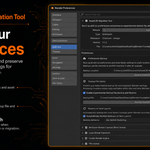
Backup location and the experimental startup-file switch in the add-on preferences.
Compatibility limits
Older → newer BlenderThe intended direction. Files and settings transfer, but the tool cannot rewrite an older add-on for a newer Python API — get a destination-compatible build from its developer where possible. |
Newer → older BlenderNot recommended, and a newer |
Asset availabilityRegistrations migrate, collections don’t. If the drive or share is offline, Blender keeps the registration but the library can’t be browsed until the files are reachable. |
Have questions about this product?
Login to message
| Published | 10 months ago |
| Blender Version | 4.2 - 5.2 |
| Extension Type | Add-on |
| Render Engine Used | Blender-Internal, Cycles, Eevee |
| License | GPL |

Discover more products like this
Export migration import asset management Blender-Migation restore tool backup restore path