 Aliaksandr Tserashkou



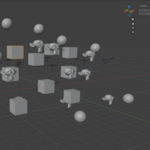
Stop wasting time manually dragging collections and objects into order. AST (Auto-Sort) keeps your Blender outliner perfectly organized at all times - automatically, in the background.
===== WHAT IT DOES =====
Youtube overview: https://youtu.be/3sRtvHHGHQA
Auto-Sort Collections & Objects
Every collection and object in your scene is sorted alphabetically, instantly and automatically. When you add a new object, it lands in the right place without any manual work. Works recursively across all nested collections.
Reveal Active Object in Outliner
Select any object in the viewport and the outliner immediately opens its parent collection and highlights it. No more hunting through collapsed hierarchies to find where your object lives.
Smart & Non-Destructive
Only the collection containing your active object is expanded. All other collections keep their current open/closed state - your outliner layout is never disrupted.
Debounced & Performance-Safe
All sorting and reveal operations run through debounce timers, so the addon never causes slowdowns even in heavy scenes. Tested and optimized for Blender 5.1.
===== FEATURES =====
• Automatic alphabetical sorting of collections and objects
• Recursive sorting across all nested collections
• Active object reveal with one-collection-only expansion
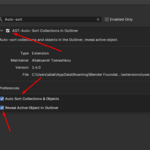
• Toggle auto-sort and auto-reveal independently in preferences
• Manual "Sort Now" button in the N-panel for on-demand sorting
• Clean registration and unregistration — no leftover handlers
• Built as a native Blender 5.1 Extension (blender_manifest.toml)
===== HOW TO USE =====
Install the extension via Edit > Preferences > Extensions > Install from Disk. Enable it, and it works immediately. Adjust behavior in the addon preferences: toggle auto-sort and outliner reveal independently.
===== KNOWN LIMITATIONS =====
• Blender's built-in outliner.show_active() expands the full ancestor path to the active object (not only the immediate parent). This is Blender API behavior and cannot be changed without reimplementing the outliner.
• Requires Blender 5.1.0 or newer.
• On very large scenes, sorting may cause a brief outliner flicker. The debounce timer prevents repeated triggering.
===== COMPATIBILITY =====
Blender 5.1.0 and above. Built as a Blender Extension (not legacy addon format).