Ast: Sort Your Outliner. Find Your Objects. Automatically.
 Aliaksandr Tserashkou



INSTALLATION
1. Download the ZIP file
2. Open Blender 5.1
3. Go to Edit > Preferences > Extensions
4. Click the dropdown arrow (top right) > Install from Disk
5. Select the downloaded ZIP file
6. Enable the extension
The extension activates immediately after enabling.
=================
PREFERENCES
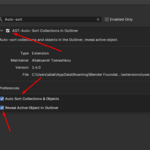
Open Edit > Preferences > Add-ons > AST to access settings:
Auto Sort Collections & Objects
When enabled, all collections and objects are sorted alphabetically automatically. Sorting runs in the background with a debounce timer to prevent performance issues.
Reveal Active Object in Outliner
When enabled, selecting any object in the viewport automatically opens its parent collection in the outliner and highlights it. Only the collection containing the active object is expanded - all other collections keep their current state.
=================
MANUAL SORT
Open the N-panel in the 3D Viewport (press N), go to the AutoSort tab, and click Sort Now to trigger an instant sort manually.
=================
KNOWN LIMITATIONS
- Blender's built-in outliner reveal opens the full ancestor path to the active object, not only the immediate parent. This is Blender API behavior and cannot be changed.
- Requires Blender 5.1.0 or newer.
- On very large scenes, sorting may cause a brief outliner flicker. This is cosmetic only.
Have questions about this product?
Login to message
| Blender Extension Compatible | Yes |
| Dev Fund Contributor | |
| Published | 6 months ago |
| Blender Version | 5.1 |
| Extension Type | Add-on |
| Render Engine Used | Cycles, Eevee |
| License | GPL |
Discover more products like this
auto sort highlight sorting productivity organization Workflow Scene Management outliner reveal collections objects Blender 5.1