 John Deligiannis


Atlas Bake - A blender Add-on for Texture Baking
Bake clean, engine-ready textures (BaseColor, Normal, Metallic, Roughness, AO, Opacity), build custom channel packs, handle UVs, project High→Low, and export FBX, all in a safe background subprocess so your open .blend stays untouched.
What's New
Latest Update Highlights
This release (v2) brings major workflow improvements for working with multiple objects, parallel baking, and richer export control:
- Multi-mesh baking: Select multiple meshes and bake them all in a single job. Each mesh gets its own textures, UV pass, and material configuration.
- Parallel task queue: Start bakes on multiple objects simultaneously. A new Tasks panel tracks every job's name, state (Running / Done / Error / Canceled), and live progress bar. Jobs persist across Blender sessions.
-
Task Name & output subfolders: Each bake job requires a Task Name. Results are saved under
Output Folder / Task Name /, so runs for different iterations never overwrite each other. - FBX export sub-options: When Export FBX is enabled, three new sub-options appear: Include Armature (skeleton & weights, on by default), Include Shape Keys (blend shapes, on by default), and Include Animations (NLA actions, off by default).
-
Keep Final .blend: Writes a single clean
.blendinto your output folder containing all baked meshes and their textures together, without touching your working file. - High→Low restriction: When Bake to Target is active, only one source mesh is allowed; selecting more blocks the bake with a clear error.
-
Home icon shortcut: Click the home icon next to the Output Folder path to auto-set it to the folder of the current
.blendfile.
Overview
Texture baking condenses complex, multi-material shaders into a compact set of textures ready for engines like Unity and Unreal. Engines expect specific color spaces and often packed channels (Unity’s Metallic+Smoothness, Unreal/glTF’s ORM).
Typical manual steps
- Pick Cycles + samples
- Ensure correct UVs
- Create images & color spaces
- Handle scalar reroutes (Metal/Rough)
- Normals (OpenGL/DirectX)
- AO / Opacity
- Packed outputs (ex. MS/HDRP/ORM)
- Build atlas material & export
Atlas Bake solves this
Automates end-to-end with safe defaults and clear status.
- Correct color spaces per map
- OpenGL (Y+) / DirectX (Y−) normals
- Custom channel packs with presets
- Smart UV or Use Selected UV
- High→Low baking (max ray, cage, extrusion)
- Atlas material & optional FBX export
- Runs in a background headless Blender subprocess
- Multi-mesh baking in a single job
- Parallel task queue with live progress
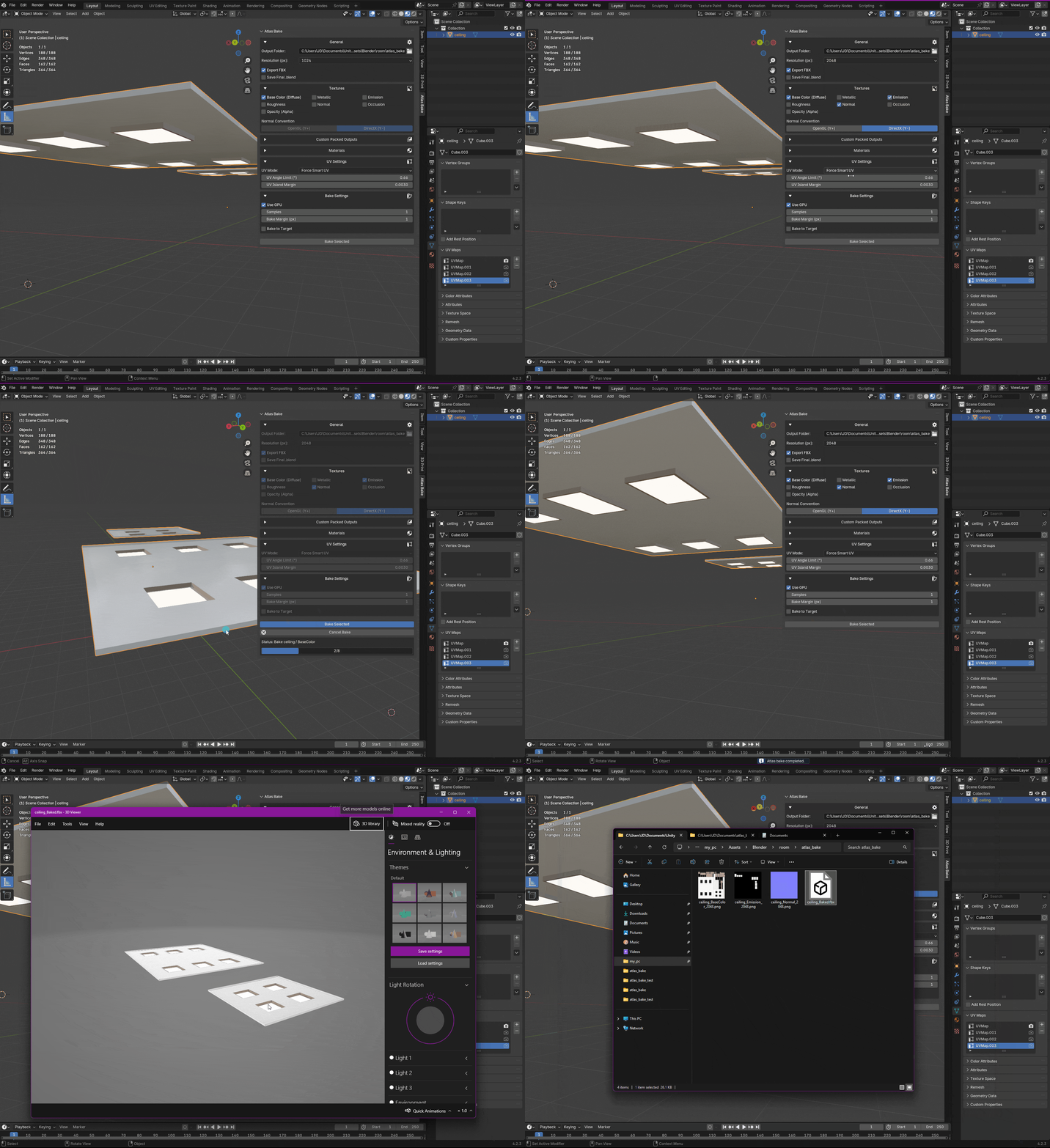 A simple baking process.
Key features at a glance
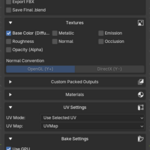
- Per-map baking: Base Color (sRGB), Emission (sRGB), Normal (Non-Color), Metallic (Non-Color), Roughness (Non-Color), AO (Non-Color), Opacity (Non-Color). Metallic & Roughness use a safe temporary Emission reroute for scalar accuracy.
- Material selection (whitelist): Only included materials are processed in Atlas/Smart-UV.
-
Custom Packs: Build your own packs, or use the presets MS, HDRP Mask, ORM. Dependency-aware and reusable via a preferences folder (absolute and
//relative paths supported). -
UV handling: MANUAL (pick existing UV) or SMART (auto-create & unwrap
AtlasBakedUVwith Angle Limit & Island Margin; applied to included materials).
- High→Low projected baking: Selected→Active (one source mesh) with Max Ray Distance, Cage Object, or Virtual Cage Extrusion.
- Exports: Optional FBX per mesh (UV0 enforced) with sub-options for Include Armature, Include Shape Keys, and Include Animations. Option to Keep Final .blend (all baked meshes in one file, relative or packed paths).
- Normals: OpenGL (Y+) or DirectX (Y−) with optional Flip Normal Y.
- Performance & Quality: GPU Compute (optional), Resolution, Bake Margin (px) vs UV Island Margin.
- Multi-mesh baking: Select multiple meshes and bake them all in a single job — each gets its own textures, UV pass, and material whitelist configurable per mesh.
- Parallel task queue: Start bakes on multiple objects simultaneously. The Tasks panel tracks every job (Running / Done / Error / Canceled) with a live progress bar. Jobs persist across Blender sessions; if Blender closes mid-bake the task is restored as an error with the last known progress.
- Clear status & safe operation: Work runs in a background, headless Blender subprocess using a temporary copy. Your open file remains responsive and unmodified while it receives regularly updates about the progress.