AtmosRay — Cinematic Fog, God Rays & Atmosphere Director
 ConnectivAI Tools



Can I save my own custom looks?
Yes. Any combination of settings — mood values, wind, blockers, everything — can be saved as a named custom preset that appears in the Mood gallery alongside the built-ins and persists across projects.
I don't see god rays — what's wrong?
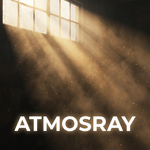
Click Ray Doctor. It's a built-in diagnostic that checks the most common causes (weak scattering, front-lit sun, no blockers, thin fog, wrong engine settings) and offers one-click fixes for each. This is one of AtmosRay's signature features — you're not left guessing.
Does it require any external plugins, VDBs, or paid dependencies?
No. Pure Python, built entirely on Blender's native API (geometry nodes, shader nodes, light linking). No external files to manage, no simulation caches to bake.
What happens when I remove it?
Remove Atmosphere deletes every AtmosRay object, material, node group, and collection, and restores your render settings to exactly what they were before AtmosRay touched them. An automated test confirms zero leftover data after removal.
Will repeated clicking fill my scene with duplicate objects?
No. AtmosRay maintains one managed rig; every button click updates it in place. This is enforced by an automated lifecycle test that runs on every release and checks for zero duplicate datablocks after repeated create/update cycles.
Does it support multiple cameras / multi-shot sequences?
Yes, via Shot Profiles. Save a full atmosphere look to each camera, bind cameras to timeline markers the normal Blender way, and AtmosRay automatically applies each shot's saved look when the marker switches cameras — during scrubbing and during final renders.
What Blender version do I need?
4.2 LTS minimum. Tested through Blender 5.0. It's a standard Extension (not a legacy add-on), so it installs through Blender's built-in Get Extensions panel.
Can I use my own sun/HDRI lighting instead of the generated sun?
Yes — toggle to "Use Existing Sun" in Pro Mode and point it at any Sun light already in your scene; AtmosRay will aim it for beams without creating a duplicate light.
Does it work with an animated camera?
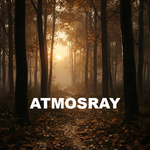
Yes — this is the Shot-Lock Engine, one of the core design pillars. The fog volume follows the camera and refits to its frustum every frame, while the fog's noise pattern stays anchored to the world so it doesn't visibly "swim" as the camera moves. Verified with an automated flythrough test on every release.
Is it going to tank my render times?
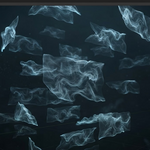
The volume is bounded to your camera's frustum, not the whole scene, and ships with Preview/Balanced/Final/Ultra quality presets so you're never guessing at samples and step rates. Fog cards (sprite mode) are nearly free. Volumetric fog cards and the main atmosphere volume do cost real render time, same as any Cycles volumetric — Ultra mode shows a warning before you commit to it.
Will it mess up the lighting in my existing scene?
No — that's the whole point of Scene-Safe Lighting. In Cycles, AtmosRay's sun is light-linked so it illuminates only the fog, fog cards, and dust motes. Your scene's own lights, materials, and exposure are untouched. You can add AtmosRay to a fully finished, graded shot and nothing but the atmosphere changes.
Does this work in EEVEE, or only
Both. Core fog/mist, blockers, sprite fog cards, and dust motes all work in EEVEE. Two features are Cycles-only by nature of the underlying Blender API: Scene-Safe light linking (isolating the ray sun to just the fog) and the Gobo Projector's patterned light nodes. In EEVEE those still work, just without the isolation — the ray sun lights the whole scene like a normal light, and the gobo becomes a plain spot. Ray Doctor tells you exactly which mode you're in.
$29
 Included
Includes 12 months of
- Support from ConnectivAI Tools
- Product updates
Extend this product’s Support Period +12 months: 25% of product price
Have questions before purchasing?
Login to message

Discover more products like this
volumetrics VFX Lighting cinematic fog camera-tools mist god rays atmosphere dust particles geometry nodes