 Achat
Achat




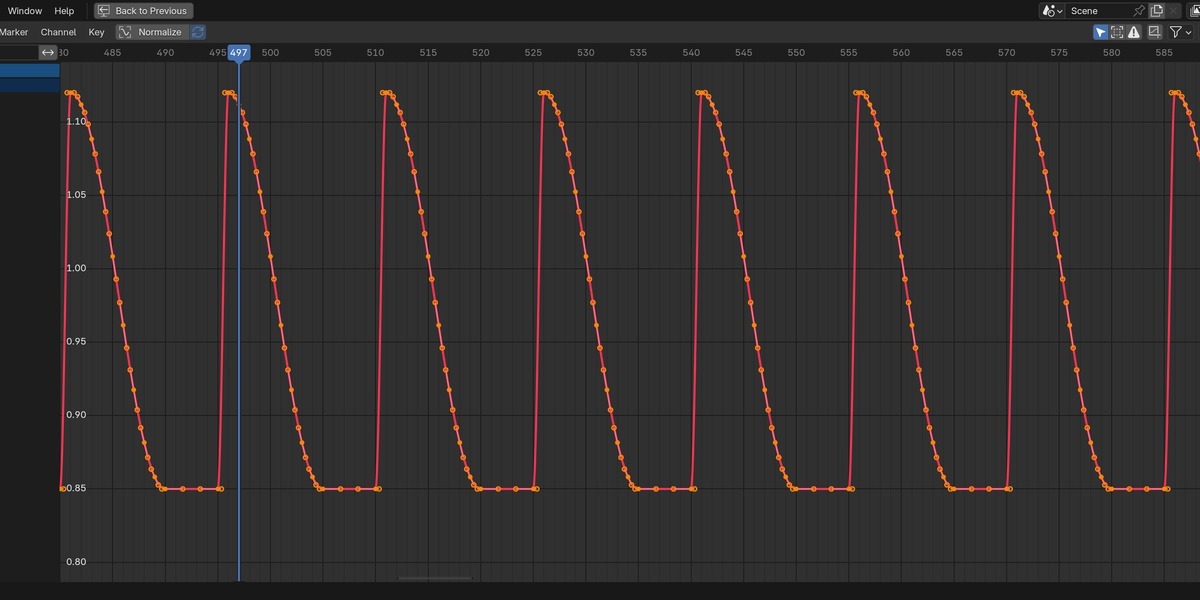




- Includes the license file.
- Support contact is now [email protected].


- The mapping list now works like Blender's Outliner. Groups hold their mappings, and the arrow on a group row folds it open or closed.
- Click selects one row, Shift-click selects a range, and Ctrl-click (Cmd-click on macOS) adds or removes a row.
- With several rows selected, a value you change applies to all of them, and one Ctrl+Z undoes the whole edit. This replaces Copy Settings from Active Mapping.
- Group puts the selected mappings in a new group. Select mappings and a group, and the same button adds them to it. Ungroup takes mappings out, or dissolves a selected group. Freed mappings keep the group's settings, so nothing jumps.
- Click a group row to edit what its members share. A mapping in a group shows only its target and its own offset, with a button that jumps to the group.
- Double-click a row to rename it. The checkbox on a group row turns every member on or off, and each mapping row shows its offset.
- The menu next to the list selects the driven objects in the viewport, or the mappings of the objects already selected there.
- Removed the color swatch on each row, the color and Selected Objects Only filters, and Copy Settings. Groups from earlier versions open unchanged.
- Audio and the beat grid are now anchored to frame 1 instead of to the start of the active frame range. Changing the start frame, for example to resume a stopped render, no longer restarts the track there and no longer moves the triggers.
- The audio strip and the metronome click track follow the same anchor, so what you hear and what fires stay together whatever the range is. Scenes that start on frame 1 keep their exact timing.
- New X button beside each Bake button removes the keyframes Audio Trigger baked, and only those. Keys you set by hand, on other channels, on other objects, or outside the baked frame range are left alone. The driven property returns to the value it had before the mapping touched it.
- Fixed a crash on macOS when rendering an animation. Live Preview wrote values from the render job thread, which is not safe, and Blender could segfault part way through a render or when settings were changed between renders. Live Preview now stops while a render is running and resumes when it finishes. Bake before rendering: baked keyframes are unaffected and render normally.
- OPUS now appears in the list of supported audio formats. It was already supported.
A mapping can now be limited to frame ranges. Turn on Active Range in the overrides and pick Restrict To, so the mapping only reacts inside the ranges you set, or Mute In, so it reacts everywhere except inside them.
Add as many ranges as you need. The choice between Restrict To and Mute In covers the whole list rather than each range, so a mapping is never partly one and partly the other.


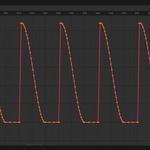
The waveform dims the frames a gate closes and marks every range edge with a red bar, so you can see where a mapping acts without stepping through the timeline.
A group owns the gate for its members, the way it already owns every other override, and Copy Settings carries the ranges along with them.
Baking follows the gate. No keyframes are written on frames where the mapping is switched off.
- Includes the license file.
- Support contact is now [email protected].
- The mapping list now works like Blender's Outliner. Groups hold their mappings, and the arrow on a group row folds it open or closed.
- Click selects one row, Shift-click selects a range, and Ctrl-click (Cmd-click on macOS) adds or removes a row.
- With several rows selected, a value you change applies to all of them, and one Ctrl+Z undoes the whole edit. This replaces Copy Settings from Active Mapping.
- Group puts the selected mappings in a new group. Select mappings and a group, and the same button adds them to it. Ungroup takes mappings out, or dissolves a selected group. Freed mappings keep the group's settings.
- Click a group row to edit what its members share. A mapping in a group shows only its target and its own offset.
- Double-click a row to rename it. The checkbox on a group row turns every member on or off, and each mapping row shows its offset.
- Offsets, envelope, probability, rate, Uniform and the enabled checkbox now show on the current frame as you change them. Before, only Min and Max did.
- Removed the color swatch on each row, the color and Selected Objects Only filters, and Copy Settings. Groups from earlier versions open unchanged.
- The beat grid is now anchored to frame 1 instead of to the start of the active frame range. Changing the start frame, for example to resume a stopped render, no longer moves the triggers. The metronome click track follows the same anchor. Scenes that start on frame 1 keep their exact timing.
- New X button beside each Bake button removes the keyframes Audio Trigger Lite baked, and only those. Keys you set by hand, on other channels, on other objects, or outside the baked frame range are left alone. The driven property returns to the value it had before the mapping touched it.
- Fixed a crash on macOS when rendering an animation. Live Preview wrote values from the render job thread, which is not safe, and Blender could segfault part way through a render. Live Preview now stops while a render is running and resumes when it finishes. Bake before rendering: baked keyframes are unaffected and render normally.
 Included
Includes 12 months of
- Support from Achat
- Product updates
Extend this product’s Support Period +12 months: 50% of product price
Have questions before purchasing?
Login to message
| Blender Extension Compatible | Yes |
| Sales | 50+ |
| Published | 3 months ago |
| Blender Version | 4.2 - 5.2 |
| Extension Type | Add-on |
| Render Engine Used | Arnold, Blender-Internal, Blender-Game-Engine, Cycles, Eevee, Freestyle, Luxrender, Mental-Ray, Octane, Vray, Yafaray |
| License | GPL |
Discover more products like this
audio animation Music drivers Visualizer bpm vj motion graphics sound beat beat sync audio-reactive