Aura Lab V2: 20 Animated Character Auras
 LarkLab
Documentation / v1.0.0
AURA LAB V2 DOCS
How to install Aura Lab V2, add an aura to a character, tune it and render it. The add-on lives in the Aura Lab tab of the 3D Viewport sidebar (N). Blender 5.0+.
|
Guide INSTALL, UPDATE, REMOVE |
- Download aura_lab_v2-1.0.0.zip from your Superhive downloads. Don't unzip it.
- In Blender open Edit › Preferences › Get Extensions, open the arrow menu at the top right, choose Install from Disk… and pick the zip.
- In the 3D Viewport press N and open the Aura Lab tab.
Update: install the new zip the same way. Auras already in your files keep working.
Remove: pick the aura and press Remove Aura. It deletes the aura with its lights, helpers and materials; your character is left untouched.
|
Guide ADD AN AURA |
|
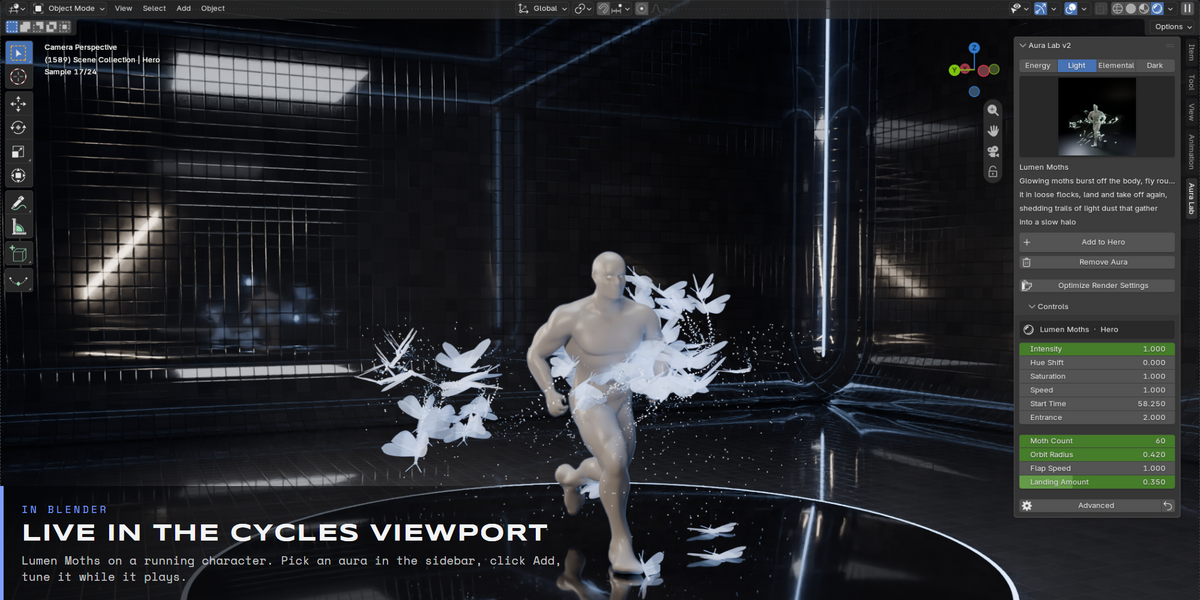
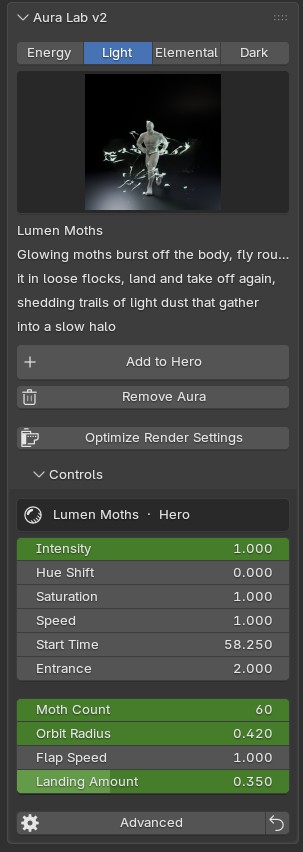
1. Select the character mesh. It does not need UVs. 2. Pick a group tab (Energy, Light, Elemental, Dark), then click the large preview and choose an aura. Its name and a short description show under the preview. 3. Click Add to <mesh>. A new object Aura - <name> (<mesh>) is created. It reads the mesh live, so you never move or parent it. 4. Press Optimize Render Settings once per scene. You can add several auras to one character, or the same aura to several characters. |
|
Guide CONTROLS |
| Intensity | Scales the glow of every layer and the aura's lights. |
| Hue Shift | Rotates the colour of the whole aura. |
| Saturation | 0 makes it grey, 1 is the preset colour, up to 2 for more. |
| Speed | Playback speed of all the aura's motion. |
| Start Time | Seconds into the scene when the aura starts forming. |
| Entrance | How long the aura takes to form, in seconds. |
| Main | The aura's own key inputs, such as Blades, Range and Throws for Blade Array. |
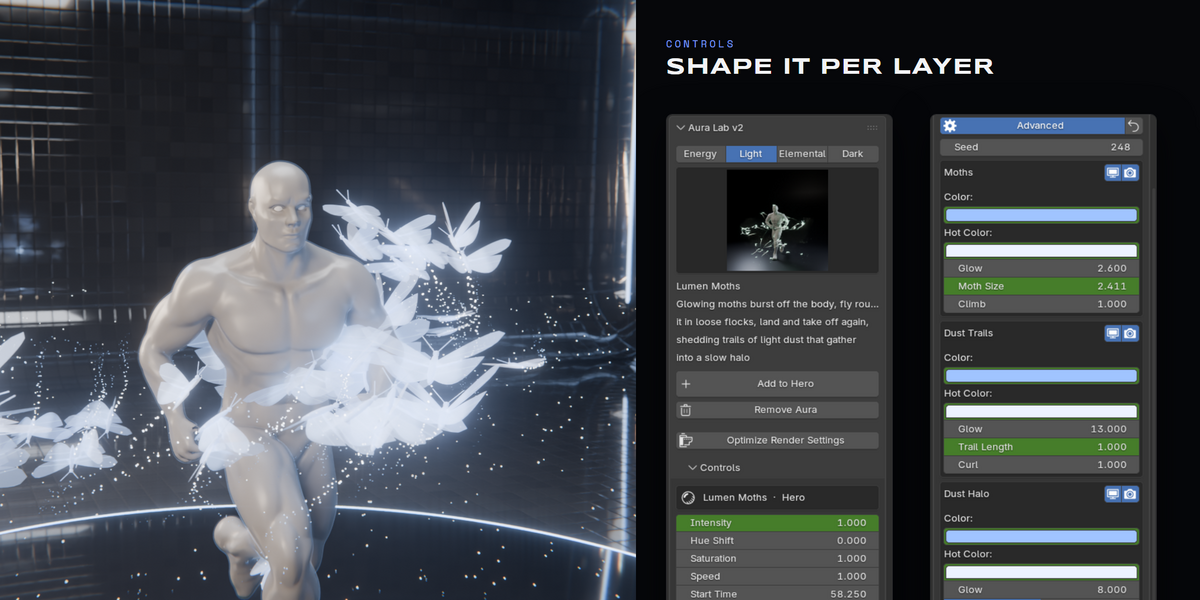
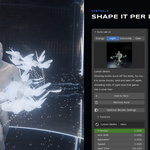
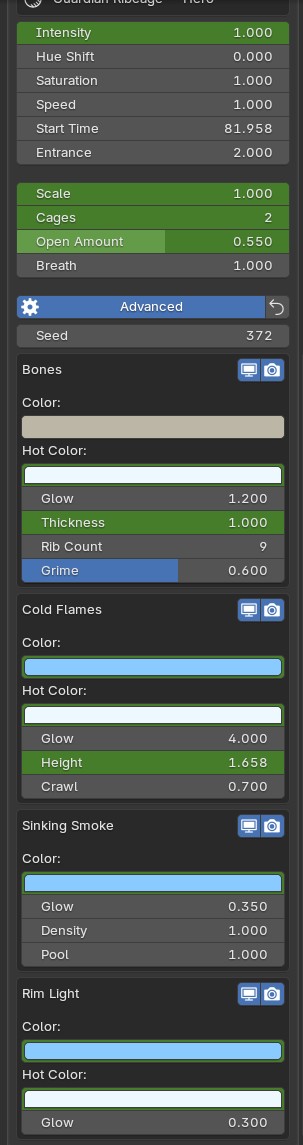
| Advanced | Per-layer controls: viewport and render toggles, colours, glow and shape. |
| Reset | The arrow next to Advanced sets every input back to the preset. |
|
Guide LAYERS |
|
Each aura is a stack of layers: the signature layer (swords, dragon, beads, moths, bones) plus support layers such as smoke, dust, a floor decal and a rim light. The two icons on each layer toggle it in the viewport and the render. Hiding a heavy layer in the viewport keeps playback fast and it still renders. Every value is a normal Blender property: hover and press I to keyframe it, or right-click to add a driver. |
|
Guide RENDERING |
| Optimize Render Settings | Sets the AgX view transform, volume quality, EEVEE ray tracing and a bloom compositor. Run it once per scene. |
| Cycles | Best quality for smoke, volumes and glow. A GPU with OptiX or HIP is recommended. |
| EEVEE | Fast previews. Blade Array uses a plain polished steel in EEVEE; Afterburner's heat haze is Cycles only. |
| Motion blur and depth of field | Auras are regular geometry, so motion blur, depth of field and view layers work as usual. |
|
Guide ANIMATED CHARACTERS |
Auras read the character's evaluated mesh every frame, after armatures, shape keys and modifiers. Some auras also read a copy of the rig that plays a moment late, so trails and drag follow the real motion.
| Works with | Mixamo, Rigify, Auto-Rig Pro and custom rigs, shape keys, deforming modifiers |
| Scale | Made for human-sized characters (about 1.6–2 m). Effects scale with the character's size. |
| Clothes and hair | Only the target mesh is read. Pick the body mesh. |
|
Guide THE 20 AURAS |
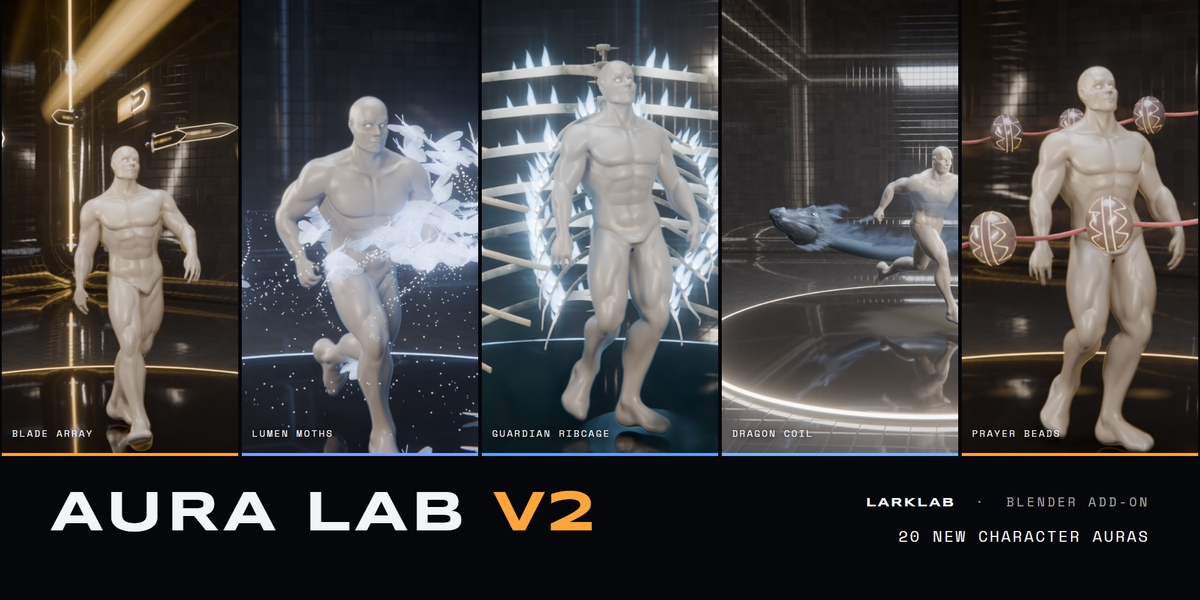
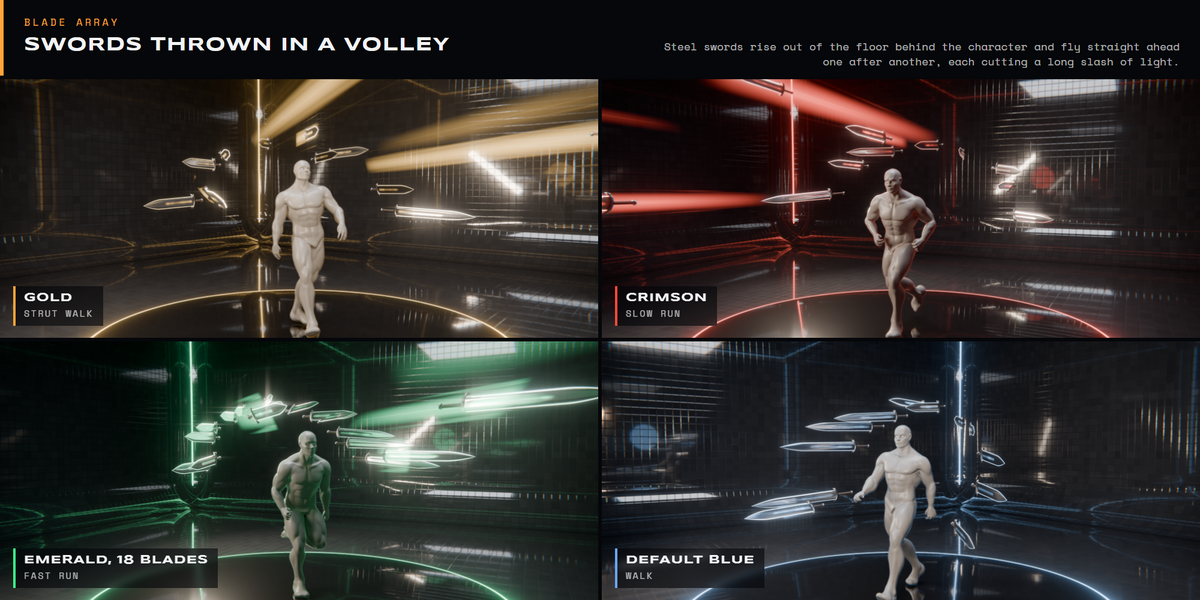
| Energy Blade Array | Steel swords push up out of the floor into an arc behind the character, tips forward, and are thrown one after another straight ahead, each leaving a long slash trail of light |
| Energy Solar Flare | Giant arches of twisted plasma spring from the floor and land on the hands; knots of plasma run up them, and now and then one snaps, whips outward and reconnects |
| Light Lotus Throne | A giant lotus of light petals opens round the feet, breathes and turns, while lines of light rise out of it and flow up the body |
| Elemental Storm Conduit | The character becomes a lightning conductor: charge crawls over the skin, strikes leap to the floor and burn branching scorch trees into it |
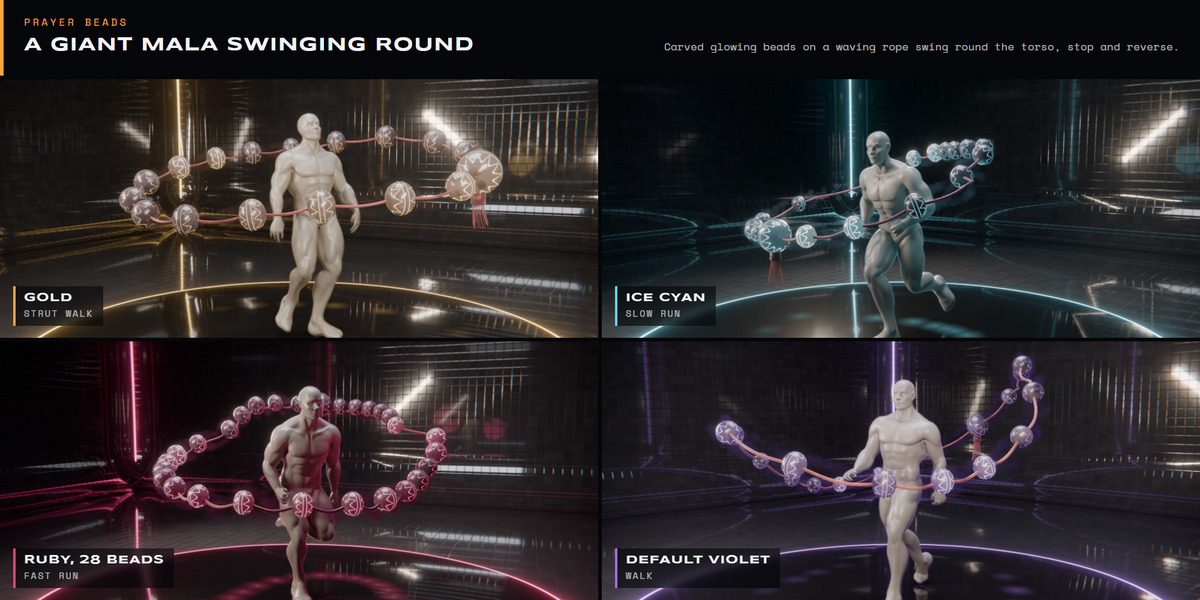
| Energy Prayer Beads | A giant mala of carved glowing beads on a waving rope swings round the torso, stops and reverses, wrapped in a twisting sleeve of dark energy |
| Light Brushstroke | Sumi-e ink strokes painted in the air round the body: a pressed blot, a sweeping wet body and a dry split tail, drops flung off the brush and splattered on the floor |
| Elemental Meteor Call | Burning meteors streak down from the sky and hit the ground round the character, leaving smoke trains, flying debris and glowing craters that cool to black |
| Dark Black Flame | The dark-form power-up: tongues of glossy black flame stream off the body with a violet edge, pinch off into rising drops and scorch the floor |
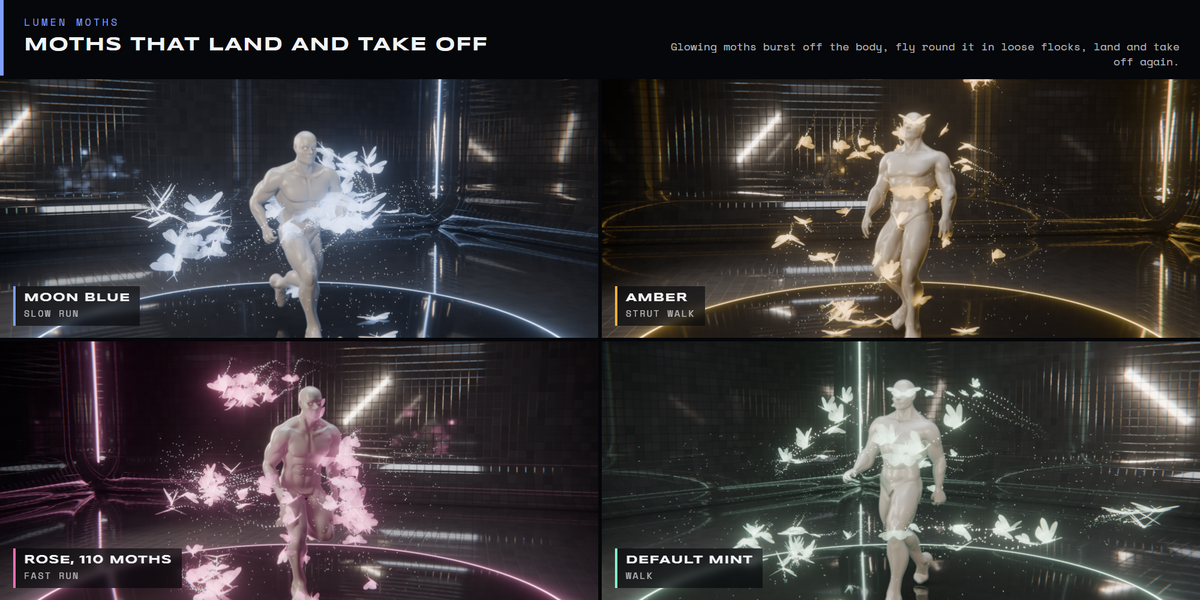
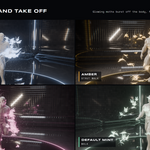
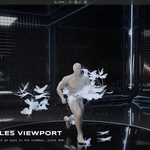
| Light Lumen Moths | Glowing moths burst off the body, fly round it in loose flocks, land and take off again, shedding trails of light dust that gather into a slow halo |
| Energy Afterburner | Twin blue-white jet plumes blast down and back from the shoulder blades, with pulsing shock diamonds, heat haze, and a ring of dust blown across the floor where they hit |
| Elemental Paper Storm | A whirlwind lifts loose pages off the floor, bends and tumbles them up round the body, slaps some onto it and throws them out to fall like leaves |
| Light Celestial Sashes | A celestial stole of light cloth hangs from the elbows behind the waist and streams off the shoulders, waving like silk in a pale mist that drifts off the shoulders and pools round the legs |
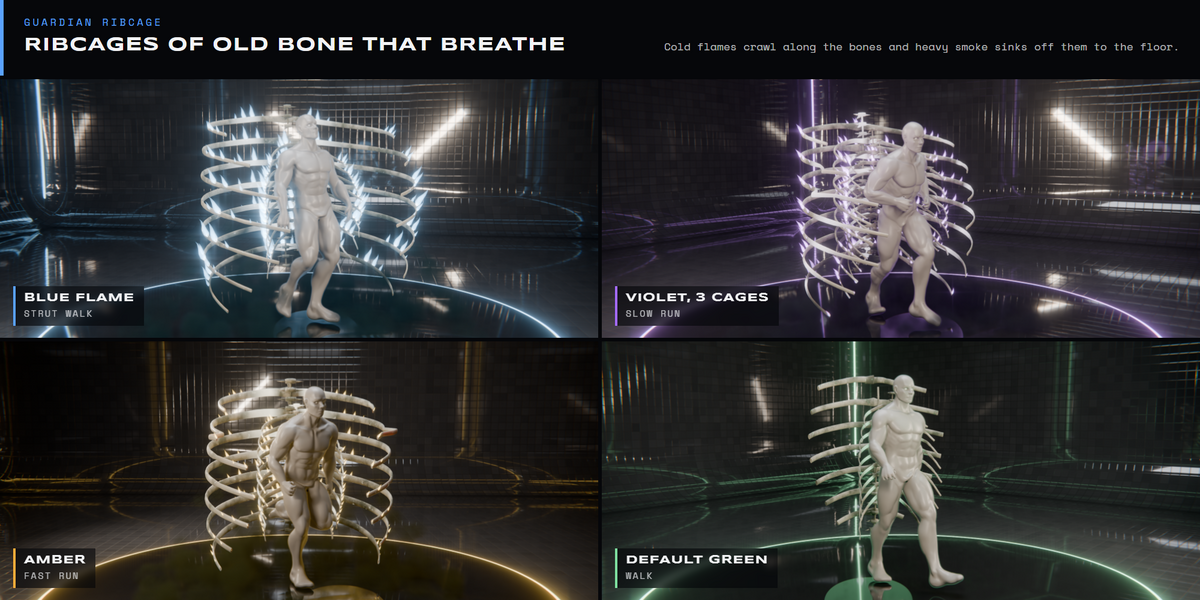
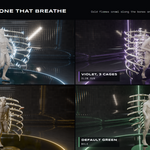
| Dark Guardian Ribcage | Nested ribcages of old bone wrap the body and breathe, cold green flames crawl along the bones and heavy smoke sinks off them to pool on the floor |
| Energy Fusion Heart | A white-hot star burns in the chest; its light bleeds through the thin parts of the body, beats like a heart and spills onto the floor |
| Elemental Sand Bender | A mound of sand gathers round the feet and thick streams of sand rise out of it, sweep round the character and pour back, one swinging round in front as a shield |
| Light Spun Light | Hundreds of fine light threads wind up round the body into a glowing cocoon, tighten, then unravel into loose loops that drift away while new threads spin on |
| Dark Thousand Eyes | Eyes hang in the dark air round and behind the character, all staring ahead, swaying slowly and blinking, each trailing a tail of black smoke; more eyes open in a shadow on the floor |
| Light Comet Tail | A blue ion tail and a golden dust tail stream straight out behind the back like a comet's, born from the body in mirrored pairs; they whip round when the character turns and drop glinting grit |
| Dark Black Murmuration | Tens of thousands of black flecks fold and swirl round the character like a starling murmuration, tighten into a dense ribbon, burst apart and re-form, and roll up off the floor |
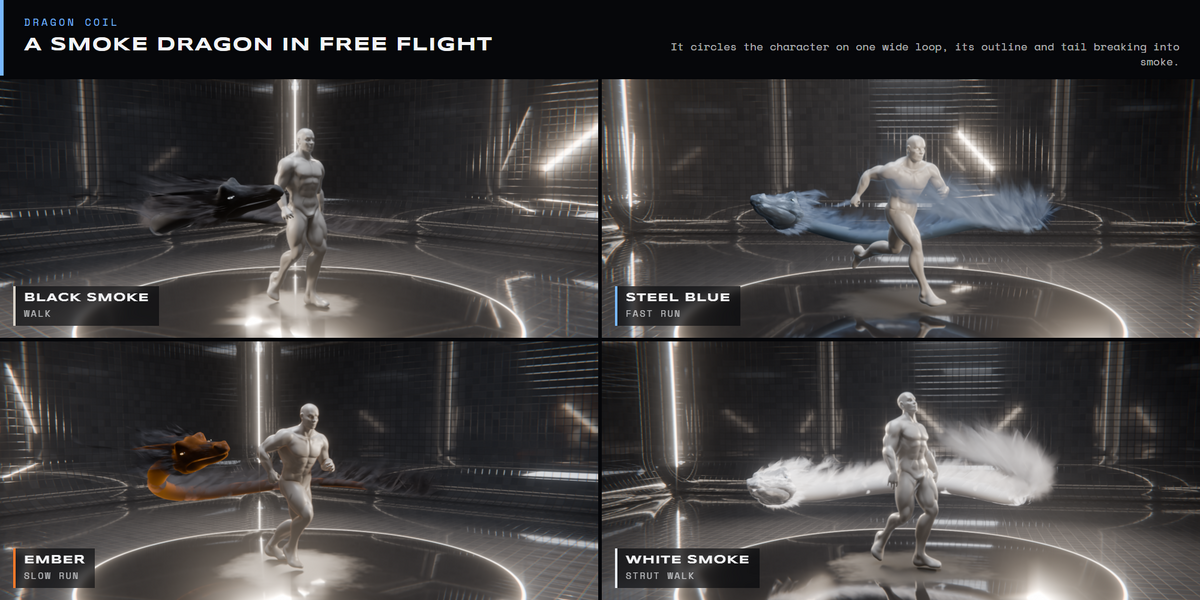
| Energy Dragon Coil | A black smoke dragon in free flight around the character, its outline breaking into smoke |
|
Guide TROUBLESHOOTING |
| Nothing appears | Check the frame is after the aura's Start Time and the viewport is in Material Preview or Rendered mode. |
| Effects frozen after opening a file | Allow Auto Run Python Scripts for the file when Blender asks. Aura timing uses drivers. |
| Aura in the wrong place | The Target must be the body mesh. If you replaced the mesh, remove the aura and add it again. |
| Slow viewport | Hide heavy layers (smoke, dust) in the viewport with their screen icon; they still render. |
| Black areas in Cycles | Raise Light Paths › Transparent bounces (Optimize Render Settings sets 32). |
|
More from the studio LATEST FROM LARKLAB |
Have questions about this product?
Login to message
| Blender Extension Compatible | Yes |
| Published | 27 minutes ago |
| Blender Version | 5.0 - 5.2 |
| Extension Type | Add-on |
| Render Engine Used | Cycles, Eevee |
| License | GPL |
Discover more products like this
anime blender addon fantasy superpower eevee magic power up character effects aura Cycles geometry nodes VFX