 Snapsave


The Problem
Blender's built-in autosave overwrites one temp file.
One crash — one chance at recovery.
One crash — one chance at recovery.
Without SnapSave
✗ One overwritten temp file
✗ No version history at all
✗ Deleted objects gone forever
✗ No record of past states
✗ Manual folder juggling
✗ Crash = start over
✗ No version history at all
✗ Deleted objects gone forever
✗ No record of past states
✗ Manual folder juggling
✗ Crash = start over
With SnapSave Pro
✓ Full version history on disk
✓ Viewport thumbnail every version
✓ Rescue any deleted object
✓ Compare two versions visually
✓ Auto + manual in separate folders
✓ Crash = restore in one click
✓ Viewport thumbnail every version
✓ Rescue any deleted object
✓ Compare two versions visually
✓ Auto + manual in separate folders
✓ Crash = restore in one click
Core features
Everything you need. Nothing you don't.
📸
Viewport thumbnails
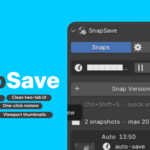
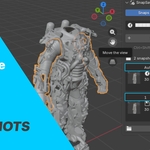
Every snapshot captures your 3D viewport. Browse history visually — no guessing from filenames.
⏱
Auto-save crash guard
Fires silently on a timer. Only when something changed. Its own separate folder — never clutters your work history.
🪟
Open in new window
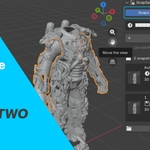
Launch any past version in a second Blender alongside your current work. No other backup addon ships this.
🔗
Append objects
Deleted something hours ago? Pick it from any snapshot and bring it back. Only that object. Nothing else changes.
🌿
Branch from any point
Save any snapshot as a new independent file. Open it in a new window. The original is untouched. Experiment without risk.
🗑
Safe delete
Deleted snapshots move to your OS Recycle Bin. Never permanent unless you choose it. Recover any time.
🗂
Separate folders
Auto-saves and manual backups in completely separate directories. Professional pipeline structure out of the box.
💾
Persistent history
Every backup label, tag, note, and thumbnail reloads automatically when you open the file. Nothing lost between sessions.
Pro-only · No competitor has these
The features that make SnapSave unbeatable.
🔍
Snapshot diff viewer
Compare any two snapshots and see exactly what changed — objects added or removed, polygon delta, material changes, modifier changes — without opening either file. A clear human-readable summary: "+2 objects, -8,400 polys, 1 material changed." No other Blender version control tool ships this.
📋
Activity log — what you actually did
A live feed of everything you've done in Blender this session — mesh edits, sculpting, UV work, material changes, transforms — all categorised with icons, batched intelligently ("Sculpted 14x"), and exportable as a markdown devlog. Lives in its own Activity tab inside the SnapSave panel.
📄
Project report export
One click generates a self-contained HTML report of your full version history — embedded thumbnails, timestamps, tags, notes, file sizes. Opens in your browser automatically. Send it to a client or keep it for your studio records. No external tools needed.
🎬
Timelapse export
Stitch your snapshot thumbnails into an MP4 or PNG sequence showing the entire creation process. Add label overlays. Share it on social media. Every timelapse you post shows the world how the project evolved — and tells them you used SnapSave.
How it works
Up and running in under 60 seconds.
1
Install once
Edit → Preferences → Add-ons → Install from Disk. Enable SnapSave. Panel appears in N-sidebar → SnapSave tab.
2
Auto-save starts immediately
Countdown timer starts. Every N minutes, if your file has changed, a timestamped backup saves silently in the background.
3
Save milestones with Ctrl+Shift+S
Add a label, tag (Stable / Milestone / WIP), and notes. Thumbnail captured automatically. You stay in your current file.
4
Browse history visually
Every snapshot shows its thumbnail, label, timestamp, and notes. Scroll through your whole project history at a glance.
5
Restore, compare, or rescue
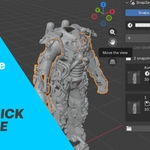
Restore in current window, open in new window, branch into a new file, append individual objects — all from the same expanded card.
Compatibility
Built for modern Blender. Tested on every platform.
| Blender version | Status | Install |
|---|---|---|
| Blender 5.0+ | ✓ Tested | ZIP — Extension format |
| Blender 4.2 – 4.6 | ✓ Tested | ZIP — Extension format |
| Blender 4.0 – 4.1 | ✓ Compatible | .py legacy install |
| Blender 3.x | ✗ Not supported | — |
Works on Windows, macOS, and Linux. No internet connection required. Works entirely offline.
Changelog
Actively maintained. Always improving.
v4.0.0 — Current
+ Activity log — live session tracker with categorised operator feed
+ Export devlog as markdown or plain text
+ Collapsible session segments in Activity tab
+ SnapSave's own UI operators filtered from the log automatically
+ Export devlog as markdown or plain text
+ Collapsible session segments in Activity tab
+ SnapSave's own UI operators filtered from the log automatically
v3.0.0
+ Snapshot diff viewer — compare objects, polys, materials, modifiers
+ Project report — self-contained HTML with embedded thumbnails
+ Cloud sync — smart folder detection (Google Drive, Dropbox, OneDrive)
+ Setup guides for cloud sync in Settings tab
+ Project report — self-contained HTML with embedded thumbnails
+ Cloud sync — smart folder detection (Google Drive, Dropbox, OneDrive)
+ Setup guides for cloud sync in Settings tab
v2.1.0
+ Edit / Sculpt Mode guard — auto-save blocked with visible warning
+ Timelapse export via ffmpeg or PNG sequence (no VSE dependency)
+ Compact thumbnail mode — single-line cards with click-to-reveal
+ Header bar live countdown indicator
+ Disk usage display in panel footer
+ Race condition lock — prevents duplicate saves
+ Timelapse export via ffmpeg or PNG sequence (no VSE dependency)
+ Compact thumbnail mode — single-line cards with click-to-reveal
+ Header bar live countdown indicator
+ Disk usage display in panel footer
+ Race condition lock — prevents duplicate saves
v2.0.0
+ Safe delete — files move to OS Recycle Bin
+ Branch from any snapshot — open in new Blender window
+ Separate folders for auto-saves and manual backups
+ Filter bar — All / Manual / Auto
+ Open in new window — current session untouched
+ Append objects from any snapshot
+ Branch from any snapshot — open in new Blender window
+ Separate folders for auto-saves and manual backups
+ Filter bar — All / Manual / Auto
+ Open in new window — current session untouched
+ Append objects from any snapshot
