 NovaStrikes


🆓 Try Before You Buy
Not sure yet? Download Smart AutoSave+ Lite for free — same core autosave engine, edit-based saving, and smart startup popup included. No payment needed.
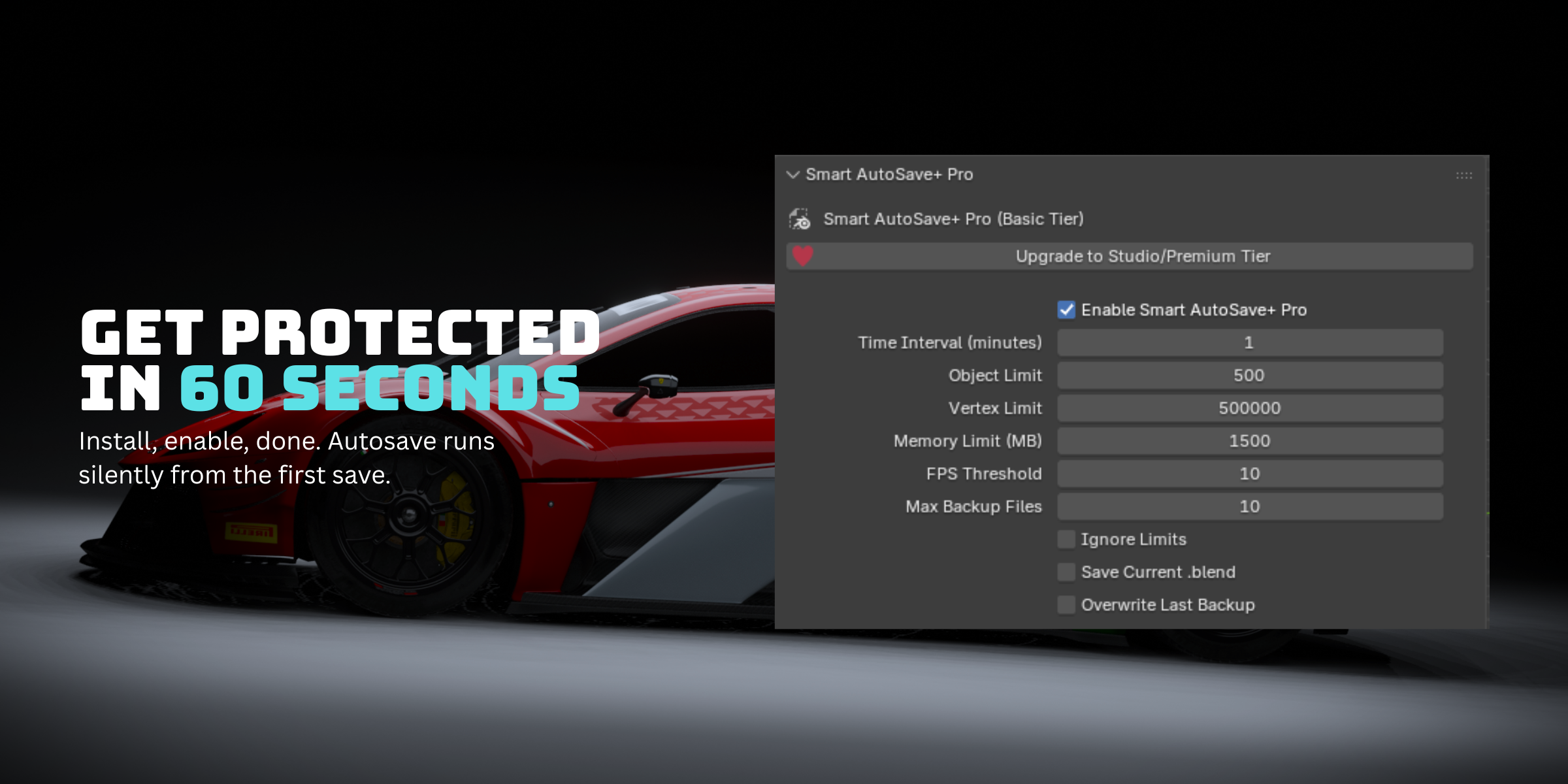
Basic Version Includes
✅ Auto-save on custom interval ✅ Edit-based saving ✅ Force save button ✅ Smart startup popup ✅ Compositing freeze fix ✅ Windows · Mac · Linux
Available on Superhive · GPL v3 License · Blender 4.0 – 5.1+
Blender Auto Save Addon — Smart AutoSave+ Pro
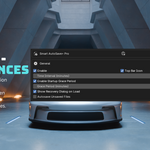
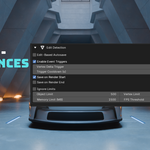
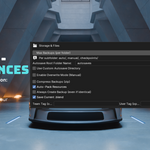
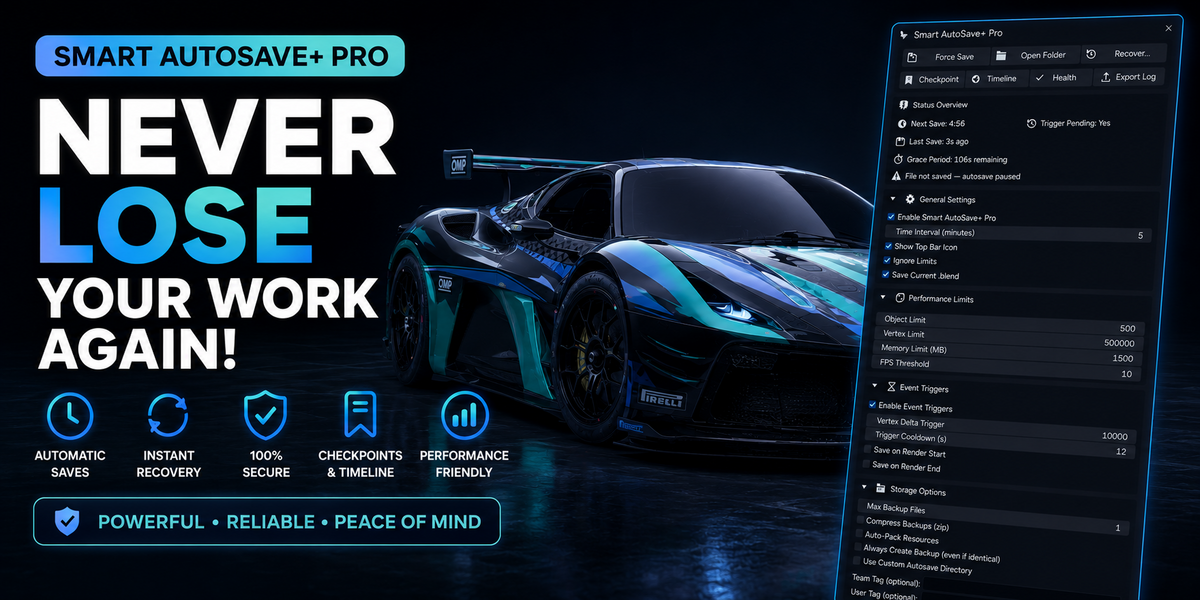
The most complete Blender autosave addon with edit-based detection, named checkpoints, session timeline, crash detection, and Google Drive & Dropbox cloud backup. Built for artists who cannot afford to lose their work.
Blender 4.0 – 5.1+ · Windows · Mac · Linux · GPL v3 · All updates included
🧠 Why This Blender Auto Save Addon Beats the Built-In Option
Blender's built-in auto save overwrites the same temp file every time and has no version history. If you've ever asked "does Blender autosave if it crashes?" — the honest answer is: only partially, and only if you're lucky. One corrupted file and that single recovery attempt is gone. AutoSave+ Pro replaces that with numbered, named, organized backups of every version of your work — separated by type, fully searchable, automatically uploadable to Google Drive or Dropbox, and now with genuine crash detection built in.
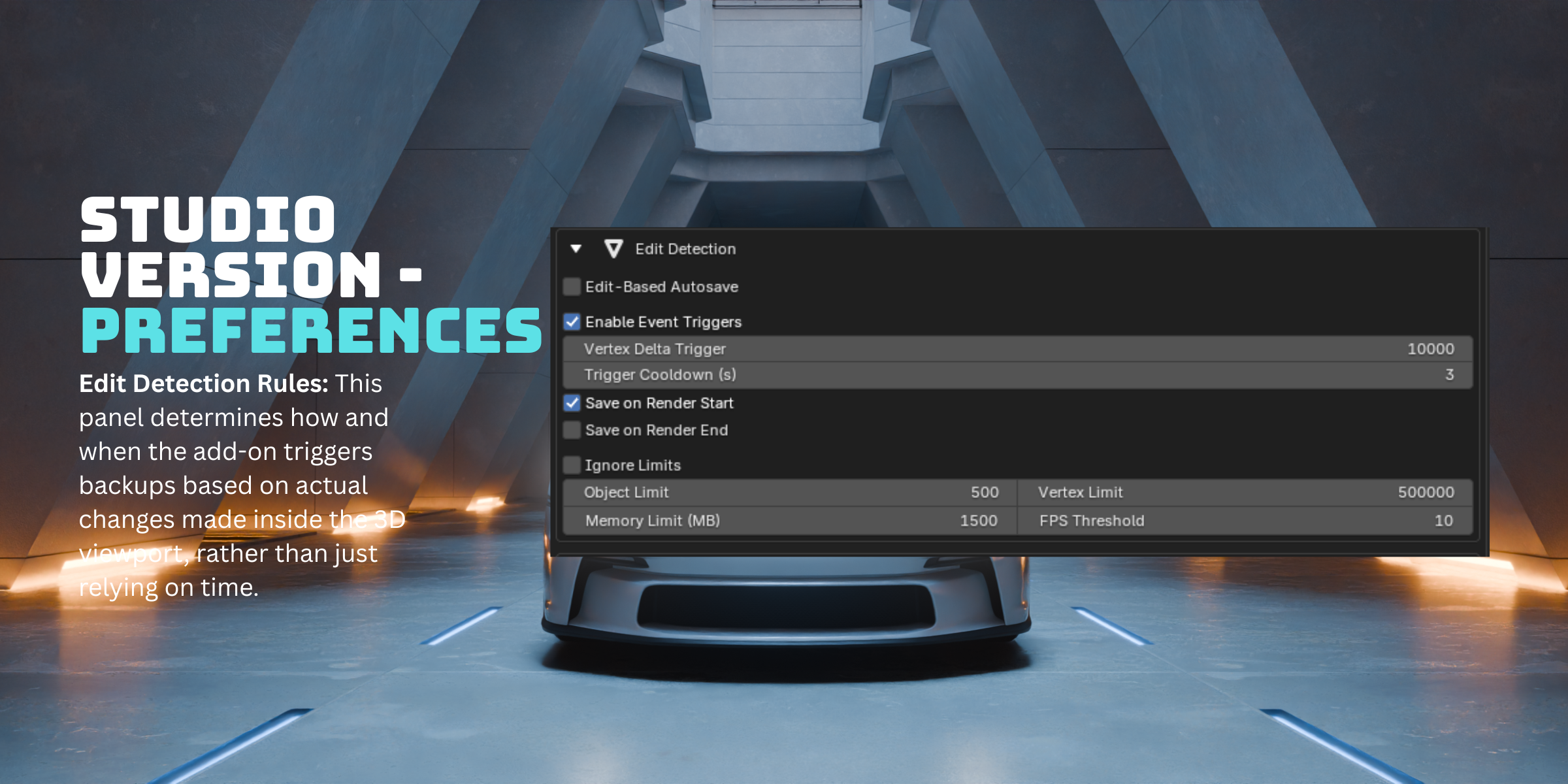
It also fixes the most common complaint in Blender autosave not working threads: timer-based saving that fires whether or not you've touched anything. This addon only saves when you've actually made changes. Sit idle for an hour — nothing saves. Work for 10 minutes — exactly one backup, automatically, silently.
Over the past year, this Blender crash prevention addon has been shaped by real production users — including a 3D artist who needed checkpoint overwrite for client deliveries, and a compositor who found a render freeze bug with heavy EXR sequences. Every feature exists because a real artist needed it.
🎯 Who Is This For?
Whether you're searching for a reliable Blender auto-save addon, trying to fix Blender autosave not working issues, or just want real crash prevention — here's who gets the most out of it:
Freelance 3D Artists
You need version history without managing it manually. Named checkpoints let you save milestones like "Client_Submission_v1" that never get overwritten or pruned — and can be updated in one click when the client requests changes.
Heavy Scene / VFX Artists
Working with large EXR sequences, high-poly meshes or complex simulations? Cloud backup lets you upload checkpoints to Google Drive or Dropbox and delete local copies automatically — keeping your SSD clean while your work stays safe. The compositing freeze fix was built specifically for you.
Studio Teams
User tags and team tags in filenames make every backup attributable. Export the full save history as a styled HTML report or CSV for project audits. Custom autosave folder names keep different projects separated.
Anyone Who Has Ever Lost Work
The basic autosave runs silently in the background. You never think about it until you need it — and when you do, the Timeline shows every version of your file with thumbnails, timestamps, and one-click restore. If your last session crashed, the recovery dialog tells you plainly instead of leaving you guessing.
⚡ Core Features — Studio License
| ⚡ Edit-Based Autosave FLAGSHIPComputes a scene hash at each save and compares the current state on every timer tick. Only saves when something actually changed. Zero duplicate files when idle. | 🚨 Crash Detection & Smart Recovery NEW v8.7.4Knows the difference between a routine backup and a session that actually crashed or got force-quit. Reopen after a crash, and you get a dedicated recovery message pointing straight to your most recent backup — not a generic "newer file found" popup. |
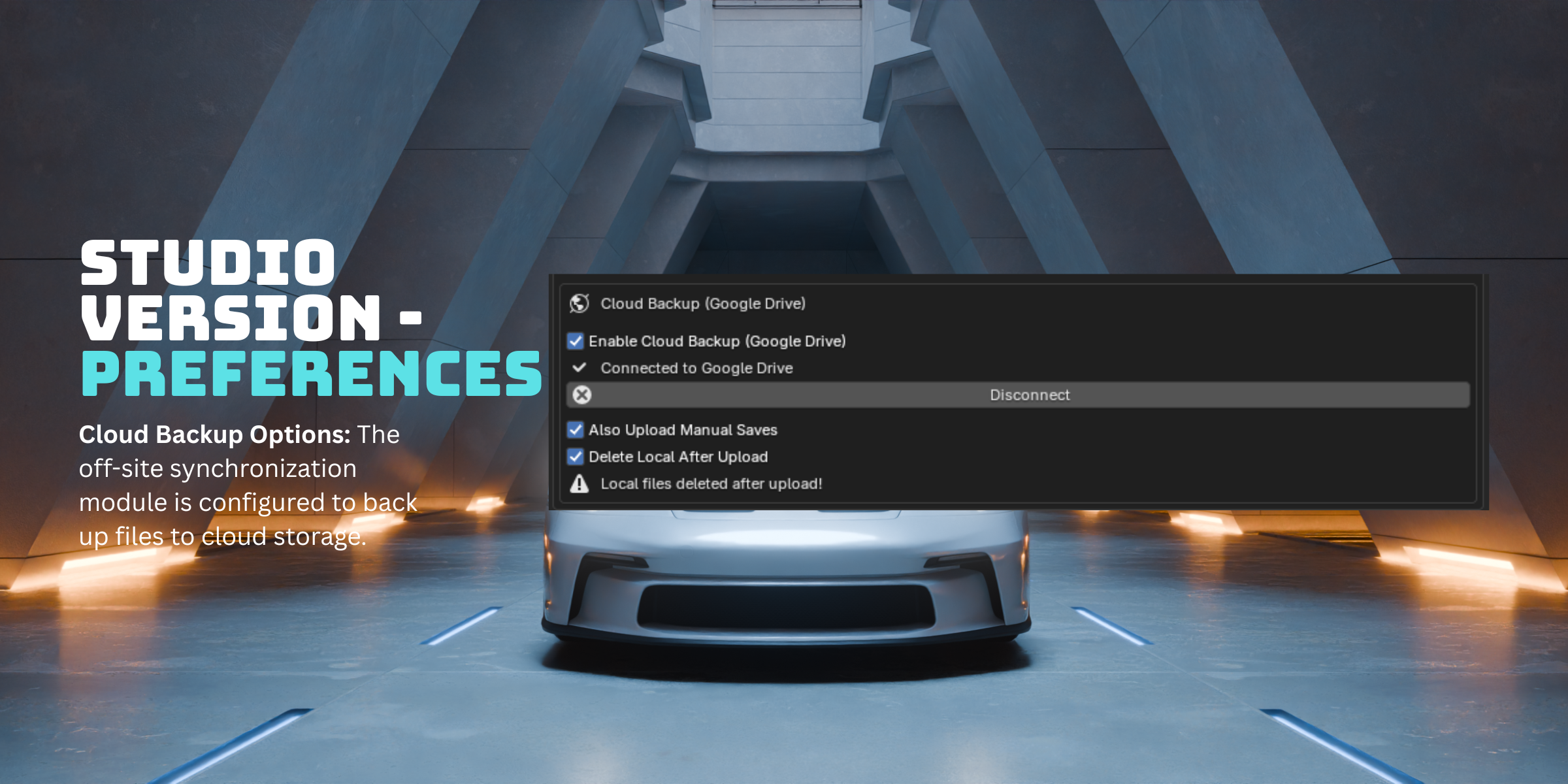
| ☁️ Google Drive & Dropbox Backup NEW v8.7Authenticate once. Checkpoints and manual saves upload silently to your Google Drive or Dropbox in a background thread. Switch providers anytime. Optional delete-local-after-upload for heavy scene artists. | |
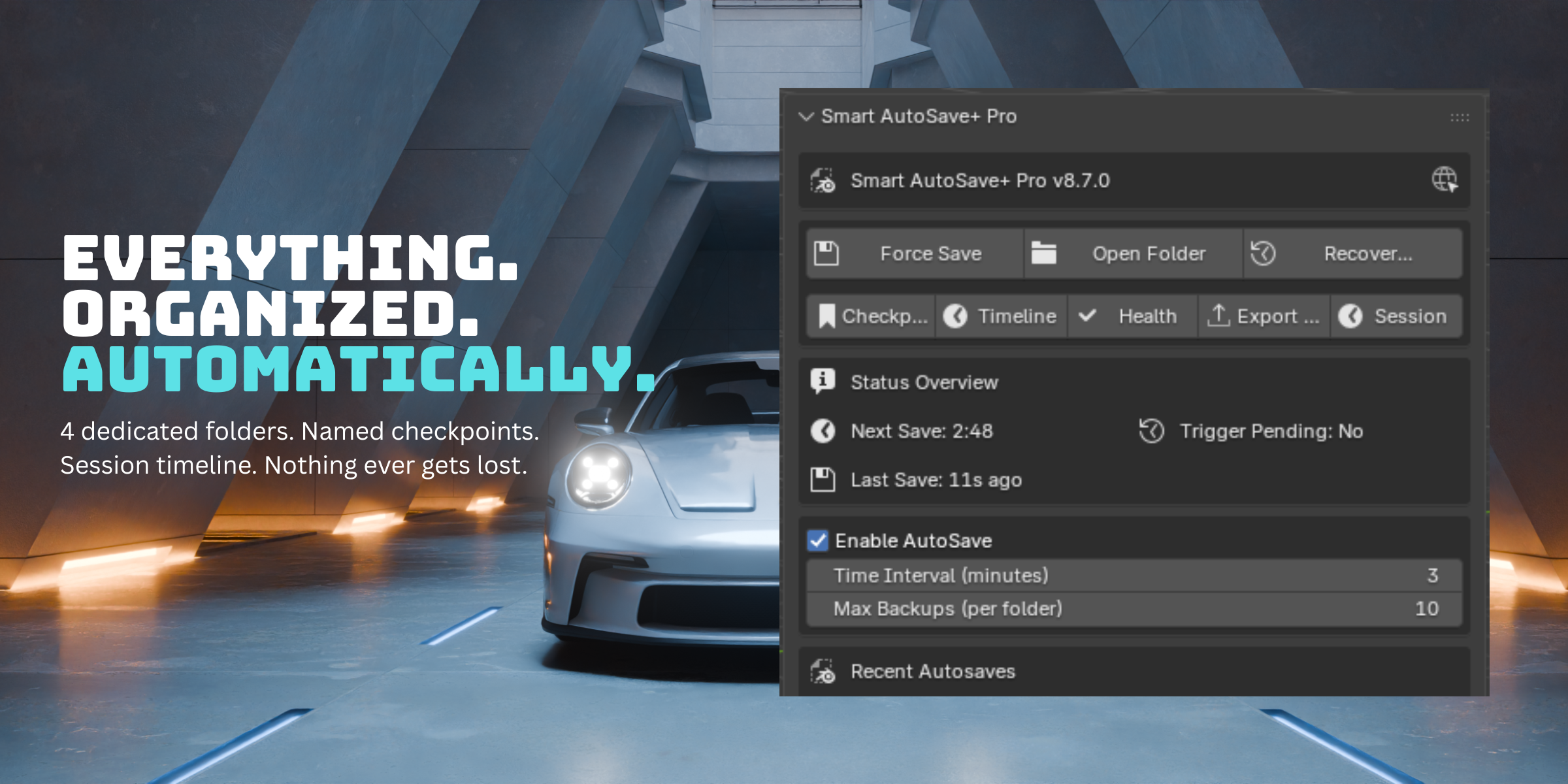
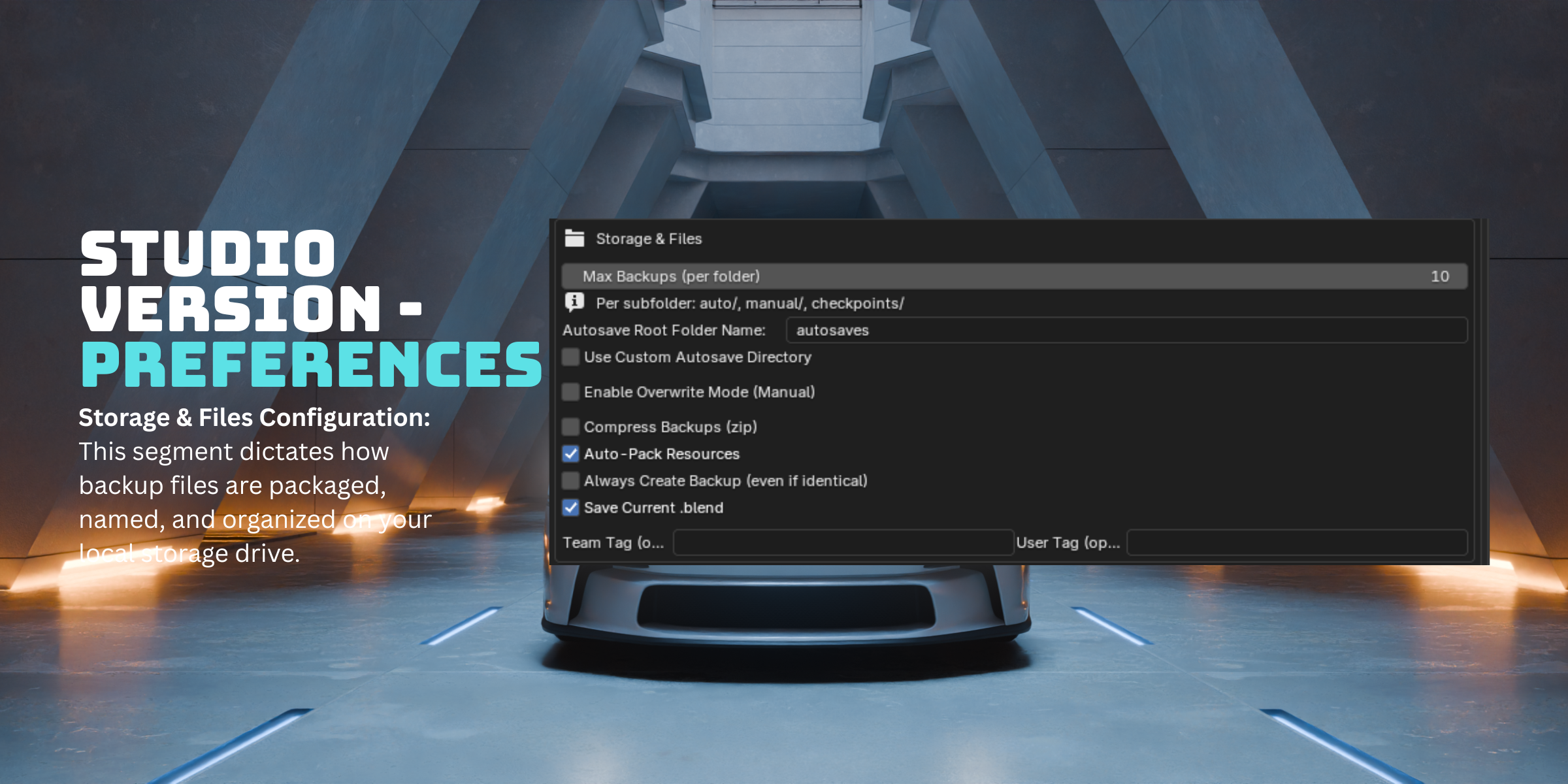
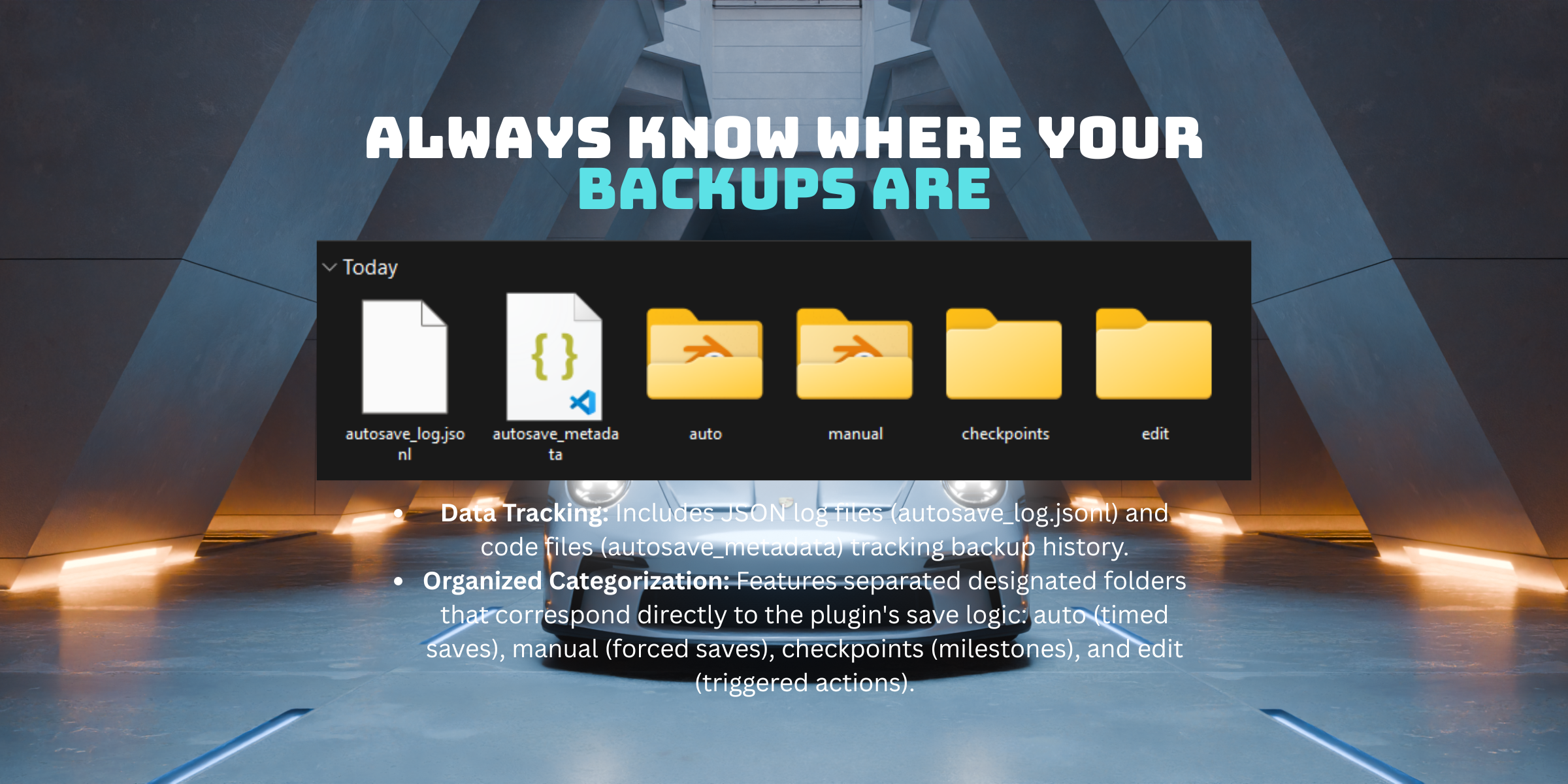
| 🏷️ Named CheckpointsSave milestones with custom names. | 📁 4 Dedicated Save FoldersAuto, Edit, Manual and Checkpoints each get their own subfolder. Max Backups applies per folder — checkpoints never crowd out auto saves and are never pruned. |
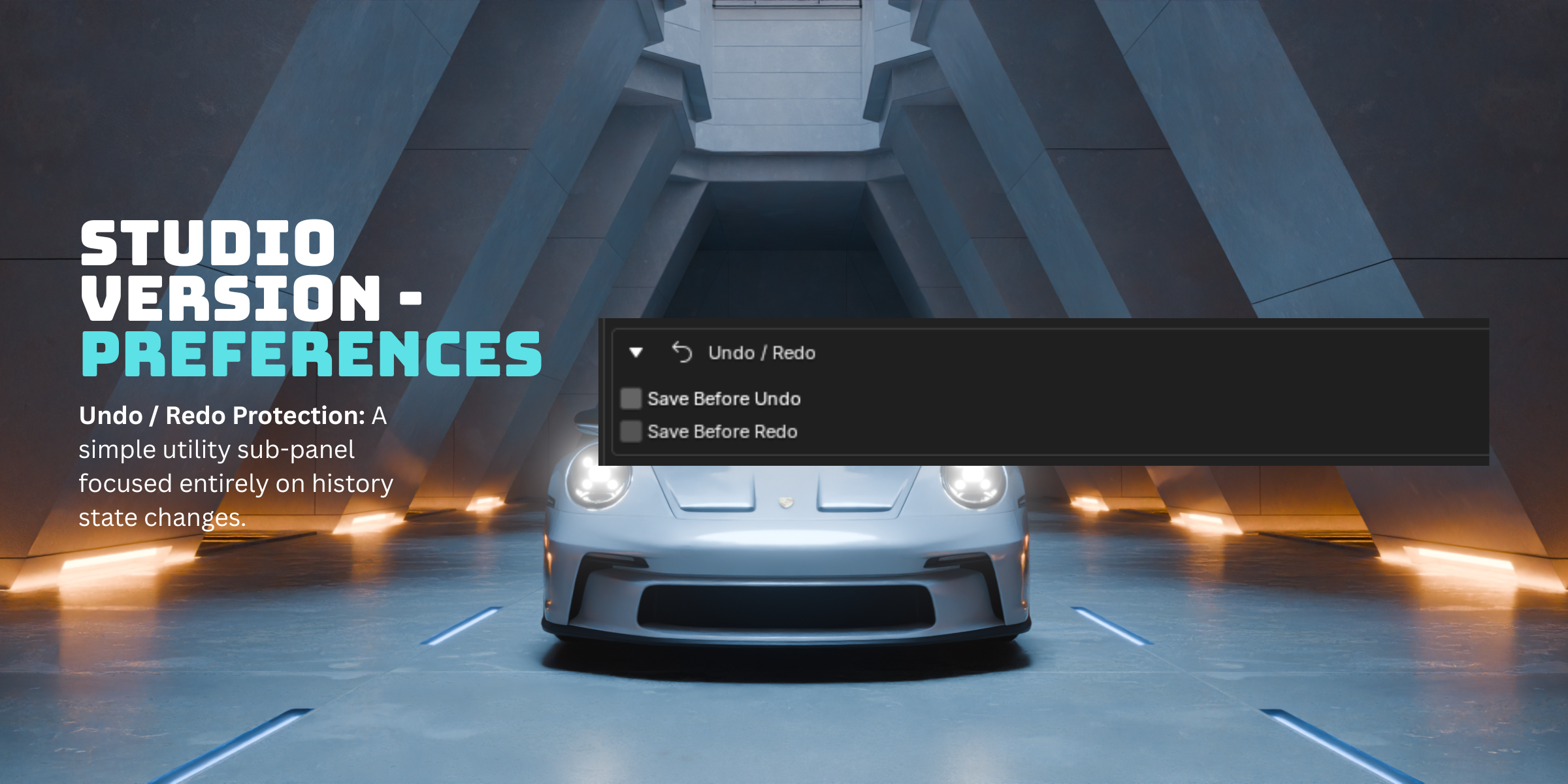
| 📋 Session TimelineBrowse every save with thumbnails, timestamps and reasons. Filter by type (Auto/Edit/Manual/Checkpoints), search by name or date, restore or open any version in a new Blender window. | ↩️ First Undo Safety Net FIXED v8.7.3One silent save fires on your very first undo after each autosave — then stays quiet until the next autosave resets it. No more saving on every undo or waiting for N steps. |
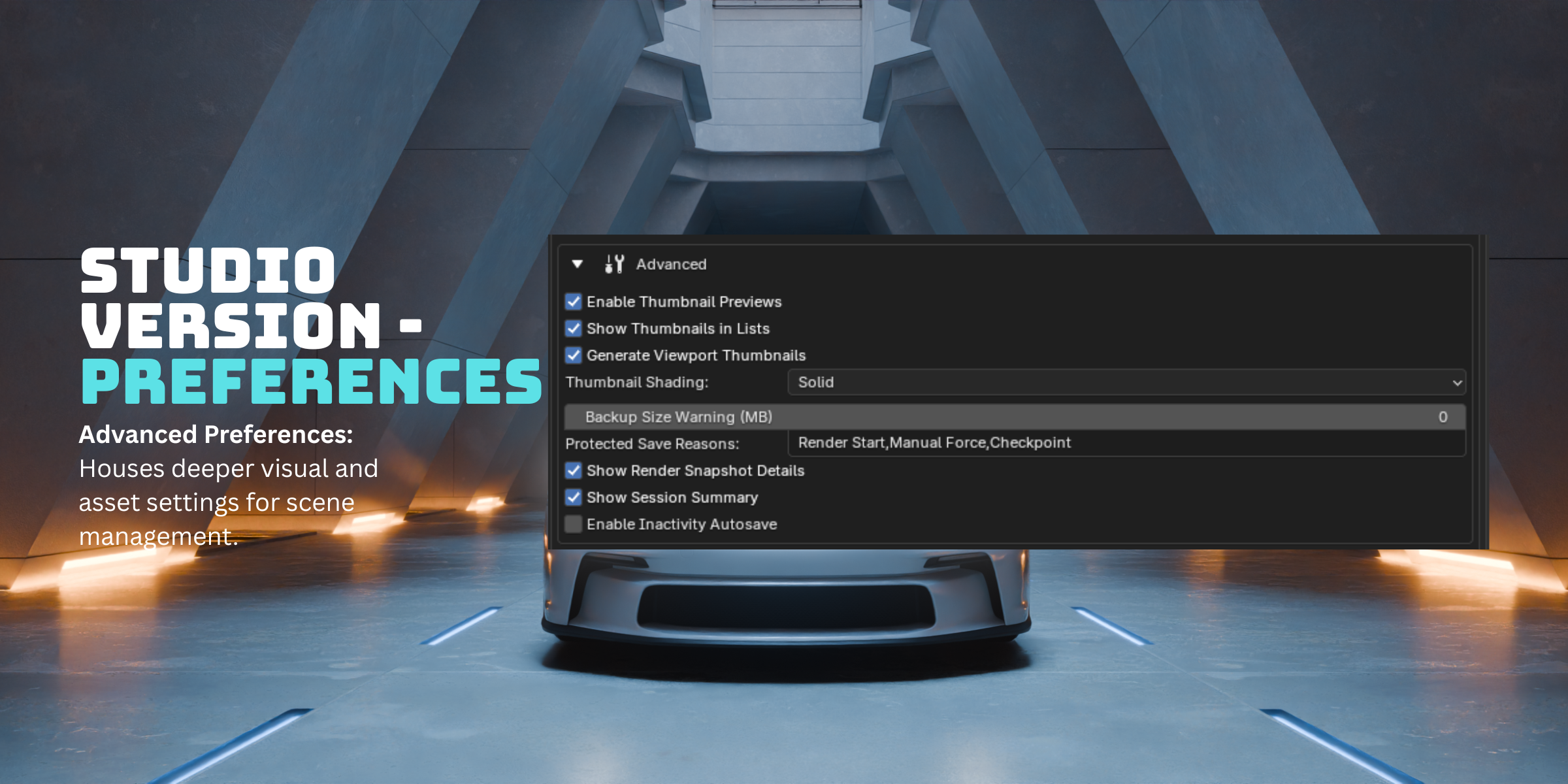
| 🎬 Render Start / End SavesAuto-backup before and after every render. Engine name and frame range are included in the filename. Never lose your pre-render scene state to a crash mid-render. | 🖼️ Viewport ThumbnailsEvery backup gets a 320×180 PNG of your viewport at save time. ZenUV color curve conflict fixed — no more black thumbnails regardless of your color management setup. |
| 📊 Session Summary Report NEW v8.7One click exports a styled HTML report of your session — duration, saves created, checkpoints, total backup size, full save history table. Opens automatically in your browser. | 🛡️ Compositing Freeze FixAll background processing pauses during renders and compositing — fixing the freeze reported by users working with large EXR sequences. Zero interference with heavy sessions. |
| ♻️ Safe Restore LogicRestoring saves the backup as | 📤 Export Backup LogExport full save history as a styled HTML report or CSV — timestamps, reasons, file sizes and tags. Opens automatically in your browser for review or client handoff. |
📁 Organized Folder Structure
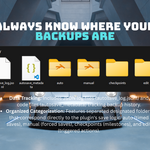
Every save type has its own dedicated subfolder. No mixing, no confusion — open the autosaves folder and instantly know what every file is.
Legacy flat _Backup_N.blend files from previous versions migrate automatically into auto/ on first save. Nothing is lost.
☁️ Cloud Backup — Google Drive & Dropbox
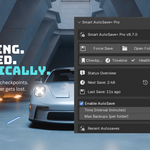
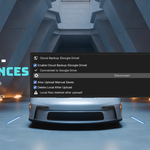
Your checkpoints, automatically in the cloud. Choose your provider in Preferences → Cloud Backup: Google Drive or Dropbox. Authenticate once and your saves upload silently in a background thread after every checkpoint or manual save. Enable Delete Local After Upload to keep your SSD clean while your work stays safe off-site.
| Step 1 Enable & ConnectPreferences → Cloud Backup → Choose Provider → Connect → your browser opens the auth page | Step 2 Approve OnceSign in and click Allow. Token saved locally on your machine — you never sign in again. | Step 3 Works AutomaticallyCreate a checkpoint or force save — file uploads in the background. Status shown live in the N-Panel. |
⚠️ Google Verification Notice
When connecting for the first time, Google may show a warning: "Smart AutoSave Pro hasn't been verified by Google." This is normal for independent developer tools. To proceed: click Advanced → Go to Smart AutoSave Pro (unsafe) → sign in normally. The addon only requests permission to upload files to your own Drive — it cannot read, modify or delete any of your existing files. Your credentials are stored locally and never shared with anyone.
⚠️ Dropbox Security Notice
When connecting for the first time, Dropbox may show a warning: "This app only has a small number of users." This is completely normal for indie developer tools and simply means the app hasn't been reviewed by a large user base yet. It is safe to proceed. Smart AutoSave+ Pro only requests permission to read and write files within its designated folder on your Dropbox — it cannot access anything outside of it. You can disconnect anytime from your Dropbox account settings under Connected Apps.
🆕 What's New in v8.7.4
🚨 Crash Detection & Smart Recovery NEW
The addon now knows the difference between a routine backup and a session that actually crashed or got force-quit. Reopen after a crash and you'll see a dedicated recovery message — not the old generic "newer backup found" popup — pointing you straight to your most recent backup.
🔧 Fixed: "Show Recovery Dialog on Load" Preference Fixed
This setting wasn't always being respected — disabling it could still leave the dialog appearing in some cases. It now works exactly as expected, both on and off.
🕐 Previous Updates — v8.7.3
☁️ Dropbox Cloud Backup
Choose between Google Drive and Dropbox in Preferences → Cloud Backup. Authenticate once; backups upload silently in a background thread. Full chunked upload support for large files over 150MB.
↩️ First Undo Safety Net
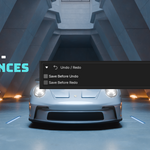
A dedicated option under Undo/Redo: one silent save fires on your very first undo after each autosave — then stays quiet until the next autosave resets it. No more choosing between "save on every undo" or "wait for N steps."
🔧 Enable Autosave Toggle
Disabling autosave from the N-Panel now actually stops ALL saves — timer, triggers, and undo saves. Previously, only the timer stopped.
⏱️ Timer Interval Respected
Set to 60 minutes; it waits 60 minutes. The cooldown check was running before the interval check, causing early saves.
⚖️ Basic vs Studio vs Team — Full Comparison
| Feature | Basic | Studio ⭐ | Team 🚀 |
|---|---|---|---|
| Core Saving | |||
| Timer-based autosave | ✓ | ✓ | ✓ |
| Edit-based autosave (hash detection) | ✓ | ✓ | ✓ |
| Force save button | ✓ | ✓ | ✓ |
| Smart startup popup | ✓ | ✓ | ✓ |
| Compositing freeze fix | ✓ | ✓ | ✓ |
| Max backups limit | ✓ | ✓ | ✓ |
| Organization | |||
| 4 dedicated save subfolders | — | ✓ | ✓ |
| Named checkpoints | — | ✓ | ✓ |
| Checkpoint filename uses your label | — | ✓ | ✓ |
| Custom autosave folder name | — | ✓ | ✓ |
| Team tag / user tag in filenames | — | ✓ | ✓ |
| Recovery & Timeline | |||
| Session Timeline with search | — | ✓ | ✓ |
| Crash detection & smart recovery | — | ✓ | ✓ |
| Timeline quick filter buttons | — | ✓ | ✓ |
| Viewport thumbnails per backup | — | ✓ | ✓ |
| Open backup in new Blender window | — | ✓ | ✓ |
| Append objects from backup | — | ✓ | ✓ |
| Safe restore as _restored_N.blend | — | ✓ | ✓ |
| Backup health report | — | ✓ | ✓ |
| Export backup log (CSV + HTML) | — | ✓ | ✓ |
| Advanced Features | |||
| Google Drive / Dropbox cloud backup | — | ✓ | ✓ |
| Delete local after cloud upload | — | ✓ | ✓ |
| Session summary HTML export | — | ✓ | ✓ |
| Save before undo / redo | — | ✓ | ✓ |
| Render start / end saves | — | ✓ | ✓ |
| Overwrite named checkpoints | — | ✓ | ✓ |
| Compress backups to .zip | — | ✓ | ✓ |
| Auto-pack resources (fix pink textures) | — | ✓ | ✓ |
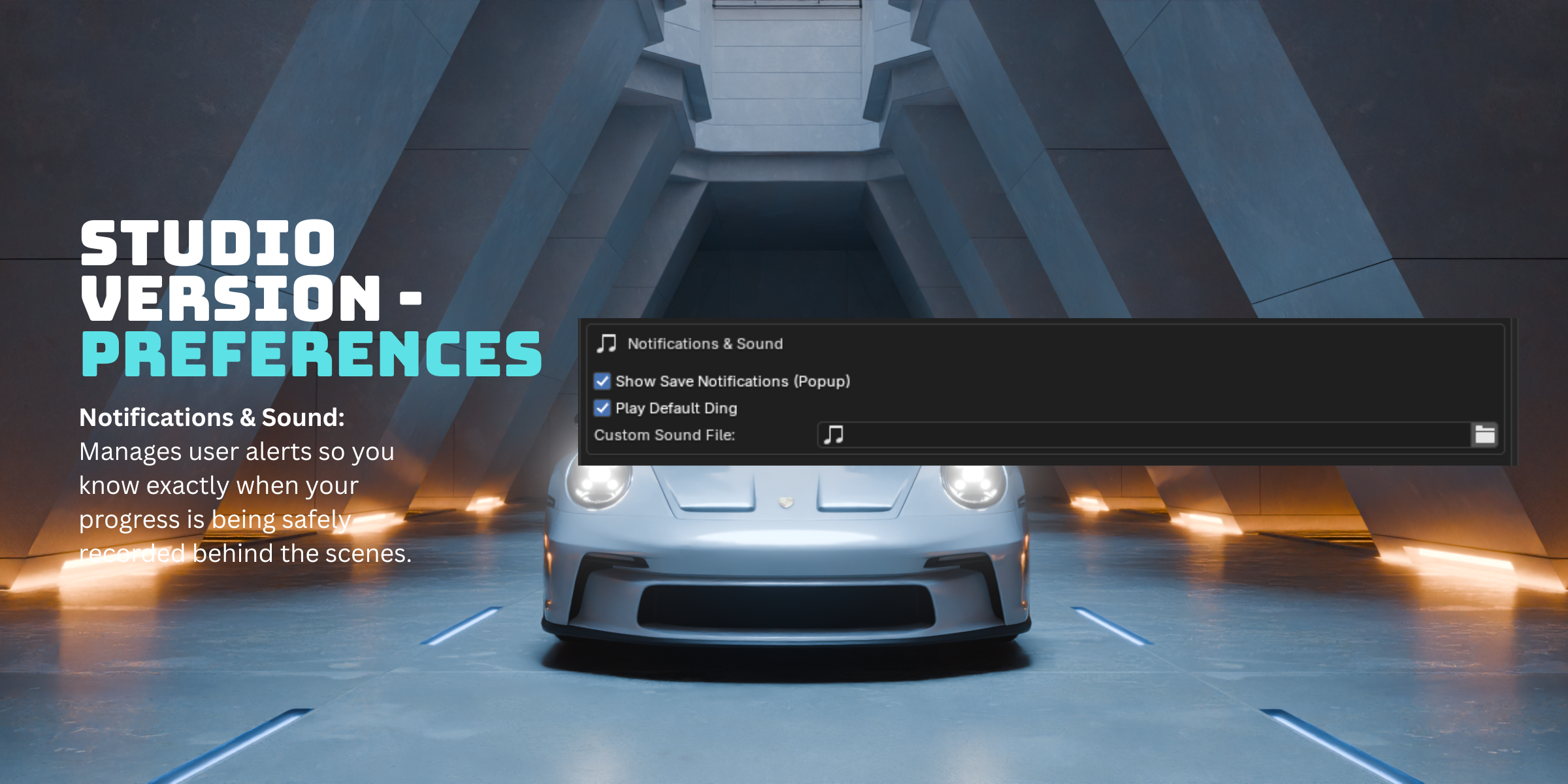
| Custom sound on save | — | ✓ | ✓ |
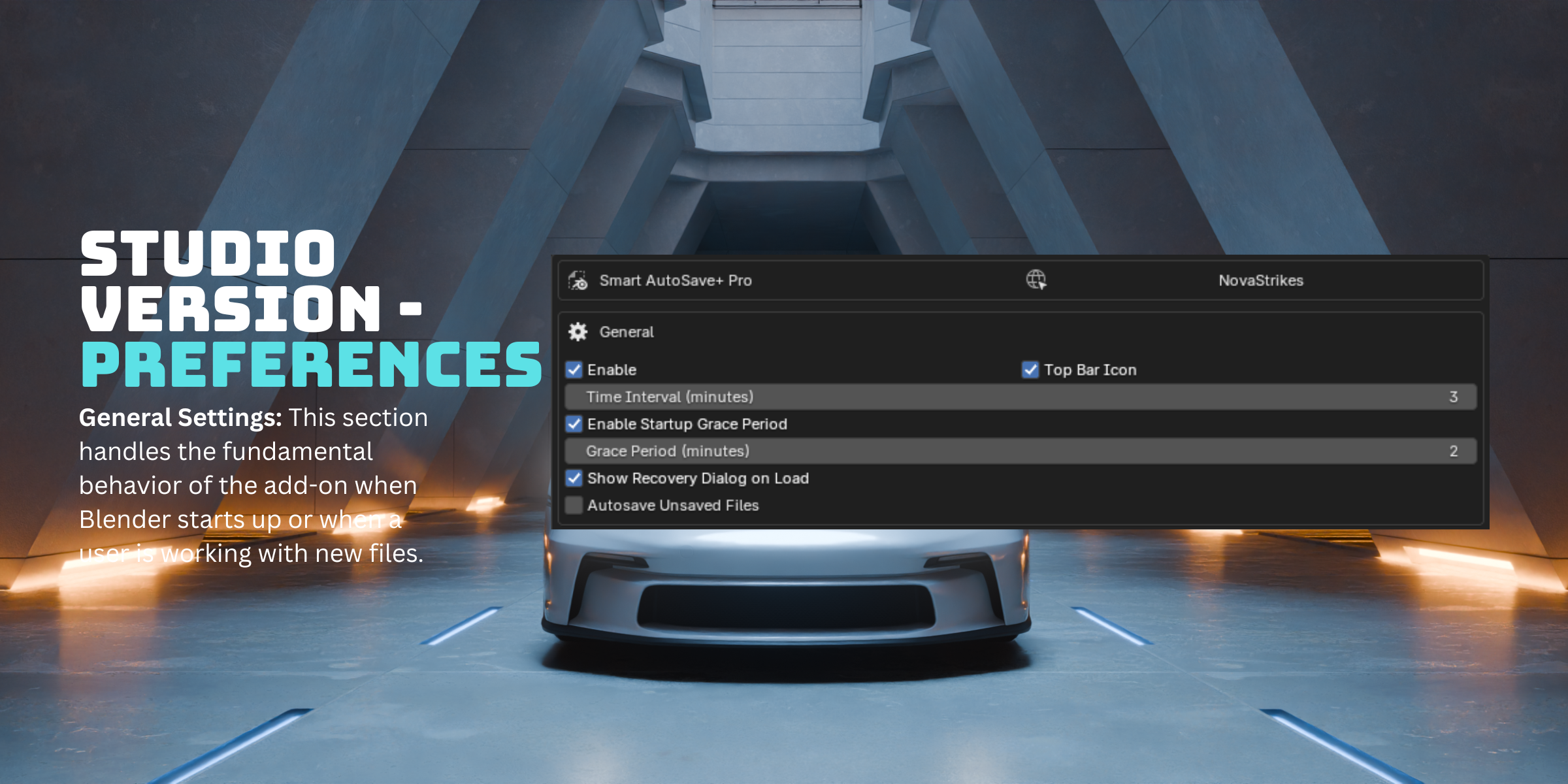
| Grace period on file open | — | ✓ | ✓ |
| Team Exclusive | |||
| Up to 10 user seats | — | — | ✓ |
| Priority support queue | — | — | ✓ |
| Early access to new builds | — | — | ✓ |
💬 Real Upgrade Stories
Not sure if Studio is worth it over Basic? Here's what actually happened for two users who made the jump.
| ★★★★★ VERIFIED PURCHASE "I initially bought the Basic Edition but quickly upgraded to the Studio version for the extra features. The add-on is easy to set up, and the N-Panel offers tons of save config options. I definitely feel much safer with my projects now!" — SebL, Superhive review | ★★★★★ VERIFIED PURCHASE "A comprehensive automatic archiving tool that can fully ensure your work progress. It is recommended to purchase the Studio License directly to access all features. The developers are very friendly, respond promptly, and add features very quickly." — bopcn, Superhive review |
❓ Frequently Asked Questions
Does Blender autosave if it crashes?
Blender's built-in autosave only captures your last saved interval and overwrites the same temp file each time. AutoSave+ Pro (Studio & Team) goes further with genuine crash detection — on your next launch after a crash or force-quit, you'll see a dedicated recovery message pointing you straight to your most recent backup, not just a generic "newer file found" notice.
Where is my Blender autosave location?
By default, Blender's autosave location is a system temp folder that's easy to lose track of. AutoSave+ Pro instead creates a dedicated autosaves/ folder next to your .blend file, with separate subfolders for auto, edit, manual, and checkpoint saves — so you always know exactly where your backups live.
Blender autosave not working — will this addon fix it?
If Blender's autosave feels unreliable — saving too often, not saving at all, or saving over your only backup — that's a limitation of the built-in feature, not a bug you're causing. AutoSave+ Pro replaces it entirely with edit-based detection (only saves on actual changes), multiple backup types, crash detection, and a searchable session timeline so you're never dependent on a single autosave file again.
Does it work with Blender 5.x?
Yes. Smart AutoSave+ Pro is tested and fully compatible with Blender 4.0 through 5.1+.
Will it slow down Blender?
No. The background scene hash runs every 5 seconds and is extremely lightweight. Cloud uploads happen in a separate thread and never block the main Blender process. All processing pauses during renders.
What happens to my backups if I move my project folder?
The autosave folder is created next to your .blend file. If you move the project, the backup history won't follow automatically — but all the files are still there wherever you left them. The Timeline will show missing entries for files it can no longer find, but your existing backups are intact.
What if my Google Drive or Dropbox disconnects mid-upload?
The upload fails gracefully and shows a warning in the N-Panel. Your local file is never deleted unless the upload succeeded. On the next save, it will try again.
Can I use it on multiple computers?
Yes. Install it on as many machines as you own. The Studio license covers personal use across all your devices.
Do two .blend files in the same folder conflict?
No. Backups are always prefixed with the project filename. ABC.blend and DEF.blend in the same folder produce completely separate backup sets that never interfere with each other.
Are future updates included?
Yes. All updates are free for Studio license holders for the duration of your support period. This add-on is actively developed and updated regularly based on real user feedback.
🚀 Installation — 60 Seconds
- Download the zip from your Superhive purchases page
- Open Blender → Edit → Preferences → Add-ons
- Click Install → select the downloaded zip
- Enable the add-on — Smart AutoSave+ Pro appears in your N-Panel (press N in the viewport)
- Save your .blend file once — the addon handles everything automatically from there
Updating from an older version? Install over the existing version — all backups, checkpoints and settings are preserved. Legacy flat backups migrate automatically on first save.
🧩 Version
Smart AutoSave+ Pro v8.8.0
Supports Blender 4.0+ and 5.0+ and is fully compatible with modern Blender API handlers. Windows, macOS, and Linux supported.
📜 License
This software is licensed under the GNU General Public License (GPL).
This program is free software: you can redistribute it and/or modify it under the terms of the GNU General Public License as published by the Free Software Foundation, either version 3 of the License, or (at your option) any later version.
This program is distributed in the hope that it will be useful, but WITHOUT ANY WARRANTY — without even the implied warranty of MERCHANTABILITY or FITNESS FOR A PARTICULAR PURPOSE.
📌 Attribution is appreciated but never required.
💡 Created with ❤️ by NovaStrikes