Blender Auto Save Addon — Smart AutoSave+ Pro
 NovaStrikes


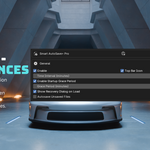
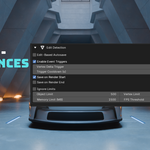
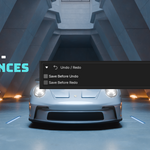
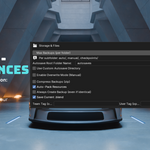
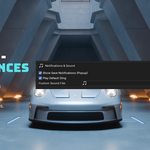
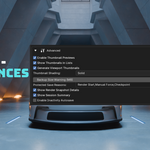
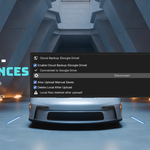
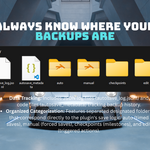
📘 AutoSave+ Pro – User Documentation
Created by: Hamayl Shahbaz – NovaStrikes
Website: https://novastrikes.com
🔧 Overview
AutoSave+ Pro is a smart auto-save utility for Blender that automatically saves your current project at custom intervals, without interrupting your workflow. It also creates backup .blend files in a dedicated folder to prevent loss of progress.
🚀 Features
-
Customizable auto-save interval (1–60 minutes)
-
Smart backup folder creation
-
FPS-based lag prevention
-
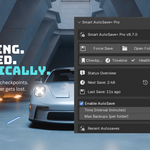
“Last AutoSave” time display
-
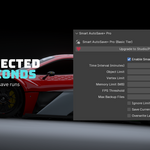
Fully integrated into the Blender UI
-
Safe saving logic: activates only after your project is saved once
📂 Installation
-
Open Blender.
-
Go to Edit > Preferences > Add-ons.
-
Click Install..., and select the .
zipfile you downloaded. -
Enable the add-on from the list.
-
Find it in the Sidebar (N-Panel) under the "AutoSave+ Pro" tab.
🧠 How It Works
-
Once your
.blendfile is saved, the add-on begins monitoring the elapsed time. -
After your chosen interval passes, it automatically creates a new
.blendbackup inside a folder named: -
The UI displays the Last AutoSave Time, and you can stop or adjust the timer at any moment.
⚙️ Settings & Controls
| Option | Description |
|---|---|
| Interval (Minutes) | Set how often the project is auto-saved (1–60 mins). |
| AutoSave Enabled | Toggle the auto-save system on or off. |
| Backup Folder | Automatically created near the original .blend file. |
| Last AutoSave Time | Shows the last backup timestamp. |
Untitled.blend), the add-on will show a warning and will not activate until the first manual save.
📌 Best Practices
-
Always save the project once manually to initialize the system.
-
Set backup intervals depending on project size:
-
Light scenes: 5–10 minutes
-
Heavy scenes: 15–30 minutes
-
-
Periodically clean your backup folder to free up space.
❓ Troubleshooting
| Problem | Solution |
|---|---|
| Add-on not working | Ensure the project has been saved at least once. |
| Frequent saves | Double-check the interval – 1 = 1 minute, not 1 second. |
| Laggy viewport | Try increasing the interval and reduce the FPS threshold in code if necessary. |
❤️ Support & Updates
For updates, more add-ons, or support:
🔗 https://linktr.ee/novastrikes
-
$6.99
>1 user (freelancers, students, hobbyists) >Core autosave functionality >Free updates & full support
-
$17.99
>Up to 6 users (small teams & indie studios) >Free updates & full support >Extra customization options (e.g., custom save directory, save log history, UI tweaks)
-
$39.99
Up to 10 users (studios & growing teams) > Everything in Studio License > Priority support queue > Early access to new features before public release > Free updates & full support
Have questions about this product?
Login to message