Axis Core Addon for Blender
 Antonio Solano


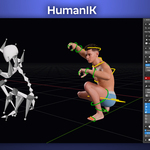
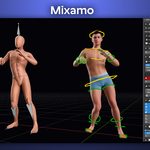
AXIS Core Addon - Changelog
Version 0.7.0
New
- Blender 5 support - fully compatible with Blender 4 and Blender 5.
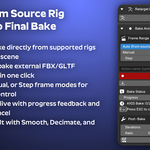
- Smooth Keyframes - reduces jitter and noise from mocap data after baking. Adjustable intensity.
- Decimate Keyframes - removes unnecessary keyframes while keeping the animation intact. Reduces file size and improves playback performance. Works great combined with Smooth.
- Push to NLA - sends the baked action to the NLA editor as a strip in one click.
- Action Name - name your bake before starting. Leave it empty for an automatic name.
- Reset ARKit - clears ARKit facial animation without jumping to frame 1.
- Tutorials playlist - new button in the Info section linking to the official YouTube tutorials playlist.
Changes
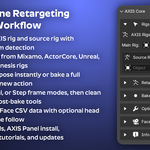
- Simplified interface - the panel is now cleaner and more focused. Select the AXIS Rig at the top, the source rig below, then use the dedicated sections for Retarget Pose (single frame) and Bake Animation (with frame range, action name, and all post-bake tools grouped together).
- Options section updated - now includes Reset Pose for the AXIS rig, Reset Pose for any selected rig (useful for the Face Widget), and Reset ARKit.
- Source system detected automatically - the manual system selector has been removed. The detected system is shown as a label. This prevents incorrect results caused by wrong manual selection.
- Pose and IK/FK tools moved to AXIS Panel - these tools belong to the rig, not the retarget addon. They are available in the AXIS Panel, included free with every model.
- Internal library removed - the built-in pose and animation library has been removed. Blender's native Pose Library covers the same use case more reliably.
- Bake is now faster - significant performance improvement on long animations with many bones.
---
AXIS Panel - Changelog
Version 0.6.2
New
- Blender 5 support - fully compatible with Blender 4 and Blender 5.
- Rig Selector - new picker at the top of the panel. In scenes with multiple characters, you choose which rig the panel controls. Assigned automatically if only one AXIS rig is present.
- Pose Tools - new section with everything needed for posing:
- Reset Pose
- Toggle between Pose Mode and Object Mode
- Disable/enable bone limits - useful for exaggerated poses or stylised animation
- Copy and Paste pose
- Flip Pose and Mirror Pose
- Advanced Pose Tools - new section with full rig control:
- IK/FK sliders per limb (arms and legs individually) and per finger
- Global FK toggle for arms and legs in one click
- Global Fingers IK toggle in one click
- IK → FK and FK → IK snap for each limb and fingers
- Stretch controls
- Viewport performance controls - Max Subdivision and Child Particles sliders added to Performance Tools for faster viewport in complex scenes.
- Tutorials playlist - new button in the Info section linking to the official YouTube tutorials playlist.
Changes
- Hair Curves Reduction removed - did not work correctly in scenes with more than one character. Removed to avoid confusion.
- All sections collapsed by default - cleaner first look when opening the panel.
Have questions about this product?
Login to message
| Sales | 20+ |
| Published | 11 months ago |
| Blender Version | 4.0 - 5.0 |
| Extension Type | N/A |
| License | GPL |
Discover more products like this
blender 5 mocap Bake Animation retargeting animation rig tools daz studio Facial Animation motion capture mixamo Unreal Engine ARKit